Guides & best practices
View all articles7 Typeform alternatives to help you build better B2C funnels


Typeform is good if you have a wide range of use cases. Its conversational, design-forward interface works well for surveys, quizzes, and feedback forms. But, when it comes to building B2C funnels, some teams find:
❌ The animation-heavy design feels engaging, but some users report it slows down form filling, which can impact response rates
❌ While Typeform looks sleek out of the box, achieving a fully on-brand experience often requires higher-tier plans
❌ Native analytics and A/B testing features are basic compared to tools built for performance tracking
If you’re scaling funnels and need more flexibility, there are alternative tools designed with customization, conversions, and integrations in mind. We’ve compared the best Typeform alternatives for B2C funnels, based on design capabilities, pricing, and user feedback across review websites.
The 7 Best Typeform alternatives for B2C funnels
#1. Heyflow | #2. Involve.me | #3. Jotform | #4. Paperform | #5. HubSpot Form Builder | #6. Outgrow | #7. Qualtrics | |
|---|---|---|---|---|---|---|---|
Design flexibility | ✅ | ✅ | ✅ | ✅ | ✅ | ✅ | ✅ |
CRM integrations | ✅ | ✅ | ✅ | ✅ | ✅ | ✅ | ✅ |
Tracking integrations | ✅ | ✅ | ✅ | ✅ | ✅ | ✅ | ✅ |
Analytics & A/B testing | ✅ | ✅ | ✅ | ❌ | ❌ | ✅ | ✅ |
Data security | ✅ | ✅ | ✅ | ✅ | ✅ | ✅ | ✅ |
Custom code | ✅ | ✅ | ✅ | ✅ | ✅ | ✅ | ✅ |
Logic & personalization | ✅ | ✅ | ✅ | ✅ | ✅ | ✅ | ✅ |
Page building | ✅ | ✅ | ❌ | ✅ | ✅ | ✅ | ❌ |
Pricing | $45/month (billed annually) | $49/month | Free, then $34/month (billed annually) | $24/month | Free, then $9/seat/month | Free, then $22/month | Custom quote, starts around $420/month |
#1. Heyflow: Best alternative for paid ads

Heyflow helps marketers design interactive landing pages that convert clicks into qualified leads. As a no-code funnel builder, Heyflow helps teams design mobile-first, interactive landing pages that guide users smoothly from ad to conversion.
The platform includes 40+ conversion-focused blocks, A/B testing, and personalization features that follow lead generation best practices. Native integrations with platforms like Meta, Google, and LinkedIn also make it easier to connect ads with lead data.
Best for paid ad campaigns that rely on interactive lead flows
Interactive, personalized lead qualification flows for businesses running paid ads (Meta, Google, TikTok, LinkedIn) that need to turn low-intent clicks into qualified leads or sales.
Typical use cases include industries where personal data collection drives the product experience, such as:
Real estate agents running home valuation tools
Cosmetics brands offering custom skincare quizzes
Solar providers building personalized system estimates
Fitness companies tailoring programs to individual goals
Heyflow Key features
Heyflow key features for B2C funnels | ||
|---|---|---|
Category | Availability | Features |
Design flexibility | ✅ | Build mobile-ready, interactive funnels with drag-and-drop blocks or templates, no coding needed. Customize branding to match your exact look and feel. |
CRM integrations | ✅ | Sync leads directly into popular CRMs like HubSpot, Salesforce, or Zoho so sales teams can follow up instantly. |
Tracking Integrations | ✅ | Connect with Meta, Google, TikTok, and other ad platforms to measure ROI, plus behavioral tools like Hotjar for deeper insights. |
Analytics & A/B testing | ✅ | Built-in A/B testing combined with integrations like Google Analytics 4, Matomo, and Hotjar. |
Data Security | ✅ | Collect sensitive data with confidence — GDPR, SOC2, and HIPAA compliance keep customer information protected |
Custom code | ✅ | Add advanced styling or functionality when needed with CSS, JavaScript, and API/webhook support. |
Logic & personalization | ✅ | Use conditional logic and real-time validation to personalize funnels, ask smarter questions, and qualify leads automatically |
Landing page building | ✅ | Replace generic landing pages with conversion-optimized, on-brand experiences that load fast and work seamlessly on mobile |
Helyflow strengths and limitations
Heyflow pros and cons | |
|---|---|
Pros | Cons |
✅Built specifically for B2C funnels with lead qualification and landing page tools | ❌ No free plan |
✅Native ad platform integrations, A/B testing, and analytics | ❌ Custom branding not included in entry-level plans |
✅ Over 2,000 design variables for pixel-perfect branding | ❌ A/B testing is available only on the Scale plan |
✅ Flexible pricing add-ons without forced plan upgrades | ❌ Collaboration features are limited to the Enterprise plan |
✅Supports custom code with JS, CSS, and advanced webhooks | ❌ Plans feel pricey unless billed annually |
Pricing
Starter: $45 per month
Growth: $119 per month
Scale: $289 per month
Enterprise: Custom quote
User reviews
Why Heyflow? |
|---|
- Enterprise-grade security (SOC 2, ISO 27001, HIPAA) |
Lukas Draheim, Head of Product at Helpcheck, explains how Heyflow supports optimization:
“Now we can get a good understanding of how users are navigating through our flows, and more importantly, where they drop off, which helps us test, optimize, and reduce churn.”
Paula Foitzik, Head of Growth at RightNow, points to Heyflow’s speed:
“We are always on the lookout for new opportunities in the market, and to capitalize on those opportunities, we need to be fast. Heyflow allows us to do that.”
Learn how Heyflow's features can help you achieve higher engagement
#2. Involve.me: For marketers focused on gamified engagement
Involve.me is a no-code form builder often listed among the best Typeform alternatives for teams that need to create forms quickly without coding skills. It’s designed for businesses that want to build online forms, surveys, and payment forms that feel interactive and personalized.
With a drag-and-drop editor, you can design multi-page forms, quizzes, calculators, and lead capture funnels in just a few clicks. Its adaptive logic and A/B testing features allow marketers to design landing pages for higher conversion rates without coding.
Best for marketers creating personalized forms and quizzes
Interactive form builder and funnel solutions for B2B marketers, SaaS companies, and DTC brands that need to create personalized forms, quizzes, and calculators to qualify leads, collect feedback, and boost conversion rates from paid traffic.
Involve.me key features
Involve.me key features for B2C funnels | ||
|---|---|---|
Category | Availability | Features |
Design flexibility | ✅ | Drag-and-drop builder with 300+ customizable templates, custom fonts, pixel-level customization |
CRM integrations | ✅ | Extensive native integrations, including HubSpot, Salesforce, Pipedrive, ActiveCampaign, Marketo, Microsoft Dynamics, and many others |
Tracking integrations | ✅ | Extensive native integrations, including HubSpot, Salesforce, Pipedrive, ActiveCampaign, Marketo, Microsoft Dynamics, and many others |
Analytics & A/B testing | ✅ | Built-in A/B testing functionality with statistical confidence tracking and detailed analytics for form performance optimization |
Data security | ✅ | SOC 2 Type I compliant, fully GDPR compliant, SSL encryption for data transmission, and security controls |
Code | ✅ | Custom webhook support for JSON-structured data, custom CSS/JavaScript capabilities, and integration flexibility |
Logic & personalization | ✅ | Advanced conditional logic, answer piping, logic jumps, custom scoring, and personalized outcome pages based on user responses |
Landing page building | ✅ | Full landing page creation capabilities with standalone pages, website embeds, pop-ups, and custom domain support |
Involve.me strengths and limitations
Involve.me pros and cons | |
|---|---|
Pros | Cons |
Wide range of integrations with popular marketing and sales tools | Steep learning curve for users who want to maximize all the advanced features |
Live chat and email support, with higher satisfaction ratings than Typeform | Branding control (e.g., CNAME) and other advanced tools are only available on higher tiers |
Supports conditional logic, personalization, and logic jumps for creating complex forms | Certain advanced features are harder to find without digging into help docs |
Pricing
Free
Starter: $49 per month
Pro: $99 per month
Business: $199 per month
Enterprise: Custom quote
User reviews
People highlight involve.me’s ease of use and lead generation tools. Ana V., a small business owner, shared: “I received 5,000 new leads in just a couple of weeks. They definitely know the market.”
At the same time, some users point out limitations. Ken W., CEO of a consulting firm, noted: “While involve.me integrates with many popular tools, if you're using something more specialized, you might need to get creative with workarounds. The pricing also reflects the depth of features it offers.”
#3. Jotform: Best for quick, free starter forms, but limited and expensive for growth
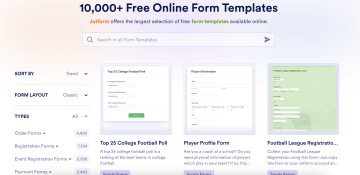
Jotform is an online form builder widely used as a free Typeform alternative for creating everything from contact forms and feedback forms to online surveys and application forms. Its intuitive form builder and drag-and-drop editor allow users to create conversational forms, multi-page forms, and custom online forms without coding knowledge.
The platform supports form creation with conditional logic, file uploads, payment collection, and seamless integration with over 150 tools like Google Sheets, CRMs, and project management platforms.
Best for
Teams that want a quick, free starter form builder for simple online forms and surveys. Jotform is cheaper than Typeform at the entry level, but it lacks landing page features and becomes expensive as you scale. Not ideal for marketers running paid traffic campaigns.
Jotform key features
Jotform key features for B2C funnels | ||
|---|---|---|
Category | Availability | Features |
Design flexibility | ✅ | Extensive customization options, including 600+ themes in the Theme Store, custom CSS editing, drag-and-drop Form Designer, custom fonts and colors, background images/videos, and complete visual control |
CRM integrations | ✅ | Includes Salesforce, HubSpot, Zoho, Agile CRM, Streak, and many others for automatic contact and deal creation. |
Tracking integrations | ✅ | Google Analytics 4 integration for conversion tracking, plus analytics and reporting integrations, including Funnelytics, and Attributer |
Analytics & A/B testing | ✅ | Built-in A/B testing capabilities with statistical significance calculations, plus a free A/B test calculator tool and form performance analytics |
Data security | ✅ | HIPAA-compliant forms, 256-bit SSL encryption, GDPR compliance, PCI DSS compliance for payments, and enterprise-grade security features |
Code | ✅ | Full source code download capability, custom HTML/CSS/JavaScript support, and complete control over form structure and appearance through code |
Logic & personalization | ✅ | Advanced conditional logic with show/hide fields, skip pages, personalized thank-you pages, email routing based on responses, and dynamic form behavior |
Landing page building | ❌ | Jotform does not offer standalone landing page creation. The platform specializes in creating forms that can be embedded into landing pages built with other platforms like Unbounce, but they are not a landing page builder themselves. |
Jotform strengths and limitations
Jotform pros and cons | |
|---|---|
Pros | Cons |
Easy to build professional-looking forms with a user-friendly drag and drop editor | Dashboard can load slowly and show occasional rendering lag when managing many forms |
AI features and a WordPress plugin help non-technical users get started fast | Pricing gets expensive as needs grow into higher-paid plans |
Automated emails and workflows help reduce manual follow-ups | Certain features are not intuitive, and AI assistants behave inconsistently across forms |
Pricing
All prices below are for annual plans billed yearly (VAT excluded):
Starter: Free plan
Bronze: $49 per month
Silver: $39 per month
Enterprise: Custom quote
User reviews
People like JotForm for its customization and ease of use. User Brenda D. calls it “easy to use” with “templates ready at your fingertips.”
However, some users mention areas for improvement, and end up looking for a Jotform alternative. A user in the health & wellness sector notes, “Every time I change the form, it does not automatically change the PDF form that goes with it.” Other users also find navigating workflows and switching between forms challenging.
#4. Paperform: Best for design-driven forms with built-in payments
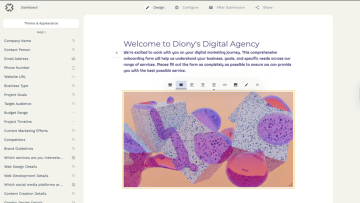
Paperform offers a document-style editor that makes form creation simple—users can type, add images, and embed media directly. Paperform supports multi-page forms, conditional logic, and calculations. It integrates with Stripe, PayPal, and Square for easy payment collection and connects to 2,000+ apps through Zapier and Make for workflow automation.
The platform also includes e-signatures, scheduling, and an AI form generator for faster setup. However, if you’re comparing paperform alternatives, options like Heyflow or Involve.me provide better performance tracking and conversion-focused layouts.
Best for small teams that need branded forms with payments
Small businesses and creative teams that prioritize brand aesthetics and need an easy form builder with built-in payments.
Paperform key features
Paperform key features for B2C funnels | ||
|---|---|---|
Category | Availability | Features |
Design flexibility | ✅ | Available through unlimited customization options, including custom fonts, colors, layouts, images, videos, and custom CSS styling |
CRM integrations | ✅ | Extensive CRM connectivity with direct integrations to popular platforms like Salesforce, Zoho CRM, HubSpot, and Agile CRM. Additional access to over 2,000 apps through native integrations and automation platforms |
Tracking integrations | ✅ | Supports Google Analytics integration, UTM parameter tracking, and third-party attribution tools like Attributer |
Analytics & A/B testing | ✅ | While form analytics are available, dedicated split testing features are not documented in their feature set |
Data security | ❌ | Comprehensive security measures, including SOC 2 and GDPR compliance, SSL encryption, two-factor authentication, and SSO (SAML) support on higher plans. Private file upload options available with custom S3 bucket configuration |
Code | ✅ | Full HTML and CSS customization support with a custom CSS editor and HTML embedding capabilities. Provides HTML form generation tools and extensive styling options |
Logic & personalization | ✅ | Includes answer piping, custom calculations, and personalized redirect pages |
Landing page building | ✅ | Dedicated landing page builder with full customization options, custom domain support, and e-commerce functionality built-in |
Paperform strengths and limitations
Paperform pros and cons | |
|---|---|
Pros | Cons |
AI assists for building forms and insights/reporting | Users share that Webhook customization could be more flexible without intermediaries |
Built-in payments & signatures streamline sales and contracts in one flow | Some users want easier, more visual drag-and-drop control within the editor (similar to a WYSIWYG layout builder) and better support for editing dark-themed forms directly inside the workspace. |
Intuitive, document-style editor that feels easy for non-technical users | Pricing jump for deeper customization/styling can feel steep for small teams |
Pricing
Essentials: $24 per month
Pro: $49 per month
Business: $99 per month
Enterprise: Custom quote
User reviews
Chris B., a Customer Happiness Director, said his company relies on Paperform and described the customer service as “the best SaaS support I’ve ever worked with.”
A few users, like William D., noted that “advanced customization can get pricey for growing businesses,” but most agree it’s a dependable, beautifully designed platform that simplifies form creation.
#5. HubSpot Form Builder: Best for businesses already in the HubSpot ecosystem

HubSpot Form Builder is built into HubSpot’s Marketing Hub which helps teams create custom online forms and capture leads directly into the CRM. Every form submission syncs automatically with HubSpot’s CRM, enabling personalized follow-ups and streamlined lead management.
Advanced features like progressive profiling, conditional logic, and dependent fields let marketers create complex, conversational forms that adapt to visitor responses. Forms can be embedded on websites or published as standalone pages, with analytics and workflow automation built in.
Best for HubSpot users who want built-in lead capture
Businesses already using the HubSpot ecosystem that want a built-in form builder for capturing and managing leads directly within their CRM. Ideal for marketing teams focused on automation, personalization, and CRM-driven campaigns, rather than standalone form creation.
HubSpot Form Builder key features
HubSpot key features for B2C funnels | ||
|---|---|---|
Category | Availability | Features |
Design flexibility | ✅ | Styling options include customizable fields, buttons, backgrounds, fonts, colors, progress bars, and the ability to add images or gradients |
CRM integrations | ✅ | Native integration with HubSpot CRM, with automatic lead capture and contact creation |
Tracking integrations | ✅ | Requires HubSpot tracking code installation on external pages for analytics tracking |
Analytics & A/B testing | ❌ | While landing pages support A/B testing on Professional and Enterprise plans, form-specific split testing is not available and requires creating separate forms for comparison |
Data Security | ✅ | Enterprise-level sensitive data protection features are available on higher tiers. Includes CAPTCHA spam prevention with Google reCAPTCHA v2, data privacy consent options, and compliance features |
Code | ✅ | Raw HTML form rendering available for legacy forms, with extensive CSS override options for styling embedded forms |
Logic & personalization | ✅ | Progressive profiling to dynamically replace known information with new questions, dependent fields that show/hide based on responses, and conditional redirects after form submission |
Landing page building | ✅ | Forms can be embedded on HubSpot-hosted pages or shared as standalone form pages with dedicated URLs |
HubSpot Form Builder strengths and limitations
HubSpot pros and cons | |
|---|---|
Pros | Cons |
Form submissions sync automatically with HubSpot CRM | Creating complex, multi-page forms requires redirects between separate forms |
Forms can trigger personalized follow-up emails, internal notifications, and lead nurturing workflows | Not ideal for long or complex feedback and research forms |
Includes reCAPTCHA and bot filtering to maintain clean CRM data | Advanced tools like progressive profiling and branding removal are locked behind higher-tier plans |
Pricing
While HubSpot Form Builder is technically free, the free plan is limited to two users. You need to upgrade to HubSpot’s Marketing Hub plans, where the form builder is bundled as part of the larger marketing automation sute:
Marketing Hub Starter: $9 per seat/month
Marketing Hub Professional: $800/month, includes 3 seats + $3,000 onboarding
Marketing Hub Enterprise: $3,600/month, includes 5 seats + $7,000 onboarding
User reviews
Many users say HubSpot’s form builder is easy to use and well-integrated with their CRM. One small-business user shared, “Everything is connected in one place — emails, landing pages, forms, automation, and reporting. It’s intuitive and makes it easy to see what’s working.”
However, others note pricing and feature limitations. A mid-market reviewer explained, “We use it mainly for form submissions and landing pages, and setup was easy. But some advanced reporting and A/B testing options are locked behind higher-tier plans.”
#6. Outgrow: Best for interactive lead generation
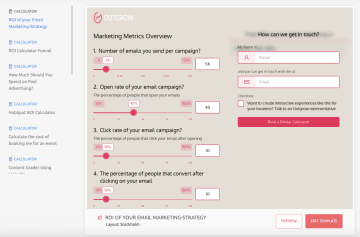
Outgrow lets you create quizzes, calculators, forms, surveys, and chatbots that adapt to each user’s input. Each interaction can collect lead data, score users, and automatically sync with CRM systems like HubSpot or Salesforce.
Outgrow also offers AI-assisted form creation, advanced analytics, and flexible publishing options (like embeds, pop-ups, or standalone pages) to optimize conversions across multiple channels.
Best for marketers using interactive content to generate qualified leads
Marketers and agencies who want to generate qualified leads through interactive content like quizzes, calculators, and forms.
Outgrow key features
Outgrow key features for B2C funnels | ||
|---|---|---|
Category | Availability | Features |
Design flexibility | ✅ | Customization options include a drag-and-drop builder, custom branding with logos, colors, fonts, CSS modifications, and over 1,000 conversion-optimized templates |
CRM integrations | ✅ | Native integrations with major CRM platforms, including Salesforce, HubSpot, Marketo, and over 500 other applications |
Tracking integrations | ✅ | Includes user behavior tracking, conversion funnel analysis, and segmentation features |
Analytics & A/B testing | ✅ | Built-in A/B testing functionality through the 'Compare' tab for testing different landing pages and content variations |
Data security | ✅ | Enterprise-level security with AWS hosting, industry-standard encryption for data in transit and at rest, regular security screenings, and SSL protection across all plans |
Code | ✅ | Custom CSS support for advanced styling and complete visual control |
Logic & personalization | ✅ | Dynamic branching logic creates adaptive content experiences and progressive profiling capabilities |
Landing page building | ✅ | You can create high-converting landing pages with integrated forms, CTAs, and social proof elements. The platform supports standalone landing pages and embedded content deployment. |
Outgrow strengths and limitations
Outgrow pros and cons | |
|---|---|
Pros | Cons |
Supports quizzes, polls, assessments, calculators, and chatbots | The platform can get expensive as you scale or need access to premium templates and lead volumes |
Works smoothly with tools like HubSpot, Salesforce, and Mailchimp, helping teams connect lead data directly into their marketing workflows | A few users feel the visual customization could be more robust, especially for graphic-heavy or branded content |
The reporting dashboard provides detailed insights into engagement metrics, conversion rates, and lead quality | Certain features, like advanced layouts, analytics depth, or design templates are inconsistent between pricing tiers |
Pricing
Popular Plans
Freelancer Limited: $22 per month
Freelancer Pro: $45 per month
Essentials: $115 per month
Business: $720 per month
Custom Plans
Free Forms/Surveys (Basic)
Startup Basic: $55 per month
Startup Special: $85 per month
Enterprise: Custom quote
User reviews
Users appreciate Outgrow’s flexibility and variety in interactive formats. Audrey C., a Planning and Design Engineer, notes that “Outgrow is exceptional in helping us generate quality and optimized interactive content.”
However, some users mention pricing and customization limitations. Marledvuka L., a Field Operations Manager, explains that “Outgrow has brilliant templates that increase engagement and conversion rates, but multiple features are found on higher tiers, which can be confusing.”
#7 Qualtrics: Best for large enterprises that need experience management tools
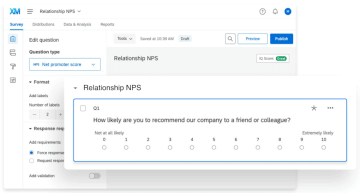
Qualtrics is an AI-driven experience management (XM) platform built for enterprises that need to collect, analyze, and act on feedback from customers, employees, and markets. You can design surveys, perform statistical research like conjoint or pricing analysis, and manage end-to-end feedback across every touchpoint. With powerful AI for sentiment and text analysis, Qualtrics identifies patterns in customer or employee behavior to inform better business decisions.
Best for
Large enterprises, universities, and research-driven organizations that need advanced survey capabilities, data analytics, and AI-powered insights across customer, employee, and market experiences.
Qualtrics key features
Qualtrics key features for B2C funnels | ||
|---|---|---|
Category | Availability | Features |
Design flexibility | ✅ | Extensive customization through Look & Feel menu including custom themes, branding, layout options, colors, fonts, logos, backgrounds, and custom CSS capabilities |
CRM integrations | ✅ | Native Salesforce integration with Web to Lead functionality, trigger surveys, response mapping, and bi-directional data synchronization. Additional integrations available with HubSpot and Microsoft Dynamics. |
Tracking integrations | ✅ | Analytics tracking with Digital Experience Analytics platform offering behavioral tracking, funnel analysis, and conversion optimization |
Analytics & A/B testing | ✅ | Built-in A/B testing functionality for surveys with randomizer elements for testing different conditions and versions |
Data security | ✅ | Enterprise-grade security with SOC 2 Type II certification, ISO 27001/27017/27018/27701 certifications, AES 256-bit encryption, HTTPS/TLS encryption for data in transit, and Data Isolation options |
Code | ✅ | Custom CSS editor with extensive coding capabilities for advanced survey theming and functionality. JavaScript support and API access for custom integrations and advanced survey behaviors |
Logic & personalization | ✅ | Advanced conditional logic, including display logic, branch logic, survey flow customization, quotas, and custom validation |
Landing page building | ❌ | The platform focuses on survey creation and experience management rather than standalone landing page construction |
Qualtrics strengths and limitations
Qualtrics pros and cons | |
|---|---|
Pros | Cons |
Supports 100+ question types, complex logic, and advanced methodologies like conjoint and pricing analysis | No transparent pricing and often expensive for SMBs or startups |
Provides predictive analytics and intelligent recommendations across customer, employee, and market data | Free version restricted to 100 responses and a few question types |
Custom dashboards and automated reporting deliver actionable insights quickly | Number of features can create a steep learning curve |
Pricing
Qualtrics does not list its pricing publicly. To get a quote, you must book a demo by submitting your phone number and email. After submitting, Qualtrics confirms that a representative will reach out directly with customized pricing.
However, here’s what real users report paying, based on Reddit discussions and third-party data:
Enterprise/Academic Plans: Around $15,000/year for 1,000 users and 25,000 responses, though prices are negotiable
Median Pricing: The average buyer pays $28,000/year, with costs ranging between $6,500–$126,000 depending on scale
Official Entry-Level Plan: $420/month (billed annually at $5,040/year) for 1,000 shared responses
Per-User Licenses: Typically $1,500–$5,000/year per user, scaling to $10,000–$25,000/year for multi-user packages
Enterprise Contracts: Large organizations may pay over $100,000/year for unlimited responses, integrations, and CX/EX tools
Users note that prices have risen 15–25% annually, and that setup, training, and integration often have hidden costs.
User reviews
Users praise Qualtrics for its powerful survey logic and reporting. One reviewer notes it’s “easy to build complex surveys and get real-time insights.” Another highlights its ability to “capture feedback across multiple channels in one place.”
Some users, however, find it “expensive and better suited for larger teams,” while others mention a “steep learning curve” during setup.
Why switch to a Typeform alternative
1. You’re paying premium prices for basic flexibility
Many users love Typeform’s sleek interface, but as one reviewer, Feraud O. put it, “The cost is pretty high if you are looking to use all the features they fully offer.”
Typeform’s free plan is limited, and the jump to higher tiers can feel steep, especially for small teams or agencies that need multiple users. Reviewers repeatedly mention wishing for “more in-between level plans” or that the “14-day trial should be extended to a full 30 days.”
If you’re scaling or running multiple client projects, that pricing ceiling quickly becomes a blocker.
Here’s a quick overview of Typeform’s pricing structure:
Monthly | Yearly | Users | Responses / month | Key Features | |
|---|---|---|---|---|---|
Basic | $29 | $348 | 1 | 100 | Unlimited typeforms & questions |
Plus | $59 | $708 | 3 | 1,000 | Remove Typeform branding, custom subdomain |
Business | $99 | $1,188 | 5 | 10,000 | Drop-off rates, conversion tracking, priority support |
Enterprise | Custom | Custom | Custom | Custom | Advanced features & support |
Growth Essentials | $199 | $2,388 | 5 | 10k+ | Video Q&A, AI insights, 300+ integrations |
Growth Pro | $349 | $4,188 | 5 | 10k+ | Multi-language forms, Salesforce & GA integrations |
Growth Custom | Custom | Custom | Custom | Custom | Full-scale automation & security |
Talent | $149 | $1,788 | 3 | 3,000 | Video Q&A, AI tools, multi-language support |
Enterprise Talent | Custom | Custom | Custom | Custom | Advanced automation & compliance |
2. Limited customization options
Typeform is known for clean, modern design, but not necessarily for deep customization. Several users, like Dave W., noted they “wish it had more formatting ability” or express that “it doesn't have many customization options when it comes to the look of the form.” For brands that need full control over layout, color, and responsiveness, these restrictions can make forms look off-brand or inconsistent across campaigns.
3. Missing advanced analytics and insights
For teams relying on data-driven optimization, Typeform’s built-in analytics can feel shallow. As one data analyst shared, “The features I like are its logic jumps and drag-and-drop builder, but the unavailability of advanced insights is a downside.”
While Typeform covers basic response metrics, it doesn’t easily surface granular data like step-level drop-offs or audience segmentation. Marketers who want detailed funnel analytics often end up exporting to third-party tools or spreadsheets, an extra step that slows iteration.
4. Collaboration isn’t built for growing teams
Typeform is great for individuals or small teams, but collaboration features are limited unless you upgrade. Users like Lars B., noted that “multi-user access should be a standard feature” and that even larger teams “reach a ceiling eventually.”
If you manage multiple campaigns or clients, you’ll need shared workspaces, permission levels, and real-time editing, all of which come at a cost or with friction.
5. It’s not ideal for high-volume or complex funnels
While Typeform’s conversational flow works great for short surveys, it struggles with complex or multi-branch funnels. One reviewer pointed out that it’s “a user-friendly tool for lightweight surveys,” but “won’t replace something like Qualtrics if you need advanced logic and question types.”
For conversion-heavy use cases, like lead generation, recruitment, or conditional landing pages, teams of all sizes find Typeform’s logic features too limited.
6. Offline and integration gaps
While Typeform integrates with popular tools like HubSpot, Slack, and Zapier, some reviewers noted missing capabilities: “Limited offline functionality” and “no global trigger for the Zapier integration.” For marketers running omnichannel campaigns or mobile field teams, that can be a dealbreaker.
The best Typeform alternative for B2C funnels? Here’s our pick
The “best” Typeform alternative depends on how you capture and convert leads. If your team runs paid campaigns, you’ll want a platform that connects clicks directly to conversions. If you’re focused on engagement or research, form logic and analytics might matter more than design.
Involve.me works well for marketers who need personalized forms and quizzes without touching code
HubSpot Form Builder makes sense if your CRM is already the center of your marketing stack
Outgrow is ideal when interactive quizzes or calculators drive most of your leads
Jotform suits teams needing quick, free starter forms or HIPAA-friendly workflows
Paperform fits small teams that want branded forms with built-in payments
Qualtrics serves enterprises and universities that need advanced research logic and XM analytics
But if your goal is to turn ad clicks into qualified leads with data-rich, mobile-first experiences, Heyflow is a good choice. Its ad integrations, conversion tracking, and design control make it one of the strongest choices for performance marketers who care about both brand and results.
Typeform alternative FAQs
Q1. Why should I switch from Typeform to another tool for B2C funnels?
While Typeform is great for creating beautiful, conversational surveys, it isn’t optimized for performance-driven funnels. B2C marketers often need tools that qualify leads, sync responses with CRMs, and measure ROI across ad channels. Alternatives like Heyflow go beyond form design to offer real-time personalization, built-in analytics, and native integrations with platforms like Meta and Google Ads.
Q2. What features make a Typeform alternative better for B2C marketing?
The best Typeform alternatives combine conversion-focused design with marketing automation. Key features include conditional logic, A/B testing, native ad tracking integrations, CRM syncs, and mobile-first layouts. These tools gather responses, move users through the funnel, capture intent data, and help sales teams follow up faster.
Q3. Which Typeform alternative is best for paid traffic and lead generation?
If you’re investing in paid campaigns, Heyflow is the top choice. It’s built specifically for turning ad clicks into qualified leads, offering ad platform integrations, customizable flows, and analytics designed for performance marketers. Teams can create mobile-first, branded experiences that not only capture data but also increase conversion rates.
Q4. Are other popular Typeform alternatives, like Paperform or Jotform, suitable for B2C funnels?
Yes, but they serve different needs. Paperform is great for collecting payments or building branded forms, while Jotform works well for basic data capture and HIPAA-compliant submissions. However, these tools don’t offer the same level of funnel optimization, behavioral analytics, or ad integrations that performance marketers get from Heyflow or Involve.me.