

Most ecommerce businesses struggle with abandoned carts, low conversion rates, and wasted ad spend because their checkout process creates friction instead of momentum.
A great ecommerce funnel builder changes the game by mapping out a path that feels effortless for the customer. If you’re looking to boost your average order value or make your paid traffic actually pay off, choosing the right tool is the single biggest lever you can pull for your revenue.
In this guide, we’ve rounded up the seven best ecommerce funnel builders, selected based on key features, pricing, and overall value for conversion-driven brands.
Ecommerce Funnel Builders: Key Points
Ecommerce funnel builders create multi-step buying journeys that remove friction and convert more visitors into customers.
Mobile-first design is non-negotiable: Most shoppers come from mobile, so funnels must load fast and work flawlessly on smartphones.
Integrations and advanced features increase revenue: Deep tool integrations, conditional logic, A/B testing, phone validation, and dynamic content improve conversion rates and lead quality.
Heyflow gives you everything you need to build high-converting funnels that scale with your business: Pixel-perfect customization, mobile-first optimization, 50+ integrations and advanced validation features.
What is an Ecommerce Funnel Builder and Why Do You Need One?
An ecommerce funnel builder is specialized software that creates optimized, multi-step customer journeys designed specifically for online sales.
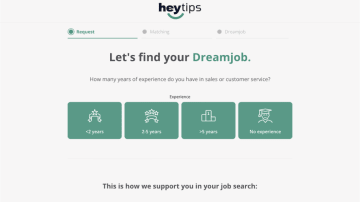
Unlike basic website builders or standard checkout pages, ecommerce funnel software guides visitors through carefully crafted stages, from product discovery to purchase completion, while reducing friction and increasing conversion rates at every step.
How Ecommerce Funnel Builders Work
Ecommerce funnel builders operate by breaking down the buying process into strategic stages, each optimized for a specific conversion goal.
Landing page: Captures attention with targeted messaging that matches your ad or traffic source
Product showcase: Highlights benefits, features, and social proof to build desire
Lead capture or qualification: Collects contact information or qualifies interest before checkout
Checkout optimization: Streamlines payment with minimal fields and trust signals
Order bumps and upsells: Increases average order value (AOV) with relevant additional offers
Confirmation and follow-up: Delivers product and nurtures for repeat purchases

Each stage removes friction while building momentum toward the final purchase. The best ecommerce funnel builders let you customize every step based on user behavior, traffic source, or product type, ensuring each visitor experiences the most relevant path to conversion.
Funnel Builders for Ecommerce: Key Benefits
Implementing the best ecommerce funnel builders delivers measurable improvements across your entire sales operation:
✅ Conversion, not just traffic: Standard product pages are often cluttered. A focused funnel clears the noise, guiding visitors toward the 'Buy' button without the usual distractions.
✅ Built for the mobile majority: Since most of your ad traffic (especially from Instagram or TikTok) is on a phone, these funnels are built to be lightning-fast and thumb-friendly.
✅ No more guesswork: With clear analytics, you can see exactly where people are "leaking" out of your funnel. You can test a new headline or a different CTA and see the revenue impact immediately.
✅ Move faster, code less: The biggest bottleneck is usually waiting on a developer. No-code builders hand the keys back to the marketing team so you can launch a new campaign in hours, not weeks.
Heyflow customers typically see conversion rate improvements of at least 80% after switching from static forms to interactive funnels.
Use Cases for an Ecommerce Funnel
Here are the most effective real-world use cases for an ecommerce funnel:
The Quiz-Based "Product Finder": Funnels are ideal for products that require consultation or customization (skincare & beauty, vitamins, insurance). Data capture and qualification steps segment leads automatically and trigger follow-up sequences that move prospects toward conversion
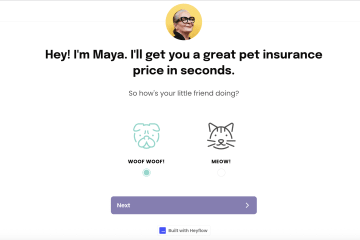
High-ticket product sales: For expensive products like furniture, electronics, or luxury goods, shoppers rarely buy on the first visit. Multi-step funnels build trust with education, reviews, comparisons, and personalized recommendations before checkout.
Subscription box launches: Subscription funnels perform best when the offer feels tailored. A short quiz or preference selector can personalize the product selection, then transition seamlessly into checkout with the final customized box.


HelloFresh perfected this approach with their meal kit subscription funnel. New visitors answer questions about dietary preferences (meat & veggies, vegetarian, pescatarian), household size, and cooking time preferences before seeing their customized weekly plan. The funnel asks for personalization upfront—making users invested in the process—then guides them through a simple checkout with their tailored box. This strategy helped HelloFresh grow to over 6.94 million active customers, proving that personalization-first funnels convert cold traffic into committed subscribers.
Limited-time offers & promo campaigns: Countdown timers, exclusive discounts, and post-campaign follow-up sequences help convert buyers who aren’t ready immediately.
Product bundles & build-your-own kits: Bundles can raise average order value, but too many options can cause decision paralysis. Interactive selection steps guide shoppers toward the right combination and increase perceived value without adding friction.
7 Best Ecommerce Funnel Builders Compared
Each funnel builder excels in different areas, so understanding your specific needs will guide you to the best choice for your business.
#1. Heyflow
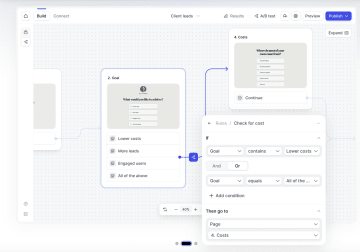
Heyflow is a high-converting, interactive no-code funnel builder that helps ecommerce brands to improve their performance. From guided product quizzes to full checkout pages, you can design and connect every step without having to write code. Heyflow’s drag-and-drop builder and conditional logic make it ideal for personalized product journeys or multi-step ecommerce funnels.
✅ Pros:
Advanced conditional logic personalizes product paths, pricing, and CTAs based on user inputs to guide shoppers through each stage of the lead generation funnel
50+ native integrations: Connects seamlessly with Stripe, HubSpot, Salesforce, and all major marketing platforms
Built-in analytics: Heyflow provides a built-in analytics tab for tracking conversion rates, drop-offs, and user behavior directly inside the platform.
Native A/B testing allows you to optimize form structure, layout, and content with data-driven testing.
Drag-and-drop builder with 100% on-brand styling control. Add brand colors, fonts, and layouts, or use the coding bundle for more in-depth customization when needed
Mobile-first architecture: Fully responsive output ensures every funnel performs smoothly, especially on mobile, minimizing friction during checkout.
Phone validation and OTP: Ensure lead quality with network validation and one-time passcodes that eliminate fake submissions
Pixel-perfect customization: Unlike template-locked competitors, Heyflow lets you customize every element to match your brand exactly
Integrates with multiple payment providers, so customers can pay directly within the funnel for a seamless checkout experience
❌ Cons:
No free version available (but a 14-day free trial)
A/B testing and advanced analytics are only available on the Scale plan
Pricing:
Plan | Price | Features |
|---|---|---|
Starter | $45/mo | Core bundle with website embedding, Zapier & Google Sheets integrations, conditional logic, and basic marketing tools. |
Growth | $89/mo | Core + Design + Conversion bundles. Includes branding removal, calculators & formulas, phone validation, and Google Maps block. |
Scale | $239/mo | All bundles included. Adds native A/B testing, Salesforce integration, advanced webhooks, custom code, and enterprise-grade security |
Enterprise | from $1100/mo | Tailored workflows, higher response volumes, advanced compliance, and dedicated success support |
Best for: Ecommerce businesses running paid traffic campaigns that need maximum conversion rates and complete design control.
#2. ClickFunnels
ClickFunnels combines storefront management and sales automation into one platform, letting users build complete ecommerce funnels with native carts, checkout, and upsell logic. It supports physical and digital products, allowing merchants to create store pages that tie directly into high-converting funnel sequences.

✅ Pros:
Large library of pre-built funnel templates for various ecommerce scenarios
Comprehensive training materials and active community
Native checkout, payment processing, and upsell flows support complete ecommerce funnel building
❌ Cons:
Desktop-first design approach hurts mobile conversion rates
Limited customization compared to modern alternatives
Customization of code or CSS is restricted, limiting personalization
Pricing:
Plan | Price | Features |
|---|---|---|
Launch | $97/mo | 1 workspace, 2 team members, 10K contacts, 50K emails/month |
Scale | $197/mo | 5 workspaces, 5 team members, 75K contacts, 300K emails/month |
Optimize | $297/mo | 10 workspaces, 10 team members, 150K contacts, 750K emails/month |
Dominate | $5,997/year | 20 Workspaces, 20 Team Members, 400k Contacts, 1.2M Emails/month, private onboarding |
Best for: Marketers comfortable with older tools who prioritize templates over mobile optimization.
#3. CartFlows
CartFlows is a WordPress plugin designed specifically to optimize WooCommerce checkout flows with upsells, order bumps, and streamlined checkout pages.

✅ Pros:
Deep native integration with WooCommerce
Works with popular WordPress page builders like Elementor and Beaver Builder
Good selection of checkout templates optimized for conversion
Uses WooCommerce’s secure payment gateways (Stripe, PayPal, etc.) and inherits its
PCI-compliant standards
❌ Cons:
Requires WooCommerce to function — cannot operate as a standalone funnel builder
Mobile optimization depends entirely on your theme
No built-in email marketing or CRM capabilities
More technical setup compared to cloud-based solutions
Requires managing hosting, updates, and plugin conflicts
Limited free templates and analytics tools in the lower plans
Pricing:
Plan | Price | Key Features |
|---|---|---|
CartFlows Plus | $249/yr | Instant layouts, modern checkout styles, and custom checkout fields |
CartFlows Pro | $449/yr | All Plus features plus advanced funnel features (A/B Testing, analytics, Conversion focused templates) |
Woo Toolkit (Maxx Saver) | $449/yr | Complete bundle with all CartFlows Pro features, Woo Toolkit, OttoKit Pro, SkillJet Access, and all premium plugins |
Best for: Established WooCommerce stores with technical resources that want checkout optimization within WordPress.
#4. FunnelKit
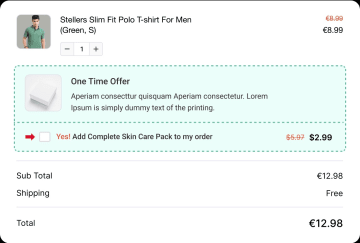
FunnelKit is a WooCommerce-native sales funnel builder that lets you create optimized landing pages, checkout flows, and upsell funnels aligned with landing page design best practices. It replaces the default WooCommerce checkout with fast, customizable templates and adds slide-out carts, one-click upsells, and order bumps to increase average order value and conversion rates.
✅ Pros:
Sophisticated automation capabilities for WooCommerce
Responsive templates and checkouts designed for high-speed mobile performance
Rule-based upsells, downsells, and dynamic offers with A/B tests for pricing or layout
Dynamic offers based on customer behavior
Strong analytics and conversion tracking
❌ Cons:
Complex setup process with steep learning curve
Requires multiple plugin installations for full functionality
No native payment system. Uses WooCommerce gateways
WordPress-dependent with all associated maintenance requirements
Mobile experience varies based on theme implementation
Pricing: $99/year (FunnelKit Automations), $199/year (FunnelKit Funnel Builder), or bundled packages
Plan | Price | Features |
|---|---|---|
Basic | $129/yr | Use on 1 site. Includes optimized checkout templates, multi-step checkout, custom fields, cart editing and address autocomplete |
Plus | $299/yr | Use on 2 sites. Adds unlimited sales funnels, A/B testing, funnel analytics, one-click upsells, and advanced in-cart incentives |
Professional | $399/yr | Use on 2 sites. Includes all Plus features plus automations, visual automation builder, email & SMS follow-ups |
Elite | $599/yr | Use on 30 sites. Includes everything in Professional plus advanced automations. |
Best for: Advanced WooCommerce users who need sophisticated automation and are comfortable managing complex WordPress setups.
#5. Convertflow
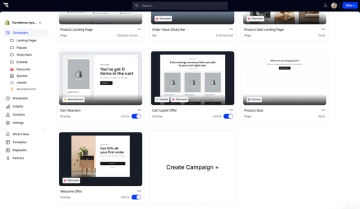
ConvertFlow is an all-in-one funnel builder designed to turn website traffic into customers through personalized onsite journeys. ConvertFlow allows you to launch popups, quizzes, and full checkout pages directly on your existing store. It is built to bridge the gap between "browsing" and "buying" using smart targeting and a sleek, modern interface.
✅ Pros:
Excellent on-site personalization based on visitor behavior and browsing patterns
Offers creative freedom with a modern drag-and-drop builder
Good for building email lists before attempting purchase conversion
Works across multiple platforms without requiring specific ecommerce software
❌ Cons:
The learning curve is steeper and it can take longer to master than simpler "plug-and-play" tools
Costs can climb quickly as your traffic or contact list grows
Pricing:
Plan | Price | Features |
|---|---|---|
Free | $0 | Unlimited funnel previews, includes up to 5 active campaigns |
Pro | $250/mo | Supports up to 30,000 monthly views. Adds A/B split-testing, conditional funnel logic, AI-powered "Remix" tools, and a product training session. |
Plus | $833/mo | Supports 100,000+ monthly views. Adds identity resolution & targeting, white-glove onboarding, and a private Slack channel for support. |
Custom | Request Quote | Unlimited funnel traffic. Includes managed funnel services, a fractional funnel operator, SSO, and SOC 2 security reports. |
Best for: Content-heavy ecommerce sites focused on email capture and on-site personalization rather than checkout optimization.
#6. Systeme.io
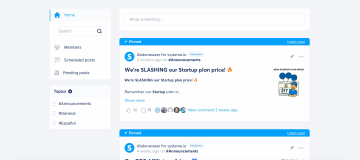
Systeme.io offers an all-in-one platform with basic funnel building, email marketing, and course hosting at budget-friendly prices, including a genuinely free tier that makes it accessible for testing ecommerce concepts.
✅ Pros:
All-in-one solution eliminates the need for multiple marketing tools
Free plan available with basic features that let you start without financial commitment
Simple interface designed for beginners with minimal learning curve required
All templates are responsive and optimized for checkout and lead capture on mobile devices
❌ Cons:
Basic feature set compared to specialized ecommerce funnel builders lacks advanced automation
Limited customization options restrict your ability to create unique branded experiences
Templates feel dated and generic, making it difficult to stand out from competitors
Fewer integrations with major ecommerce platforms create workflow challenges
Analytics and testing capabilities are rudimentary compared to more professional sales funnel software
Pricing: Free (limited), $17/month (Startup), $47/month (Webinar), $97/month (Unlimited)
Plan | Price | Features |
|---|---|---|
Freemium | $0/mo | 2,000 contacts, 3 funnels, 15 funnel steps, 1 email campaign, and 0% transaction fees |
Startup | $17/mo | 5,000 contacts, 10 funnels, 50 funnel steps, 10 automation rules, and 3 custom domains |
Webinar | $47/mo | 10,000 contacts, 50 funnels, evergreen webinars, A/B testing, and 10 custom domains |
Unlimited | $97/mo | Unlimited contacts, funnels, and automations, 0% transaction fees, and all supported payment integrations (Stripe, PayPal, Apple Pay, etc.) |
Best for: Budget-conscious beginners testing ecommerce concepts before investing in professional funnel software.
#7. Octane.ai
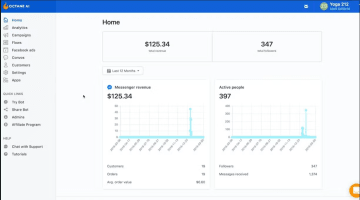
Octane.ai specializes in quiz-based product recommendation funnels specifically for Shopify stores, creating personalized shopping experiences through interactive questions that guide customers to products matching their preferences and needs.
✅ Pro:
Excellent quiz-to-purchase functionality that seamlessly transitions from product discovery to checkout
Native Shopify integration with seamless checkout process eliminates friction between recommendation and purchase
Good for product discovery and personalization in stores with large or complex catalogs
SMS marketing integration allows follow-up with quiz participants through multiple channels
❌ Cons:
Limited to quiz format—not a full funnel builder for other ecommerce use cases
Only works with Shopify, excluding WooCommerce and other ecommerce platforms
Pricing increases significantly with email and SMS usage as your list grows
Less flexible for non-quiz funnel types like standard checkout optimization or lead generation
Requires Shopify Plus for advanced features, adding substantial cost for smaller stores
Pricing: $50/month (Basic), $200/month (Pro), custom pricing for Plus
Plan | Price | Features |
|---|---|---|
Octane Basic | $50/mo | Quizzes and pop-ups for product recommendations, email/SMS opt-ins, and Klaviyo sync |
Octane Plus | $200/month | Everything in Octane, plus advanced quiz logic, A/B testing for pop-ups, custom CSS, and dedicated support |
Growth | Starts at $500/mo | Managed services, all features, custom integrations, and account management for high-volume brands |
Best for: Shopify stores with complex product catalogs where quiz-based recommendations drive sales and product discovery is a key challenge.
How to Choose the Right Ecommerce Funnel Builder for Your Business
The "best" tool is the one that solves your biggest bottleneck. Follow these five steps to find your match.
1. Identify Your "Must-Have" Goal
Don't get distracted by extra features. Pick a tool that excels at your primary objective:
Maximum Mobile Sales: Choose Heyflow (built for speed and smartphones).
WooCommerce Power-Up: Use CartFlows or FunnelKit (they live inside your existing store).
Product Recommendations: Go with Octane.ai (experts in "Shopify Quizzes").
All-in-One simplicity: Try Systeme.io (best for tight budgets and beginners).
2. Match Your Traffic Source
Where your customers come from dictates your technical needs:
Paid Social (TikTok/IG): You need mobile-first design. If your funnel is clunky on a phone, you're throwing ad spend away.
Email & Search: You have more flexibility. Desktop-heavy builders or WordPress plugins work perfectly here.
High Spend ($5k+/mo): Prioritize A/B testing. When you spend big, a 1% increase in conversion can pay for the tool ten times over.
3. Be Honest About Your Tech Skills
The best tool is the one you’ll actually use:
"I just want it to work": Stick to cloud-based tools (Heyflow, ClickFunnels). No hosting or updates to worry about.
"I love WordPress": CartFlows gives you total control, but you're responsible for the maintenance.
4. Verify Your Tech Stack
A funnel builder is only as good as its integrations. Before buying, ensure it connects natively to:
Payments: Stripe or PayPal.
Marketing: Your CRM (HubSpot/Salesforce) and Email (Klaviyo/Mailchimp).
Tracking: Facebook Pixel and Google Analytics (essential for seeing what's working).
Heyflow offers 50+ native integrations covering all major platforms without requiring complex setup.
5. Focus on ROI, Not Price
The best ecommerce funnel builder isn't the cheapest. It's the one that generates the highest return on investment for your specific business situation.
Example: If you have 10,000 visitors and a 2% conversion rate, you're making 200 sales. Bump that conversion to 3.6%, and you’re at 360 sales. At a $100 average order, that’s an extra $16,000 in monthly revenue. Suddenly, a $200 tool isn't an expense. It pays for itself before the first day is even over.
Funnel builders tools like Heyflow deliver superior conversion rates that justify the investment for businesses with meaningful traffic volumes.
The Verdict: Which Ecommerce Funnel Builder Scores Best Across All Features?
The best ecommerce funnel builder depends on the platform and funnel strategy, but a few tools consistently stand out:
For Maximum Conversions & Paid Traffic (Best Overall): Heyflow is the clear winner for brands running high-volume paid ads. Its mobile-first architecture and in-depth customization allow you to build funnels that perform flawlessly on smartphones—where 98% of social media traffic originates.
For WordPress & WooCommerce Power Users: FunnelKit takes the edge over CartFlows due to its superior visual automation engine and more granular analytics. It is the ideal choice for stores that want to manage complex follow-up sequences and dynamic offers directly within WordPress.
For On-Site Engagement & Personalization: ConvertFlow and Heyflow focuses on on-site quizzes and personalization experiences that integrate closely with existing websites, helping bridge the gap between content and commerce.
For Shopify-Specific Quiz Funnels: Octane.ai remains the industry standard for Shopify brands that want to lead with a "product finder" quiz. Its deep integration with the Shopify ecosystem makes it the most streamlined way to move from a quiz recommendation to a final purchase.
For Quiz-Based Product Recommendations: Octane.ai is a popular option for Shopify brands that aim to use product finder quizzes as part of their sales strategy. Its Shopify integration enables a smooth transition from quiz recommendations to checkout. Heyflow supports Shopify-based funnels, quizzes, and checkout flows while offering greater design flexibility and broader funnel use cases beyond quiz-only setups
For Beginners on a Budget: Systeme.io is the go-to recommendation for testing new concepts. With a generous free tier and low entry-level pricing, it provides a low-risk environment to prove your funnel before scaling to a more specialized tool.
What Makes Heyflow Different
For ecommerce teams scaling performance marketing, Heyflow offers the strongest combination of mobile-first speed, design flexibility, personalization, integrations, and testing tools, making it the best all-round option for conversion-focused funnels.
✅ True mobile-first architecture that converts better on the devices your customers actually use
✅ Pixel-perfect customization that other platforms can't match
✅ Advanced features like conditional logic, phone validation, and OTP that improve lead quality
✅ 50+ native integrations covering all major ecommerce and marketing platforms
✅ Built-in A/B testing without external tools
✅ Transparent pricing that scales with your business

Experience the difference yourself. Start your free trial
Conclusion: The Right Sales Funnel Builder Makes the Difference
Funnel optimization is one of the fastest ways to increase ecommerce revenue without increasing ad spend. A high-performing funnel builder improves every stage while providing the analytics needed to iterate and scale.
Different tools win in different categories, but the best ecommerce funnel software consistently delivers three things: mobile speed, personalization, and measurable optimization. When those elements are in place, funnels become a predictable system for growth.
Heyflow stands out as the most complete solution, combining mobile-first design, advanced features, deep integrations, and pixel-perfect customization.
For teams evaluating funnel builders, the next step is testing one or two platforms with a real campaign. Most tools offer free trials, making it easy to compare performance, speed, and usability before committing long-term.
FAQs
What's the best funnel software to use in 2026?
Heyflow is the best funnel software for 2026, offering mobile-first design, advanced conditional logic, phone validation, 50+ integrations, and pixel-perfect customization. For ecommerce specifically, it delivers the high conversion rates and the most complete feature set without forcing you into rigid templates or desktop-first designs that hurt mobile performance.
Which is the best funnel builder for WooCommerce?
CartFlows and FunnelKit are the best funnel builders specifically for WooCommerce, offering native integration and checkout optimization within WordPress. However, if you want more design flexibility and mobile-first performance, Heyflow integrates seamlessly with WooCommerce while providing superior customization and faster page loads that increase conversions.
Are all ecommerce funnel builders suitable for paid traffic campaigns?
No. Many funnel builders use desktop-first designs that hurt conversion rates on mobile devices, where 98% of social media traffic originates. Only mobile-first platforms like Heyflow are truly optimized for paid traffic campaigns on Facebook, Instagram, TikTok, and Google Ads, where fast loading and mobile optimization directly impact ROI.
Which features should I look for in a funnel builder for ecommerce?
Essential features include mobile-first design, fast page loading (90+ Page Speed score), conditional logic for personalization, phone validation to ensure lead quality, native integrations with your ecommerce platform and payment processor, built-in A/B testing, and pixel-perfect customization. Heyflow includes all these features.
Can smaller ecommerce businesses benefit from funnel builders?
Absolutely. Smaller ecommerce businesses often benefit most from funnel builders because improving conversion rates has an immediate impact on limited marketing budgets. Even modest traffic volumes see significant revenue increases with properly optimized funnels. Budget-friendly options like Systeme.io help you start, while platforms like Heyflow scale as you grow.
Can I integrate funnel builders with my existing ecommerce platform?
Yes, the best ecommerce funnel builders integrate with major platforms like Shopify, WooCommerce, and custom solutions. Heyflow offers 50+ native integrations covering ecommerce platforms, payment processors, CRMs, and email marketing tools. Always verify integration compatibility before choosing a funnel builder to ensure seamless data flow.