

Best Funnel Builder for Google Ads & Top Picks to Try







Trusted by 3,000+ marketers






Google pays attention to page speed, usability, and how visitors interact with your funnel. All feed back into Quality Score and, ultimately, into what you pay for each click. A slow or clunky funnel hurts conversions and raises costs. That’s why choosing the best funnel builder for Google Ads matters. You need a tool that supports clean tracking, accurate attribution, and mobile-first design. One that handles URL parameters, personalization, and Consent Mode v2 without workarounds. And one that gives you the analytics you need to optimize as you go.
In this guide, we break down the features that move the needle for Google Ads and compare the top three PPC funnel builders built for performance marketers.
Key Takeaways
Tracking accuracy makes or breaks Google Ads ROI. Your funnel builder needs to pass UTMs, fire events consistently, and feed Google's bidding algorithms clean, structured data
Server-side tracking is the most reliable way to capture conversions . It bypasses ad blockers and cookie restrictions, keeping attribution intact across Google Ads and Meta
Lead quality matters as much as lead volume. Native validation (email, phone, SMS OTP) filters junk submissions before they corrupt your CRM and skew bidding signals
Not all builders support A/B testing and drop-off analytics on base plans. Without them, optimization becomes guesswork rather than a systematic process
Compliance requirements vary significantly between tools. SOC 2 Type II, ISO 27001, and HIPAA coverage aren't standard across all funnel builders, which matters for regulated industries and markets
Why the right PPC funnel builder matters for Google Ads performance
The funnel builder you choose has a direct impact on how well your Google Ads campaigns perform. It influences how quickly people get what they came for, how smoothly they move through the page, and how reliably their actions are captured.
The link between landing page experience and Google Ads Quality Score
Your landing page plays a direct role in how Google evaluates your ads. One of the three core components of Quality Score (a metric that measures ad relevance and usefulness) is landing page experience, which means Google looks closely at how relevant, useful, and easy to navigate your page is.
When your page loads quickly and makes it easy for visitors to find what they searched for, people stay longer and interact more. Google reads that behavior as a positive signa
Multiple studies back this up:
One large analysis of more than 27,000 landing pages found that pages loading in one second had conversion rates around three times higher than those loading in five seconds
Google’s own benchmarks show that as mobile page load time increases from one to ten seconds, the probability of a visitor bouncing jumps by 123%
Another report shows that shaving off even a millisecond from page load time correlated with measurable conversion gains for retail brands
For Google Ads, the real takeaway is that speed shapes not only outcomes, but also intent. A fast funnel keeps users in decision mode, which means your ad spend fuels active consideration rather than abandoned sessions.
A strong Google Ads funnel software helps preserve that momentum, moving the narrative forward, keeping the promise of the ad intact, and giving users fewer chances to drift or second-guess.
How conversion tracking, attribution, & data flow impact ROI
If your funnel builder preserves UTMs, keeps parameters intact, and fires conversions reliably, Google gets a clean record of what each click produced. This gives the algorithm enough certainty to bid and push spend toward profitable traffic.
But when a builder reloads pages unnecessarily, breaks event sequencing, or mishandles consent, the data trail fractures. Google then works with partial signals, bidding gets cautious, and ROI slips. And the stakes are higher than ever: Google’s Value-Based Bidding and Journey Aware Bidding thrive on data-rich signals — not just click IDs, but structured information like lead quality or intent tier. A funnel builder that can map those responses directly to conversion labels gives the algorithm what it needs to find higher-ROI users. The better your funnel builder handles tracking and attribution, the more of your budget goes to clicks that matter.
So, what should you look for in a funnel builder to ensure Google Ads traffic gets the best possible chance to convert and that your data stays intact along the way?
Key capabilities a funnel builder must support for Google Ads success
Not every funnel builder is built for the realities of Google Ads. Search traffic arrives with intent, but also with expectations: speed, clarity, relevance, and a frictionless path to the next step. A good builder helps you meet those expectations.
The right capabilities make your funnels easier to optimize, easier to scale, and far more reliable when budgets increase. Let’s break down the essentials.
Fast page load times, Core Web Vitals, and mobile-first design
Search users don’t wait, which means your funnel needs to load fast and feel responsive from the first interaction. Strong Core Web Vitals ensure pages render quickly, interactions stay smooth, and layouts don’t shift while users are tapping or scrolling. A mobile-first design keeps the experience intuitive on smaller screens, where most paid traffic lands.
A strong Google Ads funnel software gives you these fundamentals by default:
Lightweight pages
Clean code output
Designs that adapt to any screen
Seamless integration with Google Analytics 4 and Google Tag Manager
Your funnel is only as smart as the data you can capture from it. When a builder integrates cleanly with GA4 and GTM, every key action—from views and scrolls to form steps and submissions—feeds into the tools you use to measure performance.
A reliable builder adjusts event behavior automatically and keeps parameters intact to ensure Google receives the modeled signals it needs. The most advanced integrations go further: rather than passing only a click ID, they map flow responses — such as lead quality, intent score, or product interest — directly to conversion labels. This gives Google’s bidding algorithms the signal density required for Value-Based Bidding, helping campaigns optimise toward users who are most likely to convert at a higher value.
Dynamic keyword insertion, URL parameter passing, and personalization
The fastest way to boost relevance after the click is to align your funnel with the search terms and signals that captured the user in the first place.
Dynamic keyword insertion lets you tailor headlines or copy to the visitor’s specific search term. Proper parameter handling keeps UTMs, search terms, and audience data intact as users move through each step.
With personalization, you can adapt messaging, questions, or offers based on context. When these pieces work together, visitors feel like they’ve landed in the right place, and they’re far more likely to continue.
Built-in A/B testing, drop-off analytics, and optimization tools
Improving a Google Ads funnel starts with understanding how people move through it. Built-in A/B testing lets you try variations without disrupting the flow or waiting on dev cycles.
Drop-off analytics highlight the exact steps where users slow down or leave, so you know where attention is slipping and why. And when your PPC funnel builder gives you these insights in real time, you can adjust messaging, layout, or sequencing while campaigns are still running. It turns optimization into an ongoing process instead of an occasional clean-up.
CRM/data integrations for offline conversions and full-funnel attribution
Many valuable actions happen beyond the funnel, calls, demos, and deals. Google Ads needs those signals to optimize toward real outcomes.
When your builder integrates with your CRM, offline conversions flow back into Google without gaps. That complete picture helps bidding models find higher-value traffic and keeps your spend aligned with what actually drives revenue.
Compliance with privacy regulations (GDPR, Consent Mode v2) and regional data hosting
Privacy rules shape how your funnel is allowed to track.
Consent Mode helps manage this by adjusting Google’s tags according to each visitor’s choice, sending full analytics when consent is granted and privacy-safe, modeled signals when it’s not.
A solid Google Ads funnel builder handles those adjustments automatically, so data remains consistent instead of fragmenting. Regional hosting plays a role as well, especially for teams in regulated markets, as it helps teams stay compliant with local data regulations without breaking analytics.
With these capabilities in mind, the next step is to compare the best funnel builders for Google Ads and determine which ones actually support high-performing search campaigns.
3 Funnel builders for Google Ads: Comparison overview
Google Ads campaigns put different demands on a funnel builder than organic or social traffic. Speed, tracking accuracy, and clean data flow matter more here than anywhere else.
Here’s a quick snapshot of how three of the best funnel builders for Google Ads measure up across the capabilities that influence search performance.
Feature | #1. Heyflow | #2. Instapage | #3. Landingi |
Server-side tracking | ✅ | ❌ | ❌ |
Landing page blocks | ✅ | ⚠️ | ⚠️ |
Built-in analytics & A/B testing | ✅ | ⚠️ | ✅ |
Advanced logic & personalization | ✅ | ❌ | ❌ |
Built-in lead validation | ✅ | ❌ | ⚠️ |
Built-in payments | ✅ | ❌ | ✅ |
Custom code (CSS, JS, HTML, etc.) | ✅ | ✅ | ✅ |
Custom branding and design | ✅ | ⚠️ | ✅ |
Native integration with Google Analytics, GTM, and Google Ads | ✅ | ⚠️ | ⚠️ |
Data security | ✅ | ⚠️ | ⚠️ |
Pricing | From $22/month | From $79/month | From $24/month |
Table key: ✅ = supported by over 80% of the category’s capabilities ⚠️ = 30–80% supported ❌ = less than 30% supported
#1. Heyflow
Heyflow is built for marketers who need clean, reliable data flowing into Google Ads without extra tagging layers or manual setup. Its native integration acts as a direct data pipeline — mapping flow variables such as lead value or qualification tier directly to Google Ads conversion labels. That means you’re not just passing a click ID; you’re feeding Google’s AI the rich, structured signals it needs for Value-Based Bidding and Journey Aware Bidding. Events stay consistent, parameters stay intact, and Enhanced Conversions (hashed PII) work out of the box — no custom code required. Attribution remains accurate even as users move through multi-step flows.
Because tracking is handled inside the builder, every change you make—be it a new question, a reordered step, or a refined qualification path—is reflected automatically, without reconfiguring GTM or rebuilding event logic.
Best for
Choose Heyflow if you want a funnel builder that’s built for performance-driven teams. It’s the strongest choice when:
You run paid ads and need a funnel that loads fast, tracks cleanly, and gives Google Ads reliable conversion data
You care about conversion rate and want a marketing funnel that feels intuitive on mobile devices, reduces friction, and keeps users moving
You need clean ad tracking data feeding into Google Ads, GA4, and CRMs, without manual stitching
Heyflow is built with paid acquisition in mind, so if Google Ads or performance marketing is a core part of your strategy, it’s the most reliable and scalable option.
💡 Heyflow sends instant branded follow-up emails via Custom SMTP and WhatsApp messages — no Zapier delay.
Key features
Category | Availability | Features |
Partial Submits | ✅ | Capture lead data as users progress, so even incomplete sessions contribute to your pipeline. |
Landing page blocks | ✅ | Build marketing or sales funnels with full, mobile-ready landing pages and multi-step forms without needing a separate page builder. |
Built-in analytics & A/B testing | ✅ | Review drop-offs, step performance, and test variations directly inside Heyflow to improve conversion rates faster. |
Advanced logic & personalization | ✅ | Adapt questions, sections, or outcomes based on keywords, audience signals, or user inputs. |
Built-in lead validation | ✅ | Use phone, email, and address validation (incl. SMS OTP) to reduce fake submissions and improve lead quality. Heyflow filters fake leads before they reach your CRM, so Google's bidding algorithm learns from real conversions, not junk |
Built-in payments | ✅ | Add Stripe or Solidgate checkout steps without external plugins or coding. |
Custom code (CSS, JS, HTML, etc.) | ✅ | Extend your funnel with custom styling, scripts, or advanced integrations when needed. |
Custom branding and design | ✅ | Complete control over fonts, spacing, animations, and layout for a polished, on-brand funnel experience. |
Native integration with Google Analytics, GTM, and Google Ads | ✅ | Send conversion events directly to Google Ads via a native data pipeline — no manual JS required. Map flow variables (e.g., lead value, qualification tier) directly to Google Ads conversion labels, enabling Signal Density for Value-Based Bidding. Enhanced Conversions (hashed PII) are plug-and-play, not custom code. UTMs stay intact and Consent Mode v2 is supported natively. |
Data security | ✅ | SOC 2, ISO 27001, and HIPAA compliance ensure safe handling of sensitive user data. |
Server-side tracking for multi-platform campaigns
Heyflow's server-side tracking moves event firing to the server, bypassing the browser entirely. Conversion signals are sent directly from Heyflow's infrastructure to your ad platforms, so they arrive intact regardless of what's happening on the user's device.
For teams running campaigns across Google and Meta simultaneously, this matters beyond just data accuracy. Each platform receives consistent, deduplicated signals from the same source — eliminating the discrepancies that typically emerge when client-side tags fire differently across browsers or get blocked altogether.
The privacy benefits follow naturally. Because tracking no longer depends on third-party cookies, your attribution stays reliable in cookieless environments and remains compliant as browser restrictions continue to tighten.
Strengths and limitations
Pros | Cons |
Built specifically for paid acquisition: clean tracking, stable event behavior, and direct Google Ads integrations | No free plan, which may be limiting for very small teams or non-commercial projects |
Fast, polished, mobile-first funnels that reduce friction and keep users engaged | Collaboration features sit behind higher-tier plans |
Strong lead quality tools (SMS OTP, email and address validation) to filter junk submissions upfront | A/B testing is available only on the Scale plan |
Pricing
Plan | Price | What’s included |
Starter | $22/month | 50 responses/month, 5 funnels, core features, analytics, tracking, and native CRM integrations |
Growth | $79/month | 250 responses/month, 10 funnels, full design controls, custom fonts, CSS, and payment collection |
Scale | $229/month | 1,000 responses/month, 20 funnels, A/B testing, advanced tracking, custom JS/HTML, WhatsApp replies |
Enterprise | Starts at $1,100/month | 5,000+ responses/month, unlimited funnels, enterprise security, dedicated support, and funnel import services |
User reviews
Many users highlight Heyflow’s ease of use and the intuitive, no-code builder as their favorite features. Building mobile-friendly, conversion-focused funnels without technical overhead is a key benefit that’s repeatedly mentioned throughout G2 reviews.
Reviewers also praise how Heyflow handles mobile experiences. Landing pages and funnels adapt smoothly to smaller screens, which users appreciate when most of their paid traffic comes from mobile.
Data quality is another recurring theme. Users value built-in validation tools like email checks, phone verification, and SMS OTP because they see fewer junk submissions entering their CRM.
“I love Heyflow for its incredibly simple and clean interface… able to get things running without hassle, yet offers the depth for nuanced tasks.”
Several reviewers also mention that Heyflow’s native integrations with HubSpot, Salesforce, Pipedrive, Zoho CRM, HighLevel, and ActiveCampaign — plus Google Sheets, Airtable, Monday.com, and Slack are refreshingly straightforward. Events fire reliably, UTMs pass through correctly, and tracking stays intact even as flows evolve.
#2. Instapage
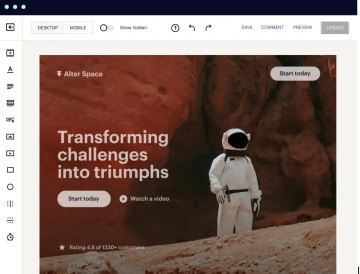
Instapage is built around fast landing pages and post-click experiences, with a focus on design control and scalability for larger teams. It works well for marketers who run structured campaigns and need production-ready pages.
The platform offers the flexibility to create multi-step experiences and run detailed experiments, making it a solid option for teams focused on landing-page performance rather than full funnel personalization.
Best for
Instapage is a good fit when your workflow revolves around landing pages rather than multi-step funnels. Choose it if:
You manage high-traffic digital marketing campaigns and need interactive forms and landing pages that load quickly and stay stable under volume
You work in bigger teams and rely on collaboration tools like shared workspaces, commenting, and design approvals
You run conversion-focused PPC campaigns but don’t need deep conditional logic or step-by-step qualification flows
Key features
Category | Availability | What it means for your pages |
Landing page blocks | ⚠️ | Build conversion-oriented pages with a flexible drag-and-drop editor; core layout blocks are supported but some specialized elements (e.g., date pickers, steps blocks) are limited or require custom code. |
Built-in analytics & A/B testing | ⚠️ | Run structured A/B tests and review heatmaps, scroll maps, and click behavior; lacks a native drop-off analytics dashboard, and some advanced tracking integrations require custom code. |
Advanced logic & personalization | ❌ | Supports dynamic text replacement and some customization, but not full multi-step funnel logic; conditional logic can only be achieved through custom code. |
Built-in lead validation | ❌ | Relies on third-party tools or integrations for verification. |
Built-in payments | ❌ | Not designed for transactional flows; payments require external setups. |
Custom code (CSS, JS, HTML) | ✅ | Add custom functionality or styling for advanced layouts. |
Custom branding & design | ⚠️ | Strong layout control with reusable blocks and global assets, but lacks an open design system, theme import, and custom SMTP for branded email replies. |
Integration with GA4, GTM & Google Ads | ⚠️ | Integrates with GA4 and GTM for event tracking, and supports dynamic text replacement; direct Google Ads conversion tracking is available but typically requires manual tag setup rather than a native pipeline. |
Data security | ⚠️ | SOC 2 Type II-certified with GDPR tools, DPA, and secure hosting; lacks HIPAA compliance, ISO 27001 certification, EU-exclusive data residency, and native integrations for tools like TrustedForm or Jornaya. It’s worth noting that Heyflow additionally has ISO 27001 and HIPAA on all plans (not just Enterprise), which Instapage lacks. |
Strengths and limitations
Pros | Cons |
Strong design freedom with a highly flexible drag-and-drop editor | Not suited for multi-step funnels or complex qualification flows |
Fast, reliable landing pages built to handle high traffic | Lead validation and payments require external tools |
Reusable blocks and global components make scaling pages easier | Pricing is higher than many alternatives, especially for smaller teams |
Pricing
An important consideration for teams running high-volume Google Ads campaigns is that Instapage’s pricing scales not only by feature set but also by the number of unique monthly visitors your pages receive.
Plan | Price | What it includes |
Create (15,000 unique monthly visitors) | $79/month | Drag-and-drop editor, reusable page blocks, visual collaboration tools, AI content |
Optimize (from 30,000 unique monthly visitors) | From $159/month | A/B testing, traffic splitting, scheduling, dynamic text replacement |
Convert | Custom pricing | Heatmaps, root domain publishing, enterprise-ready security and compliance |
User reviews
Users enjoy Instapage’s visual editor and how quickly they can produce polished landing pages. The drag-and-drop workflow is frequently highlighted as one of the tool’s strongest points for teams that want design freedom without coding.
Mobile responsiveness, however, comes up as a recurring area that requires extra care. Some reviewers mention that custom layouts don’t always translate cleanly to smaller screens and need manual adjustments.
“The thing that is a bit of a pain is that you'll need to adapt your landing page on mobile if you make any customization on your blocks. Otherwise, your page will look all messed up. You really need to have this in mind, otherwise you forget that your mobile experience is bad.”
Some reviewers also mention that pricing scales quickly with traffic and that the tool is better suited for single-page experiences than full funnels.
#3. Landingi
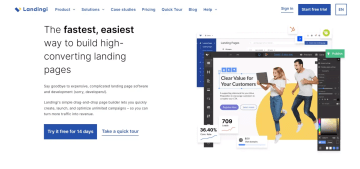
Landingi offers marketers a straightforward way to build and launch landing pages without technical expertise. It’s well-suited for teams that prioritize simplicity and fast production. While it doesn’t offer deep funnel logic or extensive personalization, it provides enough flexibility for single-page lead-gen campaigns and small to mid-sized marketing teams.
Best for
Landingi is a good fit when you need a simple landing page builder without complex logic or heavy customization. Choose it if:
You’re a small or mid-sized team looking for an easy way to publish landing pages quickly
Your campaigns are straightforward, with single-page lead-gen flows rather than multi-step funnels
You don’t need advanced personalization, conditional logic, or deep tracking infrastructure
You prefer affordability, especially if you’re just starting with PPC or testing new offers
Key features
Category | Availability | What it means for your pages |
Landing page blocks | ⚠️ | Large library of templates and blocks to assemble pages quickly; relies on atomic elements rather than pre-built composite blocks, so some layout types require manual construction |
Built-in analytics & A/B testing | ✅ | Run split tests and view performance metrics to refine pages. |
Advanced logic & personalization | ❌ | Supports simple forms but not complex multi-step flows or dynamic personalization. |
Built-in lead validation | ⚠️ | Basic field-level validation (format checks, domain blocking) is built in; advanced verification, such as SMS OTP or real-time email or phone verification, is not supported. |
Built-in payments | ✅ | Supports native payment widgets for PayPal, Stripe, and PayU via a dedicated payment section in the editor. |
Custom code (CSS, JS, HTML) | ✅ | Add custom elements or scripts when needed. |
Custom branding & design | ✅ | Adjust fonts, colors, and layouts within the editor, though with less flexibility than advanced builders. |
Integration with GA4, GTM & Google Ads | ⚠️ | Connect tracking tags and pass conversion events through integrations. However, it only supports Google Ads tracking through its JavaScript Code manager. |
Data security | ⚠️ | GDPR-compliant with DPA and ISO-certified hosting (via AWS); lacks its own SOC 2 report, HIPAA compliance, EU-exclusive data residency, and native integrations for compliance tools like TrustedForm or Jornaya. |
Strengths and limitations
Pros | Cons |
Clean, straightforward editor suited for simple lead-gen pages | Limited support for multi-step funnels or advanced conditional logic |
Supports basic A/B testing and integrates well with common marketing tools | Personalization options are basic compared to more funnel-focused builders |
Affordable entry pricing for smaller teams or lightweight campaigns | Lead validation and payments require external integrations |
Pricing
Landingi’s pricing is structured around four plans, each with different limits on landing pages, conversions, and monthly visits.
Plan | Price | What it includes |
Free | $0/month | 5 active landing pages, 100 conversions, 100 visits/month, 1 custom domain. Suitable for testing and learning the platform |
Lite | $24/month | 10 active landing pages, unlimited conversions, 5,000 visits/month, 1 custom domain, access to templates, custom fonts, AI assistant, and basic analytics |
Professional | $57/month | Unlimited landing pages and conversions, 50,000 visits/month, 10 custom domains, plus programmatic pages, server-side A/B testing, smart sections, pop-ups, and e-commerce features |
Enterprise | $1,150/month | Unlimited pages, conversions, and visits, 100 custom domains, advanced security, SSO, team workspaces, EventTracker, custom development, and dedicated account management |
User reviews
Users frequently highlight Landingi’s ease of use and fast page creation. The drag-and-drop editor and ready-made templates make it simple to launch landing pages quickly, even without technical support.
Reviewers also note that basic A/B testing and analytics provide enough insight to refine page performance without adding additional tools.
“The interface lets me put landing pages live in minutes. It’s straightforward and doesn’t require a steep learning curve.”
Choose a funnel builder that works with Google, not against it
Use this quick guide to match each Google Ads funnel builder to the job it does best:
Choose Heyflow if you run Google Ads and need native conversion tracking with Enhanced Conversions, built-in A/B testing, lead validation to filter junk, and multi-step funnels that feed Google's bidding AI with rich, structured signals.
Choose Instapage if your priority is high-quality, single-page landing experiences with strong design control and built-in experimentation.
Choose Landingi if you want an easy, template-driven landing page builder for simple lead forms and straightforward PPC campaigns.
When your strategy revolves around Google Ads and performance marketing, Heyflow offers the most complete toolkit for capturing, qualifying, and converting paid traffic efficiently. It's also the only option with server-side tracking, meaning conversion signals reach Google Ads and Meta reliably — even in cookieless environments or when ad blockers are active — keeping your attribution intact as privacy restrictions continue to tighten.
FAQs
What's the best funnel builder if I'm running Google Ads?
Heyflow is the strongest choice for Google Ads, especially if your campaigns rely on multi-step funnels, lead qualification flows, or accurate conversion attribution. It connects directly to Google Ads through a native data pipeline — no GTM rebuilding or GA4 middle layer required. What sets it apart is Signal Density: rather than passing a basic click ID, Heyflow maps form responses like lead value or qualification tier directly to Google Ads conversion labels. This gives Google's bidding AI the structured data it needs for Value-Based Bidding and Journey Aware Bidding. Enhanced Conversions for hashed PII are plug-and-play, UTMs pass through automatically, and Consent Mode v2 is supported natively. The result is clearer attribution, steadier bidding, and less time troubleshooting tracking setups.
Do I need Google Tag Manager (GTM) to run a Google Ads funnel?
GTM works as the orchestration layer for your tracking. It manages tags, triggers, and parameters so you can collect analytics and conversion events without adding scripts manually to each page. In funnel tracking, GTM ensures that key actions (views, clicks, form steps, submissions) fire in the right sequence and send the right data to platforms like Google Ads and GA4. A good funnel builder tool makes GTM’s job easier by keeping the structure stable and signals consistent.
Recommended articles

How to Increase Your Meta Ads CVR With the Heyflow AI Funnel Builder Platform
A flat Meta Ads conversion rate is usually a post-click problem. See three ways to fix your funnel and tracking with Heyflow, from full AI automation to manual control.
Read more
How to Create an Advertorial Landing Page That Sells (With Examples)
Learn how to create an advertorial landing page that sells, with examples by vertical, built by Heyflow’s AI and connected to your funnel in a click.
Read more
MCP: The Easiest Way to Create a Sales Funnel With AI
Prompt a sales funnel through MCP and it's hosted the moment it's built, connected in a click. That's what makes it the easiest way to build one with AI.
Read more