

After years of managing paid social budgets, I know one truth: the funnel you choose can make or break your cost per customer. So instead of guessing, I stress-tested Meta’s native Instant Forms against six of the best funnel builders that advertisers actually use—not based on theory, but on what real campaigns need: speed, tracking accuracy, lead quality, and conversion lift.
In this article, you’ll get:
A clear-eyed breakdown of the pros and cons of Meta’s native Instant Forms
A comparison of the best funnel builders for Meta ads — from Heyflow to Jotform
Practical guidance on which tool to pick based on your funnel stage, budget, and goals
No hype. No vague feature lists. Just a clean, side-by-side look at what actually works when you’re juggling ad campaigns, sales follow-up, and key metrics that can change your quarter.
The world is siloed enough. In an effort to remember that these tools are supposed to connect us, here’s everything I’ve learned. Laid out so you can choose the best form builder for insurance funnels, ecommerce lead gen, or whatever sales pipeline you’re running.
Let’s find the one that makes your marketing strategy pay for itself.
Pros and cons of using Meta’s built-in form builder—Instant Forms
Like all tools, using Meta’s native Instant Forms has advantages and disadvantages. The goal is to match the right Facebook form builder with your needs.
Meta’s built-in form builder: Pros and cons | |
Pros | Cons |
Forms load instantly within Facebook/Instagram | Community reports note scalability challenges (e.g., global, 10k–20k+ leads/month) with quality drop-off unless forms add friction (e.g., higher intent, conditional questions) |
You can add prefill questions so profile data auto-populates | Data lives on Meta unless integrated. And without a CRM connection, you’re dependent on platform storage/export; this raises data ownership and workflow concerns for some teams. |
Multiple form types to optimize like “More volume” vs “Higher intent” and “Rich creative” formats help balance quantity vs quality | No interactive landing page capabilities like quizzes and results flows |
Provides Instant Form metrics in Ads Manager and detailed design specs | Limited design flexibility. You’re restricted to Meta’s templates and layout options, with very little control over branding, layout, or interactive elements. |
You can’t present long-form persuasion, complex pricing, or multi-step progressive profiling like on a dedicated landing page | |
Off-platform analytics, server-side tracking, and post-submit funnel analytics are harder without a website thank-you path, reducing cross-channel attribution clarity |
Recommended use cases:
Broad targeting and simple asks: If the goal is to maximize lead volume for nurture (e.g., local services, basic opt-ins), Instant Forms can be an efficient first step
Limited dev resources or need for speed: When you want to launch quickly without building pages, specs and native setup streamline deployment and testing
With quality safeguards: Use Higher Intent, add qualifying questions, and connect to your CRM to reduce bad data and accelerate follow-up
6 Alternatives to Meta Instant Forms: The best Facebook funnel builders compared
When running digital advertising campaigns, having the right Facebook sales funnel can make all the difference — especially when that funnel aligns with your business’s sales funnel and the way you convert traffic into revenue. These tools get your foot in the door with potential customers, help you create sales funnels tailored to your offer, and guide people through your sales pipeline.
Here’s a comparison chart of the best Facebook funnel builders:
#1. Heyflow | #2. ClickFunnels | #3. Leadpages | #4. Unbounce | #5. PaperForm | #6. Jotform | |
|---|---|---|---|---|---|---|
Meta Ads integration | Meta CAPI and Meta Pixel integrations; removes duplicate events | *Zapier and CAPI integrations | Add Meta Pixel, sync FB Custom Audiences | Supports Pixel install (Classic + Smart Builder) | Add Pixel ID for Meta tracking | Pixel widget + FB Lead Ads via Zapier |
Multi-step funnels | ✅ Build lead-gen funnels with multiple stages | ✅ Multi-step funnels with upsells and downsells | ❌ Not a native multi-step builder | ✅/❌ Via connected pages (scripts for multi-step forms) | ✅ Multi-page + “One-at-a-time” guided forms | ✅ Multi-page (Card & Classic) + approval workflows |
Landing page building | ✅ Fully customizable landing pages integrated with funnel | ✅ Drag-and-drop, high-converting pages | ✅ Drag-and-drop builder with templates | ✅ Drag-and-drop editor for conversion-focused pages | ✅ Customizable templates with drag-and-drop | ❌ Embed forms in external landing pages |
Branding control | ✅ Colors, fonts; remove branding from Growth plan | ✅All plans offer global styles, reusable sections | ✅ Customization in Standard & Pro plans | ✅ Domain + font control | ✅ Theming + branding control | ✅ Branding removal in the Bronze plan and white-label in the Enterprise plan |
Conditional logic | ✅ Show/hide based on responses | ❌ None native | ✅/❌ Limited logic | ✅/❌ Via custom scripts | ✅ Conditional visibility + skip logic | ✅ Dynamic behavior based on user responses |
A/B testing | ✅ Analyze and optimize with dashboard, built-in tests at Scale plan | ✅ Built-in split testing | ✅ Page-level split testing | ✅ A/B + AI Smart Traffic | ❌ Not available | ❌ Requires external tools |
CRM and marketing | ✅ Integrate with Salesforce, Slack, Google Sheets, and more | ✅ Built-in CRM + email automation | ✅/❌ Basic integrations available | ✅ Integrate with Salesforce, HubSpot, Mailchimp | ✅ Compatible with Salesforce, HubSpot, Mailchimp, Zapier | ✅ Works with Salesforce, HubSpot, Mailchimp, Zapier |
Integrations | ✅ Connect and automate with favorite tools like Salesforce, HubSpot, Slack, Google Sheets, Zapier, and Mailchimp for CRM workflows, lead follow-ups, and marketing automation. | ✅ Use tools like ActiveCampaign, Salesforce, and Zapier, to manage email campaigns, sales funnels, and customer data. | ✅ Integrate with popular apps like Mailchimp, AWeber, and Salesforce to sync data and run automated follow-ups. | ✅ Works with tools like Salesforce, Marketo, and ActiveCampaign for seamless lead management and multi-step funnel automation. | ✅ Connect via webhooks, Stripe, and PayPal to automate lead management and payment collection. | ✅ Automate with Salesforce, HubSpot, Mailchimp, Google Sheets, Zapier, and Stripe. |
Compliance and security | GDPR-first (EU-only hosting, DPA, external DPO, encryption, auto-delete, cookie consent, Matomo analytics); ISO 27001, SOC 2 Type II, HIPAA with BAA, yearly pen tests, Sensitive Tag for PHI data | GDPR | GDPR | GDPR | GDPR | GDPR/HIPAA |
Pricing | From $45/month | From $97/month | From $49/month | From $99/month | From $29/month | From $39/month (free plan available) |
#1. Heyflow
Heyflow helps advertisers win leads and optimize paid campaigns on Meta. Its intuitive, no-code platform lets you build multi-step funnels, landing pages, and conditional flows without relying on developers.
What sets Heyflow apart is the combination of speed, tracking accuracy, and flexibility. Here, you can capture potential customers efficiently while collecting actionable data for your sales pipeline.
For teams managing multiple digital advertising campaigns, Heyflow’s integration with Meta Pixel and Meta CAPI ensures that lead quality and performance metrics remain accurate. It balances user-friendly design with advanced capabilities for people juggling multiple tools to track campaigns, optimize ad creatives, manage CRM software, and ultimately convert leads into paying customers.
See it to believe it kind of person? Me too. Watch this video 👇
Best for: Experienced marketers scaling Meta campaigns
Heyflow is ideal for businesses and advertisers who rely on Meta ads to drive qualified leads and need full control over tracking, conversion rates, and optimization. Whether you’re spending a few hundred or several thousand per month, even small performance gains can meaningfully lower your cost per lead and improve sales outcomes.
Heyflow works best for:
Advertisers running paid lead funnels who need precise tracking
Teams prioritizing lead quality and optimizing their target audience
Businesses managing multi-step customer journeys across multiple funnel stages
Marketers seeking a form builder for Meta ads with seamless CRM and marketing integrations
Key features for Meta ads
Heyflow key features for Meta ads | ||
|---|---|---|
Category | Availability | Features |
Meta Ads integration | ✅ | Supports native Meta Ads tracking through both Meta Pixel and Conversions API (CAPI), allowing browser and server-side conversion events to sync directly for accurate attribution and ad optimization. Automatically removes duplicate events when both tracking methods are active. |
Multi-step funnels | ✅ | Build lead generation funnels with multiple stages, guiding prospects through the customer journey |
Landing page building | ✅ | Fully customizable landing pages integrated with your funnel |
Branding control | ✅ | Adjust colors, fonts, and remove Heyflow branding from Growth plan up |
Conditional logic | ✅ | Show relevant fields based on user responses to reduce friction and improve conversions |
A/B testing | ✅ | Built-in tests to optimize key performance indicators for lead generation |
CRM and marketing | ✅ | Integrate with Salesforce, Slack, Google Sheets, and more to streamline email campaigns and automation |
Integrations | ✅ | Integrate and automate with all your favorite tools - from Salesforce to Slack - to reduce manual effort and track customer behavior |
Strengths and limitations
Heyflow pros and cons | |
|---|---|
Pros | Cons |
Highly customizable | No free plan |
Built-in analytics and integrations | Custom branding not included in entry-level plans |
Optimized for multi-step lead generation and Meta campaigns | A/B testing available only in Scale plan |
Heyflow Pricing
Plan | Price | Features |
|---|---|---|
Starter | $45/month | 5 flows, seamless integration, Website embedding |
Growth | $119/month | 10 flows, Core Design and Conversion bundle, Heyflow branding removal |
Scale | $289/month | 20 flows, Advanced webhooks, Salesforce integration |
Enterprise | Custom quote | Tailored solutions for specific needs |
The big benefit of Heyflow’s pricing model is flexibility:
Outcome-based plans: Only pay for the leads you generate
Custom feature bundle: Choose only what you actually need
Scalable add-ons: Adjust volume as you grow, starting from $0.18 per additional response or $9.60 per additional flow
Let the good forms flow.
User reviews
Heyflow customers highlight speed, ease of use, and flexibility when creating Facebook lead funnels. Users value how the platform tracks conversions accurately, letting marketers optimize campaigns based on real-time key metrics. Insights of social media recruitment and workflow integrations are also frequently praised.
#2. ClickFunnels
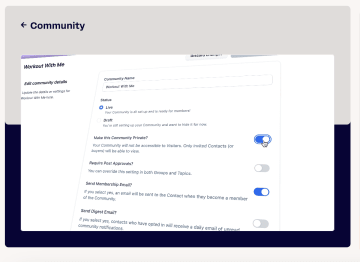
ClickFunnels is a well-known sales funnel software that helps marketers create multi-step funnels and landing pages for paid campaigns. It excels at guiding potential customers through a full customer journey, but smaller teams may find it costly or more complex than needed.
Best for: Multi-step funnels and email campaigns
ClickFunnels works well when your Facebook ads funnel requires multiple steps, complete sales funnels, and careful customer journey management. It’s designed for teams who need a visual sales funnel builder that combines lead capture with email campaigns and automated follow-ups.
ClickFunnels works best for:
Teams running Facebook ads funnels with multiple touchpoints
Marketers managing email campaigns alongside lead capture
Businesses tracking potential customers across funnel stages
Agencies and small businesses seeking visual sales funnel builders with prebuilt templates
Key features for Meta ads
ClickFunnels key features for Meta ads | ||
|---|---|---|
Category | Availability | Features |
Meta Ads integrations | ✅ | Supports integrating the Meta Pixel and Conversions API directly in site/funnel settings, enabling both browser and server-side event tracking for Meta ads without manual code pasting. |
Multi-step funnels | ✅ | Built around creating funnels composed of multiple steps (e.g., opt-in, sales page, order, upsell), managed in the funnel builder, and connected to automation workflows at each step |
Landing page building | ✅ | Offers a dedicated Landing Pages app and drag‑and‑drop editor for quickly creating standalone landing pages or pages within funnels, using templates or building from scratch. |
Branding control | ✅ | The editor supports global themes, reusable headers/footers, universal section updates, and style controls (colors, fonts, layouts) |
Conditional logic | ❌ | There is no native page-level conditional logic for showing/hiding elements based on user inputs |
A/B testing | ✅ | Provides built‑in split testing to create a variant for a funnel step, control traffic distribution, and view analytics |
CRM and marketing | ✅ | Built‑in contact management, email campaigns, and automation workflows (formerly follow‑up funnels), allowing tags, sequences, and event‑based actions from funnel steps |
Integrations | ✅ | Connect third-party apps like ActiveCampaign and ConvertKit, including Zapier-based no‑code option |
Strengths and limitations
ClickFunnels pros and cons | |
|---|---|
Pros | Cons |
User-friendly drag-and-drop | Higher cost than simpler builders |
Multi-step funnels with upsells and downsells | Steep learning curve for advanced automation |
Integrates with major CRM and email tools | Slower loading times compared to leaner funnel builders |
ClickFunnels pricing
Plan | Price | Features |
|---|---|---|
Launch | $97/month | Unlimited Funnels, 1 Workspace, 2 Team Members, 10K Contacts, 50K Emails per Month, 5 Custom Domains |
Scale | $197/month | Unlimited Funnels, 5 Workspaces, 5 Team Members, 10K Contacts, 75K Emails per Month, Unlimited Custom Domains |
Optimize | $297/month | Unlimited Funnels, 10 Workspaces, 10 Team Members, 150K Contacts, 750K Emails per Month, Unlimited Custom Domains |
User reviews
Users praise ClickFunnels as a powerful social media recruitment tool. Pace Morby, a verified ClickFunnels user, says, “Because of funnels, I’ve been able to build a community of 20,000 people.” Some note the higher cost and learning curve, but the automation capabilities can justify the investment for scaling campaigns.
#3. Leadpages
Leadpages is a fast and intuitive funnel builder that helps marketers create landing pages and capture leads from digital advertising campaigns. While it’s easy to deploy and user-friendly, it has limited multi-step funnel and CRM capabilities compared with more advanced tools.

Best for: Quick landing page and funnel setup
Leadpages is strong when you need a landing page builder that gets campaigns live fast and captures leads efficiently. Ideal for teams focused on speed and customer behavior insights.
Leadpages works best for:
Advertisers wanting visual sales funnel builder simplicity with low manual effort
Marketers prioritizing landing page performance and conversion lift
Small businesses building simple Facebook ads funnels
Teams running single-step funnels for lead generation
Key features for Meta ads
Leadpages key features for Meta ads | ||
|---|---|---|
Category | Availability | Features |
Meta Ads integrations | ✅ | You can add the Meta Pixel to pages, sync Facebook Custom Audiences on form submit, and route conversions via integrations |
Multi-step funnels | ❌ | Not a native multi‑step funnel builder that sequences steps, branching, and analytics across stages |
Landing page building | ✅ | Offers a drag‑and‑drop builder, templates, and publishing to custom domains |
Branding control | ✅ | Design controls are in drag‑and‑drop builder for pages, pop‑ups, and alert bars, with templates you can customize to maintain brand consistency |
Conditional logic | ✅/❌ | Doesn’t offer conditional branching/logic |
A/B testing | ✅ | Offers native split testing for landing pages to optimize conversion rate |
CRM and marketing | ✅/❌ | Integrates with Marketo, Ontraport, Pardot, Keap, LionDesk, and more, enabling leads to flow into CRM/ESP tools for campaigns and segmentation |
Integrations | ✅ | Supports analytics (Google Analytics, GTM, Hotjar), advertising (Google Ads, Facebook Custom Audiences, LinkedIn), payments (Stripe, PayPal), and marketing/CRM, plus Zapier |
Strengths and limitations
Leadpages pros and cons | |
|---|---|
Pros | Cons |
Quick and easy to use | Limited CRM/automation options |
Good for single-step funnels and lead capture | Limited multi-step funnel capabilities |
A/B testing on pages | Not ideal for complex customer sales funnels |
Leadpages pricing
Plan | Price | Features |
|---|---|---|
Standard | $49/month | 5 Landing pages, Standard integrations, Unlimited Traffic & Leads |
Pro | $99/month | Unlimited Landing Pages, Unlimited A/B testing, Sales & Payments |
Custom | Custom | Customize your plan with Client Sub-accounts, Discounted Add-Ons, and more |
User reviews
Users appreciate Leadpages’ speed and simplicity for capturing leads from ads. Its limitations in funnel complexity are mentioned, but it remains effective for smaller-scale campaigns. Overall, it works well for quickly generating leads and is reported as easy to use, but beware of its limitations, as user tk4087 says in this Reddit review.
#4. Unbounce
Unbounce is one of the best form builders for meta as it’s aimed at optimizing conversion-focused ad campaigns. It’s useful for marketers needing control over conversion pages and statistics on customer behavior across funnel stages. While it has a steeper learning curve than simpler tools, it supports multi-step testing, A/B experiments, and advanced design for teams willing to invest time to refine.

Best for: High-performance landing pages and multi-step funnels
Unbounce is one of the best funnel builders for Facebook when precision and testing matter. Its visual editor and analytics make it ideal for teams that want control over conversion pages and ad performance.
Unbounce works best for:
Agencies and marketers running multi-step Facebook lead funnels
Ecommerce focusing on customer behavior across funnel stages
Advertisers needing flexible brand customization
Key features for Meta ads
Unbounce key features for Meta ads | ||
|---|---|---|
Category | Availability | Features |
Meta Ads integrations | ✅ | Supports installing the Meta (Facebook) Pixel on landing pages (both Classic and via a Smart Builder app) |
Multi-step funnels | ✅/ ❌ | Partially via the pages you connect. However, “multi‑step forms” within a single page rely on unsupported custom scripts from their Tips & Scripts, not a built-in form feature. |
Landing page building | ✅ | Provides a drag‑and‑drop landing page builder with 100+ templates, mobile controls, custom code (JS/CSS/HTML), and direct domain publishing |
Branding control | ✅ | You can publish to custom domains and apply custom fonts (Google Fonts, Adobe Fonts, or bespoke hosted fonts) across pages |
Conditional logic | ✅/ ❌ | Not a native form feature; available via custom scripts |
A/B testing | ✅ | Includes built‑in A/B testing for landing pages, with variant creation, traffic weighting, and result interpretation guidance within their documentation, alongside Smart Traffic as an AI alternative |
CRM and marketing | ✅ | Integrations with major CRMs and marketing tools like Salesforce, HubSpot, Mailchimp, and Klaviyo |
Integrations | ✅ | Integrations include analytics and tag management (Google Analytics, GTM), email/CRM platforms, and extensive connectivity through Zapier and webhooks |
Strengths and limitations
Unbounce pros and cons | |
|---|---|
Pros | Cons |
Advanced page design | Higher cost |
Multi-step funnel support | Steeper learning curve |
Quality and controlled analytics | Set up needed for personalization |
Unbounce pricing
Plan | Price | Features |
|---|---|---|
Build | $99/month | Unlimited Landing pages, Drag & Drop form builder, Traffic volume up to 20k, 1 User |
Experiment | $149/month | Unlimited Landing Pages, Unlimited A/B testing, Traffic volume up to 30k, 3 Users |
Optimize | $249/month | Unlimited Pages, Smart Traffic, Traffic volume up to 50k, 5 Users |
Agency | Custom | Unlimited collaborations, Traffic volume starting at 100k, Access to implementation services |
User reviews
Users highlight Unbounce’s ability to create consistent, high-performing conversion pages, while noting setup and complexity may be a hurdle for smaller teams.
Ross Little warns in this review, “Every Unbounce landing page ever created looks like an Unbounce landing page.” While Florian W says, in the same review, “It's easy to create landing pages using Unbounce. Like everything marketing, you need to test, tweak, test tweak... to optimize results.” Having the right tools and reliable support can make that testing process faster, less frustrating, and more effective at boosting conversions
#5. Paperform
PaperForm blends interactive forms and conversion pages, enabling teams to capture leads through Meta funnel management and process payments efficiently. It works well for businesses and organizations that need flexible workflows—not static forms. While its cost is higher than basic builders, its integration capabilities and multi-step form logic make it valuable for more complex, curated campaigns.

Source
Best for: Interactive forms and payment-enabled funnels
This Facebook form builder provides flexibility, allowing teams to adapt forms quickly to different campaigns and audience segments. This makes it especially useful for businesses balancing lead generation with ecommerce or service payments.
Paperform works best for:
Businesses automating CRM workflows
Teams building dynamic forms for potential customers
Marketers and small business owners integrating payment collection into lead flows
Key features for Paperform
PaperForm key features for Meta ads | ||
|---|---|---|
Category | Availability | Features |
Meta Ads integrations | ✅ | Supports Meta Pixel by adding your Pixel ID to track views and submissions from Meta Ads traffic |
Multi-step funnels | ✅ | Offers multi-page forms and a “One‑at‑a‑time” (formerly Guided Mode) experience that shows one question at a time, with optional auto‑advance and conditional visibility |
Landing page building | ✅ | Forms can be shared as standalone pages with rich theming and embeds |
Branding control | ✅ | Theme and appearance controls allow styling the form experience, including one‑at‑a‑time presentation and visual customization |
Conditional logic | ✅ | Supports visibility logic to show, skip, or navigate based on answers |
A/B testing | ❌ | Doesn’t have a native A/B testing feature |
CRM and marketing | ✅ | Compatible with Salesforce, HubSpot, Mailchimp, Zapier, and more |
Integrations | ✅ | Mostly through webhooks and other third-party apps |
Strengths and limitations
PaperForm pros and cons | |
|---|---|
Pros | Cons |
Interactive forms | Higher price |
Payment integration | No native A/B testing |
Workflow flexibility | Data backup relies on an external setup |
PaperForm pricing
Plan | Price | Features |
|---|---|---|
Essentials | $29/month | Unlimited forms, 1,000 Submissions Storage, |
Pro | $59/month | Unlimited forms, 10,000 Submissions Storage, Remove Paperform branding |
Business | $129/month | Unlimited forms, 100,000 Submissions Storage, First Priority with Live Support |
Enterprise | Custom | Custom Domain Support, Unlimited Submissions Storage, Advanced User Permissions & Admin Features |
User reviews
Paperform is very popular and highly recommended. Users highlight Paperform’s seamless form workflows and payment handling, but some note the cost and occasional reliance on external data backup. Customer reviews claim it to be robust and sophisticated.
Another pro and con review of this as one of the best funnel builders for meta ads celebrates the direct integrations, payment collection, and webhook features while expressing dissatisfaction with the price and backing up data post updates.
#6. Jotform
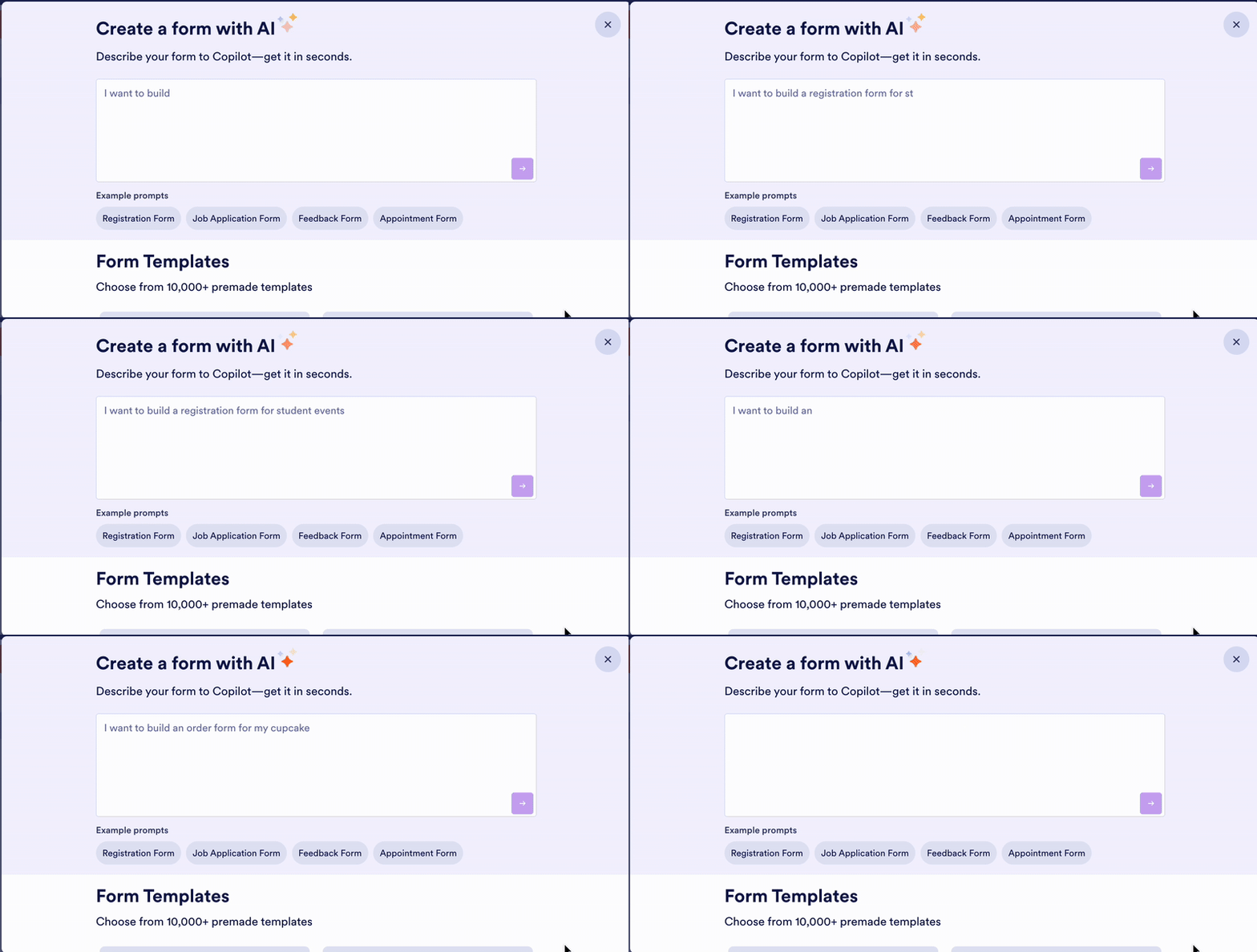
Jotform, a well-known Formstack alternative, is strong for campaigns requiring multi-step lead capture and compliance with GDPR/CCPA. It offers reliable form building for Meta ads, conditional logic, and integration with marketing systems, though visual design is less prominent than landing-page-first builders.
Best for: Compliance-heavy and multi-step lead workflows
Jotform is useful when accuracy and workflow control matter. It’s a form builder for Facebook ads that streamlines multi-step lead capture while maintaining data security and compliance. Its integrations with CRMs and marketing tools help teams act on leads faster and more efficiently.
Jotform works best for:
Teams handling sensitive data with regulatory compliance
Advertisers integrating forms into CRM and sales pipelines
Marketers managing multi-step Facebook lead funnels
Key features for Meta ads
Jotform key features for Meta ads | ||
|---|---|---|
Category | Availability | Features |
Meta Ads integrations | ✅ | The Meta/Facebook Pixel widget captures form events for Ads Manager attribution. Direct Facebook Lead Ads syncing is available via Zapier |
Multi-step funnels | ✅ | Provides multi-step/multi-page forms in two styles: Card forms (one question per page) and Classic forms with page breaks; it also supports multi-step approval workflows for post-submission processes. |
Landing page building | ❌ | Doesn’t offer a full landing page builder; instead, it lets you embed forms into landing pages built elsewhere |
Branding control | ✅ | Allows removing “Powered by Jotform” branding on paid plans, and Jotform Enterprise offers deeper white labeling (custom domains, white-labeled UI) |
Conditional logic | ✅ | Conditional logic is built in with show/hide fields, skip pages, set required, enable/disable, and update/calculate values, branching |
A/B testing | ❌ | Doesn’t have a native A/B splitter for forms |
CRM and marketing | ✅ | Integrates with Salesforce, HubSpot, Pipedrive, Zoho, ActiveCampaign, and Keap |
Integrations | ✅ | Relies on webhooks and 3rd-party apps. Also offers a developer program for custom integrations and Zapier-type connectors for additional apps |
Strengths and limitations
Jotform pros and cons | |
|---|---|
Pros | Cons |
GDPR and HIPAA-ready for compliance-heavy funnels | Multi-step funnel setup is less intuitive |
Strong conditional logic for multi-step qualification | No native A/B testing |
User-friendly backend with workflow automation | Fewer funnel templates and conversion-focused layouts |
Jotfrom Pricing
Jotform mainly shows annual plans, and you have to sign up to see the monthly ones. Here’s a quick look at Jotform’s monthly pricing.
Plan | Price | Features |
Starter | Free | 5 forms, 100 submissions/month, 100 MB storage, JotForm branding |
Bronze | $39/month | 25 forms, 1,000 submissions/month, 1 GB storage, no branding |
Silver | $49/month | 50 forms, 2,500 submissions/month, 10 GB storage, no branding |
Gold | $129/month | 100 forms, 10,000 submissions/month, 100 GB storage, HIPAA compliance, no branding |
Enterprise | Custom pricing | Tailored solutions for advanced needs |
User reviews
Users consider Jotform a reliable and flexible form builder for Meta ads, praising integrations and conditional logic while noting less visual appeal than page-first funnel tools. Based on reports, its ease of use and workflow automation make it a solid choice for teams focused on lead quality and backend efficiency.
Choose the funnel builder that delivers results on Meta
The best funnel builder for Meta ads for your business depends on your needs. Instead of trying to force a one-size-fits-all answer, it’s best to choose sales funnel software that matches your goals, audience, and sales process:
Heyflow: Best when you need a dedicated landing page and multi-step lead funnels for paid social. Ideal for advertisers who want detailed insights, higher conversion rates, and full control over tracking across the entire sales funnel.
ClickFunnels: Choose this if your sales process relies on upsells, email automation, and an all-in-one solution. Works well for ecommerce brands and Facebook users who want funnel templates built around selling rather than just capturing leads.
Leadpages: Strong for teams who need fast landing pages to run ads without a steep learning curve. Good if you mainly want a simple builder for ad creatives and quick publishing.
Unbounce: Best for marketers focused on testing, optimization, and building high-converting pages with social proof. Useful when you need fine control and want to iterate without losing ad performance.
Paperform: Great if you combine lead capture with workflows or payment handling. Works for service-based funnels and interactive experiences.
Jotform: Go with this if compliance, backend workflows, and data accuracy come before aesthetics. Ideal for regulated industries or teams integrating forms deeper into CRM systems.
Many advertisers struggle to connect ad creatives with CRM software, especially when multiple tools are involved in lead capture and follow-up. The right funnel builder helps you turn clicks into paying customers — without relying on clunky workarounds or fragmented workflows.
If you’ve tried other sales funnel software and felt boxed in, Heyflow stands out for Meta funnel management, flexible design, and performance tracking. It gives you the tools to deliver personalized content, convert your target audience, and turn clicks into loyal customers with fewer common lead generation mistakes.
Best funnel builder for Meta ads FAQs
Q1. Which features matter most in a Meta ad funnel builder?
Look for the best form builders for Meta that support accurate attribution, fast load speeds, and optimization against key performance indicators for lead generation. The best sales funnel software tools also offer conditional logic, analytics, CRM integrations, and reliable event tracking via Pixel or CAPI.
Q2. Can I use these funnel builders for both Facebook and Instagram ads?
Yes. All the best funnel builders for Facebook work across both Facebook and Instagram placements. Ecommerce brands especially benefit from tools that sync with ad creatives, track conversions, and offer a free plan to test before scaling.
Q3. How do I track lead conversions from Meta ads in a funnel builder?
The best funnel builders for Facebook connect via Pixel, CAPI, or webhooks to support reliable meta funnel management. This ensures that your events, leads, and custom audiences sync accurately for retargeting and performance reporting.
Q4. Do funnel builders support multi-step lead qualification?
Most Meta-focused tools do. Multi-step funnels help reduce common lead generation mistakes by capturing intent, filtering low-quality leads, and guiding users through progressive questions without drop-off.
Q5. Are funnel builders GDPR and CCPA compliant?
Many of the best sales funnel builder options included on this list have features like encryption, consent fields, and regional compliance settings. Platforms like Heyflow, Jotform, and Paperform offer GDPR-ready solutions, and some support HIPAA or CCPA when required.
Q6. How much does it cost to use a Meta ad funnel builder?
Pricing varies widely — from free plans to enterprise subscriptions. Most starter tiers range from $20 to $80 per month, while advanced plans with automation, A/B testing, or compliance features cost more. For a detailed look at flexible plans and add-ons, reviewing Heyflow pricing is a smart place to start for your sales funnel tool.