

The Best Funnel Builders With the Most Integrations







Trusted by 3,000+ marketers






Your funnel builder is only as powerful as the tools it connects to. Without the right integrations, leads stall, attribution breaks, and your ad spend optimizes against incomplete data. We evaluated the best funnel builders based on their integration depth and breadth, helping you choose a platform that seamlessly connects your entire marketing stack.
Key Takeaways
Five essential integration categories: CRM, marketing automation, analytics, lead validation, and payment processing. Missing any category creates gaps in attribution and workflow automation.
Native integrations outperform third-party tools through faster data transfer, deeper feature access, and more reliable performance for business-critical systems like CRM and ad platforms.
Beyond integrations, prioritize mobile-first design, page speed scores above 90, built-in A/B testing, and conditional logic for personalized customer journeys.
Heyflow offers the most comprehensive integration suite with 50+ native connections including built-in lead validation tools (phone verification, SMS-OTP, email validation), server-side tracking for major ad platforms, and advanced CRM scenarios that most competitors lack.
Why Integrations Matter for Your Funnel Builder
Integrations unlock the full potential of your funnel by connecting it with the tools you already use. Instead of working in isolated systems, your data flows automatically between platforms, from CRM and email marketing to payment and analytics tools. This reduces manual work, minimizes errors, and ensures that every lead or customer action triggers the right follow-up instantly. By creating a seamless ecosystem, integrations improve efficiency, enable better tracking and personalization, and help businesses scale their processes without adding complexity.

The cost of poor integrations:
Leads sit in your funnel instead of reaching sales immediately
Manual transfer creates delays that kill conversions
Attribution gaps prevent knowing which campaigns work
Sales teams waste time on unreachable leads
What proper integrations deliver:
Instant lead routing: prospects reach your CRM in seconds
Automated follow-ups: Email and SMS sequences start while leads are hot
Real-time tracking: Ad platforms receive accurate optimization data
Complete attribution: Know which ads drive real revenue
Integration Categories Every Funnel Builder Should Have
Let’s take a look at the integration categories that should never be missing in a funnel builder.
1. CRM & Lead Management
A strong CRM and lead management integration ensures that every contact collected through your funnel is automatically captured, organized, and enriched in your customer database. Instead of manually exporting leads or risking data loss, information flows in real time to your CRM, where it can be segmented, tagged, and assigned to the right sales or marketing workflows.
Direct connections to Salesforce, HubSpot, Pipedrive, and similar platforms enable instant lead creation, automatic field mapping, and real-time data synchronization. Without these, leads remain trapped while sales works from outdated information.
Important CRM integration features:
Instant lead creation with custom field mapping to match your data structure
Bi-directional sync for form pre-filling and real-time record updates
Multi-object support to update contacts, accounts, opportunities, and custom objects simultaneously
Conditional routing that assigns leads to the right teams based on responses or account characteristics
Heyflow's Salesforce and HubSpot integrations support advanced scenarios including multi-object updates and dynamic picklists that pull live data from your CRM.
2. Marketing Automation
Marketing automation integrations transform form submissions into personalized customer journeys. Connections with ActiveCampaign, Mailchimp, and Klaviyo trigger email sequences, update contact segments, and apply tags based on funnel responses. This automation ensures every lead receives relevant follow-up without manual intervention.
Key capabilities:
Automatic list segmentation based on funnel responses and behavior
Tag application for detailed contact categorization and workflow triggers
Custom field synchronization to personalize email content with funnel data
Event-based triggers that respond to specific funnel interactions beyond just completion

Heyflow's marketing automation integrations support advanced segmentation and event-based triggers. That means: when a user completes step three of your funnel, your email platform receives that event and can respond accordingly. This granular tracking enables sophisticated nurture sequences that respond to prospect behavior in real time.
3. Analytics & Ad Platform Tracking
Analytics integrations enable data-driven funnel optimization and accurate ROI measurement. Connections with platform like Google Analytics, Tag Manager, and Hotjar track user behavior, conversion paths, and drop-off points across your entire funnel.
Event tracking captures micro-conversions like step completions, field interactions, and validation errors, not just final submissions.
Integrations with ad platforms and tracking tools ensure you can accurately measure and optimize your funnel performance. By connecting your funnel to platforms like Meta, Google Ads, or TikTok, you can track conversions, pass event data, and attribute results to the right campaigns. This allows you to understand which ads drive high-quality leads and where your budget performs best. With proper tracking in place, you can optimize targeting, improve return on ad spend, and make data-driven decisions instead of relying on assumptions.
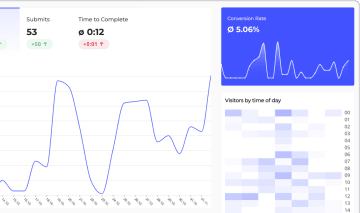
Heyflow's server-side tracking and native integrations work together to maximize paid advertising ROI while providing granular insights into user behavior. Built-in analytics with Page Speed Scores above 90 ensure tracking doesn't compromise performance.
4. Lead Validation
Lead validation integrations improve lead quality by verifying contact information in real time.This prevents fake submissions from cluttering your CRM and wasting sales team time.
Phone validation services confirm numbers are active, identify carrier types, and detect VoIP or disposable numbers that indicate low-quality leads. SMS-OTP (one-time password) verification ensures users control the phone number they provide, drastically reducing fake submissions and protecting valuable leads.
Email validation catches typos, temporary addresses, and role-based emails like info@ or sales@ that rarely convert. Advanced validation tools like Jornaya and TrustedForm provide lead certification, consent documentation, and fraud detection for compliance-sensitive industries like insurance, finance, and legal services.

Say goodbye to disconnected numbers and bounced emails. Heyflow validates both phone and email addresses in real-time, blocking fake submissions before they pollute your CRM.
Improve your lead quality with Heyflow5. Payment Processing
Payment integrations enable funnels that collect orders, deposits, or consultation fees without external redirects that increase abandonment. Stripe, PayPal, and other payment platforms allow simple online payment and secure transactions within the funnel flow, keeping users engaged through completion.
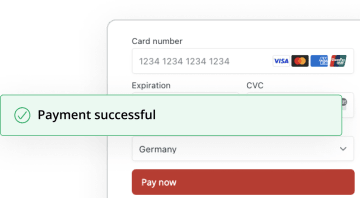
Integrated payment systems support various payment models including one-time charges, subscriptions, and conditional pricing based on form selections. A user selecting premium service sees the higher price automatically, while basic service shows the lower rate. This dynamic pricing happens within the same seamless funnel experience.
The 5 Best Funnel Builders With the Most Integrations
Not all funnel builders are built the same, especially when it comes to integrations. The table below shows which platforms cover the five integration categories that matter most for lead generation and conversion optimization.
Integration Category | Heyflow | Typeform | Jotform | Perspective | ClickFunnels |
CRM & Lead Management | ✅ | ⚠️ Native for HubSpot & Mailchimp; Salesforce & most CRMs via Zapier/Make | ⚠️ Native for Salesforce & Google Sheets; most via Zapier | ⚠️ Native HubSpot & Zoho CRM; Salesforce & most others via Zapier/Make | ⚠️ Built-in CRM only; external CRMs via Zapier |
Marketing Automation | ✅ | ✅ | ⚠️ Native for Mailchimp; most via Zapier | ⚠️ Native ActiveCampaign & Mailchimp from Grow plan; others via Zapier/Make | ✅ |
Ad Platform Tracking & Analytics | ✅ | ⚠️ Client-side Facebook Pixel; server-side only via third-party workarounds (e.g. AnyTrack) | ⚠️ Basic pixel tracking via GTM; no native server-side Conversion API | ⚠️ Facebook Pixel & CAPI, TikTok, Google Analytics, GTM — no LinkedIn or native ad tracking | ⚠️ Basic pixel tracking; no native server-side Conversion APIs |
Lead Validation | ✅ | ❌ No native lead validation | ❌ No native lead validation | ⚠️ Basic phone & email validation (conditional logic only) | ❌ No native lead validation |
Payment Processing | ✅ | ✅ | ✅ | ⚠️ In-funnel payments available (provider details not publicly specified) | ✅ |
#1. Heyflow: The Most Comprehensive Tool for Lead Generation
Heyflow offers 50+ marketing-focused native integrations designed for marketing teams focused on lead generation and conversion optimization. The platform provides both broad coverage across essential integration categories and deep functionality within individual connections.
While some competitors advertise 100+ integrations, those numbers include general-purpose tools like survey platforms, project management apps, and internal workflow tools. Heyflow's integrations are different: every connection targets the specific systems that drive paid campaign performance: CRM sync, server-side ad tracking, lead validation, and marketing automation.
Heyflow’s highlights:
CRM & Lead Management: Native Salesforce and HubSpot integrations support bi-directional sync, custom object mapping, and dynamic picklists. Additional connections include Pipedrive, Zoho CRM, HighLevel, LeadByte, Google Sheets, Slack, and Airtable.
Marketing Automation: Integrations with ActiveCampaign, Mailchimp, and Klaviyo enable automated email sequences, list segmentation, and event-based triggers that respond to specific funnel interactions. Built-in automated email replies with custom SMTP support allow personalized follow-ups without external tools.
Ad Platform Tracking & Analytics: Server-side tracking through Conversion APIs for Meta (Facebook/Instagram), LinkedIn Insight Tag, and TikTok Pixel improves attribution accuracy despite browser restrictions. Additional ad tracking includes Google Ads, Google Tag Manager, and Voluum for cross-platform campaign management. Analytics integrations with Google Analytics 4, Hotjar (heatmaps and session recordings), Matomo, and Jornaya Verisk provide comprehensive performance insights. Built-in A/B testing enables optimization without external tools.
Lead Validation: Built-in phone network validation and SMS-OTP verification work alongside integrations with Jornaya and TrustedForm. These tools help filter low-quality submissions and verify contact information in real time.
Payment Processing: Stripe integration supports Apple Pay, Google Pay, and credit card payments within the funnel flow, reducing abandonment from external redirects.
Compliance: Built-in cookie consent management, plus integrations with Openli, TrustedForm, and GDPR-compliant analytics through Matomo ensure regulatory compliance for sensitive industries.
Extended Connectivity: Zapier (7,000+ apps), Make/Integromat (thousands of apps), webhooks with advanced functionality, and custom code support (HTML, CSS, JavaScript) enable unlimited integration possibilities.
Integration Category | Heyflow Integrations |
CRM & Lead Management | Salesforce, HubSpot, Pipedrive, Zoho CRM, HighLevel, LeadByte, monday.com, Google Sheets, Airtable, Slack |
Marketing Automation | ActiveCampaign, Mailchimp, Klaviyo, built-in SMTP email automation |
Ad Platforms & Tracking | Meta (Facebook/Instagram) Pixel & CAPI, Google Ads with Enhanced Conversions, Google Tag Manager, LinkedIn Insight Tag, TikTok Pixel, Microsoft Advertising (Bing Ads), Taboola, Outbrain, Voluum |
Analytics & Optimization | Google Analytics 4, Hotjar, Matomo, Microsoft Clarity, Jornaya Verisk, built-in A/B testing |
Lead Validation & Compliance | Built-in phone network validation, SMS-OTP verification, email validation, TrustedForm, Jornaya, Openli Cookie Consent, built-in GDPR cookie consent |
Payment Processing | Stripe + Solidgate |
Recruiting & HR | Recruitee, Personio, Softgarden |
Seamless UX & Embedding | Calendly, YouTube, Vimeo, Google Maps, Webflow, Wix, Squarespace, WordPress, Unbounce, Instapage |
Extended Connectivity | Zapier (7,000+ apps), Make (thousands of apps), Webhooks with advanced functionality, Custom Code (HTML, CSS, JavaScript) |
Best suited for: Performance marketers running paid campaigns, digital agencies managing client lead generation, and mid-market companies in industries where lead quality and validation are priorities (insurance, solar, financial services, legal, real estate, home improvement, recruiting).
#2. Typeform
Typeform offers access to integrations primarily through third-party automation platforms like Zapier and Make, alongside a smaller set of native connections. The platform is known for its conversational, one-question-at-a-time interface that prioritizes user experience and form completion rates.
Integrations: HubSpot, Mailchimp, Klaviyo, Slack, Google Sheets, and Stripe connect natively. Salesforce, Pipedrive, and most other CRMs require Zapier, without bi-directional sync or advanced field mapping. Ad platform tracking relies on client-side pixels only. Server-side Conversion APIs are not natively available.
Limitations: CRM depth is limited to basic trigger-action pairs for most platforms. Server-side tracking requires third-party workarounds like AnyTrack. No lead validation available.
Best for: Survey and feedback collection, NPS surveys, event registrations where user experience matters more than lead validation.
Not ideal for: Teams requiring deep CRM integration, advanced ad tracking, or sophisticated automation workflows for lead generation.
#3. Jotform
Jotform provides an extensive integration library including both native integrations and third-party tools.The platform serves general form-building needs across many industries and use cases.
Integrations: Google Workspace, Salesforce, PayPal, Stripe, Airtable. CRM and marketing automation connections cover the basics but lack conditional routing, complex logic mapping, or bi-directional sync.
Limitations: Less depth than specialized funnel builders. Integrations support basic data passing without conditional routing or complex logic mapping. Lacks advanced lead validation. Can have a steep learning curve for complex scenarios requiring technical knowledge.
Best for: General form creation, e-commerce with diverse payment needs, small teams needing form templates across multiple purposes. The form platform serves those requiring a versatile free form builder rather than conversion-optimized funnels.
Not ideal for: Performance marketers running paid campaigns who need server-side ad tracking, lead validation, or deep CRM integration with advanced field mapping.
#4. Perspective
Perspective is a mobile-first funnel builder popular in the DACH market, positioning itself as a fast, template-driven solution for lead generation via Meta, TikTok, and Instagram ads.
Available integrations: Perspective offers native connections for Meta Pixel and Facebook CAPI, TikTok Pixel, Google Analytics 4, and Google Tag Manager. LinkedIn Tracking is also available.
Limitations: Perspective offers basic phone and email validation via conditional logic. There is no SMS-OTP verification, no TrustedForm or Jornaya integration, and no network-level phone validation. For industries where lead quality directly determines ROI (insurance, solar, legal) this is a meaningful limitation.
Best for: Basic use cases requiring quick setup with good design templates. Not suitable for complex marketing operations or integration-dependent workflows.
Not ideal for: Teams requiring SMS-OTP lead verification, Salesforce integration without middleware, server-side tracking for LinkedIn or native ad networks, or full design flexibility beyond template constraints.
#5. ClickFunnels
ClickFunnels takes a different integration approach by emphasizing their all-in-one ecosystem. The philosophy encourages users to stay within ClickFunnels for email, membership sites, and courses rather than integrating external tools.
Native integrations: Built-in CRM for pipeline and lead management. Native email automation, plus connections to ActiveCampaign and Mailchimp. Stripe and PayPal supported natively for payment processing. External CRMs like Salesforce or HubSpot connect via Zapier only, without bi-directional sync or advanced field mapping.
Limitations: External CRM integrations lack depth. No server-side ad tracking for Meta or Google Ads. No phone verification, SMS-OTP, or TrustedForm/Jornaya support.
Best for: Online course creators and digital product sellers who prefer everything in one place.
Not ideal for: B2B lead generation requiring external CRM integration, server-side ad tracking, or industries where lead quality validation is essential.
Native vs. Third-Party Funnel Builder Integrations
Native integrations are built directly into the platform, creating direct connections between your funnel builder and other tools. Third-party integrations work through automation platforms like Zapier or Make, where data passes through their servers as a middleman.
Key Differences Native vs. Third-Party Integrations
Factor | Native Integrations | Third-Party (Zapier/Make) |
Speed | Real-time sync (seconds) | 1-15 minute delays |
Functionality | Bi-directional sync, custom objects, advanced mapping | Basic trigger-action pairs |
Setup | Built into your interface | Separate account and platform required |
Reliability | Direct connection, fewer failure points | Additional middleware layer |
Support | Single vendor handles issues | Coordination between 3 parties |
Control | Full customization within platform | Limited by automation tool capabilities |
Prioritize native integrations for:
CRM systems (lead routing is time-sensitive)
Ad platforms (accurate attribution requires real-time data)
Marketing automation (immediate follow-ups improve conversion)
Use third-party tools for:
Niche applications lacking native integrations
Testing integration needs before commitment
Custom workflows between specialized tools
The most effective funnel builders combine both strategies: comprehensive native integrations for marketing-critical systems plus webhook and API support for custom scenarios. Heyflow exemplifies this hybrid approach with 50+ native integrations alongside Zapier/Make compatibility and custom webhook capabilities.
Beyond Integrations: What Else Matters in a Funnel Builder?
While integrations are crucial, you should also consider these aspects while choosing a funnel builder:
Mobile optimization: Non-negotiable with 98% of users on mobile devices. Platforms without mobile-first design lose conversions regardless of integration strength.
A/B testing: Built-in testing capabilities let you compare headlines, layouts, or offers without external tools. Test variations of individual steps to identify what drives higher conversion rates, then scale winning combinations across campaigns.
Funnel personalization: Conditional logic and complex branching create personalized paths based on user responses, improving both user experience and lead quality.
Page speed: Since each second of load time reduces conversions, page speed scores above 90 are essential.
Design flexibility: Pixel-perfect customization allows on-brand experiences versus restrictive templates that look identical to competitors' funnels.
Ease of use: No-code platforms empower marketing teams to build and iterate independently versus developer-dependent tools that create bottlenecks and slow campaign launches.
Compliance: GDPR, HIPAA, and industry-specific security requirements for regulated industries handling sensitive data.
Conclusion: Heyflow Offers the Most Comprehensive Integration Suite for Modern Marketers
Integration depth determines how effectively your funnel connects with your marketing stack. But not all integrations are equal. A platform with 100+ connections to survey tools, HR systems, and spreadsheet apps looks impressive on paper, but can still fail the moment you need server-side conversion tracking or real-time lead validation. For performance marketing, the five categories that matter are CRM sync, marketing automation, ad platform tracking, lead validation, and payment processing. Every other connection is a nice-to-have.
For performance marketing and lead generation, integration requirements intensify. Native CRM connections with bi-directional sync, server-side ad tracking, real-time lead validation, and comprehensive analytics become essential rather than optional.
Heyflow addresses these demands with 50+ native integrations designed specifically for marketing teams: built-in phone and email validation, Conversion APIs for major ad platforms, advanced CRM scenarios, and no-code configuration that eliminates developer dependency.
For teams serious about lead generation, Heyflow provides the clear choice combining:
Comprehensive native integrations
Mobile-first, conversion-optimized design
Lead quality tools ensuring qualified prospects
No-code interface (with custom code option) for marketing team control
The platform manages data seamlessly across your tech stack, eliminates manual work, and maximizes both lead quantity and quality through multi step forms with powerful features built for modern marketing.
Experience native CRM connections, server-side ad tracking, and lead validation tools that transform funnel performance while reducing manual work across your marketing stack.
Try Heyflow for freeFAQ
Can I integrate my funnel builder with Salesforce and HubSpot?
Yes, leading funnel builders like Heyflow offer Salesforce and HubSpot integrations with bi-directional sync, custom field mapping, and multi-object updates. While basic integrations are common, Heyflow provides the deepest feature set with dynamic picklists, conditional routing, and real-time synchronization eliminating manual work.
What integrations do I need for lead generation?
Essential integrations for lead generation include CRM systems for lead storage, marketing automation for follow-up sequences, ad platform tracking for optimization, analytics for measurement, and lead validation for quality assurance. These categories cover core requirements for effective lead capture and conversion.
Which funnel builder has the most integrations?
Heyflow offers the most comprehensive suite with 50+ native connections specifically designed for lead generation and performance marketing. While platforms like Jotform offer more total integrations, Heyflow's native connections provide deeper functionality for marketing-critical systems including advanced CRM scenarios, server-side ad tracking, and built-in lead validation tools that competitors lack.
Which is the best form builder for Meta and Google Ads?
For teams running Meta or Google Ads campaigns, Heyflow is the strongest choice: it's the only funnel builder here with native server-side tracking via Conversion APIs for both platforms.
Recommended articles
The 5 Best AI Landing Page Builders 2026: Ranked by Use Case & Conversion Potential
Every AI tool can generate a page now. We compare the 5 best AI landing page builders on tracking, lead validation, testing, and compliance.
Read more
The 6 Best Lovable Alternatives for High-ROAS Funnels (2026)
Lovable is great for building apps, but not for funnels. Compare 6 Lovable alternatives, including Heyflow, built for high-ROAS forms and sign-ups.
Read more
Conversion Rate Optimization Tools: The 8 Best Platforms 2026
Most CRO lists compare tools built for different jobs. See which of 8 conversion rate optimization tools fits a paid-traffic funnel. Compare now.
Read more