


You've spent weeks driving traffic to your landing page, but you are not able to increase your conversion rate any further. Your static form looks professional enough, but visitors abandon it halfway through, especially on mobile. Most businesses struggle with the same problem: traditional form builders simply weren't designed for conversion optimization. The solution? A modern form builder that treats every field, every screen, and every interaction as an opportunity to convert more visitors into qualified leads. This guide examines the top online form builder options, comparing their features and capabilities.
Key Facts
Modern form builders strive in converting low-intent traffic by blending characteristcs of form builders and landing page builders in one.
Modern form builders speed up time-to-market. Marketing teams can launch interactive forms in hours instead of weeks and often see significantly higher conversion rates.
The right features directly impact conversion success. High-performing form builders require mobile-first design, advanced conditional logic, A/B testing, native marketing integrations, and lead validation, such as phone verification. These capabilities strongly correlate both with conversion rates and lead quality.
Most form builders are not built for conversion optimization. Tools like Google Forms, Typeform, and Jotform work for basic data collection but lack the advanced features needed for paid marketing.
Heyflow offers a complete solution for conversion-focused teams. With over 40 drag-and-drop elements, advanced conditional logic, built-in A/B testing, more than 50 native integrations, and industry-leading mobile page speeds with scores above 90, Heyflow delivers a comprehensive platform designed to maximize conversions.
Benefits of Using a Form Builder for Your Business
A form builder provides multiple advantages that help businesses capture and convert leads more effectively.
Launch campaigns weeks faster without developer resources. Marketing teams can create and publish powerful forms in hours instead of weeks. This speed advantage lets you test multiple approaches and capitalize on trending topics while they're still relevant.
Double your conversion rates through superior mobile experience. Interactive, mobile-optimized forms consistently deliver conversion rate increases of 80% or more. Switching from 3% to 6% conversion effectively halves your cost per lead overnight.
Improve lead quality with built-in validation features. Phone number validation, one-time password verification, and conditional logic qualify leads before they enter your pipeline. Fewer fake submissions mean more legitimate prospects and higher sales conversion rates.
Maximize advertising ROI through data-driven optimization. Built-in A/B testing and detailed analytics show exactly where users drop off and which variations perform best.
These benefits compound when you choose a form builder specifically designed for marketing and lead generation rather than general-purpose data collection.
Double your conversion rate with HeyflowWhat to Look For in a Form Builder
Choosing the best online form builder is about identifying which capabilities directly impact your conversion rates and lead quality. The following criteria separate professional online form builder platforms designed for conversion optimization from basic data collection tools.
Personalization. Advanced conditional logic navigates to pages or hides fields and pages based on previous answers and creates branching paths for different user segments. This transforms a simple form into an intelligent conversation, reduces form length for each user, and increases completion rates.
Built-in A/B testing for continuous optimization. Professional online form builder platforms include native A/B testing that lets you test different headlines, field orders, and entire form structures with statistical significance tracking.
Mobile-first optimization (that actually works). Look for form builders that achieve page speed scores above 90, use thumb-friendly tap targets, and load instantly on any web page.
Deep marketing tool integrations. Look for form builders offering native integrations that connect directly to your existing stack. Native integrations enable server-side tracking, CRM updates, and campaign optimization based on form performance.
Lead quality features that filter out junk submissions. Phone number validation, one-time password verification, and email validation catch fake submissions before they waste your sales team's time. A 20% reduction in submissions combined with 50% higher lead quality means more deals with less effort.
Payment processing capabilities. Go beyond lead generation by integrating payment functionality directly into your forms, enabling you to drive sales and complete transactions without redirecting users to external checkout pages.
Data security and compliance. Enterprise-grade security certifications like SOC2, HIPAA, GDPR, and ISO27001 ensure your forms meet regulatory requirements and protect sensitive customer data, which is essential for industries handling personal or health information.
The Best Form Builders Compared
We evaluated leading online form builder platforms based on what matters most for conversion rate optimization and lead generation: mobile performance, conditional logic, A/B testing, integrations and lead validation.
Form Builder | Mobile Optimization | Conditional Logic | A/B Testing | Integrations | Lead Validation |
Heyflow | ✅ (90+ speed score) | ✅ Advanced | ✅ Built-in | ✅50+ | ✅ Phone + SMS OTP + Address validation |
Jotform | ✅ | ✅ | ❌ | ✅ | ✅ Via Widget |
HubSpot | ✅ | ⚠️Limited | ⚠️Landing Pages only | ⚠️HubSpot ecosystem only | ❌ |
Typeform | ✅ | ✅ | ❌ | ✅ | ❌ |
Google Forms | Basic | ⚠️Limited | ❌ | Google only | ❌ |
WPForms | WordPress-dependent | ✅ | ❌ | WordPress-focused | ⚠️Basic Format Check |
Perspective | ✅ | ⚠️Limited | ⚠️Basic | ⚠️Basic | ⚠️Basic Format Check |
Fillout | ✅ | ✅ | ❌ | ✅ | ❌ |
Heyflow
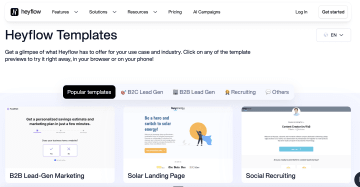
Heyflow was built from the ground up to transform visitors into qualified leads through interactive forms and mobile-optimized funnels. With over 3,000 marketing experts using the platform and more than 3 million leads generated, Heyflow delivers proven results that directly impact your bottom line.
Key Features
Advanced conditional logic creates sophisticated branching paths that adapt to user responses in real-time. The visual decision tree maps complex logic flows, enabling personalized form experiences that feel like conversations rather than generic questionnaires.
50+ native integrations connect seamlessly to Meta, Google Ads, LinkedIn, HubSpot, Salesforce, and other platforms without middleware. Server-side tracking improves attribution accuracy, while direct CRM integration triggers automated workflows.
Built-in A/B testing enables data-driven optimization without external tools. Test different headlines, field orders, or entire form structures while tracking statistical significance to compound improvements over time.
40+ blocks with intuitive drag-and-drop functionality allow building everything from simple contact forms to complex multi-step funnels without code.
Phone validation and SMS OTP eliminate fake submissions through network-level verification. One-time password confirmation ensures prospects own the number they provide, improving lead quality and reducing wasted sales time.
Mobile-first design consistently achieves page speed scores above 90. Fast loading prevents abandonment, while responsive design ensures forms function flawlessly on every device.
Pixel-perfect customization with custom CSS, JavaScript, and HTML support enables complete design control. Create branded forms that match exact brand guidelines instead of recognizable templates.
Payment integrations accept payments through Stripe, PayPal, and Square directly within forms for simple product sales or event registrations.
Autoresponder notifications via email and WhatsApp, covering fundamental follow-up needs
Limitations
No free plan available (but a 14-day free trial)
A/B testing and advanced analytics are only available on the Scale plan
Start building high-converting forms today
Jotform
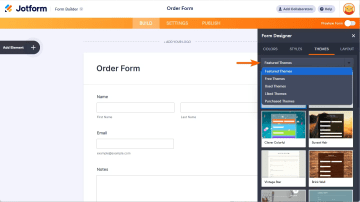
Jotform is a versatile online form builder with the largest form template library on the market (over 10,000 pre-built options). It's designed for users who want to quickly launch professional-looking forms without starting from scratch, making it popular among small businesses, event organizers, and teams needing basic to intermediate data collection capabilities.
Key Features
10,000+ form templates provide starting points for nearly any scenario, organized by industry, use case, and form type (including order forms, feedback forms, sign up forms, and job applications.)
Conditional logic enables branching to show or hide fields based on user responses, supporting basic to intermediate workflows.
Payment integrations accept payments through Stripe, PayPal, and Square directly within forms for simple product sales or event registrations.
Autoresponder emails send automated confirmation emails to respondents and notifications to teams, covering fundamental follow-up needs without advanced automation workflows.
Limitations
Lacks marketing-specific features like built-in A/B testing, advanced lead validation, and deep marketing tool integrations needed for professional lead generation.
Limited design customization makes pixel-perfect brand alignment difficult.
HubSpot
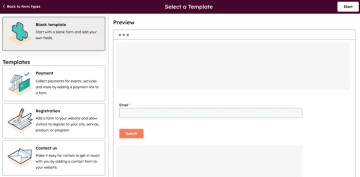
HubSpot's form builder integrates directly into their CRM ecosystem, designed for businesses already using the HubSpot platform. HubSpot also functions as a landing page builder within their marketing suite. Forms automatically sync with the CRM database, trigger workflows, and enable progressive profiling to build contact records over time.
Key Features
Native CRM integration flows every form submission directly into HubSpot CRM, automatically creating or updating contact records without third-party tools.
Progressive profiling displays different fields to returning visitors based on information already collected, building comprehensive contact profiles without repetition.
Automated workflow triggers connect form completions to email sequences, task creation, and lead scoring within the HubSpot ecosystem.
Multi-language support enables creating forms in multiple languages while maintaining consistent branding and data structure across markets.
Conditional logic enables showing or hiding form fields and steps based on user responses.
Limitations
Limited design flexibility with standardized templates and restricted customization options, making pixel-perfect brand alignment difficult compared to dedicated funnel builders.
Basic conditional logic and no built-in A/B testing capabilities for conversion optimization.
Typeform
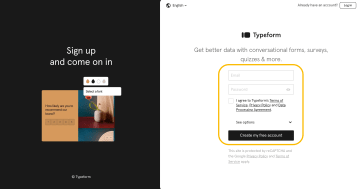
Typeform pioneered the conversational form approach, presenting questions one at a time in an engaging interface that reduces form fatigue. Its clean design aesthetic makes it popular for surveys, customer feedback collection, and simple data gathering, particularly among creative agencies valuing beautiful forms over conversion optimization.
Key Features
Conversational one-question-at-a-time interface presents questions sequentially, creating a more engaging flow than traditional multi-field forms.
Polished visual templates look modern and professional out of the box, appealing to design-conscious users.
Conditional logic enables branching paths based on previous answers with AND/OR operators for basic personalization.
Survey-focused analytics track completion rates, view individual responses, generate basic reports, and include AI insights for theme detection and sentiment analysis.
Wide range of native integrations plus Zapier connect to popular tools for workflow automation.
Limitations
Not optimized for marketing funnels: designed for surveys rather than lead generation campaigns.
No native A/B testing: requires external tools or manual form duplication for conversion testing.
Limited customization makes pixel-perfect design control difficult.
Google Forms
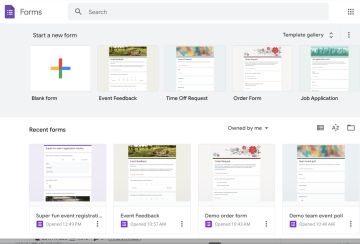
Google Forms offers a completely free online form builder for simple surveys, event registrations, and internal data collection. It's accessible to anyone with a Google account, particularly those already using Google Workspace. As a free form builder, it's ideal for users who need basic functionality without any cost.
Key Features
Completely free with unlimited forms and responses, accessible to anyone with a Google account.
Google Workspace integration automatically syncs responses to Google Sheets for real-time collaboration and basic data analysis within the Google ecosystem.
Basic conditional logic enables simple branching to show or hide questions based on previous answers.
Limitations
Missing critical marketing features like A/B testing, lead validation, phone verification, advanced conditional logic, and marketing integrations.
Poor mobile experience: While technically responsive, Google Forms weren't designed mobile-first, resulting in suboptimal user experiences.
Zero customization options
WPForms
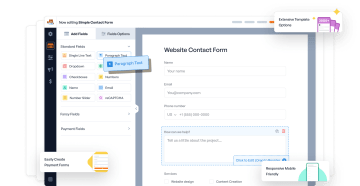
WPForms is a WordPress-specific form builder plugin that brings drag-and-drop form creation directly into the WordPress dashboard. Designed for WordPress users who want to create contact forms, registration forms, and payment forms without coding, it offers a straightforward approach that feels native to the WordPress environment.
Key Features
Native WordPress integration with drag-and-drop builder manages forms entirely within the WordPress dashboard (no external platforms required).
Pre-built form templates help users get started quickly with existing forms.
Conditional logic with AND/OR operators enables showing or hiding fields based on user responses.
Payment processing through Stripe and PayPal accepts online payments directly through forms for simple product sales or donation collection.
Limitations
Only works within WordPress installations, restricting flexibility for businesses using other platforms or needing standalone landing pages for paid advertising campaigns.
No native A/B testing: requires external plugins for conversion testing and optimization.
Limited design customization.
Perspective
Perspective offers a template-based funnel builder that emphasizes simplicity and quick deployment through pre-designed layouts. Popular among users who want to launch funnels quickly without extensive customization work, it provides clean, modern templates optimized for mobile devices.

Key Features
Ready-to-use templates for fast deployment based on analysis of over 100,000 funnels, helping users launch quickly without starting from scratch.
Simple, user-friendly interface with intuitive form builder makes it easy for beginners to create basic funnels without technical knowledge.
Conditional logic enables showing or hiding fields based on user responses for basic personalization.
Phone and email validation provides basic format checking to filter out some obviously invalid submissions.
Standard integrations connect to common tools, covering fundamental data transfer needs.
Limitations
Funnels can look similar across users, potentially reducing perceived uniqueness and brand differentiation.
Missing advanced marketing features like native A/B testing across all steps, network-level phone validation with carrier verification and OTP (beyond basic format checks), and the comprehensive conditional logic capabilities that professional conversion optimization demands.
Fillout
Fillout is a modern form builder that appeals to users seeking straightforward form creation with powerful automation capabilities. It offers an intuitive interface, AI-powered form generation, and generous free tier, making it accessible for small businesses and individuals who need data collection with workflow automation.

Key Features
Simple drag-and-drop interface lets users create and customize forms including contact, surveys, and multi step forms without technical knowledge.
AI form generation creates form structures automatically from prompts, URLs, or PDFs for faster initial setup, though output requires refinement.
Advanced conditional logic enables dynamic forms that adapt based on user responses, creating personalized experiences comparable to professional form builders.
Integrations connect to many apps and services, covering both basic and advanced workflow automation needs.
Payment processing via Stripe enables collecting payments directly through forms.
Limitations
No native A/B testing.
Missing advanced marketing features like phone validation, server-side tracking, and advanced lead quality features.
Less comprehensive customization than other form builders.
The Verdict: Which Online Form Builder Should You Choose?
The online form builder landscape offers solutions ranging from completely free basic tools to comprehensive funnel builders designed specifically for conversion optimization. Your choice ultimately depends on what you're trying to achieve.
If you need the most comprehensive feature set for marketing and lead generation → Heyflow.
If you're already deep in the HubSpot ecosystem → HubSpot Forms.
If you need basic surveys or simple feedback collection → Google Forms or Typeform.
If you run a WordPress site and need basic contact forms → WPForms.
If you want templates but can accept limited customization → Perspective or Jotform.
Start building high-converting funnels with Heyflow today
How to Build High-Converting Forms with Heyflow
Building high-converting forms means creating an optimized user journey that guides visitors toward completion while capturing qualification data. Heyflow's feature set enables professional forms that consistently outperform static alternatives. The following steps transform form building from guesswork into a systematic process that delivers measurable results.

Choose a template or start from scratch. Heyflow offers pre-built templates optimized for lead generation, solar quotes, insurance applications, and product recommendations. Templates provide proven starting points you can customize, saving design work while maintaining performance. The drag-and-drop builder with 40+ blocks makes either approach straightforward.
Design mobile-first. Heyflow automatically optimizes for mobile devices, delivering page speed scores above 90. Preview forms on mobile screens to ensure thumb-friendly tap targets and readable text. Important elements should sit in the natural thumb zone for easy interaction without stretching.
Implement advanced conditional logic. Show or hide fields based on previous answers, creating branching paths that feel like conversations. The visual decision tree helps map complex logic flows, making it simple to create sophisticated funnels with multiple qualification paths. This reduces form length for each user while capturing deeper data.
Connect native integrations. Link forms directly to Meta Pixel, Google Analytics, LinkedIn Insight Tag, and CRM systems. Server-side tracking improves attribution accuracy, while direct CRM integration automatically creates contact records and triggers follow-ups. Use 50+ native integrations to connect seamlessly to your marketing stack.
Configure A/B testing. Built-in testing compares headlines, button colors, field orders, or entire structures. Start with high-impact elements, then systematically test field placement and logic flows. The platform tracks statistical significance automatically, showing which variation performs better.
Analyze performance data. Monitor funnel analytics to see where users drop off and which fields cause hesitation. Detailed analytics show completion rates for each step, average time spent, and conversion rates by traffic source. Look for high abandonment steps and test variations that reduce friction.
The combination of mobile-first design, advanced conditional logic, lead validation, and built-in testing capabilities explains why businesses using Heyflow consistently see conversion rate increases of 80% or more compared to static forms.
Start building your high-converting funnel with Heyflow
Conclusion: Choose the Right Online Form Builder for Your Goals
The best online form builder for your business depends on your goals. If you only need simple surveys, internal feedback, or basic event registrations, free tools like Google Forms are often sufficient. However, if you’re running paid campaigns where conversion rates directly impact profitability, you need a platform built specifically for lead generation.
When comparing form builders, very few provide the full set of capabilities required, including advanced conditional logic, built-in A/B testing, and native integrations that capture and route form data without friction. This is where Heyflow delivers a clear advantage. Unlike basic online form builder apps, Heyflow combines an intuitive form builder with true drag-and-drop functionality specifically designed for conversion. Teams can create powerful forms, branded forms that match exact guidelines, customize forms down to the pixel, add conditional logic for personalization, and build high-performing multi-step forms that load at 90+ page speeds, all while processing new form submissions with complete data encryption.
For marketing teams focused on conversion optimization, Heyflow replaces the traditional form building experience with a modern, performance-driven approach that delivers measurable results and pays for itself within weeks.
FAQs
What is the best online form builder?
The best online form builder depends on your specific use case. For marketing teams focused on lead generation and conversion optimization, Heyflow offers the most comprehensive feature set with mobile-first design, advanced conditional logic, built-in A/B testing, and phone validation. For basic surveys, simpler tools like Google Forms work adequately, but when conversion rates determine ROI, Heyflow delivers superior results.
What form builder is easiest to use?
Google Forms and Typeform offer simpler interfaces for basic data collection, making them accessible to beginners. However, Heyflow balances powerful features with a no-code intuitive interface that marketing teams can master quickly. While ease of use matters, choosing a simple form builder that sacrifices conversion optimization capabilities ultimately costs more through lower conversion rates and missed revenue opportunities.
How do I create a form with conditional logic?
Conditional logic lets forms adapt based on user responses, showing relevant questions while hiding irrelevant ones to create personalized form experiences. Most form builders offer basic if/then rules, but implementing complex branching requires careful planning. Heyflow provides the most advanced conditional logic with visual decision trees that let you map multi-criteria flows at a glance, making it simple to build sophisticated funnels where forms adapt dynamically based on multiple previous answers simultaneously.
What's the difference between a form builder and a funnel builder?
Form builders create single-page forms for basic data collection, while funnel builders like Heyflow create multi-step, interactive experiences specifically optimized for conversion. Traditional online form builders focus on gathering information; funnel builders focus on guiding users through a journey that maximizes completion rates and lead quality. Heyflow is specifically a funnel builder, not just a form builder—which explains why it delivers superior conversion results through features like advanced conditional logic, A/B testing, and mobile-first optimization designed for marketing campaigns.
Recommended articles

7 Typeform alternatives to help you build better B2C funnels
The most popular alternatives for Typeform specifically built for B2C marketing include Heyflow, Involve.me, Jotform, Paperform, and more.
Read more
The Best Funnel Builder for Real Estate in 2026
Transform your real estate lead generation with Heyflow's funnel builder. Double your conversion rate with interactive funnels. Free trial available.
Read more
How to Capture the Meta Click ID (fbclid) With Your Funnel
Learn how to capture the fbclid (Meta Click ID) through your funnel for precise ad attribution and offline conversion tracking. Step-by-step guide with best practices and common mistakes to avoid.
Read more