

The 9 Best Cognito Forms Alternatives for No-Code Forms







Trusted by 3,000+ marketers






The 9 best Cognito Forms alternatives are Heyflow, Google Forms, Jotform, HubSpot Forms, Typeform, Zoho Forms, Formstack, WPForms, and Paperform. Here's how they compare across design, analytics, lead validation, and 7 more categories.
Key takeaways
Why users look for a Cognito Forms alternative: Outdated design, limited styling controls, and the lack of native multi-step flows make it hard to build polished, on-brand experiences — which is exactly what effective lead generation requires.
Best for paid ad funnels & lead generation: Heyflow — multi-step flows, A/B testing, UTM tracking, and built-in lead validation make it the top pick for conversion-focused teams
Best for conversational surveys & quizzes: Typeform — polished one-question-at-a-time format with strong conditional logic, ideal for UX-driven feedback and brand-forward forms
Best for WordPress sites: WPForms — the most seamless fit for WordPress users who need reliable contact forms, payments, and surveys without extra plugins
Best for the Zoho ecosystem: Zoho Forms — native sync with Zoho CRM, Desk, and Books makes it the obvious choice for operations and support teams already in that stack
Best free option for simple forms: Google Forms — fastest to launch with zero cost, but limited on design, branding, and anything customer-facing
Why switch to alternatives to Cognito Forms
Despite its high ratings, Cognito Forms has a few recurring complaints that matter if your team needs better design control, stronger automation, or more reliable mobile behavior.
1. Limited design control
You don’t get the level of design flexibility teams expect when forms need to match brand guidelines or look clean across devices. This becomes a real blocker for marketers and teams who care about how their forms represent the brand.
As one reviewer put it plainly: “I would prefer a better UX design. I think it could be more satisfying for users.” (Niko B., G2)
2. PDF output and document formatting are too rigid
Many teams use Cognito Forms to collect documents like proposals, intake packets, approvals, HR files, client summaries, and compliance-ready PDFs. This is where Cognito hits a ceiling. The print/PDF output is rigid, spacing breaks easily, and layouts can’t be controlled without custom work.
For industries that must hand off polished documents (legal, HR, healthcare, education), this becomes a blocker. One reviewer highlighted this clearly: “The spacing of the fields when you print can be bad. I wish you could format the printing.” (Felix F., G2).
3. Conditional logic and automation need workarounds
Cognito markets its workflow automation as a strength, but some users report friction when combining roles, conditional logic, and approval steps. This shows up when teams try to build more complex flows that require tighter control over who sees what and when.
An HR director explained it clearly: “The conditional logic wizard has improved significantly… but there is still room for improvement. It would be helpful to combine conditional logic with custom roles.” (Mara V., G2).
If you’re running multi-step approvals or cross-team reviews, these quirks can slow down your entire process.
9 Cognito Forms Alternatives for Creating Forms: Comparison Overview
Tool | Landing page blocks | Analytics / A/B testing | Advanced logic & personalization | Built-in lead validation | Built-in payments | Custom code | Branding & design | Direct integrations | Data security | Pricing (starts from…) |
Heyflow | ✅ | ✅ | ✅ | ✅ | ✅ | ✅ | ✅ | ✅ | ✅ | $22/month |
GoogleForms | ❌ | ❌ | ⚠️ | ⚠️ | ❌ | ⚠️ | ❌ | ⚠️ | ✅ | |
Jotform | ⚠️ | ❌ | ⚠️ | ⚠️ | ✅ | ⚠️ | ⚠️ | ⚠️ | ⚠️ | $39/month |
HubSpot Forms | ⚠️ | ❌ | ✅ | ✅ | ✅ | ✅ | ✅ | ⚠️ | ✅ | $20/month |
Typeform | ⚠️ | ⚠️ | ✅ | ⚠️ | ⚠️ | ⚠️ | ✅ | ⚠️ | ✅ | $29/month |
Zoho Forms | ✅ | ⚠️ | ✅ | ✅ | ✅ | ✅ | ✅ | ⚠️ | ✅ | $12/month |
Formstack | ⚠️ | ⚠️ | ✅ | ❌ | ✅ | ✅ | ✅ | ⚠️ | ✅ | $99/month |
WPForms | ❌ form-only pages | ❌ | ✅ | ✅ | ✅ | ✅ | ✅ | ⚠️ | ✅ | $99/year |
Paperform | ✅ | ⚠️ | ✅ | ❌ | ✅ | ✅ | ✅ | ⚠️ | ⚠️ | $29/month |
How to read the comparison:
✅ Feature is available
❌ Feature is not supported
⚠️ Feature is available with limitations
#1. Heyflow

Heyflow is a Cognito Forms alternative for marketers that want forms that look modern, feel smooth on mobile, and convert better. You can quickly build interactive, multi-step flows that guide users through the form in a clean, distraction-free way.
You can use Heyflow to create custom branded forms and funnels from the first click. Everything is fully customizable, so you can control spacing, fonts, colors, layout styles, and animations without touching code. You can add logic jumps, personalize questions, and validate user inputs in real time to reduce junk leads. Integrations connect Heyflow with your favorite tools, including Salesforce, HubSpot, Slack, PayPal, Stripe, and Google Analytics
Best for growth teams running paid ads that need interactive, high-conversion lead flows
Heyflow works best for teams that run paid campaigns and need forms that qualify leads without friction. It’s a strong fit for businesses where every drop-off affects customer acquisition costs (CAC) and where the form experience directly impacts lead quality.
Typical use cases include:
Growth and performance marketers running Meta, Google, TikTok, or LinkedIn campaigns
Service businesses that rely on multi-step qualification (solar, home improvement, insurance)
Ecommerce brands offering product recommendation quizzes
B2B teams collecting higher-quality, pre-qualified leads
Agencies building conversion-focused funnels for clients
Key features
Feature | Availability | Features |
Speed-to-lead | ✅ | Native email autoresponder + custom SMTP + WhatsApp messaging |
Landing page blocks | ✅ | Build interactive landing pages that are conversion-optimized and on-brand experiences that load fast and work seamlessly on mobile |
Built-in analytics & A/B testing | ✅ | Built-in A/B testing combined with integrations like Google Analytics 4, Matomo, and Hotjar |
Advanced logic and personalization | ✅ | Use conditional logic and real-time validation to personalize funnels, ask smarter questions, and qualify leads automatically |
Built-in lead validation | ✅ | Use phone, email, and address validation (including SMS OTP and network checks) to block fake details, cut invalid leads, and keep your CRM clean from the start |
Built-in payments | ✅ | Add Stripe or Solidgate checkout blocks directly into your flows |
Custom code | ✅ | Add advanced styling or functionality when needed with custom CSS, JavaScript, and API/webhook support. |
Custom branding and design | ✅ | Build mobile-ready, interactive funnels with drag-and-drop blocks or templates, no coding needed. Customize branding to match your exact look and feel |
Direct integrations | ✅ | Meta CAPI, TikTok Events API, Google Ads, LinkedIn, Bing/Microsoft Ads (all server-side), plus HubSpot, Salesforce, Pipedrive, Google Sheets, Calendly, Slack, and 50+ more.Plus, Heyflow offers superior server-side tracking. |
Data security | ✅ | Collect sensitive data with confidence — GDPR, SOC2, and HIPAA compliance keep customer information protected |
Strengths and limitations
Pros | Cons |
✅Conversion-driven with 40+ drag-and-drop blocks, advanced logic, calculators, payments, bookings, and signatures. | ❌Collaboration features only available in the Enterprise plan |
✅Full brand control with 1000+ fonts, 2000+ style variables, custom CSS/JS/HTML. | ❌A/B testing only available in the Scale plan |
✅Enterprise-grade security means SOC 2, ISO 27001, HIPAA compliance, TrustedForm & Jornaya. | ❌No free plan |
✅Built-in analytics with funnel analytics, A/B testing, drop-off insights. | |
✅Deep integrations with GA4, Meta CAPI, Google Ads, LinkedIn, Salesforce, HubSpot |
Pricing
Heyflow’s pricing is billed quarterly, with the following plan tiers.
Plan | Price | Features |
Starter | $22/month | 50 responses/month, 5 funnels, core bundle, native CRM integrations, advanced conditional logic, analytics, and tracking |
Growth | $79/month | 250 responses/month, 10 funnels , core + design + conversion bundle, remove Heyflow branding, all design settings & CSS, custom fonts, payment collection |
Scale | $229/month | 1,000 responses/month, 20 funnels, all bundles, native A/B testing, custom JS & HTML, advanced tracking, WhatsApp replies |
Enterprise | Starts at $1,100/month | 5,000+ responses/month, unlimited funnels, advanced tech support, funnel services import, and custom enterprise security |
User reviews
Users appreciate how Heyflow helps them drive more conversions from paid traffic, without the complexity of juggling multiple tools.
“The main thing we wanted to get out of Heyflow was better conversion rates for our clients. With cost per lead rising all the time, the key for us was achieving a lower CPL and higher conversion rates. Heyflow solved both challenges very quickly.”
— Sam Obrart, Founder, Atomic Marketing
Why choose Heyflow?
✅ Lead quality (SMS OTP)
✅ Brand control (custom CSS/JS/HTML)
✅ Conversion tooling (A/B testing, analytics)
✅ Ad-first integrations (Meta CAPI, GA4, LinkedIn)
✅ Enterprise-grade security (SOC 2, ISO 27001, HIPAA)
Explore Heyflow’s form builder#2. Google Forms
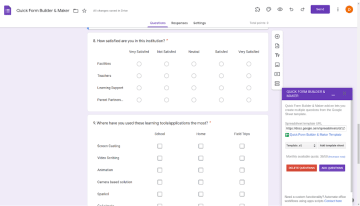
Google Forms is one of the easiest tools to use for creating forms when you need something fast, simple, and free. The form builder supports multiple question types, basic conditional logic, and file uploads, making it useful for survey forms, internal checklists, and quick contact forms.
You can launch surveys or simple forms in minutes using pre-built templates, and all responses sync directly into Google Sheets for easy data analysis. The interface is user-friendly, but the customization options are limited, so it’s not ideal for branded or customer-facing form types.
Best for simple data collection and quick internal forms
Google Forms works best for small teams and small businesses that need to create online forms fast and don’t require advanced features or heavy customization. It’s a reliable choice for:
Basic contact forms and order forms (ordering products, scheduling services, requesting quotes, or signup forms)
Internal surveys and quick feedback forms
Simple forms for events, check-ins, or classroom use
Teams that prefer a free-form builder, a user-friendly interface, with no setup time
Key features
Feature | Availability | Features |
Landing page blocks | ❌ | It’s a form/survey tool embedded in pages or shared via link, not a full landing page builder with hero sections, columns, or layout blocks |
Built-in analytics & A/B testing | ❌ | You get response charts and export to Sheets, but there is no native A/B testing or advanced analytics suite built into Google Forms |
Advanced logic and personalization | ⚠️ | Supports simple conditional logic like “go to section based on answer” and basic response validation, but not deeply personalized funnel logic |
Built-in lead validation | ⚠️ | Has built-in response validation rules (e.g., number ranges, text patterns) and “intelligent response validation” to catch incorrect inputs, though not full external data enrichment |
Built-in payments | ❌ | There is no native payment gateway block |
Custom code | ⚠️ | Standard Google Forms does not allow injecting custom CSS, HTML, or JavaScript directly — Google restricts this to prevent XSS attacks. Custom code is only possible via Google Apps Script (developer effort required) or by building a fully custom HTML frontend linked to the form backend |
Custom branding and design | ❌ | You can change colors, fonts, header image, and choose themes, but cannot fully redesign the layout or white-label the interface like a dedicated landing page tool. |
Direct integrations | ✅ | Forms connect natively within Google Workspace (Sheets, Drive, Gmail) and have an API for programmatic use |
Data security | ✅ | Data is encrypted in transit and at rest on Google’s infrastructure, with access control via Google accounts and Workspace security/compliance features |
Strengths and limitations
Pros | Cons |
✅Free to use and included with Google accounts | ❌Not designed for customer-facing form types or marketing funnels; forms look basic and can feel outdated. |
✅ Native integration with Google Sheets, Drive, and Gmail makes data collection and data analysis easy | ❌No built-in payment forms, payment integrations, or e-signatures |
❌No analytics or advanced features beyond summary charts |
Pricing
Google Forms is free for anyone with a Google account. However, businesses needing advanced features will need a Google Workspace plan.
Plan | Price | Features |
Starter | $8.40/user/month | Basic Google Workspace tools |
Standard | $16.80/user/month | More storage, video meetings, and support |
Plus | $26.40/user/month | Enhanced security and compliance |
Enterprise Plus | $27.60/user/month | Advanced admin controls |
User reviews
Users appreciate Google Forms for its simplicity and ease of use, but many find it lacking in key areas. Rafael P. says, "The design is outdated, and it lacks modern question formats or advanced integrations." Another user, Dipa L, notes, "Google Forms needs an update with more features."
#3. Jotform
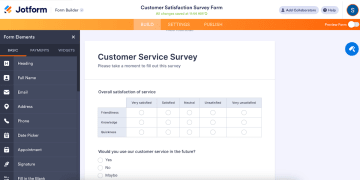
Jotform is an online form builder used to create simple contact forms, order forms, survey forms, and application forms. The intuitive interface makes it easy to build custom forms without coding knowledge.
You can use conditional logic, file uploads, payment integrations, and e-signatures, along with hundreds of pre-built templates that support users with quick setup. Jotform also connects with popular third-party apps such as CRMs, project management tools, and cloud storage platforms.
Best for teams that need versatile, customizable online forms
Jotform works well for:
Survey forms that need multiple question types
Workflows that use conditional logic or file uploads
Contact forms, order forms, and basic application forms
Small teams that rely on integrations with third-party apps
Use Jotform when you need a simple form builder.
Key features
Feature | Availability | Features |
Landing page blocks | ⚠️ | Offers full-page layouts and an AI Landing Page Generator |
Built-in analytics & A/B testing | ❌ | The platform has built-in Form Analytics (views, submissions, conversion, device data), but no native visual A/B testing inside the editor |
Advanced logic and personalization | ⚠️ | Add conditional logic (show/hide fields, skip pages, update calculations, send different emails) to personalize forms and user journeys based on answers |
Built-in lead validation | ⚠️ | Supports built-in validation rules (required fields, formats, limits) and specialized widgets like email verification and reCAPTCHA |
Built-in payments | ✅ | It connects your forms/pages to 40+ gateways like PayPal and Stripe |
Custom code | ⚠️ | Custom code via form source embed (editing the HTML/JS on your site) and use custom CSS to style forms |
Custom branding and design | ⚠️ | Branding tools let you adjust themes, fonts, colors, layouts, and add logos, plus fully brand workspaces and form URLs on paid plans |
Direct integrations | ⚠️ | Includes HubSpot, Salesforce, Zoho CRM, Mailchimp, ActiveCampaign, Google Sheets, Google Drive, Dropbox, OneDrive, Slack, Trello, Asana, Monday.com, Airtable, and Notion |
Data security | ⚠️ | 256-bit SSL encryption, PCI DSS Level 1 for payments, GDPR/CCPA alignment, HIPAA-enabled accounts, and additional security options like 2FA and encrypted forms |
Strengths and limitations
Pros | Cons |
✅Easy to build professional-looking forms with a user-friendly drag and drop editor | ❌ Dashboard can load slowly and show occasional rendering lag when managing many forms |
✅AI features and a WordPress plugin help non-technical users get started fast | ❌Pricing gets expensive as needs grow into higher-paid plans |
✅Automated emails and workflows help reduce manual follow-ups | ❌Certain features are not intuitive, and AI assistants behave inconsistently across forms |
Pricing
Plan | Price | Features |
Starter | Free | 5 forms, 100 submissions/month, 100 MB storage, Jotform branding |
Bronze | $39/month | 25 forms, 1,000 submissions/month, 1 GB storage, no branding |
Silver | $49/month | 50 forms, 2,500 submissions/month, 10 GB storage, no branding |
Gold | $129/month | 100 forms, 10,000 submissions/month, 100 GB storage, HIPAA compliance, no branding |
Enterprise | Custom | Tailored solutions for advanced needs |
User reviews
People like Jotform for its customization and ease of use. One user said it’s “an excellent tool for creating online forms quickly and easily” and “data management is clear and efficient.”
However, some users mention areas for improvement. A user in the health & wellness sector notes, “Every time I change the form, it does not automatically change the PDF form that goes with it.” Other users also find navigating workflows and switching between forms challenging.
#4. HubSpot Forms
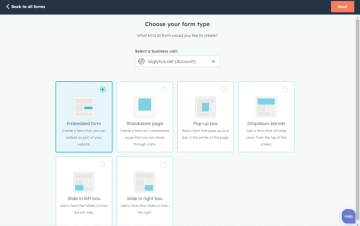
HubSpot Forms is the built-in form builder inside HubSpot’s CRM. You can create forms without any coding knowledge, and every submission becomes a CRM record with full data collection, activity tracking, and automated follow-ups. You can embed forms on your website, add them to HubSpot CMS pages, or use the form embed code for external sites.
Best for teams that want HubSpot CRM-connected online forms
HubSpot forms work well for:
Collecting contact details, demo requests, or newsletter signups
Launching simple forms or survey forms tied to email automation
Small teams that want a single platform for data collection and follow-ups
Businesses already using HubSpot for marketing, sales, or customer support
Key features
Feature | Availability | Features |
Landing page blocks | ⚠️ | HubSpot does include a landing page builder that tightly integrates with forms, but it is a separate feature, not an intrinsic part of the form builder. |
Built-in analytics & A/B testing | ❌ | While landing pages support A/B testing on Professional and Enterprise plans, form-specific split testing is not available and requires creating separate forms for comparison |
Advanced logic and personalization | ✅ | Supports conditional logic to show/hide fields and steps based on answers, and you can trigger automated follow-up emails, tasks, and workflows |
Built-in lead validation | ✅ | Offers required fields, format validation (e.g., email), and can leverage CRM features like duplicate detection and lifecycle rules |
Built-in payments | ✅ | With HubSpot Payments (available in supported regions), you can embed payment links and checkout experiences tied to CRM records |
Custom code | ✅ | Embed HubSpot forms on external sites via JavaScript and style with your own HTML/CSS/JS |
Custom branding and design | ✅ | Form styling inherits your HubSpot theme and can be customized for fonts, colors, button styles, and layout within HubSpot pages |
Direct integrations | ✅ | Salesforce, Google Ads, Google Analytics, Zoom, and Slack |
Data security | ✅ | Standard SSL encryption, SOC 2 Type 2 compliance, GDPR tools, role-based access control, SSO, and optional 2FA for added account security |
Strengths and limitations
Pros | Cons |
✅Form submissions go straight into HubSpot CRM | ❌ The multi-step beta still has gaps. Users can skip required questions, which hurts submissions and data quality. |
✅Works well for simple lead capture and gated content when you want forms, emails, lists, and automation inside one platform | ❌ Lacks features like per-form submission limits, forcing teams to rely on workarounds or external tools |
✅ Easy to embed across HubSpot CMS pages or external sites using the form embed code. | ❌ Many marketers use tools like Typeform or Jotform and push data back into HubSpot because the built-in forms are too restrictive for complex or branded use cases. |
Pricing
HubSpot Forms is part of HubSpot’s Free Tools and is included in every Marketing Hub tier. The free plan covers basic form creation, data collection, and CRM syncing. Here’s a quick look at the Marketing Hub pricing:
Plan | Price | Features |
Free Tools | Free | Basic online forms, CRM sync, simple form embed, contact creation, basic data collection |
Marketing Hub Starter | $20/month | More form customization, simple automation, pop-up forms, basic email follow-ups |
Marketing Hub Professional | $890/month (annual) + $3,000 onboarding | Multi-step form beta, lead scoring, advanced personalization, omni-channel automation, custom reporting |
Marketing Hub Enterprise | Starts at $3,600/month + $7,000 onboarding | Customer journey analytics, advanced team controls, multi-touch attribution, access governance, content/data restrictions |
User reviews
Users appreciate HubSpot Forms because everything feeds directly into the CRM. Many reviewers say it’s convenient that every submission becomes a contact you can score, segment, and enroll into automated workflows without extra tools.
Several marketers describe the editor as “clunky” or “cumbersome,” especially when compared with dedicated form builders like Typeform or Jotform. Some teams say they rely on external form builders and push data back into HubSpot via API because the built-in forms feel too limited for complex or branded use cases.
#5. Typeform
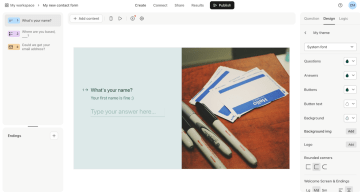
Typeform is best known for its conversational, one-question-at-a-time format. You can build custom, visually polished forms with multiple question types, smart conditional logic, and clean transitions.
Typeform offers pre-built templates and an intuitive interface, making it easy to create forms that feel branded without coding knowledge. It also connects with third-party apps, CRMs, and automation tools, so teams can route data wherever they need it.
Best for brand and UX teams that want conversational forms
Typeform works best for:
Customer surveys and feedback forms
Quizzes and assessments with guided questions
Contact forms that need a more conversational tone
Marketing teams collecting user insights or preferences
Brands that prioritize design and want forms to match their visual identity
Key features
Feature | Availability | Features |
Landing page blocks | ⚠️ | Build standalone, full-page forms and quizzes that function as simple landing pages |
Built-in analytics & A/B testing | ⚠️ | You get built-in response analytics (views, completion rate, drop-off, device info), but there’s no native A/B testing feature |
Advanced logic and personalization | ✅ | Supports branching logic, logic maps, variables, hidden fields, and scoring |
Built-in lead validation | ⚠️ | Includes required fields, format checks, logic-based gating, and scoring |
Built-in payments | ⚠️ | Doesn’t have its own native payment processor; it adds payment questions by integrating with Stripe (and PayPal in Europe for subscriptions) |
Custom code | ⚠️ | You can’t add your own JavaScript or custom code inside the form itself, to avoid breaking the form; custom code must live around the embed, not inside Typeform |
Custom branding and design | ✅ | customize themes, colors, fonts, backgrounds, logos, and media, and the 1-question layout |
Direct integrations | ✅ | Includes HubSpot, Salesforce, Pipedrive, Mailchimp, ActiveCampaign, Google Sheets, Google Analytics, Slack, Notion, and Airtable |
Data security | ✅ | Uses HTTPS/SSL encryption, offers GDPR-focused controls, and maintains an enterprise security/Trust program that covers policies, certifications, and customer security documentation |
Strengths and limitations
Pros | Cons |
✅Intuitive, user-friendly interface | ❌Free plan is very limited |
✅Conditional logic and branching support personalized question paths | ❌Limited layout and text formatting options in some areas (e.g., long answers can feel like dense paragraphs) |
❌Some advanced features (branding removal, payments, file uploads, higher limits) are locked to higher-tier plans. |
Pricing
Basic | $29/month | 1 user, unlimited forms, 100 responses/month, email notifications, data exports |
Plus | $59/month | 3 users, unlimited forms, 1,000 responses/month, logic jumps, HubSpot & Salesforce integrations |
Business | $99/month | 5 users, unlimited forms, 10,000 responses/month, Salesforce integration, priority support |
Growth Essentials | $199/month | 5 users, 10k+ responses /month, enrich 300 responses /mo |
Growth Pro | $349/month | 5 users, 10k+ responses /month, enrich 1,500 responses /mo |
Growth Custom | Custom | Tailored solutions |
User reviews
Many users love Typeform for its ease of use. However, some users mention areas for improvement. Alison C. notes, "Result emails sometimes end up in spam because of Typeform’s sender address." José V. shares, “Some of its most useful features are only available on higher-tier plans, which can be limiting for smaller teams.”
#6. Zoho Forms
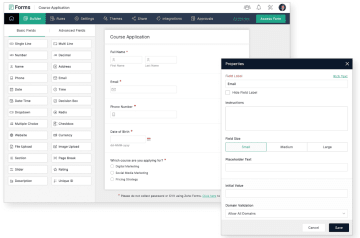
Zoho Forms is a great choice for teams that already use Zoho’s CRM and workplace apps. The tool supports users with conditional logic, approval workflows, file uploads, and advanced functionality like payment collection and mobile offline forms. Submissions sync directly into Zoho CRM and other Zoho apps, making it easier to analyze data and streamline tasks across marketing, sales, and operations.
Best for operations and support teams working in Zoho
Zoho Forms works well for:
Sales and support teams that need form submissions to sync directly into Zoho CRM or Zoho Desk
Operations teams collecting structured data across different phases of a workflow
Small businesses using Zoho Projects, Zoho Books, or Zoho People, wanting forms that automate internal tasks
Teams that prefer creating forms without coding knowledge, but still need conditional logic and approval flows
Key features
Feature | Availability | Features |
Landing page blocks | ✅ | Build full-page, mobile-responsive web forms that can act as simple landing pages, with headers, sections, and embedded media. |
Built-in analytics & A/B testing | ⚠️ | It has built-in analytics for views, entries, conversion rate, geography, and device data, but no native A/B testing feature in the form builder |
Advanced logic and personalization | ✅ | Supports conditional rules, choice-based field rules, dynamic prefill, approval workflows, and geo-fencing |
Built-in lead validation | ✅ | You get real-time input validation, OTP verification via SMS/WhatsApp/email, double opt-in, CAPTCHA, and address autofill/geo-fencing |
Built-in payments | ✅ | Includes Stripe, Razorpay, PayPal Checkout, Square, and Instamojo |
Custom code | ✅ | Supports custom CSS for advanced styling and can be embedded as HTML/JS on your site |
Custom branding and design | ✅ | Customize themes, colors, fonts, logos, and layouts |
Direct integrations | ✅ | Integrates natively with Zoho apps (CRM, Books, Desk, Campaigns, Analytics, Billing, Flow, etc.) |
Data security | ✅ | Provides SSL/TLS encryption in transit, optional field-level encryption, CAPTCHA, OTP, double opt-in, role-based access, backups, and compliance tooling for GDPR, HIPAA, and CCPA |
Strengths and limitations
Pros | Cons |
✅ Native integrations with Zoho CRM and other Zoho apps | ❌ Limited customization options for form appearance and themes |
✅Mobile apps and offline support make it useful for field teams and on-the-go data collection. | ❌Can get laggy at times, and some users report losing data during edits |
❌ Support can be slow to respond, and some users mention confusion around extra subscriptions or pricing |
Pricing
Plan | Price | Key features |
Free | Free | 1 user, 3 forms, 500 submissions/month |
Basic | $12/month | 1 user, unlimited forms, 10,000 submissions/month |
Standard | $30/month | 10 users, unlimited forms, 25,000 submissions/month |
Professional | $60/month | 25 users, unlimited forms, 75,000 submissions/month |
Premium | $110/month | 100 users, unlimited forms, 150,000 submissions/month |
User reviews
Zoho Forms gets consistent praise from users who want a simple setup and tight integration with the Zoho ecosystem. But customization is a recurring complaint. Nitin K. shares, “Customization of the form appearance is very limited.”
#7. Formstack
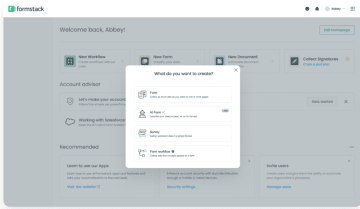
Formstack lets you create online forms, multi-page forms, and secure form types. The drag-and-drop editor that supports conditional logic, file uploads, and approval workflows. It integrates with CRMs, HR systems, and automation tools to route data, trigger workflows, and centralize submissions across different phases of an operation.
Best for teams running paid campaigns that need automated data collection and lead routing
Choose Formstack if you:
Run multi-page forms or complex forms that need conditional logic and automated data collection
Want to recover lost leads with partial submissions and improve form performance through conversion analytics
Need to seamlessly integrate ad leads into CRMs, ERPs, or other business tools for faster follow-up
If you only need basic online form builders for simple surveys or contact forms, lighter tools like Typeform or Zoho Forms will do the job.
Key features
Feature | Availability | Features |
Landing page blocks | ⚠️ | Formstack Forms supports “Sections” to group fields and control layout inside a form, but it doesn’t market a full landing‑page block system (hero, testimonials, feature rows, etc.) |
Built-in analytics & A/B testing | ⚠️ | Offers reporting/analytics around submissions and satisfaction surveys and provides guidance on tracking forms with Google Analytics, but no native A/B testing |
Advanced logic and personalization | ✅ | Conditional logic, data routing, Smart Lists, save-and-resume, and workflow steps |
Built-in lead validation | ❌ | Provides built‑in field validation (required fields, formats, constraints, and validation rules) and promotes lead‑gen use cases with routing into CRMs like Salesforce. |
Built-in payments | ✅ | PCI-compliant credit card fields and native payment processor integrations such as Stripe, PayPal, and Authorize.Net for one-time or recurring payments |
Custom code | ✅ | Custom coding is not documented on referenced pages; features are managed through integrations and workflow settings |
Custom branding and design | ✅ | Add custom CSS via the Theme/Styling tools and embed forms on your site with HTML/JS |
Direct integrations | ⚠️ | Connects to hundreds of tools, including CRMs, ERPs, and analytics apps. Supports Google Analytics and UTM Tracking for ad attribution and lead routing |
Data security | ✅ | 256-bit SSL, field-level data encryption, PGP-encrypted email, password-protected forms, reCAPTCHA, and is PCI compliant |
Strengths and limitations
Pros | Cons |
✅ Easy to use with a simple, intuitive interface that doesn’t require coding knowledge | ❌Expensive for smaller teams or organizations, especially when scaling to advanced features |
✅Reliable data collection and compliance features, including HIPAA support for sensitive information | ❌Limited design flexibility — forms can look plain without CSS customization |
✅Great for automating tasks like contracts, proposals, and lead routing | ❌Some users report difficulties with billing transparency and contract cancellations |
Pricing
Plan | Price | Features |
Forms | $99/month | 1 builder user, 25 forms, 1,000 submissions per form, 25,000 total submissions |
Suite | $299/month | 3 builder users, 100 forms, 5,000 submissions per form, 1,000,000 total submissions |
Enterprise | Custom | Custom package with SSO, advanced security/compliance, user-level permissions, account management, and a dedicated customer success manager |
User reviews
Formstack gets a lot of praise for its reliability, integrations, and workflow automation. Michael M. says Formstack “integrates fairly well and is relatively robust as a general-use form solution.” But he also calls the forms “ugly and pretty drab… you can dress them up a bit, but it requires CSS knowledge.” Another user says they “wish it had more options and validation features.”
#8. WPForms
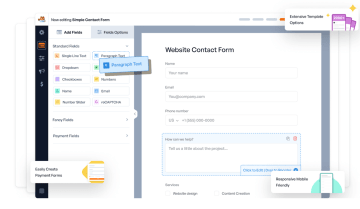
WPForms is a WordPress-native form builder plugin. It includes essential features like drag-and-drop editing, file uploads, conditional logic, and 2,000+ pre-built templates. You can launch contact forms, payment forms, or surveys quickly, connect them to third-party apps through add-ons, and analyze data from a single dashboard.
Best for WordPress site owners who want simple, reliable forms
Use WPForms when:
You run your website on WordPress and want a form builder that fits naturally into the dashboard
You need simple contact forms, payment forms, surveys, or file-upload forms without extra setup
You want lots of pre-built templates and a user-friendly editor instead of coding or custom plugins
You don’t need complex multi-step funnels or conversion-focused ad flows
Key features
Feature | Availability | Features |
Landing page blocks | ❌ | It’s not a full page builder with arbitrary blocks, but it does create standalone landing pages just for forms. |
Built-in analytics & A/B testing | ❌ | For A/B testing, users typically pair WPForms with external tools |
Advanced logic and personalization | ✅ | Supports conditional logic (show/hide fields, sections, or entire pages based on user input) and smart fields (pre‑filling data via URL parameters, cookies, or user meta) |
Built-in lead validation | ✅ | Includes standard validation (required fields, email format, URL, number, etc.) and lets you customize error messages site‑wide |
Built-in payments | ✅ | Stripe, PayPal (Standard & Commerce), Square, and Authorize.Net through official add‑ons |
Custom code | ✅ | Allows adding custom HTML/CSS/JavaScript directly in the form builder (via HTML blocks and CSS/JS fields) |
Custom branding and design | ✅ | Create branded templates, add logos, and export/import styling |
Direct integrations | ✅ | Offers official add‑ons for CRMs (HubSpot, Salesforce, Zoho CRM, Pipedrive, etc.), email marketing (Mailchimp, ActiveCampaign, Constant Contact, etc.), and tools like Zapier, Make, Airtable, and Google Sheets. |
Data security | ✅ | SSL/TLS encryption in transit, Spam protection (honeypot, CAPTCHA/hCaptcha/Turnstile, IP blocking), and GDPR/privacy tools (consent fields, data export/deletion) |
Strengths and limitations
WPForms pros and cons | |
Pros | Cons |
✅ Very easy to use, even for non-technical users | ❌Pricing can feel high for small teams |
✅ Large library of pre-built templates and useful form types | ❌ Payment integrations, surveys, and conditional logic are locked behind higher-tier plans |
❌ Integrations with more robust CRMs can be limited |
Pricing
Plan | Price (per year) | Features |
Basic | $99/year | Use on 1 site, unlimited forms & submissions, unlimited users, essential features, form templates |
Plus | $199/year | Everything in Basic, plus marketing integrations (Mailchimp, AWeber, ConvertKit, etc.) |
Pro | $399/year | Everything in Plus, plus payments (Stripe Pro, Square Pro, PayPal, recurring subscriptions, no transaction fees), calculations, 2,000+ templates, surveys & polls |
Elite | $599/year | Everything in Pro, plus use on unlimited sites, premium CRM integrations (Salesforce, HubSpot, Zoho CRM, Pipedrive, Airtable, ActiveCampaign) |
User reviews
Pelf Nyok C. says WPForms is “so intuitive that even without any technical background, I was able to build and manage all our forms with confidence.” However, pricing is a frequent concern. Teri B. notes it’s “very expensive if you only need it to build one or two forms,” and wishes for a pay-as-you-go model.
#9. Paperform

Paperform lets you design a document-style layout with headings, images, videos, and long-form text, which works well for brands that want forms to match their tone rather than look “form-like.” The platform supports conditional logic, calculation fields, file uploads, scheduling, and payments through Stripe, PayPal, and Square. It also connects to thousands of third-party apps through Zapier, Make, and direct integrations, making it a strong fit for teams that want automated workflows without heavy setup.
Best for design-driven teams that want forms to look like mini-landing pages
Choose Paperform if you:
Build branded forms for marketing, events, or client onboarding
Sell services, bookings, or digital products directly inside the form
Automate admin tasks across tools like Airtable, Notion, Slack, and CRMs
But if you need conversion-focused funnels for paid lead generation, Heyflow is better suited for tracking, analytics, and qualification workflows.
Key features
Feature | Availability | Features |
Landing page blocks | ✅ | Supports text/image blocks, embed blocks |
Built-in analytics & A/B testing | ⚠️ | AI Insights for analytics, but no native A/B split testing |
Advanced logic and personalization | ✅ | Conditional logic, tailored question paths, post-submit automation, personalization rules |
Built-in lead validation | ❌ | Supports field validation but not advanced lead scoring/validation |
Built-in payments | ✅ | Stripe, PayPal, and Square; also include payments, donations, subscriptions in forms |
Custom code | ✅ | Supports custom code blocks, embedded scripts for advanced functionality |
Custom branding and design | ✅ | Full control over fonts, images, page layouts, colors, branding elements |
Direct integrations | ✅ | Direct and third-party integration support via Zapier, Make, and native, Freshdesk, Google Sheets, Mailchimp, Slack, etc. |
Data security | ⚠️ | Paperform has standard SSL/TLS encryption and GDPR compliance. but limited enterprise docs, no SOC 2/HIPAA, but basic security is there. |
Strengths and limitations
Pros | Cons |
✅Easy to build branded, visually rich forms without coding knowledge | ❌ Not the best option for high-conversion paid ad funnels (no built-in A/B testing or heatmaps) |
✅Supports advanced logic, calculation fields, scheduling, and payments in one tool | ❌No built-in lead validation or fraud prevention features |
❌ Can be pricey for small teams if they need multiple users or higher submission limits |
Pricing
Plan | Price | Key features |
Essentials | $29/month | 1 user, unlimited forms, 100 submissions/month (expandable), 20 payment submissions, 50 appointment submissions, 1,000 stored submissions, 1GB upload storage, Paperform branding (not removable) |
Pro | $59/month | 3 users (add users for $9/month, up to 25), unlimited forms, 1,000 submissions/month (expandable), 250 payment submissions, 500 appointment submissions, 10,000 stored submissions, 10GB upload storage, removable branding |
Business | $129/month | 5 users (expandable), unlimited forms, 10,000 submissions/month (expandable), 2,500 payment submissions, 5,000 appointment submissions, 100,000 stored submissions, 100GB upload storage, removable branding, priority support |
Enterprise | Custom | Unlimited users, unlimited submissions, unlimited storage, unlimited payment + appointment submissions, advanced compliance, tailored onboarding, and enterprise support |
User reviews
Tiina W. says Paperform is “simple to create forms” with “excellent integration capabilities.” Some reviewers mention pricing and a few edge-case limitations. William D. notes that stepping up to the level of customization he wants is “a big jump in price” for a small business, and Luis G. points out that full white-labelling and calendar usage have limits on lower tiers.
Build forms that convert with a Cognito Forms alternative
The best alternative depends entirely on the kind of work you’re trying to get done. Here’s a quick decision guide:
Heyflow is the right pick for teams running paid campaigns and multi-step funnels. If your priority is turning cold traffic into qualified leads with UTM tracking, dynamic logic, and landing-page control, this is the best option.
Typeform fits teams that need conversational surveys, quizzes, or feedback flows where completion rates and user experience matter more than workflow automation.
Jotform works well for compliance-focused form workflows and simple data collection
Zoho Forms makes sense if you’re already inside the Zoho ecosystem and want lightweight CRM workflows, mobile-first data entry, and simple approval routes.
Paperform is good for mini webpages with payments, scheduling, and customization
Formstack is built for teams that need structured approvals, Salesforce-friendly workflows, and enterprise-grade routing
WPForms is the best option for WordPress sites that need reliable contact forms, registrations, surveys, and payments without extra plugins or developer time.
If you want an all-in-one platform that builds interactive flows, high-intent lead funnels, and mobile-ready landing pages, Heyflow is a great choice. The visual builder is fast, flexible. Plus, you get full control over logic, personalization, payments, validation, and tracking.
Heyflow is designed to convert paid traffic.
Try Heyflow for freeFAQs
What's the best Cognito Forms alternative for lead generation?
Heyflow is the best Cognito Forms alternative for lead generation. With Heyflow, you get everything in one place: interactive forms, full landing pages, multi-step funnels, payment collection, lead verification, UTM tracking, and analytics.
What’s the difference between Formstack and Cognito Forms?
Formstack is built for enterprise workflows: advanced routing, HIPAA compliance, Salesforce integrations, and structured approval processes. Cognito Forms is more lightweight: easier to start with, more affordable, and great for small teams that want conditional logic, workflows, and simple automation without the enterprise overhead.
Is Cognito Forms GDPR compliant?
Yes. Cognito Forms supports GDPR, CCPA, and HIPAA compliance. You get encryption, SSO, two-factor authentication, consent features, and the ability to manage data retention and deletion.
What’s the best no-code form builder?
For basic internal use cases, Google Forms and Jotform are easy wins. Typeform is best for conversational surveys, and WPForms is best for WordPress-only workflows. But if you want a no-code builder built for paid acquisition, mobile-first design, advanced logic, fast load times, and attribution, Heyflow is the best choice. You can build funnels, landing pages, qualification flows, and payment experiences, all without relying on developers or stitching together multiple tools.
Recommended articles

How to Increase Your Meta Ads CVR With the Heyflow AI Funnel Builder Platform
A flat Meta Ads conversion rate is usually a post-click problem. See three ways to fix your funnel and tracking with Heyflow, from full AI automation to manual control.
Read more
How to Create an Advertorial Landing Page That Sells (With Examples)
Learn how to create an advertorial landing page that sells, with examples by vertical, built by Heyflow’s AI and connected to your funnel in a click.
Read more
MCP: The Easiest Way to Create a Sales Funnel With AI
Prompt a sales funnel through MCP and it's hosted the moment it's built, connected in a click. That's what makes it the easiest way to build one with AI.
Read more