
5 ConvertFlow Alternatives For Ecommerce Funnel Building







Trusted by 3,000+ marketers






ConvertFlow is a popular funnel builder for marketers who want to launch landing pages, quizzes, pop-ups, and multi-step funnels without writing code. But when you’re running always-on paid campaigns and more complex funnels, you need a builder that is fast, intuitive, and priced to scale.
Here’s why many teams look for ConvertFlow alternatives:
Builder UI feels fiddly and unintuitive on complex funnels
Pages and editor can be slow, with extra work needed for mobile layouts
Key integrations and deeper analytics are limited to higher plans
Pricing jumps from free to $299/month and $999/month
In this guide, we compare five ConvertFlow alternatives based on feature sets, transparent pricing, and verified user reviews from platforms like G2, so you can pick a tool that fits your funnels, team, and budget.
ConvertFlow alternatives: Comparison overview
Here’s a quick overview of how to read the comparison:
✅ Feature is available
❌ Feature is not supported
⚠️ Feature is available with limitations
#1. Heyflow | #2. Instapage | #3. ClickFunnels | #4. Unbounce | #5. Systeme.io | |
Landing page blocks | ✅ | ⚠️ | ✅ | ⚠️ | ⚠️ |
Built-in analytics & A/B testing | ✅ | ⚠️ | ✅ | ⚠️ | ✅ |
Advanced logic & personalization | ✅ | ❌ | ✅ | ⚠️ | ⚠️ |
Built-in lead validation | ✅ | ❌ | ❌ | ❌ | ❌ |
Built-in payments | ✅ | ❌ | ✅ | ⚠️ | ⚠️ |
Custom code (CSS, JS, HTML, etc.) | ✅ | ✅ | ✅ | ✅ | ✅ |
CRM & ecommerce integrations | ✅ | ⚠️ | ✅ | ⚠️ | ⚠️ |
Custom branding and design | ✅ | ✅ | ✅ | ⚠️ | ⚠️ |
Data security | ✅ | ⚠️ | ⚠️ | ⚠️ | ⚠️ |
Pricing | $45/month | $99/month | $97/month | $99/month | Free; Paid plans from $17/month |
#1. Heyflow

Heyflow is a no-code, mobile-first funnel builder for interactive embeddable forms, sticky bars, and conversion-focused landing pages. With a drag-and-drop editor and support for custom CSS, marketers get full control over branding and layout at every funnel stage without needing coding skills.
Unlike ConvertFlow, Heyflow is built for performance teams that want more leads from the same traffic by showing the right message at the exact moment a visitor is ready to act.It uses Partial Submits to capture data from abandoned flows, phone and email verification to ensure lead quality, and A/B testing to help you optimize your forms.
With 50+ native integrations, including HubSpot, Salesforce, Pipedrive, Zoho CRM, HighLevel, ActiveCampaign, Meta CAPI, TikTok Events API, Google Sheets, Airtable, Heyflow is built for teams that live and die by their performance dashboards.
💡 More accurate tracking, fewer lost conversions with Heyflow
Server-side integrations send conversion data directly from the server, bypassing ad blockers and browser restrictions. Heyflow supports CAPI for Meta, TikTok, Bing, Taboola, and Outbrain — plus client-side pixel tracking for Google Ads and LinkedIn.
Trusted by over 3,000+ lead generation marketers, Heyflow has helped generate more than three million leads and boasts an average 24% conversion lift with 92% customer satisfaction.
Want to see it in action? Watch this video 👇
Best for ecommerce brands running paid traffic
Heyflow is a great ecommerce funnel builder when your growth depends on converting cold traffic from social and search into high-intent buyers. Choose it if you:
Run paid campaigns with $5,000+ monthly ad spend on Meta, TikTok, or Google Ads, and need mobile-first funnels where conversion improvements significantly impact ROI
Want fast page load speeds (90+ scores) even on poor mobile connections
Sell higher-value products or subscriptions that benefit from quiz-style product finders and multi-step education before checkout
Want pixel-level control over fonts, layout, and branding instead of squeezing into rigid page templates
Care about lead quality and need built-in phone validation, SMS OTP, and Stripe payments in one place
Spend a big budget on ads and want detailed drop-off analytics and tracking to squeeze more revenue from every campaign
Key features
Category | Availability | Features |
Partial Submits | ✅ | Captures lead data even when users abandon mid-flow |
Speed-to-Lead | ✅ | Instantly follow up via WhatsApp, custom SMTP, or email autoresponder the moment a lead submits |
Landing page blocks | ✅ | Build marketing or sales funnels with full, mobile-ready landing pages and multi-step forms without needing a separate page builder |
Built-in analytics & A/B testing | ✅ | Review drop-offs, step performance, and test variations directly inside Heyflow to improve conversion rates faster |
Advanced logic & personalization | ✅ | Adapt questions, sections, or outcomes based on keywords, audience signals, or user inputs |
Built-in lead validation | ✅ | Use phone, email, and address validation (incl. SMS OTP) to reduce fake submissions and improve lead quality |
Built-in payments | ✅ | Add Stripe or Solidgate checkout steps without external plugins or coding |
Custom code (CSS, JS, HTML, etc.) | ✅ | Extend your funnel with custom styling, scripts, or advanced integrations when needed |
Custom branding and design | ✅ | Complete control over fonts, spacing, animations, and layout for a polished, on-brand funnel experience |
Full integration with Google Analytics, GTM, and Google Ads | ✅ | Send conversion events directly to Google Ads, keep UTMs intact, and support Consent Mode v2 natively |
Data security | ✅ | SOC 2 Type 2, ISO 27001, and HIPAA compliance — plus a unique Sensitive Data Tag that auto-deletes specific PII from servers after collection. Built for brands that can't afford a data liability |
Strengths and limitations
Pros | Cons |
Built specifically for paid acquisition: clean tracking, stable event behavior, and direct Google Ads integrations. Competitors either lack AI entirely or bolt on third-party tools. | No free plan, which may be limiting for very small teams or non-commercial projects |
eyflow includes four native AI capabilities: Flow Generation, Flow Analysis, AI Insights, and an AI Chat Assistant. Build faster, optimize smarter, and get answers without switching tools. | A/B testing is available only on the Scale plan |
Fast, polished, mobile-first funnels that reduce friction and keep users engaged | Collaboration features sit behind higher-tier plans |
Strong lead quality tools (SMS OTP, email, and address validation) to filter junk submissions upfront | |
Conversion-driven by design with 40+ drag-and-drop blocks, advanced logic, calculators, payments, bookings, and signatures | |
Full Brand control with 1000+ fonts, 2000+ style variables, custom CSS/JS/HTML | |
Enterprise-grade security includes SOC 2, ISO 27001, HIPAA compliance, TrustedForm & Jornaya. |
Pricing
Plan | Price | What’s included |
Starter | $22/month | 50 responses/month, 5 funnels, core features, analytics, tracking, and native CRM integrations |
Growth | $79/month | 250 responses/month, 10 funnels, full design controls, custom fonts, CSS, and payment collection |
Scale | $229/month | 1,000 responses/month, 20 funnels, A/B testing, advanced tracking, custom JS/HTML, WhatsApp replies |
Enterprise | Starts at $1,100/month | 5,000+ responses/month, unlimited funnels, enterprise security, dedicated support, and funnel import services |
User reviews
Users appreciate how Heyflow helps them drive more conversions from paid traffic, without the complexity of juggling multiple tools.
“For us, the tracking and analytics capabilities are extremely important. With Heyflow, we can get the insights we need to optimize our lead gen campaigns.”
Tim Heicks, Brand CMO @ Keyword.com
Why choose Heyflow?
✅ Lead quality (SMS OTP + email and address validation)
✅ Brand control (custom CSS/JS/HTML)
✅ Conversion tooling (A/B testing, analytics)
✅ Ad-first integrations (Meta CAPI, GA4, LinkedIn)
✅ Enterprise-grade security (SOC 2, ISO 27001, HIPAA)
Try Heyflow for free#2. Instapage
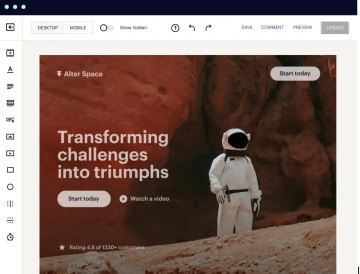
With Instagpage, you get a drag-and-drop builder, 500+ conversion-focused templates, AI-assisted copy for headlines and CTAs, and control over how each page behaves on every screen size.
Its standout features are Instablocks® and Global Blocks, which let you reuse and update sections across hundreds of pages at once. Plus built-in collaboration that lets marketers, designers, and stakeholders comment and approve in one place.
Layer on A/B testing, AI experiments, analytics, and 120+ integrations into CRMs, email tools, and analytics platforms, and Instapage becomes a clean way to manage ad-to-landing-page relevance at scale.
Best for digital advertisers and marketing teams
Instapage is a good fit when landing pages are the core of your acquisition workflow, and you need to keep them tightly aligned with your ads. Choose it if you:
Run many paid campaigns and need a funnel builder for Meta and other channels
Target multiple countries or segments, and want to reuse sections with Instablocks® and Global Blocks instead of rebuilding from scratch
Work in a team where marketers, designers, and approvers all need to collaborate directly on page layouts and copy
Care about structured CRO and want built-in A/B testing, AI experiments, and analytics rather than bolting on separate tools
Key features
Category | Availability | Features |
Landing page blocks | ⚠️ | Supports basic building blocks, like text and image, video, HTML code, and accordion widgets, with customizable containers through Fluid Grid Blocks. |
Built-in analytics & A/B testing | ⚠️ | Features native A/B testing and heatmaps with direct support for major tracking pixels. |
Advanced logic & personalization | ❌ | Lacks native conditional logic, calculation variables, and logic visualization features, but supports Dynamic Text Replacement for personalized content using URL parameters and conditional redirects via custom code. |
Built-in lead validation | ❌ | Doesn’t include SMS OTP verification, phone network validation, or third-party validation integrations such as LeadByte. It does support basic email and phone format validation, plus optional business email validation through custom JavaScript. |
Built-in payments | ❌ | Lacks native built-in payment blocks or in-builder payment processing, but supports third-party payment integrations via Zapier or external apps for Stripe, PayPal, Checkout Page, Shopify, and Square |
Custom code (CSS, JS, HTML, etc.) | ✅ | Full support for custom CSS, JavaScript, HTML blocks, and head/body/footer code injection, plus advanced webhooks with field mapping and authorization tokens, but lacks a public API and Flow Events API. |
Custom branding and design | ⚠️ | Supports Google fonts, custom font uploads, Global Blocks for consistent brand assets, Instablocks presets, rich text editor with formatting, responsive device visibility, and built-in email follow-ups. But lacks an open design system, theme import capabilities, and custom SMTP configuration for email replies |
Direct integrations | ✅ | Supports 120+ integrations, including Google Sheets, HubSpot, Pipedrive, Zapier, Salesforce, Slack, ActiveCampaign, Zoho CRM, WhatsApp, and advanced webhooks. |
Data security | ⚠️ | SOC2 Type I & II certified with GDPR compliance, editable cookie consent banners, and Data Protection Agreement available. Lacks HIPAA and ISO 27001 certifications, EU-exclusive servers (uses global infrastructure), and specialized integrations like Trustedform, Jornaya Verisk, Openli, or Matomo. |
Strengths and limitations
Pros | Cons |
Built-in A/B testing, analytics, reporting, and heatmaps | Mobile layouts often need manual fixing after customizations |
Large library of pre-built blocks and templates | Advanced design options and HTML block preview are limited |
Good integrations with tools like Google Sheets, Mailchimp, and ad platforms | Lacks some handy features like swiper components, global code snippets, and flexible section hiding |
URL parameters and some features are restricted on lower tiers |
Pricing
Plan | Price | Unique monthly visitors | Features |
Create | $99/month | 15,000 | Build on-brand, pixel-perfect, responsive pages without a developer. Includes drag-and-drop builder, reusable page blocks and forms, real-time visual collaboration, triggered popups and sticky bars, AI content, contacts and email, and collections. |
Optimize | $199/month | 30,000 | Everything in Create, plus server-side A/B testing, hypothesis setting, experimentation history, customizable traffic splitting, scheduling, multi-step forms, and dynamic text replacement to optimize for higher conversions. |
Convert | Custom | Custom | Everything in Optimize, plus an enterprise-ready platform, ad-to-page personalization, global blocks and forms, root domain publishing, heatmaps, direct lead bypass, and access to a CSM and professional services to scale landing page production. |
User reviews
Instapage receives positive feedback for how quickly non-technical teams can launch high-converting landing pages. Long-time users, like Kate G., say the drag-and-drop editor is “incredibly intuitive” and lets them get polished pages live quickly without a developer.
However, several reviewers say the editor UX can be frustrating. It sometimes feels slow or buggy, and simple changes or mobile adjustments take more work than they should.
#3. ClickFunnels
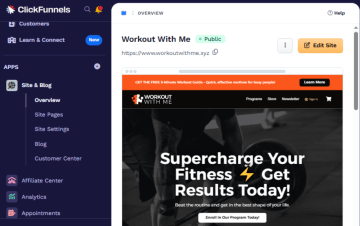
ClickFunnels helps businesses create, manage, and optimize sales funnels without requiring technical expertise. The platform provides a drag-and-drop funnel builder with pre-built templates, enabling users to create landing pages, lead-capture forms, checkout pages, and upsell pages within a single interface.
ClickFunnels combines multiple business tools, including email marketing automation, course creation, membership sites, calendar scheduling, payment processing (integrated with Stripe, PayPal, and Apple Pay), A/B split testing, and CRM functionality.
💡 ClickFunnels now supports native Meta Conversions API (CAPI), transmitting events server-to-server without a third-party connector. However, documented limitations include incomplete deduplication and no support for custom events, which may impact tracking accuracy for more advanced ad setups.
Best for course creators and offer-led funnels
Choose ClickFunnels if:
You're a course creator, coach, or consultant selling digital products, online courses, or membership programs
Your business model relies on offer-led funnels with upsells, downsells, order bumps, and one-time offers to maximize customer value
You're focused on conversion optimization through A/B split testing and funnel analytics to refine your offers
Key features
Category | Availability | Features |
Landing page blocks | ✅ | Supports drag‑and‑drop editor to build landing pages, product pages, and full websites by stacking customizable sections and rows. It provides a “Lego-like” experience where you can move elements like videos, forms, and checkout blocks anywhere on the screen without needing to write code. |
Built-in analytics & A/B testing | ✅ | Includes predictive analytics, which uses machine learning to forecast your future earnings based on current traffic trends. It also features "Smart Split Testing" (A/B testing), which tests different funnel paths or email sequences to see which journey yields a higher "Customer Lifetime Value." |
Advanced logic and personalization | ✅ | Uses a visual workflow canvas to create conditional split paths and personalized journeys with variables, but it is highly limited for calculations, which usually require 3rd-party widgets or custom code. |
Built-in lead validations | ❌ | It focuses on Lead Generation (capturing the info) rather than Lead Validation (verifying the info is "real"). You will need a middleware tool like Zapier or Make.com to bridge ClickFunnels with a validation service like LeadByte. |
Built-in payments | ✅ | Uses a native Checkout Element and Payments AI hub to manage Stripe, PayPal, and more, while offering advanced features like automated failed-payment retries. |
Custom code (CSS, JS, HTML, etc.) | ✅ | Supports a Custom JS/HTML element that lets you paste your own HTML/JavaScript or embed third‑party widgets on funnel pages. |
Custom branding and design | ✅ | Includes a Developer Portal where you can manage "Platform Applications," generate API access tokens, and view detailed documentation for building your own software integrations. It also supports custom attributes, allowing you to assign unique data tags to any element for specific targeting with your custom CSS or JS. |
Direct integrations | ⚠️ | Has a strong Webhooks API and native connections for a few major CRMs; it relies on Zapier/Make for the vast majority of other integrations, like Google Sheets, Monday, WhatsApp, etc. |
Data security | ⚠️ | Handles GDPR/CCPA compliance through built-in cookie banners and DPAs, but it lacks enterprise-grade certifications like SOC2, HIPAA, or ISO 27001. |
Strengths and limitations
Pros | Cons |
Large library of ready-made funnel and landing page templates with training and tutorials | High monthly price for small or new businesses |
Built-in email lists and autoresponders for basic follow-up | Limited code access and design freedom for developers |
Native payments, order forms, upsells, and simple storefronts | Several users complain about billing, refund policies, and plan changes |
Pricing
Plan | Price | Features |
Launch | $97/month | Unlimited funnels (limited time), 1 workspace, 2 team members, 10K contacts, 50K emails/month, 3 courses, 5 custom domains, standard support, AI tools up to 1M words |
Scale | $197/month | Unlimited funnels, 5 workspaces, 5 team members, 75K contacts, 300K emails/month, 6 courses, unlimited domains, priority and live chat support, AI tools up to 2M words, custom code editor, webhooks/API |
Optimize | $297/month | Unlimited funnels, 10 workspaces, 10 team members, 150K contacts, 750K emails/month, 10 courses, unlimited domains, priority and live chat support, AI tools up to 5M words, custom code editor, webhooks/API |
User reviews
ClickFunnels has great feedback for its all-in-one funnel stack. But reviewers also point out real drawbacks. One user in Media Production says “definitely has a learning curve” and notes that not being able to edit the page code is frustrating. Christian M., a co-founder, adds that by trying to be “all things to all people,” the suite leaves parts of the product “very basic,” and he is openly unhappy with how pricing and early adopter plans were handled.
#4. Unbounce
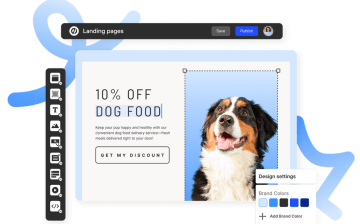
Unbounce is an AI-assisted landing page builder built for conversion-first campaigns, especially paid traffic. You can create landing pages, popups, and sticky bars with drag and drop, plug in 100+ templates, run classic A/B tests or Smart Traffic (their AI router), and connect everything to tools like HubSpot, Salesforce, and Mailchimp. Dynamic Text Replacement, custom JS/CSS/HTML, and AI copy inside the editor help you match pages to search terms and audiences without waiting on a developer.
Best for performance marketers and PPC agencies
Unbounce is a good fit when your main job is turning paid clicks into conversions. Choose it if you’re:
Running paid advertising campaigns where you need landing pages that match ad copy to improve Quality Scores and reduce cost-per-click
Testing multiple variants quickly without waiting months for statistical significance
Lacking development resources and wanting to create, test, and optimize independently without involving IT departments
Looking for AI-powered optimization to automatically personalize which landing page variant each visitor sees based on their likelihood to convert
Generating leads for gated content like ebooks, whitepapers, or webinars with form capture and email integration
Running seasonal promotions with popups and sticky bars that can be scheduled and targeted by location, referral source, or visitor behavior
Key features
Category | Availability | Features |
Landing page blocks | ⚠️ | Provides a flexible free-form canvas for basic layouts but lacks pre-built "smart" modules, forcing users to rely on custom code (JavaScript/CSS) or manual composition for standard elements like accordions, date pickers, and step indicators. |
Built-in analytics & A/B testing | ⚠️ | Unbounce excels at standard conversion reporting and "one-click" client-side pixel management (GA4, GTM). But it completely lacks built-in behavioral visuals (heatmaps, drop-offs) and server-side APIs (Meta CAPI), necessitating external tools like Hotjar and Zapier. |
Advanced logic & personalization | ⚠️ | While it offers powerful text personalization via URL parameters (DTR), it completely lacks native logic for forms (calculations, branching), forcing users to rely on "hacky" JavaScript workarounds for anything beyond basic data capture. |
Built-in lead validation | ❌ | Lacks native, real-time lead verification (OTP, network checks), relies entirely on basic regex patterns (format only), or requires users to build their own validation pipelines using Webhooks and third-party tools like Twilio or LeadByte. |
Built-in payments | ⚠️ | While it offers a native Stripe App for Smart Builder, nearly all other payment methods (PayPal, Shopify) require manual HTML code embedding |
Custom code (CSS, JS, HTML, etc.) | ✅ | Offers tools for injecting custom HTML, CSS, and JavaScript both globally and per-page. Its Webhook and Public API capabilities are excellent for extracting data, though it lacks an inbound "Events API" for tracking custom user behaviors server-side. |
Custom branding and design | ⚠️ | Offers strong typography and layout controls (especially in Classic Builder) but lacks a true "Global Design System" across pages. Smart Builder attempts to fix this with shared styles, but the inability to import external themes or configure SMTP for branded email responses limits its utility as a complete brand platform. |
Direct integrations | ⚠️ | Relies heavily on Zapier and Webhooks for most modern tools. While it has strong "legacy" native integrations for major CRMs like Salesforce, HubSpot, and ActiveCampaign, popular newer tools like Monday.com, Airtable, and HighLevel all require middleware (Zapier) or custom Webhooks. |
Data security | ⚠️ | Unbounce meets standard SaaS security baselines (SOC 2 Type 1 only, GDPR DPA, PCI-DSS) and offers a decent native Cookie Banner. However, it falls short for highly regulated industries, lacking HIPAA support, ISO 27001 certification, and "strict EU-only" data residency guarantees. Integrations for third-party compliance tools like TrustedForm and Openli are entirely manual. |
Strengths and limitations
Pros | Cons |
Easy integrations with major tools like Salesforce, HubSpot, Mailchimp | Pricing changes, usage caps, and penalties often catch users by surprise |
Conversion focus with A/B testing and DTR features | Template constraints limit flexibility for some use cases |
Simple drag-and-drop editor that non-developers can use | CRM integrations and behavior analytics can feel clunky or depend on external tools, conversion focus with A/B testing, and DTR features |
Pricing
Plan | Price | Traffic limit | Features |
Build | $99/month | Up to 20,000 visitors | Unlimited landing pages, drag-and-drop builder, 1 user, 1 root domain, popups and sticky bars, Smart Copy (AI), 100+ templates, 1,000+ integrations, custom scripts/code/styling, phone/email/live chat support. |
Experiment | $149/month | Up to 30,000 visitors | All Build features plus unlimited A/B testing and variants, 3 users, 2 root domains, manual traffic allocation, confidence intervals, Dynamic Text Replacement, conversion insights, and reporting. |
Optimize | $249/month | Up to 50,000 visitors | All Experiment features plus Smart Traffic (AI), 5 users, 3 root domains, scheduling for pages/popups/sticky bars, advanced triggers and targeting, industry benchmarking, and audience insights. |
Agency | Custom | Starting at 100,000 visitors | All Optimize features plus unlimited collaborations, unlimited pages, starting at 5 users and 20 root domains, implementation services, and listing in the agency partner directory (custom quote). |
User reviews
Users generally like Unbounce for speed and ease of use. Greyson D., a Digital Advertising Manager, calls it “extremely easy and quick to use,” and says duplication and text insertion “work super easily” and are fast to set up.
On the other hand, some reviewers are openly unhappy with billing and support, with co-founder Dennis S. saying their subscription was increased “by 415% in under a year” with new penalties on usage caps and summing it up as “corporate greed has taken away everything that made Unbounce great.”
#5. Systeme.io
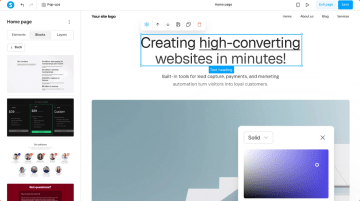
Systeme.io gives you a basic page and funnel builder, email marketing, checkout, course hosting, affiliate management, automation workflows, webinars, and a simple CRM in a single account.
You can build sales funnels, send broadcasts and sequences, collect payments via Stripe or PayPal, deliver courses or memberships, and track affiliates from the same dashboard. You get breadth and flat-rate pricing with generous limits, but less design flexibility and lighter analytics than tools that focus purely on landing pages or interactive funnels.
Best for solopreneurs and lean online businesses
Systeme.io is a good fit when you care more about consolidating your stack. Choose it if you:
Are a solopreneur, coach, or course creator building your first 10k–100k per year and want funnels, email, checkout, and course hosting in one place
Plan to run simple A/B tests, evergreen webinars, and affiliate programs without adding extra tools
Operating on a tight budget and need a free plan that actually includes sales funnels, email automation, and course hosting (up to 2,000 contacts)
Building a community around your brand, and want member forums integrated with your course and email systems
Key features
Category | Availability | Features |
Landing page blocks | ⚠️ | Supports core content and structural blocks, but key UX widgets like progress bars, steps, and date pickers rely on workarounds or custom HTML, limiting native landing-page-block completeness. |
Built-in analytics & A/B testing | ✅ | Has solid built-in funnel analytics, A/B testing, and native Meta CAPI. |
Advanced logic & personalization | ⚠️ | Offers conditional IF/ELSE-style rules, tags, and workflow-based personalization, yet has no documented visual logic builder, redirect logic based on multiple conditions at the page level, or native variable/calculation blocks. |
Built-in lead validation | ❌ | Doesn’t provide native lead validation features like phone network validation, SMS OTP for lead verification, or built-in third‑party validation (LeadByte/email/phone). |
Built-in payments | ⚠️ | Has a native payment block for checkout pages and supports Stripe and PayPal, plus several additional gateways (Razorpay, Paystack, GoCardless, Secure and Pay, Mercado Pago, cash on delivery, etc.), but the total number of direct payment integrations is still limited compared with larger cart platforms |
Custom code (CSS, JS, HTML, etc.) | ✅ | Lets you inject custom CSS and JavaScript via header/footer tracking code, use a dedicated Raw HTML block on pages, and configure robust event-based webhooks, but it does not expose a public REST/Flow Events API for general-purpose programmatic tracking. |
Custom branding and design | ⚠️ | Offers rich text editing, numerous Google fonts, reusable blocks, device-level visibility controls, and SMTP for branded email sending, but lacks true importable/open design systems, custom font uploads, and fully system-wide theme management. |
Direct integrations | ⚠️ | Has a native Google Sheets integration and robust generic webhooks, but most major CRMs and tools still require indirect connection via webhooks or third-party bridges rather than direct, first-class integrations. |
Data security | ⚠️ | Systeme.io doesn’t list SOC 2, HIPAA, ISO 27001, EU-only hosting, or native integrations with TrustedForm, Jornaya/Verisk, Matomo, or Openli. It does support GDPR compliance basics, including a DPA, and cookie banners via external tools. |
Strengths and limitations
Pros | Cons |
Good for beginners: simple builder, helpful templates, and training/certification content | Design and template customization have clear limitations and a learning curve |
Works well for basic funnels, email campaigns, and selling digital/physical products | Payment integrations (PayPal, crypto) are not as smooth or robust as they should be |
Email-only helpdesk can be slow and frustrating, especially across time zones |
Pricing
Plan | Price | Features |
Free | $0 | 3 funnels, 1 automation rule, 1 custom domain, up to 2,000 contacts. |
Startup | $17/month | 10 funnels, 10 automation rules, 3 custom domains, up to 5,000 contacts. |
Webinar | $47/month | 50 funnels, 100 automation rules, 10 custom domains, up to 10,000 contacts, plus evergreen webinars. |
Unlimited | $97/month | Unlimited funnels, contacts, automation rules, and custom domains, plus early access to new features. |
User reviews
Systeme.io is praised by non-technical founders for being genuinely simple to run a whole small business on. Ange D. calls it “highly intuitive, no manual needed, and everything just works,” and says pages and funnels “look cleaner than other platforms” they’ve tried.
However, Tina M. says they “did not find the integration with PayPal very smooth” and adds that cryptocurrency payments are “not well integrated,” while several users mention customer service could be faster and more responsive.
Choose the right ConvertFlow alternative for your ecommerce growth
The right ConvertFlow alternative depends on how you drive revenue, how complex your funnels are, and whether you want a focused funnel builder or an all-in-one stack.
Use this quick guide to narrow down your options:
Heyflow is the best fit for ecommerce brands running paid traffic who need fast, mobile-first funnels, clean tracking, lead validation, and full brand control.
Instapage works well for performance and in-house marketing teams that live in Google Ads and Meta, and need lots of on-brand landing pages, collaboration, and A/B tests at scale.
ClickFunnels is a better choice if your business is built around offer-led funnels for courses, memberships, and coaching, with upsells, downsells, and email follow-up in one place.
Unbounce suits PPC teams who want to test landing page variants quickly and use Smart Traffic to squeeze more conversions out of paid clicks without rebuilding their stack.
Systeme.io is ideal for solopreneurs and lean online businesses that want funnels, email, checkout, courses, affiliates, and basic automation in one affordable, all-in-one platform.
If your priority is turning paid social and search traffic into high-intent ecommerce buyers, with room for complex funnels, validation, and experimentation, Heyflow is the best ConvertFlow alternative.
Try for freeFAQ
Why look for ConvertFlow alternatives?
Many teams outgrow ConvertFlow as funnels become more complex. The builder feels fiddly, mobile layouts need extra work, and integrations/analytics are behind a higher tier. On top of that, pricing jumps sharply from free to around $250/month, then to $833/month, which many ecommerce teams can’t justify.
What's the cheapest ConvertFlow alternative with A/B testing?
Systeme.io is technically the most affordable entry point, with A/B testing available from its free plan — though capped at 1 test on free and 10 tests on the $17/month Startup plan. Unlimited A/B testing only unlocks on the Unlimited plan at $97/month. Heyflow includes A/B testing on its Scale plan at $229/month, Unbounce from $149/month, and Instapage from $199/month.
Is there a free alternative to ConvertFlow for ecommerce?
Systeme.io is the only tool in this comparison with a free plan. It includes up to 3 funnels, 1 automation rule, 1 custom domain, up to 2,000 contacts, and 1 A/B test at no cost. The main trade-offs are limited design flexibility, basic analytics, capped testing, and no native lead validation — so it works best for simple funnels rather than complex paid acquisition campaigns.
Recommended articles

How to Increase Your Meta Ads CVR With the Heyflow AI Funnel Builder Platform
A flat Meta Ads conversion rate is usually a post-click problem. See three ways to fix your funnel and tracking with Heyflow, from full AI automation to manual control.
Read more
How to Create an Advertorial Landing Page That Sells (With Examples)
Learn how to create an advertorial landing page that sells, with examples by vertical, built by Heyflow’s AI and connected to your funnel in a click.
Read more
MCP: The Easiest Way to Create a Sales Funnel With AI
Prompt a sales funnel through MCP and it's hosted the moment it's built, connected in a click. That's what makes it the easiest way to build one with AI.
Read more