

Formstack alternatives for 2026: Compare the top 8 by features & benefits







Trusted by 3,000+ marketers






Many marketing teams are seeking Formstack alternatives when they need more design customization, tracking integrations, and features geared towards lead quality. Formstack falls short for some teams because:
❌ There’s no free plan
❌ Plans can be pricey
❌ There are limited styling options
❌ It’s more focused on internal workflows
If you rely on paid ads—especially on mobile—the right post-click experience can make or break ROI. We’ve compared the eight best Formstack alternatives – based on features, pricing, and real user reviews – so you can find the right tool for your needs without wasting time or money.
But first, a quick look at what we found:
Formstack alternative | Best for | Key features | Key integrations | A/B Testing | Compliance | Starting price | G2 rating (Nov, 2025) |
Heyflow | Paid ad funnels & interactive lead flows | Drag-and-drop editor, multi-step logic, conditional fields, dynamic content, Stripe checkout | HubSpot, Google Sheets, Zapier | ✅ | SOC 2 & HIPAA | $45/month | 4.3 |
Jotform | Light data and simple formatting needs | 10,000+ templates, QR code forms, offline data collection, e-signatures | Google Sheets, Airtable, MS Excel | ✅ | PCI DSS, GDPR & CCPA. HIPAA on Golde and Enterprise plans | From $39/month (free plan available) | 4.7 |
Typeform | Conversational surveys | Dynamic forms, file uploads, built-in analytics | Google Sheets, HubSpot, Zapier | ✅ | HIPAA & GDPR on eligible plans | $199/month | 4.5 |
Google Forms | Basic surveys and questionnaires | Pre-built templates, collaboration, and response validation | Google Workspace apps | ❌ | N/A (inherits Google Workspace controls; no HIPAA on free tier) | $8.40/user/month | 4.6 |
Wufoo | Basic forms with payment collection | 400+ templates, field validation, rule builder, CRM integrations | Zapier | ❌ | GDPR | $16.25/month | 4.2 |
Paperform | Limited storage needs with light uploads | Document-style layout, conditional logic, calculation fields, 3,000+ integrations | Zapier | ✅ | GDPR | $29/month | 4.5 |
Zoho Forms | Forms integrated with Zoho tools | Approval workflows, custom URLs, offline mode, pre-filled forms | Zoho CRM, Zoho Campaigns | ✅ | GDPR | $12/month (free plan available) | 4.4 |
123FormBuilder | Easy form building with integrations | Custom notifications, payment collection, and analytics dashboard | Google Drive, Mailchimp, PayPal | ✅ | HIPAA with a premium plan | $37/month (free plan available) | 4.5 |
1. Heyflow: Best for interactive forms, landing pages, and lead funnels
Best use case: Marketers running paid campaigns who need multi-step forms that convert cold or low-intent mobile traffic.
Strengths: Interactive flows with multi-step logic, real-time lead validation, dynamic content, and customizable templates. Mobile-optimized landing pages and Stripe integration make it ideal for paid acquisition. Flexible plans allow scaling without overspending.
Limitations: No free plan; collaboration features are limited to the Enterprise tier.
With seamless integrations to Google Sheets, HubSpot, and over 2,000 apps via Zapier, Heyflow helps your data move where you need it.
Want a sneak peek? Watch this video 👇
Key features
Conditional and advanced logic: Create dynamic, multi-step forms that adapt to user responses
Custom branding: Match forms to your brand with custom fonts, colors, logos, and layouts
File uploads & signature fields: Collect files securely with up to 2GB storage per flow
Analytics & reporting: See where users drop off, monitor conversion rates, and optimize with A/B testing
Dynamic content: Use placeholders like names or UTM-based content for a personalized experience
Google Maps address feature: Auto-fill addresses for improved accuracy
Stripe checkout: Accept payments directly within your forms
Custom JavaScript & HTML blocks: Add advanced functionality or styling with embedded code
40+ building blocks: Customize every detail, including custom fonts and 40,000+ icons
Calculator feature: Build custom offers, ROI calculators, and other personalized calculations
Multiple deployment options: Embed forms on your site, use popups, or share as a standalone page
SMS OTP: Maximize lead quality with built-in SMS OTP and API-based phone validation
Price
Plan | Price | Features |
|---|---|---|
Starter | $45/month | 5 flows, seamless integration, Website embedding |
Growth | $119/month | 10 flows, Core Design and Conversion bundle, Heyflow branding removal |
Scale | $289/month | 20 flows, Advanced webhooks, Salesforce integration |
Enterprise | Custom pricing | Tailored solutions for specific needs |
The big benefit of Heyflow’s pricing model is flexibility:
Outcome-based plans: Only pay for the leads you generate
Custom feature bundle: Choose only what you actually need
Scalable add-ons: Adjust volume as you grow, starting from $0.18 per additional response or $9.60 per additional flow
Why Heyflow?
Enterprise-grade security: SOC 2 & HIPAA compliant, ISO 27001 certified
Interactive, multi-step funnels: Conditional logic & dynamic content
Mobile-optimized landing pages: Fully responsive on all devices
Ad-first integrations: Great for Meta CAPI, GA4, and LinkedIn
Flexible pricing: Outcome-based plans & scalable add-ons
Drag-and-drop editor: User-friendly, fast design iterations
Conversion tooling: Built-in analytics & A/B testing
Full brand control: Custom CSS, JS, HTML
What do users say about Heyflow?
Users appreciate Heyflow’s focus on performance, speed, and optimization, making it a reliable choice for growth-driven teams.
Lukas Draheim, Head of Product at Helpcheck, shares: “Now we can get a good understanding of how users are navigating through our flows, and more importantly, where they drop off, which helps us test, optimize, and reduce churn.”
Paula Foitzik, Head of Growth at RightNow, highlights Heyflow’s speed: “We are always on the lookout for new opportunities in the market, and to capitalize on those opportunities, we need to be fast. Heyflow allows us to do that.”
Learn how Heyflow's features can help you achieve higher engagement
Try Heyflow for free2. Jotform: Best for light data with simple formatting options
Best use case: Organizations needing secure, compliance-focused forms for healthcare, legal, or internal processes.
Strengths: 10,000+ templates, offline data collection, e-signatures, and mobile-friendly forms. Free plan available for small-scale use.
Limitations: Limited design flexibility, multi-page forms require manual theme application, some widgets need coding.
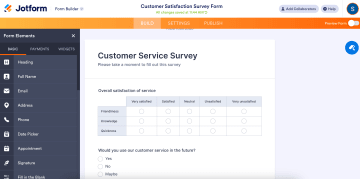
(Source)
Key features
10,000+ pre-designed templates: Save time with ready-made forms for registration, surveys, and feedback
QR code forms: Lets users scan and fill out forms on their mobile devices
Offline data collection: Use the Jotform Mobile Forms app to collect form responses without an internet connection
Integrations with third-party tools: Sync form submissions to Google Sheets, Airtable, and Microsoft Excel
Electronic signatures: Collect legally binding signatures on any device
Price
Plan | Price | Features |
|---|---|---|
Starter | Free | 5 forms, 100 submissions/month, 100 MB storage, Jotform branding |
Bronze | $39/month | 25 forms, 1,000 submissions/month, 1 GB storage, no branding |
Silver | $49/month | 50 forms, 2,500 submissions/month, 10 GB storage, no branding |
Gold | $129/month | 100 forms, 10,000 submissions/month, 100 GB storage, HIPAA compliance, no branding |
Enterprise | Custom | Tailored solutions for advanced needs |
What do users say about Jotform?
People like Jotform for its customization and ease of use. One user said it’s “an excellent tool for creating online forms quickly and easily” and “data management is clear and efficient.”
However, some users mention areas for improvement. A user in the health & wellness sector notes, “Every time I change the form, it does not automatically change the PDF form that goes with it.” Other users also find navigating workflows and switching between forms challenging.
3. Typeform: Best for conversational surveys
Best use case: Teams seeking human-centered forms for surveys, quizzes, and lead capture.
Strengths: One-question-at-a-time format, logic jumps, file uploads, mobile-responsive, integrations with Slack, HubSpot, Zapier.
Limitations: Partial responses are limited; a constant internet connection is required, and collaboration is also limited.

(Source)
Key features
Multiple question types: Use multiple-choice, dropdowns, picture choices, and contact fields
Logic jumps: Guide users through personalized question paths based on their answers.
File upload capability: Collect files like resumes, photos, or documents (up to 2GB per upload on paid plans)
Integrations: Sync with Google Sheets, Slack, HubSpot, Mailchimp, and Zapier
Mobile optimization: Ensures forms are fully responsive across desktops, tablets, and smartphones
Analytics & reporting: Track response data, completion rates, and real-time user insights
Price
Growth Essentials | $199/month | 5 users, 10k+ responses /month, enrich 300 responses /mo |
Growth Pro | $349/month | 5 users, 10k+ responses /month, enrich 1,500 responses /mo |
Growth Custom | Custom | Tailored solutions |
What do users say about Typeform?
Many users love Typeform for its ease of use. However, some users mention areas for improvement. Alison C. notes, "Result emails sometimes end up in spam because of Typeform’s sender address."
Vivi T. says, "Some features still aren’t available—I'd love more visual elements in slides." And another user suggests, "The results page could have better insights and more control over shared data. Maybe even AI-generated reports."
4. Google Forms: Best for basic forms
Best for: Teams needing simple, free forms for internal or lightweight data collection.
Strengths: Collaboration, response validation, pre-built templates, and mobile-friendly. Free to use.
Limitations: Limited customization, no advanced conditional logic, no payments accepted.
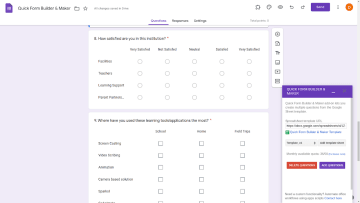
Key features
Collaboration: Share forms with your team to edit and review in real time
Response validation: Set rules for inputs like email addresses or numeric values
Skip logic: Use basic logic to direct respondents to different questions
Email notifications: Get instant alerts for new form submissions
Mobile-friendly design: Forms are easy to complete on smartphones and tablets
Pre-built templates: Use templates for event RSVPs, customer feedback, and more
Embedded forms: Add forms to websites or share via direct links
Price
Google Forms is free for anyone with a Google account. However, businesses needing advanced features will need a Google Workspace plan.
Plan | Price | Features |
|---|---|---|
Starter | $8.40/user/month | Basic Google Workspace tools |
Standard | $16.80/user/month | More storage, video meetings, and support |
Plus | $26.40/user/month | Enhanced security and compliance |
Enterprise Plus | $27.60/user/month | Advanced admin controls |
What do users say about Google Forms?
Users appreciate Google Forms for its simplicity and ease of use, but many find it lacking in key areas. Rafael P. says, "The design is outdated, and it lacks modern question formats or advanced integrations." Another user, Dipa L, notes, "Google Forms needs an update with more features."
5. Wufoo: Best for small projects with limited data management
Best use case: Simple forms with basic payment integration and validation.
Strengths: Drag-and-drop interface, 400+ templates, Stripe/PayPal payments, Zapier automations.
Limitations: Limited mobile management, reports of spam despite CAPTCHA, max 10 users on the top tier.
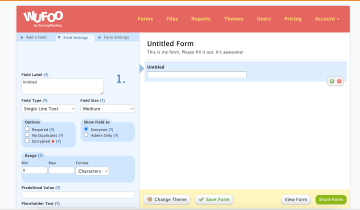
(Source)
Key features
Advanced customization: Use CSS to tweak layouts beyond basic options
Field validation: Ensure accurate form data with input rules
Rule builder for dynamic forms: Show or hide fields based on conditional logic
REST API access: Connect Wufoo with other third-party tools and apps
Multi-channel distribution: Embed forms on websites, blogs, emails, or Facebook pages
Price
Plan | Price | Features |
|---|---|---|
Starter | $16.25/month | Branding and workflow automation |
Professional | $33.25/month | Payments, unlimited forms, and additional users |
Advanced | $83.25/month | Higher limits for entries, users, and storage |
Ultimate | $210.25/month | Maximum limits for data collection and automation |
What do users say about Wufoo?
Wufoo is liked for its ease of use and simplicity. Paula L. calls it “user-friendly,” making it easy to create and manage online forms.
However, some users find it frustrating. Natalie N. points out that "Spam prevention is weak — there’s no strong CAPTCHA." And Alicia D. says, "The interface can feel clunky for automation and complex form creation."
6. Paperform: Best for limited storage needs with light uploads
Best use case: Teams using document-style forms with conditional logic and integrations.
Strengths: Visually engaging, conditional logic, calculation fields, 3,000+ integrations, and mobile-friendly.
Limitations: Business Plan caps storage at 100GB; and there’s a steeper learning curve.

(Source)
Key features
600+ pre-built templates: Get a head start with industry-specific templates
Calculation fields: Automate pricing, totals, and other calculations within forms
Conditional logic: Show or hide fields based on user responses
Analytics & insights: Track form submissions and user interactions for better optimization
Mobile-friendly design: Fully responsive forms that work across all devices
Price
Plan | Price | Features |
|---|---|---|
Essentials | $29/month | Unlimited forms, 1GB storage, 100 submissions/month |
Pro | $59/month | 3 users, 10GB storage, 1,000 submissions/month |
Business | $129/month | 5 users, 100GB storage, 10,000 submissions/month |
Enterprise | Custom | Tailored pricing with advanced features for large-scale organizational needs |
What do users say about Paperform?
Dani Z., a product manager, says, "The intuitive interface and seamless Zapier integrations make managing long, complex forms so much easier."
However, some users find it less beginner-friendly. Diego Q. notes, "The learning curve is steeper compared to Typeform." Kuvam M. adds, "It’s highly functional, but the price might make smaller businesses or nonprofits think twice before committing."
7. Zoho Forms: Best for existing Zoho users
Best use case: Companies already using Zoho apps needing simple connected forms.
Strengths: Approval workflows, custom URLs, offline mode, pre-filled forms
Limitations: Mobile form creation limited, conditional formatting missing.
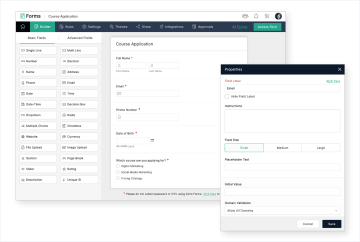
Key features
Approval workflows: Automate multi-step form approval processes
Custom URLs: Create branded form links for a more professional look
Email automation: Send personalized email responses after form submissions
Field validation: Restrict inputs to email, numbers, or other data formats
Offline mode: Collect form responses without an internet connection, syncing when back online
Pre-filled forms: Send pre-filled forms to repeat customers for faster data collection
Price
Plan | Price | Key features |
|---|---|---|
Free | Free | 1 user, 3 forms, 500 submissions/month |
Basic | $12/month | 1 user, unlimited forms, 10,000 submissions/month |
Standard | $30/month | 10 users, unlimited forms, 25,000 submissions/month |
Professional | $60/month | 25 users, unlimited forms, 75,000 submissions/month |
Premium | $110/month | 100 users, unlimited forms, 150,000 submissions/month |
What do users say about Zoho Forms?
Users often find it lacking in customization and ease of use. Gabs C. says, "Zoho Forms is easy to use, but customization is limited." They add that more features would help make forms feel unique.
Jessica C. points out that "finding the right module can be frustrating" since similar features are spread across different sections. They also mention that while support is available, response times could be faster.
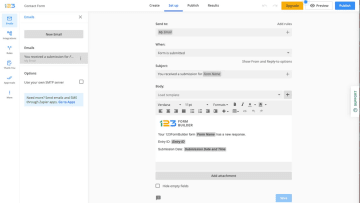
8. 123FormBuilder: Best for template-based form building
Best for: Simple forms and surveys with basic analytics and payment collection.
Strengths: Custom notifications, payment collection, analytics dashboard, multiple embeds.
Limitations: Phone support only on Enterprise; cannot export forms offline; multi-field deletion limited.
Key features
Custom notifications: Get real-time alerts via email or SMS when you receive form submissions
Payment collection: Accept payments through PayPal, Stripe, and other gateways
Analytics dashboard: Track form performance and submission data with built-in analytics
Embed options: Share forms via direct links or embed them on websites and blogs
HIPAA compliance: Available on higher-tier plans for industries requiring secure and compliant data collection
Price
Plan | Price | Key features |
|---|---|---|
Basic | Free | Limited features, basic form creation |
Gold | $37/month | More submissions, branding removal |
Platinum | $49/month | Payment integrations, advanced fields |
Diamond | $99/month | Higher limits, team collaboration |
Enterprise | $225/month | Custom features, full data security compliance |
What do users say about 123FormBuilder?
123FormBuilder is easy to use, but some users report bugs and usability challenges. Michael K. mentions, "Forms can be buggy at times. I’ve had trouble setting up URL redirects for thank-you pages, especially after updates." Liam L. says, "Adding new users wasn’t as intuitive as I expected—it took longer than it should have."
Tips for choosing the right Formstack alternative
The best Formstack alternative depends on what you need – whether it's custom branding, automation, or payment collection. Here are some key factors to consider before making your choice:
Ease of use: Look for a no-code drag-and-drop builder like Heyflow that makes form creation simple. Some platforms have a steeper learning curve than others.
Customization: If branding is important, choose a tool that lets you customize fonts, colors, and layouts. Heyflow is a great option here, while free options like Google Forms are more limited.
Conditional logic: Need forms that adjust based on user responses? Make sure the platform offers advanced logic features for multi-step or interactive forms.
Payment processing: If you’re collecting payments, donations, or invoices, check for integrations with PayPal, Stripe, or other gateways.
Integrations: If you rely on Google Sheets, HubSpot, or Zapier, make sure your form builder connects seamlessly. Heyflow, Jotform, and Typeform offer strong integration capabilities.
Data security: If you're handling sensitive customer data, check for encryption, HIPAA compliance, and secure data storage.
Storage and submission limits: Some tools limit the number of forms, entries, or file uploads, so make sure you choose a plan that fits your needs.
Support options: If customer support is important, check whether the platform offers live chat, phone support, or only email assistance.
Which Formstack alternative is right for you?
Choosing the best Formstack alternative depends on your goals, team size, and the type of forms or funnels you need. Here’s a quick guide to help you match each tool to your needs:
Heyflow for interactive landing pages, multi-step funnels, and paid lead generation
Jotform for compliance-focused form workflows and simple data collection
Typeform for conversational surveys, quizzes, and high-engagement lead capture
Google Forms for free, internal, and lightweight data collection
Wufoo for small projects with minimal data management needs
Paperform for content-rich forms and flexible payment collection
Zoho Forms for teams already using the Zoho ecosystem with built-in CRM workflows
123FormBuilder for fast template-based form creation with built-in analytics
If you need an all-in-one platform that combines interactive forms, lead funnels, and landing pages, Heyflow is a great choice. Its no-code drag-and-drop builder, deep customization options, and integrations make it perfect for businesses that want high-converting forms without the technical hassle.
From conditional logic to dynamic content and payment collection, Heyflow gives you full control over your forms – while keeping them fast, beautiful, and optimized for conversion. If you're serious about lead generation, customer engagement, and scaling your business, Heyflow is the best choice.
See how Heyflow’s interactive form tools can help you capture attention and drive conversions
Build your first interactive funnel with Heyflow for freeFormstack alternative FAQs
Q1. Is there a free version of Formstack?
No, the entry-level plan starts at $83/month at annual billing. To try a Formstack alternative with no money down, try Zoho Forms basic plan, 123FormBuilder’s basic plan, or Heyflow's free trial.
Q2. I'm a marketer — do I need a form builder or a landing page builder?
It depends on your traffic source. If you're embedding forms on existing pages or collecting responses from surveys or clients, a form-first tool like Typeform, Jotform, or Cognito Forms works well. If you’re running paid ads (especially for mobile) and need a full post-click experience that converts immediately, choose a landing-page-first platform like Heyflow.
Q3. Which Formstack alternatives integrate best with CRMs and ad platforms?
Heyflow and Typeform integrate seamlessly with popular CRMs like HubSpot, Salesforce, and Pipedrive. Heyflow stands out for direct Meta CAPI integrations, while Jotform offers many integrations but may require third-party connectors for full automation.
Recommended articles

Typeform vs. Jotform: Which Form Builder Is Right for You? (2026)
Typeform or Jotform? Which form builder fits your team? Compare features, pricing, and compliance.
Read more
The 5 Best AI Form Builders in 2026
Looking for the best AI form builder for paid ads? Compare Heyflow, Claude, Lovable, involve.me, and Fillout and find out which one actually drives ROAS.
Read more
How to Build a Lead-Routing Intake Form for Brokerages
Build a lead-routing intake form for real estate brokerages that captures, qualifies, and auto-assigns leads to the right agent by geography, budget, and timeline.
Read more