
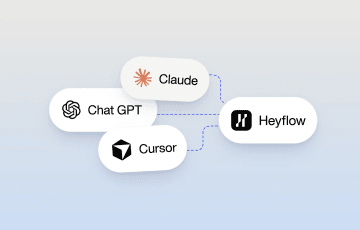
From MCP to Funnel: How to Prompt for Leads With Heyflow







Trusted by 3,000+ marketers






What it means to build a funnel through MCP, how to connect your AI tool, and how to prompt your way from idea to a live funnel.
Connect an AI assistant to a funnel builder through the Model Context Protocol, and the relationship between prompting and building changes. Instead of describing a funnel and getting a mockup back, the AI acts directly inside the platform: it builds, it edits, it can answer questions about what's already live. This guide covers how that works, from the first connection through prompting, refining, and reporting on a funnel that's already collecting real leads.
Key Takeaways
Building a funnel through MCP means an AI assistant, connected to Heyflow through the Model Context Protocol, builds or edits the lead funnel for you. MCP is an open standard that lets tools like Claude, ChatGPT, or Cursor act directly inside another web-based platform.
A funnel built this way is hosted the moment it's built, and tracking, validation and your CRM connect in a click each.
The prompts that matter most for lead gen name the gates: which brand, what to qualify on before the ask, and how contacts are validated. Where leads go is connected once in the Heyflow app.
Before you prompt a new funnel, the same connection lets you ask what's already worked in your own account, rather than starting from a blank assumption.
The connection isn't one-directional. Once a funnel is live, you can ask it to report on itself, or schedule your AI tool to ask every week, without building a dashboard.
How Building a Funnel Through MCP Works
MCP, the Model Context Protocol, is an open standard that lets an AI assistant work directly inside another tool. Connect Claude, ChatGPT, Cursor, or Manus to Heyflow through it, and you can ask for a funnel to be built instead of described. The AI creates the funnel in your Heyflow account, on Heyflow’s own tracking, validation, and testing, rather than handing you a standalone file to import and wire up yourself.
Ask an AI with no platform connection for a landing page, and you get a design: something to look at. Ask one connected through MCP, and the AI builds the funnel directly in your Heyflow account from your description.
MCP builds everything Heyflow hosts: landing pages, forms, advertorials, listicles, quizzes, calculators and recruiting flows. This guide covers lead funnels.
Setting Up the Connection
In Claude, go to Settings → Connectors → Add custom connector, paste https://mcp.heyflow.com/mcp as the URL, and sign in with your Heyflow account. ChatGPT, Cursor and Manus work the same way, as does any custom agent that speaks MCP. Authorization is per AI tool: one sign-in each, and it persists, so it's a one-time setup per tool, not something to repeat for every funnel. For the bigger picture, see what Heyflow MCP is and why it's the easiest way to build a funnel with AI.
How to Prompt for a Lead Funnel
Once the MCP connection is authorized, the quality of what comes back depends almost entirely on what goes into the prompt. A vague request produces a generic funnel. A specific one produces something closer to what you'd ship. Five things worth including every time:
Which brand. Before the first build, give it your brand: "Research [yourbrand.com] and use it for everything we build today." Brand Hub builds your visual identity, audience, pains and proof points from that one URL, and from then on every funnel inherits your colors, fonts, tone and the audience's pains. This is the real answer to "vague prompt, generic funnel".
Who the funnel is for, in which vertical. The specific audience matters more than a generic label like "leads": homeowners considering solar, small business owners shopping for insurance, patients looking for a telehealth consult. The more specific the audience, the more specific the questions and flow the AI can reasonably generate.
What the offer and format are. A free quote, a home valuation, an appointment booking, a demo request, a webinar sign-up, a gated download. The offer shapes the tone of the funnel and how many steps it should reasonably ask for before the ask; the format decides the screen logic more than the vertical does.
What to qualify on before the ask. Put the qualifying questions before the contact step: ownership, timeline, budget, whatever separates a buyer from a browser. The same logic applies to the address field, which loses people when it comes early: “Put the Google Maps address block after the qualifying questions, with a trust element above it.”
How contacts are validated. Validation is part of the funnel, so ask for it in the prompt: "Add a phone number block with carrier-level validation and SMS OTP on the contact step, and validate the email field." Where leads go is the one thing a prompt can't set yet: integrations aren't available through the MCP connector, so connect your CRM (HubSpot, Salesforce, Pipedrive), Slack or WhatsApp once in the funnel's Integrations panel in the Heyflow app. For US insurance, solar and home services, add TrustedForm or Jornaya there too; both are native, and the certificate is part of your TCPA consent record.
A reasonable starting prompt carries all five: "Use our brand from Brand Hub. Build a free roof assessment quote funnel for a solar installation company, for homeowners who've been putting off getting quotes. Ask about roof type, monthly electric bill, and timeline before capturing contact details. Add phone validation and SMS OTP on the contact step."
Because the funnel exists live inside Heyflow rather than as a file you’d re-export, refining it is just the next message in the same conversation: “Move the timeline question earlier, it’s a better qualifier than roof type,” or “Add a question about whether they own or rent before showing the contact form.” Each change applies directly rather than requiring a rebuild.
A Full Example, Start to Refinement
Worth walking through what an actual conversation looks like over an MCP connection, since the back-and-forth matters as much as the first prompt.
You: "Build a lead funnel for a solar installation company. The offer is a free roof assessment. Audience is homeowners who've been putting off getting quotes. Ask about roof type, monthly electric bill, and timeline before capturing contact details."
Through the MCP connection, the AI builds the funnel directly inside Heyflow: a welcome screen framing the offer, a question on roof type, a question on monthly electric bill, a question on timeline, then the contact form. It's built and waiting in your Heyflow account, not a mockup; going live is its own step, at the end.
You: "The electric bill question feels early. Move it after timeline, and add a question asking whether they own or rent, since renters usually can't move forward with this."
The AI reorders the questions and adds the ownership filter through the same connection, in place, without regenerating the funnel from scratch or leaving the conversation.
You: "Add carrier-level phone validation and SMS OTP on the contact step."
The AI updates the contact step: phone numbers are checked at carrier level and confirmed by SMS, so fake numbers stop at the form.
You: "Before this goes live, assess it: where is a homeowner likely to drop off, and is the ownership question in the right place?"
The AI runs Heyflow's funnel analysis on the structure itself, screen by screen, and answers from what it finds: where the friction sits, and whether the ownership filter comes early enough to save renters a wasted form. The structure it proposed in the first place comes from patterns across 150,000+ funnels and $2 billion in tracked ad spend; this check is about your funnel specifically.
You: "Publish it and give me the URL."
The AI publishes the funnel and returns its live link. Tracking and lead routing are the steps outside the chat: open the funnel's Integrations panel, pick Meta, paste pixel ID and access token, done. It's a click per platform, and every future edit through MCP keeps it. Connect your CRM in the same panel.
By this point the MCP connection has built the structure, refined it based on a real objection (renters), added validation at the contact step, checked the flow before traffic, and published it. The only things that happened outside the conversation were one-time connections in the app: the pixel and the CRM.
Start building with MCPSecond Example: Clone a Competitor's Funnel in Your Own Voice
The prompt every lead-gen marketer has wanted to type:
You: "Research [competitor.com] and [mybrand.com]. Build [competitor]'s free-quote funnel structure for us: same qualifying sequence, but in our brand voice, for our ICP, leading with the pains our customers actually name."
Brand Hub researches each URL in turn, building voice, audience, pains, proof points and competitors for both. The AI then attaches your brand to the new funnel and builds it: the competitor’s screens, question order and offer framing, rewritten in your voice for your audience.
What gets cloned is structure: the screens, the question order, the offer framing. Their copy and design aren't yours to take, and the prompt doesn't ask for them; everything a visitor reads comes from your brand.
What Comes With the Funnel
A funnel built through MCP is hosted the moment it's built, connected in a click to server-side tracking (Meta, TikTok, Microsoft Ads, Taboola, Outbrain and OpenAI Ads, with Google Ads and LinkedIn client-side), carrier-level phone validation, SMS OTP and email validation, native A/B testing, and SOC 2, ISO 27001 and HIPAA coverage. For the full breakdown, see what Heyflow MCP is and why it's the easiest way to build a funnel with AI.
Asking Before You Build
One capability worth using before you write your first prompt, not after: the same MCP connection that builds funnels can also answer questions about how your own funnels perform.
You can ask things like which of your existing funnels converted best last quarter, or where each one loses people screen by screen, before spending anything on traffic to find out the hard way. Asking first, then prompting, tends to produce a meaningfully different starting point than prompting cold.
This also extends across tools, not just within Heyflow. If you also have a Meta MCP connection active in the same AI tool, you can ask for blended numbers directly in the conversation, cost per lead or return on ad spend calculated from your actual Meta spend data alongside Heyflow's funnel performance, rather than pulling two reports separately and reconciling them by hand.
Prompts That Only Work With MCP
These need a live connection, and most need two: Heyflow MCP plus an ad-platform MCP like Meta Ads in the same AI tool.
"Look at my three best-performing Meta ads this month and build a matching funnel for each: same hook, same offer, qualifying questions before the contact step."
"Which screen in the recruiting funnel lost the most people this week, and what's my blended CPL on that campaign?"
"Rewrite the first screen for mobile and set it up as an A/B test against the current version." The Optimize Agent runs the variant against the original until there's a significant answer.
"Last week's CVR, drop-off and test results for all five client funnels, formatted for Slack."
For agencies and multi-brand teams, Brand Hub holds a separate brand context per client, and a working funnel can be duplicated rather than rebuilt. Anything that speaks MCP, including a script, can also loop the build over a list of offers.
Editing an Existing Funnel Through the Same Connection
An MCP funnel isn't a one-time build. The same connection that creates a funnel can edit one that already exists, which matters most once a funnel has been live long enough to show where it's leaking. Rather than opening a separate editor, you can ask directly in the conversation: "Show me where visitors are dropping off in the solar funnel," and follow that with "move the phone number field after the qualifying questions instead of before."
This is also where the platform's own testing infrastructure comes in. The Optimize Agent proposes the fix with evidence and launches the A/B test with it, so the original version and the edit run against each other until there's a statistically significant answer, rather than a change going live purely on the AI's (or your own) intuition.
Getting Reports Without Building a Dashboard
Once a funnel is live and collecting data, the same MCP connection can report on it without a separate analytics setup. You can ask for a single answer, "what were this week's numbers across all my funnels," or set it up as a standing request: schedule your AI tool to check in weekly with a summary of conversion rate, drop-off points, and any test results, and, if your AI tool can post to Slack or send email, have it delivered there, formatted for whoever's going to read it, whether that's a client or your own team.
The practical effect is that reporting stops being a task someone has to remember to do and becomes something that happens on a cadence you set once, through the same connection that built the funnel in the first place.
Example Prompts by Vertical
These are the kind of prompts that work well once the MCP connection is set up, specific enough for the AI to draw on real vertical patterns rather than a generic template. Each one names a qualifying sequence and a validation gate; where leads go is connected once in the app.
Vertical | Example prompt | What it generates |
|---|---|---|
Insurance | "Build a quote funnel for auto insurance, asking about driving history and current coverage before capturing contact details. Add carrier-level phone validation and SMS OTP on the contact step." | A qualifying flow that filters for genuine intent before the ask; add TrustedForm in the app for a consent certificate on every lead |
Solar / energy | "Build a funnel for a free roof assessment, asking about roof type, monthly electric bill and whether they own the home first. Add phone validation on the contact step." | A funnel structured around the objections specific to a considered home-improvement purchase, with renters filtered out before the ask |
Home services (roofing, HVAC) | "Build a free-quote funnel for an HVAC replacement, asking about system age and urgency first, then the Google Maps address block with a review badge above it. Add SMS OTP on the phone step." | A short qualifying flow that keeps the address step from losing people, with every phone number confirmed before the job reaches dispatch |
Financial services | "Build a funnel for a free portfolio review, asking about current investment approach before scheduling. Add carrier-level phone validation on the contact step." | A trust-building sequence appropriate for a higher-consideration financial offer |
B2B demo requests | "Build a demo-request funnel for a B2B software product, asking about team size and current tool before the work email. Add email validation on the work-email field." | A short qualifying sequence that hands sales only the accounts worth a call |
Healthcare / telehealth | “Build an intake funnel for a telehealth consultation, asking about symptoms and insurance before booking. Add SMS OTP on the contact step.” | An intake flow that qualifies on symptoms and insurance before booking, on a HIPAA-ready platform |
Common Setup Issues
A couple of things worth knowing once you've connected, rather than discovering them mid-build:
Tracking shows nothing. You haven't connected the pixel yet. Open the funnel's Integrations panel, pick the platform, and paste your pixel ID and access token. It's one click per platform, and every future edit through MCP keeps it.
The AI needs enough detail to act, not just describe. If a prompt is too vague, the more likely failure mode is quieter than an error message: a funnel that technically gets built but doesn't reflect what you wanted. Treating the first prompt as a draft to refine, rather than expecting a perfect result from one message, tends to produce a better outcome faster than trying to write the perfect prompt upfront.
FAQ
What is an MCP funnel?
A lead funnel built or edited by an AI assistant, like Claude, ChatGPT, Cursor, or Manus, connected to Heyflow through the Model Context Protocol. Instead of describing a funnel in the abstract, the AI builds it directly inside Heyflow's platform, hosted the moment it's built and connected in a click to tracking and lead validation.
How do I connect Claude to Heyflow?
In Claude, go to Settings → Connectors → Add custom connector and paste https://mcp.heyflow.com/mcp as the URL. Sign in with your Heyflow account to authorize the connection, then start a conversation describing the funnel you want.
Do I need to know how to code?
No. Prompting, editing and reporting are natural language. Tracking, validation and CRM are switched on in the Heyflow UI, no code.
Is tracking set up automatically?
Hosting is automatic. Tracking connects in a click per platform: paste your pixel ID and token once and every funnel you prompt from then on can use it. Six platforms are tracked server-side (Meta, TikTok, Microsoft Ads, Taboola, Outbrain, OpenAI Ads), with Google Ads and LinkedIn client-side.
Can the Meta event fire only for qualified leads?
Yes. Say so in the prompt: "fire the Meta Lead event only after the qualifying questions are answered, not on page view." Meta then learns from qualified leads instead of every submit.
Does an MCP-built funnel work with TrustedForm?
Yes. TrustedForm and Jornaya are native in Heyflow. Add them to the funnel in the Heyflow app, since integrations can't be set up through the MCP connector yet. For US insurance, solar and home services, the certificate is part of your TCPA consent record.
Can I route leads to HubSpot from the prompt?
Not from the prompt yet. Integrations can't be set up through the MCP connector, so connect HubSpot once in the funnel's Integrations panel in the Heyflow app. Salesforce and Pipedrive work the same way.
Can my AI see how my existing funnels are performing?
Yes. Through the same MCP connection, you can ask which funnels converted best and review per-screen drop-off data before building the next one.
Recommended articles

How to Create an Advertorial Landing Page That Sells (With Examples)
Learn how to create an advertorial landing page that sells, with examples by vertical, built by Heyflow’s AI and connected to your funnel in a click.
Read more
MCP: The Easiest Way to Create a Sales Funnel With AI
Prompt a sales funnel through MCP and it's hosted the moment it's built, connected in a click. That's what makes it the easiest way to build one with AI.
Read more
Heyflow MCP vs Typeform MCP vs Jotform MCP Compared
A feature-by-feature comparison of Heyflow MCP, Typeform MCP, and Jotform MCP, and which one connects to your ad platforms and CRM.
Read more