
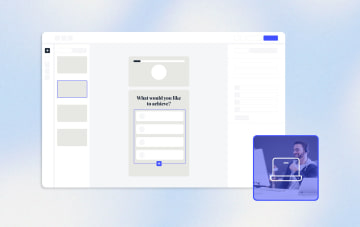
The Best Funnel Builder for Webinars in 2026







Trusted by 3,000+ marketers






If you are investing in webinar content but struggling to fill seats with qualified prospects, the problem likely is not your presentation. It is your registration funnel. A funnel builder for webinars needs to do more than collect names and emails. It must qualify leads, validate contact data, and deliver a fast, mobile-optimized experience that converts paid traffic into real registrants. Heyflow's no-code funnel builder gives you multi-step flows, conditional logic, and built-in lead verification so every webinar registration drives measurable pipeline value.
Key Takeaways
Generic registration pages leak qualified leads: Single-page forms with no qualification logic fail to capture the data your sales team needs, resulting in bloated registrant lists and wasted ad spend.
Multi-step webinar funnels with conditional logic solve the qualification gap: Breaking registration into progressive steps while routing prospects based on role, industry, or challenge personalizes the experience and segments leads before the webinar even begins.
Speed and mobile optimization directly impact registration rates: Heyflow funnels are built mobile-first with page speed scores above 90 and load times under two seconds, ensuring you capture traffic from Meta, Instagram, and other mobile-heavy ad channels.
Heyflow combines lead verification, A/B testing, and 50+ integrations in one no-code platform: Built-in email validation, phone validation, OTP verification, native Meta CAPI tracking, and seamless CRM connections like HubSpot and Salesforce make Heyflow the purpose-built funnel builder for webinar marketers.
What Is a Webinar Funnel?
A webinar funnel is a structured, multi-stage system that uses webinars as the primary vehicle for attracting, nurturing, and converting leads. Unlike a standalone webinar event, a funnel encompasses every touchpoint, from the first ad click to the post-webinar follow-up that turns attendees into customers.
According to Cvent, 73% of B2B marketers and sales leaders consider webinars the best way to generate high-quality leads. But the webinar itself is only one piece of the puzzle. The registration experience, reminder sequences, and post-event conversion flows all determine whether your investment in webinar content actually pays off.
The 5 Stages of a Webinar Funnel
Awareness: Prospects discover your webinar through paid ads, email, social media, or organic search.
Registration: Visitors land on your registration page and provide their contact details.
Attendance: Registrants show up live or access the on-demand recording.
Conversion: Attendees take action, whether that is booking a demo, scheduling a consultation, or making a purchase.
Follow-up: Segmented post-webinar outreach nurtures those who did not convert immediately.
Live vs. Automated vs. Evergreen: Which Format Fits Your Goals?
Live webinars create urgency and enable real-time interaction through Q&A, polls, and chat. They are ideal for product launches, thought leadership, and high-touch sales cycles. Automated webinars replay a pre-recorded session on a set schedule, letting you scale without repeating the same presentation. Evergreen webinars are available on-demand at any time, making them a continuous lead generation asset. According to Wave Connect, nearly 47% of webinar views happen after the live event, which means on-demand and evergreen formats represent a massive, often underutilized opportunity.
Why Most Webinar Funnels Underperform
Many marketers focus on perfecting their webinar content while overlooking the funnel stages that determine whether qualified prospects ever see that content. Here are the three most common bottlenecks.
The Registration Page Problem
Generic, single-page registration forms are the default for most webinar platforms. But according to Hubilo, cold traffic converts at roughly 30% on registration pages. Strong, optimized pages convert at 35% to 45%. That gap means hundreds of lost leads on a modest ad budget. Replacing a static form with a multi-step form reduces perceived friction, keeps visitors engaged, and captures partial submissions even when someone does not complete every field.
The Mobile Gap
Most paid ad traffic, especially from Meta and Instagram, arrives on mobile devices. If your registration page loads slowly or renders poorly on a phone screen, you lose the majority of your paid clicks before anyone even sees your webinar title. Pages that load in under two seconds and score above 90 on page speed tests dramatically reduce mobile bounce rates. Heyflow funnels are built Mobile-First, loading in under 2 seconds with page speed scores consistently above 90.
The Qualification Gap
Collecting a name and email tells you almost nothing about a registrant's fit. Without qualifying questions, like industry, role, company size, or primary challenge, your sales team wastes time chasing unqualified contacts. Using Conditional Logic inside your registration funnel lets you ask the right follow-up questions based on each response, routing enterprise prospects differently than solopreneurs, all without writing a single line of code.
How to Build a Webinar Registration Funnel That Converts
The registration page is where your ad spend either turns into pipeline or gets wasted. Here is a step-by-step approach to building a registration funnel that qualifies leads and maximizes conversions.
Step 1: Define Your Audience and Goals
Before designing your funnel, clarify who you want to register and what action you want them to take after the webinar. A B2B SaaS company targeting marketing directors will need different qualifying questions than a coach targeting aspiring entrepreneurs. Your funnel structure, language, and follow-up all flow from this clarity.
Step 2: Design a Multi-Step Registration Flow
Break your registration into progressive steps instead of presenting every field on one page. A proven structure looks like this:
Step 1: Topic interest or primary challenge (low commitment, high engagement)
Step 2: Role, industry, or company size (qualification data)
Step 3: Name, email, and phone number (contact details)
Step 4: Confirmation page with instant value, such as a downloadable checklist or preview clip
This progressive disclosure approach keeps visitors moving forward while capturing partial leads at each step. Heyflow's 40+ drag-and-drop elements make it simple to build these flows without developer support.
Step 3: Add Conditional Logic to Route Leads
Not every registrant belongs in the same webinar session or follow-up sequence. With Conditional Logic, you can route enterprise prospects to a different session than small business owners, skip irrelevant questions for certain roles, or display personalized confirmation messages based on answers. According to ON24's 2025 Benchmarks Report, personalized landing pages saw a 3X increase in registrations, and CTAs with personalization converted 48% higher than those without.
Step 4: Optimize for Speed and Mobile
Every extra second of load time costs you registrants. Ensure your funnel loads instantly on mobile devices, uses responsive layouts, and is optimized for touch interaction. Well-designed landing pages that prioritize speed are non-negotiable when you are paying for every click.
Step 5: Integrate with Your Tech Stack
Your registration funnel needs to connect seamlessly with your webinar platform, CRM, email marketing tool, and ad tracking pixels. Heyflow offers 50+ native integrations, including HubSpot, Salesforce, Pipedrive, Google Analytics, Meta Pixel, and Calendly for post-webinar booking. Native Meta CAPI (server-side tracking) ensures accurate conversion data even as browser-based tracking becomes less reliable.
Step 6: Validate Lead Data at the Point of Entry
Invalid emails and fake phone numbers inflate your registrant count while delivering zero pipeline value. Heyflow's built-in email validation, phone number validation, and OTP verification ensure that every lead in your CRM is a real, reachable person. This is especially important for lead generation campaigns where you plan SMS reminders or sales follow-up calls.
Post-Webinar: Conversion Funnels That Capture Hot Leads
According to Cvent, 62% of webinar attendees express interest in sales demos. Yet most businesses rely solely on email follow-up after their webinar ends. Building a dedicated post-webinar conversion funnel captures intent at its peak.
A post-webinar funnel can ask attendees what resonated most, what their specific needs are, their timeline, and their preferred meeting time, then book a consultation directly via Calendly integration. According to Hubilo, prospects become 60 times more likely to convert when post-webinar materials are delivered promptly.
For on-demand content, build a separate gated funnel that qualifies viewers before granting access to the replay. This turns every evergreen webinar into a lead magnet that generates qualified leads around the clock.
Choosing the Right Funnel Builder for Your Webinar Strategy
The tool you use for your webinar registration and conversion funnels directly impacts your cost per lead and lead quality. Here is how the leading options compare for webinar funnel use cases.
Feature | Heyflow | Leadpages | Unbounce | ClickFunnels | GoHighLevel |
Multi-step funnel builder | ✅ | ❌ | ❌ | ✅ | ✅ |
Conditional Logic | ✅ | ❌ | ❌ | ❌ | ✅ |
Native A/B testing | ✅ | Pro plan only | ✅ (from $112/mo) | ✅ | ✅ |
Phone validation | ✅ | ❌ | ❌ | ✅ | ✅ |
OTP verification | ✅ | ❌ | ❌ | ✅ | ✅ |
Meta CAPI (server-side) | ✅ | ❌ | ❌ | ✅ | ✅ |
Page speed scores above 90 | ✅ | Partial | Partial | Partial | Partial |
Mobile-first design | ✅ | Desktop-first | Partial | Desktop-first | Partial |
Drop-off analytics per page | ✅ | Partial | Partial | Partial | ✅ |
Calendly integration | ✅ | Partial | Partial | ✅ | ✅ (built-in scheduling) |
GDPR compliance (EU hosting) | ✅ | ✅ | ✅ | Partial | ✅ |
Heyflow: The Best Funnel Builder for Webinar Registration and Conversion
Heyflow is purpose-built for the exact challenge webinar marketers face: converting paid ad traffic into qualified, verified registrants through fast, interactive, multi-step experiences. Here is why it stands out for webinar funnels:
Multi-step registration flows with Conditional Logic that qualify leads by role, industry, and challenge while routing them to the right webinar session
Mobile-First design with page speed scores above 90 and load times under 2 seconds, ensuring you do not lose mobile ad traffic
Built-in lead quality gates including phone validation, OTP verification, and email validation to ensure every registrant is real and reachable
Native A/B testing with statistical significance so you can continuously optimize your registration page headlines, steps, and CTAs
50+ native integrations with CRMs (HubSpot, Salesforce, Pipedrive), ad platforms (Meta CAPI, Google Analytics, Google Tag Manager), and scheduling tools (Calendly) for seamless lead routing
Pixel-perfect design with 2,000+ design variables to match your brand identity and build trust with cold traffic
Drop-off analytics per step and device-type filtering to pinpoint exactly where registrants abandon your funnel
Leadpages
✅ What it offers:
Simple drag-and-drop builder with 250+ templates sorted by historical conversion rates
Leadmeter pre-publish scoring tool that predicts page performance before launch
LeadDigits SMS campaigns for text-based opt-ins
Fast page launch for non-technical users who need a basic registration page quickly
❌ Limitations for webinar funnels:
Zero Conditional Logic at any pricing tier, making lead qualification during registration impossible
No multi-step funnel capability, limited to single-page landing pages
No phone validation or OTP verification for ensuring registrant data quality
HubSpot and Salesforce integrations locked behind the $697/mo Advanced plan
Unbounce
✅ What it offers:
Mature A/B testing with confidence intervals, starting at the Experiment plan ($112/mo)
Dynamic Text Replacement that matches page copy to search terms for Google Ads campaigns
Separate mobile page editor for customizing the mobile experience independently
17 years of market credibility as a landing page optimization tool
❌ Limitations for webinar funnels:
No Conditional Logic, so you cannot build branching qualification flows within the registration experience
No server-side tracking (Meta CAPI, TikTok Events API, or Bing CAPI are all absent)
No phone validation, OTP verification, or partial submission capture
Unbounce's own security page confirms it has no SOC 2, no ISO 27001, and no HIPAA compliance
ClickFunnels
✅ What it offers:
All-in-one platform with built-in email sending (50k to 1.2M emails per month depending on plan)
Webinar funnel templates designed for course creators, coaches, and info-product sellers
Large community and ecosystem with extensive training resources
Native Meta CAPI and Stripe payment integration
❌ Limitations for webinar funnels:
Zero Conditional Logic, so you cannot branch registration paths based on user responses
Pages are often slow-loading, which hurts mobile conversion rates from paid ads
Limited design customization compared to pixel-perfect builders
Starting at $81/mo with a steep learning curve for new users
GoHighLevel
✅ What it offers:
True all-in-one platform combining CRM, email, SMS, calling, scheduling, and funnel building
Dedicated webinar funnel feature with pre-configured automation for reminders and follow-ups
White-label and SaaS resell model ideal for agencies managing multiple clients
Conditional Logic V2 and step-by-step funnel drop-off analytics
❌ Limitations for webinar funnels:
Steep learning curve is the number one complaint in user reviews, making quick funnel launches difficult
Funnel builder design flexibility is limited compared to dedicated no-code builders with 2,000+ style variables
Starting at $97/mo with additional usage fees for SMS and WhatsApp
No HIPAA compliance and no native TikTok Events API integration
Conclusion: Build Webinar Funnels That Convert
Your webinar content might be excellent, but if your registration funnel leaks leads, your ROI suffers. The registration page is the highest-leverage optimization point in any webinar funnel, and it deserves a purpose-built tool, not a generic form or a slow landing page.
Heyflow gives you everything you need to turn webinar ad traffic into qualified, verified registrants:
✓ Multi-step registration funnels with Conditional Logic for lead qualification
✓ Mobile-First design with page speed scores above 90 and load times under 2 seconds
✓ Phone validation, OTP verification, and email validation to ensure every lead is real
✓ Built-in A/B testing with statistical significance to optimize conversion rates continuously
✓ 50+ native integrations with CRMs, ad platforms, and scheduling tools
✓ Drop-off analytics by step, device, and time to identify and fix friction
✓ No-code builder with 2,000+ design variables for pixel-perfect brand alignment
Start building your webinar registration funnel with Heyflow today and stop losing leads to slow, generic registration pages.
FAQ
What is the difference between a webinar funnel and a webinar registration page?
A registration page is a single step where visitors sign up. A webinar funnel is the complete system, including the multi-step registration flow, confirmation experience, reminder sequences, and post-webinar conversion flows. A well-built funnel qualifies leads during registration and routes them to personalized follow-up, while a basic registration page only collects a name and email.
How can I improve my webinar registration conversion rate from paid ads?
Focus on three areas: speed, structure, and qualification. Make sure your page loads in under 2 seconds on mobile. Replace single-page forms with multi-step flows that use progressive disclosure. Add Conditional Logic to personalize the experience based on each visitor's role or challenge. According to ON24, personalized registration pages saw a 3X increase in sign-ups.
Do I need technical skills to build a webinar funnel with Heyflow?
No. Heyflow is a No-Code Funnel Builder with 40+ drag-and-drop elements. You can build multi-step registration flows, add Conditional Logic, set up lead validation, and connect your CRM or webinar platform without writing any code or involving developers.
What integrations does Heyflow offer for webinar funnels?
Heyflow provides 50+ native integrations relevant to webinar workflows. These include CRMs like HubSpot, Salesforce, and Pipedrive; email marketing tools like Klaviyo, Mailchimp, and ActiveCampaign; ad tracking via Meta Pixel, Google Analytics, and Google Tag Manager; scheduling via Calendly; and flexible connections through Webhooks and Zapier for linking to webinar platforms like Zoom or GoToWebinar.
Can I use Heyflow for on-demand webinar registration funnels?
Yes. Heyflow is ideal for building gated access funnels for on-demand and evergreen webinars. You can create a multi-step flow that qualifies viewers by role, industry, and challenge before granting access to the recording. This turns every replay into a continuous lead generation tool with rich qualification data attached to each lead.
How does Heyflow help with webinar lead quality?
Heyflow includes built-in phone number validation, OTP verification, and email validation to prevent fake or mistyped contact information from entering your CRM. Combined with Conditional Logic that qualifies registrants by their answers, you end up with a registrant list full of verified, sales-ready contacts rather than a bloated list of unqualified emails.
Recommended articles

How to Increase Your Meta Ads CVR With the Heyflow AI Funnel Builder Platform
A flat Meta Ads conversion rate is usually a post-click problem. See three ways to fix your funnel and tracking with Heyflow, from full AI automation to manual control.
Read more
How to Create an Advertorial Landing Page That Sells (With Examples)
Learn how to create an advertorial landing page that sells, with examples by vertical, built by Heyflow’s AI and connected to your funnel in a click.
Read more
MCP: The Easiest Way to Create a Sales Funnel With AI
Prompt a sales funnel through MCP and it's hosted the moment it's built, connected in a click. That's what makes it the easiest way to build one with AI.
Read more