
Heyflow Pricing Explained: Plans, Features and Limits







Trusted by 3,000+ marketers






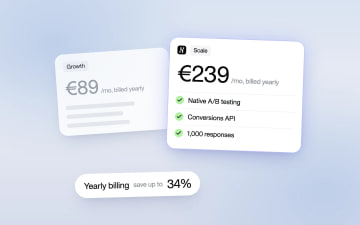
Heyflow has two pricing tracks. Lead generation plans are priced by responses: Starter costs €19 a month billed yearly or €29 billed monthly for 50 responses, Growth €89 or €129 for 250, Scale €239 or €299 for 1,000, and Enterprise €1,100 a month for more than 5,000. Ecommerce runs on Prime at €199 a month billed yearly or €299 billed monthly for 25,000 visitors. There is no free plan. The 14-day trial includes every feature and needs no credit card, so you can test the plan you would actually buy.
The decision rule: buy the cheapest plan that includes the features that move your qualified-lead rate, and upgrade only when the lift you need to cover the extra cost is smaller than what those features can realistically deliver.
Key Takeaways
Lead generation plans run from €19 a month (Starter, billed yearly) to €1,100 (Enterprise); Prime for ecommerce costs €199 billed yearly.
Yearly billing saves up to 34% on lead generation plans and up to 51% on Prime.
Plans are priced by responses on published funnels; every plan can add response packs, for example 1,000 extra responses on Scale for €180 a month billed yearly.
Native A/B testing and the Meta and TikTok Conversions API arrive on Scale, or as the Insights bundle on a lower plan.
Upgrade when the lift needed to cover the extra cost is smaller than what the new features can realistically deliver.
Why third-party sites show different Heyflow prices
Heyflow moved to response-based pricing in July 2025. Listing sites still carry figures from before and after that change, so you'll see dollar conversions next to old launch prices and plan names that no longer exist (Basic, Pro, Business, Agency, where Business maps roughly to today's Scale). Check the plans below against heyflow.com/pricing on the day you buy.
What each plan includes
Plan | Per month, billed yearly | Per month, billed monthly | Responses per month | Funnels | Seats | AI credits per month |
|---|---|---|---|---|---|---|
Starter | €19 | €29 | 50 | 5 | 1 | 500 |
Growth | €89 | €129 | 250 | 10 | 2 | 2,000 |
Scale | €239 | €299 | 1,000 | 20 | 4 | 5,000 |
Enterprise | €1,100 | €1,100 | more than 5,000 | Unlimited | Custom | from 25,000 |
Prime (ecommerce) | €199 | €299 | 25,000 visitors | 10 quiz funnels | 4 | 5,000 |
In US dollars, Starter costs $29 a month billed yearly or $39 billed monthly, Growth $99 or $149, Scale $299 or $369, Enterprise $1,100, and Prime $259 or $369.
Every plan includes unlimited pages and MCP access, and new accounts get a one-time bonus of 2,000 AI credits at sign-up.
Which plan includes which feature
Features come in bundles. Each plan includes a set of bundles, and you can add a single bundle to a lower plan instead of upgrading.
Bundle | Plans | What it adds | Price as an add-on |
|---|---|---|---|
Core | All plans | Conditional logic, embedding, HubSpot, Pipedrive, Zoho, Zapier, Make, Google Sheets, GA4, Google Tag Manager, Meta and TikTok pixels, Outbrain, Taboola and OpenAI Ads conversion tracking, SSO, 2FA | Included |
Design | Growth, Scale | Custom fonts, custom CSS, custom domain per form, remove Heyflow branding, custom SMTP | €40 |
Conversion | Growth, Scale | Phone validation, SMS passcodes (OTP), formulas, Stripe and Solidgate payments, Calendly, webhooks | €40 |
Insights | Scale | Native A/B testing, Meta and TikTok Conversions API, Hotjar, Microsoft Clarity | €40 |
Coding | Scale | Custom JavaScript, HTML and head code | €90 |
Advanced integrations | Scale | Salesforce, Klaviyo, WhatsApp replies, LeadByte, Voluum, advanced webhooks, agency portal | €40 |
Security | Scale | Sensitive Tag, TrustedForm, IP capture | €30 |
HIPAA with a signed BAA starts on Scale, with no Enterprise contract. Extra seats cost €35 each and ten extra funnels cost €100 a month. Prime includes Shopify, Klaviyo, Stripe, Solidgate, all Conversions APIs, phone validation and OTP, and extra traffic costs €10 per 1,000 visitors.
Yearly billing saves up to 34% on the lead generation plans and up to 51% on Prime. The pricing page shows yearly prices by default, so switch the toggle to see what monthly billing costs.
What counts as a response, and what happens at the limit
A response is a submission on a published funnel, so the responses you collect while testing in preview mode don't count against your limit.
You get an email before you reach your monthly limit. If a funnel goes over, new submissions are stored rather than lost. Once you add a response pack or upgrade, they are released and your integrations receive them as usual. Every plan can add response packs, in sizes that differ by plan; on Scale, 1,000 extra responses cost €180 a month billed yearly or €195 billed monthly. The quota is monthly on yearly billing too. Check this against your peak month, not your average: a campaign that doubles in the last week of the month is where the limit bites.
Which features are worth paying for
Tie every paid feature to a number you report, and don't pay for a feature that changes none of them.
Growth: phone validation and your own branding
Growth is where phone validation and SMS passcodes arrive. They stop fake and mistyped numbers before the lead reaches your CRM, which matters most when your sales team calls every lead. The metric is contact rate: the share of leads your team actually reaches. Growth also removes Heyflow branding and lets you run a form on your own domain, which keeps trust high on offers like insurance or financing and keeps tracking on a first-party domain.
Scale: A/B testing and Conversions API
Scale is the step where native A/B testing and the Meta and TikTok Conversions API arrive. The Conversions API sends conversion events from the server, so ad platforms still see your leads when browsers block pixels. That is the signal Meta and TikTok bid on. If you spend meaningfully on those platforms, a weak signal costs you more in CPL than the difference between Growth and Scale. Native A/B testing lets you test the form step itself, which is where most paid-traffic funnels lose people.
Conditional logic and analytics, on every plan
Conditional logic hides questions that don't apply to a respondent. Each segment sees a shorter path, and disqualified visitors can be routed away from your sales queue. The analytics tab shows conversion rate and drop-off by step, so you can find the question that loses people and test rewording it, moving it later or cutting it.
CRM sync, on every plan
HubSpot, Pipedrive and Zoho sync on every plan. Leads land in your sales team's queue without a CSV export or a middleware zap that breaks when someone renames a field. Once responses land as HubSpot contacts and deals, you can report which answers predict closed revenue, which is the number you need for the break-even math below. Salesforce sits in the Advanced integrations bundle on Scale.
When a plan pays off: the break-even framework
Run this once per plan you're considering, with your own numbers.
Formula 1: required lift in qualified-lead rate
Required lift = monthly plan cost ÷ (monthly paid sessions × value per qualified lead)
The result is the absolute increase in qualified leads per session you need for the extra leads to cover the plan. Value per qualified lead comes from your CRM: qualified-to-close rate multiplied by gross profit per closed deal.
Formula 2: cost-per-qualified-lead parity
Break-even qualified leads = (monthly ad spend + monthly plan cost) ÷ current CPQL
This is the number of qualified leads per month you need for your blended cost per qualified lead to stay flat after adding the plan. Run both formulas and defend the stricter result to whoever owns the budget.
Worked example: Growth or Scale
Take a home-services advertiser with these monthly numbers, priced against Heyflow's current plans:
Monthly paid sessions: 8,000
Monthly ad spend: €16,000 (a €2 blended CPC)
Form conversion rate: 5%, so 400 leads a month
Share of leads that qualify: 40%, so 160 qualified leads
Current CPQL: €16,000 ÷ 160 = €100
Value per qualified lead: 25% close rate × €800 gross profit = €200
Start with volume, using yearly billing. At 400 responses a month, Growth's 250 included responses aren't enough, so you either add a response pack to Growth or move to Scale, which includes 1,000 responses. Here the Scale features are the reason to switch, so compare the plans directly: Scale costs €239 and Growth €89, a step of €150 a month. On monthly billing the step is €299 − €129 = €170, which barely changes the result.
Formula 1 for that step gives €150 ÷ (8,000 × €200) = 0.0094 percentage points, about 0.75 extra qualified leads a month. Formula 2 is stricter: (€16,000 + €150) ÷ €100 = 161.5, so you need about 1.5 extra qualified leads a month to keep CPQL flat.
That is a relative lift under 1% on a base of 160. One A/B test that lifts completion on the form step, or a cleaner Meta signal from the Conversions API, covers it.
When the math turns against you
Shrink the funnel to 1,000 sessions a month, €50 value per qualified lead, a 2% qualified-lead rate and Growth at €89 billed yearly. Formula 1 needs an absolute lift of 0.18 percentage points, a 9% relative improvement. Scale at €239 would need 0.48 points, close to 24% relative. That is a big bet on features, and the cheaper plan wins until traffic grows.
A caveat on measuring small lifts
A break-even lift of 1 to 2% relative is cheap to justify and nearly impossible to confirm in an A/B test at 8,000 sessions a month. You won't reach significance on a difference that small. Frame the decision as "the expected lift comfortably exceeds the break-even", and use the test to rule out a large negative effect rather than to prove a small positive one.
Pays off or doesn't pay off yet
A higher plan likely pays off when your break-even lift is a small fraction of your current qualified-lead rate, when you need routing or disqualification logic your current form can't do, or when you run ongoing tests on the form step itself. It probably doesn't pay off yet when paid traffic is low enough that the required lift exceeds 15 to 20% relative, or when lead value is low and every lead goes to the same place regardless of answers.
Comparing Heyflow with other tools on price
Prices on comparison and alternatives pages are often undated, so check each vendor's own pricing page on the day you compare.
Normalize to cost per included response
Divide each plan's monthly price by its included responses or leads: on yearly billing, Starter works out to €0.38 per included response, Growth to €0.36 and Scale to €0.24. Then apply your real volume. A low per-lead rate means nothing if you use 30% of the allowance, and a cheap plan stops being cheap when you need extra response packs at your campaign peaks.
Compare the features that change your formula inputs
All-in-one funnel suites bundle landing pages with checkout and email, so their plans cost more and cover more. If you already pay for a landing-page tool and an email platform, you're paying twice. Compare the features that feed your break-even math, such as conditional logic, ad-platform tracking and split testing on the form step. The fairest test is to rebuild the same form in both tools and compare qualified-lead rate on the same traffic.
Count switching costs honestly
Add one-time costs to the first month of any comparison: rebuild time, QA on every branch, re-mapping pixels and CRM fields, and a learning period while ad platforms recalibrate on new conversion events. A tool that's cheaper per month can still lose on first-quarter cost.
What reviewers say about Heyflow
On Capterra, Heyflow has 4.7 out of 5 from 61 reviews, with 4.1 for value for money (October 2026). When you read reviews, sort them by date and filter for the plan or use case closest to yours; anything from before July 2025 describes the old pricing. Look for specifics on support and billing, and discount reviews that don't name a concrete situation.
How to choose your plan and use the trial
A quick decision path
If you run low-volume tests with no CRM handoff, start with the trial on Starter and validate the form before paying for capacity.
If your sales team calls every lead, start on Growth for phone validation and OTP, or add the Conversion bundle to Starter.
If Meta or TikTok is your main paid channel, price Scale for the Conversions API against adding the Insights bundle to Growth.
If you need Salesforce, HIPAA or TrustedForm, your floor is Scale.
A 14-day trial plan
Rebuild your highest-spend form as a multi-step form, keeping the same offer and the same contact fields so the comparison is fair. Connect your tracking and your CRM on day one, because the trial tells you nothing if you can't measure qualified leads downstream.
Split traffic between the old form and the new multi-step form at the ad or landing-page level. Calculate the sample size for the lift you care about before you start, and expect to rule out large regressions in 14 days rather than prove small wins. Then open your plan and usage settings to see how close the trial form came to its response and funnel limits. That figure is your best guide to which plan you'd outgrow first.
Heyflow hosts and processes all data in the EU and is GDPR-compliant. If you work in a regulated vertical, check the compliance documentation at trust.heyflow.com before you collect live leads.
Your action checklist
List your limits: peak-month responses, live funnels and seats, plus the integrations your sales handoff depends on.
Pull your real inputs from your CRM and ad accounts: ad spend, current CPQL, qualified-lead rate per session and value per qualified lead.
Add the cost of a response pack to any plan your peak month exceeds, then run Formula 1 and Formula 2 for each plan and keep the stricter result.
Compare the required lift against what the next plan's features can realistically change in your funnel. Upgrade when the gap is comfortable.
Confirm prices on heyflow.com/pricing on the day you buy.
Frequently asked questions
Is Heyflow free?
No. Heyflow has no free plan. Every plan starts with a 14-day trial that includes all features and needs no credit card.
How much does Heyflow cost?
Lead generation plans start at €19 a month billed yearly or €29 billed monthly (Starter, 50 responses). Growth costs €89 or €129, Scale €239 or €299, and Enterprise €1,100. The ecommerce plan, Prime, costs €199 or €299.
Do preview responses count toward my limit?
No. Only responses on published funnels count.
What happens when I reach my response limit?
You get an email before you reach it. New submissions are stored, and once you add a response pack or upgrade, they are released and your integrations receive them.
Can I buy extra responses?
Yes, on every plan, in packs that differ by plan. On Scale, 1,000 extra responses cost €180 a month billed yearly or €195 billed monthly.
Which plan has native A/B testing?
Scale. You can also add the Insights bundle to Growth for €40 a month.
Which plan has the Meta Conversions API?
Scale, through the Insights bundle, which also includes the TikTok Conversions API.
Which plan includes HIPAA?
Scale, with a signed BAA. You don't need an Enterprise contract.
Recommended articles

Funnel Platform vs Landing Page Builder for Paid Traffic
A landing page builder ships focused single pages, a funnel builder runs checkout sequences, and a multi-step form qualifies visitors on one URL. This comparison shows which destination fits your offer and traffic, how to run the page and the funnel on one platform with one tracking setup, and how to test the choice on cost per qualified lead.
Read more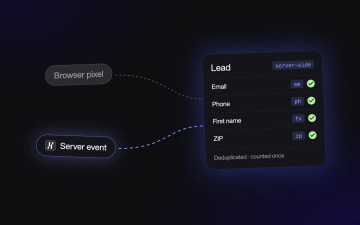
Meta Conversions API for Lead Forms: Fix Missing Conversions
If your CRM shows more leads than Events Manager, Meta is optimizing on half the picture. This guide walks through setting up the Conversions API for lead forms: which step fires the Lead event, how to map form fields for match quality, and how to deduplicate pixel and server events.
Read more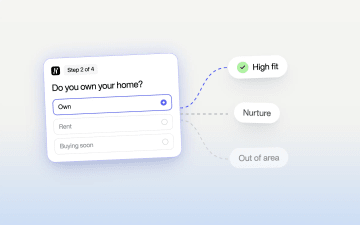
Qualify Leads Before They Submit: Stop Feeding Meta Junk
Cheap leads that sales never closes usually trace back to one setting: every form submit fires the same Lead event. Learn how to ask a few intent questions inside the form, route each answer to its own ending, and send Meta a separate event for the leads worth paying for.
Read more