
How to Create a Landing Page Using AI: From Design to Live Funnel







Trusted by 3,000+ marketers






What has to happen between prompting a design and running an ad to it.
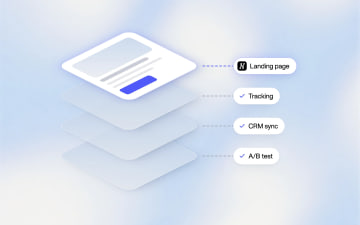
To create a landing page using AI, describe what you're selling and who it's for, and the tool generates the page; in Pages, Heyflow's page builder, that means a presell page, advertorial or listicle structured for paid traffic. What's usually still missing once the design is done is everything that makes it usable for a campaign: server-side ad tracking, a route to a CRM, lead validation, testing and a funnel behind the page, whether the design came from Lovable, v0, Bolt, Replit, Claude Design or a Claude conversation. None of that is a flaw in whatever tool generated the design; it's a different layer of work, and it's the layer this guide covers.
Key Takeaways
Pages, Heyflow's page builder, hosts a page the moment it's built and connects it in a click to the funnel, tracking, domain, and analytics (heatmaps incl.) your account already runs.
How AI creates landing pages that convert comes down to more than layout generation. Heyflow's AI is shaped by patterns across 150,000+ real funnels and $2 billion in tracked ad spend, so a page arrives structured around what a specific vertical and audience need.
There are three ways to turn an AI-generated design into a website here: prompt directly in Heyflow, import a design 1:1 from Claude Design, or send a page straight from a Claude conversation through the Heyflow MCP connection.
A design generated by an AI tool (sometimes called vibe coding, now Collins Dictionary's word of the year) still needs a production domain, ad tracking, CRM routing, and analytics wired up before it can run a campaign. Closing that gap without a separate build is what an AI landing page generator built for this specifically should do.
How to Create a Landing Page Using AI
In Pages, the format comes first: presell pages, advertorials, listicles and comparison pages, the formats built to sit between an ad and the offer, rather than a generic single template stretched across every use case. The page arrives structured for paid traffic rather than as a blank canvas that slowly fills in as a hero section, a features grid, and a form; why that structure matters, and how to build one, is in our guide to presell pages for cold traffic. For ecom, the page sits before the PDP: a listicle or advertorial that warms the click, then the product page or a product-finder quiz that adds to cart.
That structural starting point matters more than it sounds like it should. A page generated as a features list with a form at the bottom is a different object than a page generated as an advertorial with a narrative arc, even if both were produced from a similar prompt. Heyflow is built to produce the second kind by default, because that's the format the underlying data shows converts cold traffic, not the first.
How AI Creates Landing Pages That Convert
The part of this that's easiest to undervalue, because it's invisible compared to a tracking pixel, is the structural thinking behind the page. A page can have flawless tracking and a polished design and still underperform if the underlying structure, where the form sits, how much trust-building happens first, what order the questions come in, doesn't match what the specific audience and offer need. This is the funnel intelligence layer, and it's what separates a page that was AI-designed from a page that was AI-structured to convert.
This is the layer where Heyflow's agents do work a general-purpose design prompt has no basis to do. Before generating a page, they read the brief's description of the audience, the pains, and the offer, and select the format and structure that tends to convert for that specific vertical, drawing on patterns across more than 150,000 real funnels and over $2 billion in tracked ad spend. A solar lead-gen advertorial and a B2B SaaS demo request page shouldn't share a structure, and a system trained on outcomes across both categories, not a generic best-practices list, is what makes that distinction possible.
One term worth clarifying here, since it comes up in how people search for this: some describe this kind of AI-informed structure as a "dynamic" landing page. Structure is shaped by data at build time. Per-visitor personalization is a funnel feature: URL parameters, variables and conditional visibility change what a visitor sees based on the ad they came from or the answers they gave.
What Makes an AI Landing Page Generator Effective
Plenty of tools can generate a page that looks finished. What makes an AI landing page generator actually effective, rather than just fast, comes down to two things: what it connects to, and how precisely it hands off a design without breaking it. Both matter more than the visual layer once a page has to run real traffic.
It connects in a click. The single most consequential thing about a page built in Pages, more than the design itself, is what it connects to. A page built or imported here is hosted the moment it's built and connected in a click to the same funnel, tracking, domain, and analytics already running on your account. Nothing gets rebuilt for the new page, and nothing has to be stitched together separately.
It imports without losing anything. If a page already exists as a Claude Design file, Heyflow imports it 1:1: same fonts, same layout, same mobile behavior, with nothing approximated or rebuilt in translation. It's editable inside Heyflow immediately, not after a conversion or cleanup pass.
Try Heyflow for freeHow to Turn an AI-Generated Design Into a Website
The premise behind this, that a design and a connected, production-ready page are two different things, holds regardless of what built the original design. How you close that gap depends on what you're starting from.
Prompt directly in Heyflow. Describe the offer and the audience, and the output arrives already structured as a hook-story-proof-CTA advertorial or presell page, hosted the moment it's built and connected in a click to tracking, domain, and CRM. This is the fastest path if there's no existing design to bring in.
Import 1:1 from Claude Design. Covered above. Fonts, layout, and mobile behavior carry over, and the page is editable the moment it lands.
Send it directly from a Claude conversation. Through the Heyflow MCP (Model Context Protocol) connection, a page built or refined inside a Claude chat can go straight into Heyflow, without an export-and-reimport step. A page that started as part of an ongoing Claude conversation ends up live, in the same connected environment as a page built any other way.
Claude Design is the 1:1 import path (ZIP or HTML). For a prototype from Lovable, v0, Bolt or another tool, bring a screenshot or the URL and Heyflow matches the brand, or prompt the same concept directly.
How an AI Landing Page Generator Can Improve Your Workflow
Structure and connections solve the performance side of a page. The workflow gain shows up somewhere different: fewer handoffs. Instead of a design landing with a marketer, then going to whoever owns tracking, then to whoever owns the CRM, then to whoever checks brand consistency, a page that's hosted on build, connected in a click and on-brand collapses that sequence into one step.
Brand consistency is the part most likely to get skipped under time pressure. Brand Hub fixes it once: paste a URL, and a research agent builds your visual identity, audience, pains and proof points into a profile every page and funnel inherits. Agencies keep one per client (3 to 10 brands per organization by plan). A new presell page arrives on-brand instead of waiting for a design review.
Page Speed as a Proof Point
Pages built in Heyflow load fast by default, scoring 90 or higher on Google PageSpeed. This is worth calling out on its own rather than folding it into the tracking discussion, because speed affects a cold visitor differently than it affects a returning one: someone with zero investment in a brand yet has the least patience for a slow load, and page speed also factors into Google Ads' landing page experience score. A page that's connected but loads slowly has still lost a meaningful share of the traffic it was built to convert before anyone reads a word of the advertorial.
Where "Vibe Coding" Fits Into This
For context on why this gap between an AI-generated design and a production-ready page has become a common enough problem to name: the practice of building software, including pages, by describing it in natural language rather than writing it by hand picked up a name in 2025. According to CNN's coverage, Collins Dictionary named "vibe coding" its 2025 Word of the Year, a term originally coined by AI researcher Andrej Karpathy. The term technically describes software development broadly, but a landing page is, structurally, a small enough piece of software that the same practice, and the same gap between a working prototype and a production asset, applies to it directly. That's the pattern Pages is built around closing, regardless of what someone calls the process of generating the original design.
Prototype vs Connected Page: A Side-by-Side Look
Capability | Prompted in a design or vibe-coding tool (Lovable, v0, Bolt, Claude Design) | Page built or imported in Heyflow |
|---|---|---|
Structure from real conversion data | Depends on the prompt; the model has seen web pages, not outcomes | Yes: format and sequence chosen from patterns across 150,000+ funnels and $2bn tracked spend |
Test and optimize | None native; wire Optimizely or PostHog yourself, per page, and read the results yourself | Native A/B testing with statistical significance on the funnel behind the page; the Optimize Agent reads performance, proposes the fix with evidence and launches the test with it |
Server-side ad signal | Pixel by pasting a script; no Conversions API without your own backend | Native server-side to Meta, TikTok, Microsoft Ads, Taboola, Outbrain, OpenAI Ads; Google Ads and LinkedIn client-side |
Lead quality gates | None | Carrier-level phone validation, SMS OTP, email validation, partial submits merged into your CRM |
The funnel behind the page | A form | A qualifying quiz or multi-step flow with conditional logic, personalized results, add-to-cart or booking, in the same stack |
On-brand by default | Whatever the prompt remembered | Brand Hub: voice, audience, pains and proof points from your URL, inherited by every page; one profile per client |
CRM and speed-to-lead | Wire it in code or via Zapier, per page | 50+ native integrations; WhatsApp, SMTP and Slack replies the moment the form submits |
Compliance | You own it: consent banner, data residency, retention, DPA | SOC 2 Type II, ISO 27001, GDPR with EU hosting, HIPAA with BAA, built-in cookie consent, Sensitive Tag |
Analytics | Page views if the host offers them | Per-screen drop-off, heatmaps, UTM and device filters, one dashboard with the funnel |
Hosting and speed | Yes, once you connect a domain per project; speed depends on the build | On the domain your funnels use; 90+ on Google PageSpeed |
Import fidelity from Claude Design | n/a | 1:1, fonts, layout and mobile behavior preserved, editable on landing |
AI design tools aren't doing their job badly here. Design and production readiness are simply two separate layers of work, and a page generally needs both before it can responsibly run a campaign.
If there's a design ready to bring in, or a concept better suited to prompting straight into a connected page, start for free with Heyflow and see the same idea hosted and connected in a click to tracking and your CRM, with the structure built in.
FAQ
How do I turn an AI-generated design into a website?
Identify what's missing beyond the visual layer: server-side ad tracking, CRM routing, lead validation, testing and analytics. If the design came from Claude Design, Heyflow imports it 1:1, fonts, layout, and mobile behavior included. If it came from a Claude conversation, it can be sent directly through the Heyflow MCP connection. From another tool, bring a screenshot or the URL and Heyflow matches the brand. Either way, the page is hosted the moment it lands and connects in a click to tracking, CRM, and analytics, rather than each piece being built separately afterward.
What makes an AI landing page generator effective?
The more useful question isn't whether a tool uses AI, but what the AI is optimizing for. Some tools apply AI only to layout and copy generation. Others apply it to structure and conversion performance: which format and question sequence tend to convert for a specific audience and vertical, based on patterns from real funnel data. Heyflow's AI is built around the second kind, trained on patterns across 150,000+ real funnels and $2 billion in tracked ad spend.
How can an AI landing page generator improve my workflow?
By removing the handoff between design and production. Instead of prompting a page and then separately wiring up tracking, CRM routing, and hosting by hand, a generator built with funnel intelligence produces a page that's already structured to convert, on-brand through Brand Hub, and connected in a click to what a live campaign needs, cutting out a step that otherwise happens manually, usually by someone other than whoever wrote the original prompt.
What's the difference between an AI generated landing page and a vibe coded landing page?
In practice, not much; they describe the same output from slightly different angles. A vibe coded landing page emphasizes how it was built (by describing it in natural language). An AI generated landing page emphasizes what it is. Either way, what determines whether it's ready for a campaign isn't how it was designed, but whether tracking, CRM routing, hosting, and analytics are already connected, or still need to be added.
Can I use a landing page I built in Lovable or v0 with Heyflow?
Yes, as a starting point. Bring a screenshot or the page's URL and Pages matches the brand, or prompt the same concept directly. The result is hosted on the domain your funnels already use and connects in a click to server-side tracking, your CRM and the funnel behind it. Claude Design is the 1:1 import path.
Can I import a design from Claude Design or another AI tool into Heyflow?
Designs from Claude Design import 1:1, as a ZIP or HTML file. A page built inside a Claude conversation can be sent to Heyflow through the Heyflow MCP connection. For designs built in other AI tools, bring a screenshot or the URL and Heyflow matches the brand, or prompt the same concept directly.
Recommended articles

How to Create an Advertorial Landing Page That Sells (With Examples)
Learn how to create an advertorial landing page that sells, with examples by vertical, built by Heyflow’s AI and connected to your funnel in a click.
Read more
MCP: The Easiest Way to Create a Sales Funnel With AI
Prompt a sales funnel through MCP and it's hosted the moment it's built, connected in a click. That's what makes it the easiest way to build one with AI.
Read more
Heyflow MCP vs Typeform MCP vs Jotform MCP Compared
A feature-by-feature comparison of Heyflow MCP, Typeform MCP, and Jotform MCP, and which one connects to your ad platforms and CRM.
Read more