
How to Stop Fake Leads From Meta Lead Ads Before Your CRM







Trusted by 3,000+ marketers






To stop fake leads from Meta lead ads, verify at the point of capture and report only verified, qualified leads back to Meta. If you fire a Lead event for every submit, you are training Meta on your junk: the algorithm optimizes toward whatever you call a conversion, so every bot, burner number and 555-1234 price-checker you report back becomes a seed for the next lookalike. Downstream filters in the CRM clean the list, but they never change what the ad set learns.
Key Takeaways
Fake leads are a signal problem before they are a filtering problem, because every submit you report as a Lead event tells Meta to find more of the same.
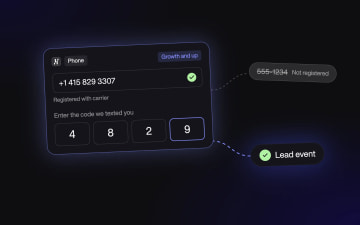
Phone network validation rejects numbers that aren't registered with a carrier at the moment of entry, before the record exists in your CRM.
SMS OTP costs some volume. Switch it on when a lost junk record costs more than a lost submit, or when sales calls every lead within the hour.
Qualifying questions should reject or route, so a wrong answer ends the form instead of landing in the CRM as a low-score record.
Map your Meta Conversions API (CAPI) Lead event to the qualified-and-verified state, and watch cost per qualified lead rather than raw CPL.
What fake leads are, and why they are a signal problem
A fake lead is a form submission that looks like a real prospect but does not represent a reachable, interested person. ActiveProspect's breakdown of lead fraud groups them into bot-generated fills that mimic human behavior, synthetic identities built from real consumer data, recycled leads resold as new, and click farm activity where paid humans submit garbage on purpose. On a Facebook campaign you add two more sources: the prefilled instant form, where name, email and phone number are mostly pre-populated by Meta and someone submits in two taps with a number they stopped using in 2019, and the price-checker who types anything to see the quote.
The common thread is that most of them pass the checks you run after the fact. The email does not bounce and the phone number has the right number of digits, so the record lands in your CRM, sales dials it on Monday, and it goes nowhere. If 30% of your submits are dead numbers, 30% of your sales floor's dial time is wasted. That downstream cleanup is where most bot-detection tools start: the submit has already happened, now sort it.
What those submits did to your ad set gets less attention. Meta's own help center entry on optimization for ad delivery says delivery is tuned to show your ads to the people most likely to take the action you optimize for. Fire the Lead event on raw submit, and the bot and the burner number count the same as the homeowner who closed. The ad set then skews toward more people who look like the ones it already counted, junk included, and no amount of CRM scrubbing walks that back. Check it in your own account: compare the dead-number rate of ad sets optimized on raw submit against ones optimized on a gated event.
Before you start
Build the funnel in Heyflow rather than sending traffic to a native instant form. An instant form is fast because Meta prefills it from the profile, and that is exactly the problem: you cannot run phone network validation, a one-time passcode (OTP) step or a rejecting qualifier inside it, and you cannot control which submits become the conversion event. Keep the instant form running on a traffic slice as a baseline while the Heyflow funnel takes the rest, so you can test the approach in your own account before you move the whole budget.
You need a Meta pixel and a Conversions API access token for the ad account, plus a destination for confirmed leads: your CRM, connected through an integration or a webhook. Phone validation and SMS OTP are native lead-quality gates in Heyflow, so the capture step does not depend on a bolted-on verification vendor. Server-side tracking and A/B testing carry the second half of this setup, so confirm both are on your plan before you build. Decide up front what a qualified lead means for this client in one sentence, because every gate below is built against that sentence.
How to stop fake leads at the point of capture
Reject before you record, and report to Meta only what you would be happy to pay for again. Each gate below names the mechanism and the cost, because none of them is free.
Validate the phone number at entry
Turn on network validation in the phone block. Heyflow checks whether the number the visitor entered is registered with a legitimate carrier before the form moves on, so a number that doesn't exist is caught on the step where it was typed and never becomes a record or a conversion event. Two limits to know: landline numbers can't be network-validated and pass the check, and the check confirms the number exists, not that the person filling in the form owns it. Line type and VoIP screening need a separate lookup if your vertical calls for it. Trade-off: a small share of real people mistype and have to re-enter, so write the inline error as an instruction ("Check your number, we text a confirmation") rather than a red box.
Add an SMS confirmation where the lead value justifies it
The lead is not confirmed until the code comes back from the phone. That proves the number is live and in the submitter's hand, which a bot with stolen consumer data cannot fake, and it closes the ownership gap that network validation leaves open. It will drop some submits, including real people who are not willing to confirm yet. If a qualified lead is worth enough that losing a slice of volume still nets out positive, or if sales calls every lead within the hour and dead numbers burn their day, the confirmation pays for itself. Skip it on low-ticket offers where the CRM can absorb a few dead records.
Make qualifying questions reject, not just record
A question that stores "no, I rent" as a field is a label; a question that ends the form on "I rent" is a gate. Build the conditional so disqualifying answers route to a polite exit page ("Thanks, this program is for homeowners") and never reach the CRM. Phrase the question so a bot or a price-checker cannot guess the right answer from the button copy. Trade-off: you lose the marginal lead you might have upsold later, so only gate on criteria sales would refuse to call.
Fire the CAPI Lead event only on the qualified state
Tie the server-side Lead event to the step a visitor reaches only after the gates are cleared, not to the first submit. In practice the thank-you step that renders once validation and the qualifier have passed is the trigger, and nothing earlier in the form counts as a conversion. Send the hashed phone and email with the event so match quality stays high. Trade-off: your reported cost per lead will rise, because you are reporting fewer conversions. The ad set now optimizes toward people who confirmed a live number and said yes to the qualifier, so Meta stops learning from the junk and the ads stop finding more of it.
Put together: a solar form asks "Do you own your home?" on step one and exits renters, collects the phone number on step three with network validation on, sends the confirmation code on step four, and fires the Lead event to CAPI from the thank-you step with phone and email mapped. Only confirmed records reach HubSpot, so the CRM holds nothing sales has to throw away on Monday.
A full example, start to finish
Picture an agency running Meta ads for a residential solar installer across a few states. The client pays on CPL, the ad sets optimize for the Lead event on an instant form, and the sales floor reports that a painful share of Monday's dials are dead numbers, out-of-state renters, or people who typed a fake number to see the panel price. The agency has a dedupe rule in HubSpot and a bot-detection vendor on the pixel. Neither changes what the ad set is learning from.
Step one, the agency rebuilds the capture path in Heyflow as a short funnel: a presell page on utility bills, then "Do you own your home?" with the renter branch routed to an exit page, then "What is your average monthly electric bill?" with the low-bill branch routed to a soft exit, then the address with a state check, then the phone field with network validation set to block numbers that aren't registered with a carrier.
Step two, they add SMS OTP after the phone step. A qualified solar lead is worth enough to this installer, and the sales floor calls fast enough, that losing some volume at the OTP is a trade they should take. The OTP step says "We just texted you a code so your consultant calls the right number."
Step three, in the tracking settings they create the Meta CAPI connection, map the Lead event to the thank-you step only, and map phone and email for match quality. Partial submits from the phone step go to HubSpot with a tag and no event. The instant form keeps a slice of the budget as a control so the comparison is like for like.
In the first couple of weeks, a bill threshold that is right for one state can be too aggressive in a state where rates run high, so check exit rates by region and adjust. Once the ad set exits the learning phase on the new event, raw submit CPL on the Heyflow slice should sit above the instant form, because you are counting fewer, better conversions. The number to put on the client's weekly report is cost per qualified lead, defined as "sales reached a homeowner with a bill over threshold", and the test of whether the setup works is what the sales floor says about Monday's list.
Second example: a lower-value lead without OTP
A home services lead-gen operator sells plumbing and HVAC leads to local contractors at a low per-lead price. A qualified lead is worth well under $50, contractors call within a few hours rather than minutes, and an OTP step would strip volume that the margin cannot absorb. So the form uses phone network validation to kill numbers that don't exist, a ZIP code gate that exits anyone outside the contractor's service area, and a single qualifying question ("Is this an emergency or a scheduled job?") that routes rather than rejects.
The Lead event fires on the thank-you step, which only renders after the ZIP gate and validation passed. The operator runs a native A/B test in Heyflow: variant A with the ZIP gate on step one, variant B with the ZIP gate after the phone. Variant A loses fewer phone entries to out-of-area users and wins on cost per in-area lead. No OTP, no captcha, and the contractor stops complaining about numbers that ring out.
What comes with Heyflow
Heyflow is the funnel platform for paid traffic, and the lead quality gates are native: phone network validation, SMS OTP, email validation and partial submits merged into your integrations. Partial submits merge per session, so the partial a visitor leaves at the phone step and the full submit they finish later in that session reach your CRM as one record. Server-side tracking runs natively to Meta CAPI, TikTok, Microsoft, Taboola, Outbrain and OpenAI Ads, with field mapping for match quality, and client-side to Google Ads and LinkedIn, so you decide which step fires which event without a middleware layer. Native A/B testing with statistical significance shows whether a gate costs more volume than it saves, and step-level drop-off analytics show where. Quiz, presell page, form and thank-you step are hosted the moment they are built and connect to 50+ native integrations including HubSpot, Salesforce, Zapier and webhooks.
Where captcha, bot-detection vendors and CRM scrubbing still fit
Captcha blocks scripted submits that cannot solve a challenge. It is fine on a high-volume form where bots are the main problem, and it does nothing about a human who types a dead number, so the Lead event still fires on junk.
Bot-detection vendors that score traffic on the pixel or at form time flag non-human sessions. They are useful when click farms or scripted traffic are a large share of spend, but unless you wire their verdict into which submits fire the conversion event, Meta still learns from the flagged record.
TrustedForm Insights and similar lead-vetting tools from ActiveProspect are built for buyers who purchase leads from vendors and need proof of origination and consent. They are the right tool for that model, and they sit after the lead exists.
CRM dedupe and scrubbing rules clean the list for sales and are worth keeping. They act on a record that has already been reported to the ad platform as a conversion, so they cannot touch the signal problem. Keep whichever of these you already pay for, and move the gate to capture anyway.
How to measure whether the gates are working
Track three numbers in your own account rather than trusting benchmarks. First, the share of submits that fail each gate, which Heyflow's drop-off analytics show per step: invalid phone rate, OTP abandonment rate, qualifier exit rate. Second, the share of leads the sales floor marks as reached and qualified, pulled from the CRM disposition field, split by funnel variant and by source (instant form control versus Heyflow slice). Third, cost per qualified lead: spend divided by that reached-and-qualified count, not spend divided by submits.
Expect raw CPL to rise on the gated slice and cost per qualified lead to fall if the approach works for your account. Give the ad set time to exit the learning phase on the new event before you judge it, since you changed what it optimizes toward. If cost per qualified lead does not improve after that window, the gates are either too loose to change the signal or too tight to leave enough volume, and the per-step drop-off tells you which.
How to tune the gates without killing volume
Tune one gate at a time with a native A/B test so you can attribute the volume change. Start with placement: moving the phone step earlier captures more partials but exposes more people to validation friction, while moving it later means more invested users but fewer phones in the CRM. Then test OTP on versus off on the same form with the Lead event mapped identically, and compare cost per qualified lead rather than submits. If OTP abandonment is high, check the message copy and the delivery delay before you remove the step, because a code that arrives 40 seconds late loses people who would have confirmed.
For qualifiers, widen the reject branch only when sales confirms the exited segment is unsellable. Every one of these changes alters what Meta sees, so note the date you changed a gate next to the ad set, so a learning phase reset does not get mistaken for a creative problem.
How to report lead quality to the client
Report cost per qualified lead as the headline number, with raw CPL underneath it, and define "qualified" in the first line of the report using the same sentence you built the gates against. Show the gate funnel as a short table: submits, passed validation, passed OTP, passed qualifier, reached by sales. The client sees where the junk left and that it left before anyone paid to dial it.
Add the control slice. If the instant form is still running on 20% of budget, its CPL and its qualified rate sit next to the Heyflow slice in the same table, and the comparison does the persuading. Pull the sales floor's Monday feedback in as one line per week, because the client hears from sales whether you report it or not.
Examples by vertical
Vertical | Example | What it achieves |
|---|---|---|
Solar | Homeowner gate on step one, network validation, OTP, Lead event on thank-you | Renters and dead numbers never reach the CRM or the ad set's model |
Insurance (Medicare, life) | Age and state gates, network validation, OTP, TCPA consent stored with the partial | Agents only dial eligible, confirmed numbers, and consent is on record |
Home services | ZIP gate, network validation, no OTP | Out-of-area submits exit before the phone step, volume stays intact |
Telehealth | State-of-residence gate, email and phone validation, OTP, Sensitive Tag on the form | Intake sees patients it can legally serve, with confirmed contact details |
Legal (mass tort, PI) | Case-type qualifier that rejects, network validation, OTP | Intake stops calling claimants who do not meet case criteria |
Recruiting | Work-authorization gate, email validation, phone validation, partial to ATS | Recruiters screen only eligible applicants, and drop-offs are recoverable |
Common issues
Why did CPL spike after I moved the Lead event?
The ad set re-entered the learning phase because you changed which step fires the Lead event, which changes the conversion definition. Do not revert. Hold spend steady and judge on cost per qualified lead once the ad set exits learning. If it stays in learning for longer than you can tolerate, the gated event volume is too low for that ad set; consolidate ad sets so the qualified event accumulates faster.
Why is OTP abandonment higher than expected?
Check the SMS delivery delay and the step copy first. A code that lands late, or a step that does not say why the code is needed, loses real people. Then check whether the phone step is too early in the form: users who have not seen the offer value yet do not confirm. If abandonment stays high on a low-value lead, OTP is the wrong gate for this offer and validation alone is enough.
Why do some fake numbers still get through?
Network validation confirms a number is registered with a carrier, not that it belongs to the person filling in the form, and landlines pass without a network check. Someone entering a real number that isn't theirs passes validation. SMS OTP closes that gap on offers where the lead value justifies it.
Try Heyflow for freeFAQ
Are Facebook leads fake?
Some are, and the share depends on how you capture them. Native instant forms prefill from profile data and allow a two-tap submit, which produces stale numbers and low-intent fills alongside real prospects. Meta's traffic is not the problem by itself; what you report as a conversion is.
How do I stop fake leads from Meta without a captcha?
Move the gate to the point of capture on a funnel you control: phone network validation at entry, SMS OTP where lead value justifies it, and qualifying questions that reject rather than record. Then map the CAPI Lead event to the qualified state only.
Does phone network validation hurt conversion rate?
It removes submits with numbers that aren't registered with a carrier, which were never going to convert, and adds a re-entry step for people who mistyped. Measured on raw submits the rate drops slightly; measured on reached leads it rises.
Does Heyflow's phone validation detect VoIP numbers?
Heyflow's network validation checks that a number is registered with a legitimate carrier. It doesn't confirm ownership, and landlines pass without a network check. If you need line type or VoIP screening, add a separate lookup and flag rather than block, because some real buyers use VoIP numbers.
When is SMS OTP worth the volume loss?
When a qualified lead is worth more than the volume you lose at the code step, or when sales calls every lead within the hour and a dead number costs a rep's time immediately. Test OTP on and off with a native A/B test and compare cost per qualified lead, not submits.
Should I send every submit to Meta CAPI and filter later?
No. Every submit you send as a Lead event teaches the algorithm to find more of that submit. Send the Lead event only for leads that cleared validation, OTP and qualifiers, and send partials and unverified records to the CRM without an event.
What is lead verification versus lead validation?
Validation checks that the data could be real: the phone number is registered with a carrier, the email domain accepts mail. Verification proves the person controls that contact, for example with an OTP code entered from the phone.
Can I do this with a Meta instant form?
Partially. The higher-intent form type adds a review step and you can add qualifying questions, but you cannot run network validation or an OTP step inside the instant form, and the Lead event fires on submit regardless of the answers.
Recommended articles
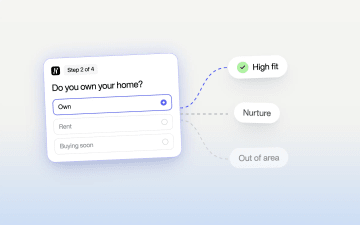
Qualify Leads Before They Submit: Stop Feeding Meta Junk
Cheap leads that sales never closes usually trace back to one setting: every form submit fires the same Lead event. Learn how to ask a few intent questions inside the form, route each answer to its own ending, and send Meta a separate event for the leads worth paying for.
Read more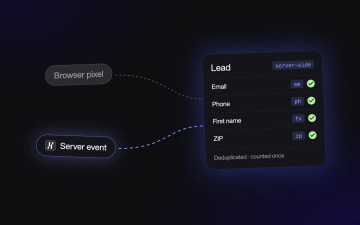
Meta Conversions API for Lead Forms: Fix Missing Conversions
If your CRM shows more leads than Events Manager, Meta is optimizing on half the picture. This guide walks through setting up the Conversions API for lead forms: which step fires the Lead event, how to map form fields for match quality, and how to deduplicate pixel and server events.
Read more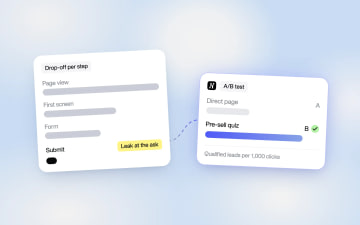
Why Your Landing Page Converts Poorly on Paid Traffic
Your landing page probably isn't broken. Cold paid clicks leave when the page asks for a phone number before the visitor has decided they want anything. Learn how to find the step that leaks, put a presell page or quiz in front of the offer, and prove the fix with an A/B test.
Read more