

Best Landing Page Builders in 2026: Top Tools Compared







Trusted by 3,000+ marketers






Most landing page builders promise simplicity, but still slow your team down with clunky editors, limited templates, and weak analytics. Choosing the right landing page builder in 2026 can mean the difference between campaigns that convert and ones that stall. This guide compares six top tools across features, pricing, and use cases so you can find the best fit fast.
Key takeaways
Most landing page builders offer drag-and-drop editors, but conversion-focused features like A/B testing, conditional logic, and lead validation vary significantly between tools — and matter most for teams running paid campaigns.
AI assistance is now standard, but the application differs: most tools use it for copy and design generation, while Heyflow applies it directly to conversion performance — generating complete funnels with tracking and conditional logic from a single prompt.
For performance marketers, Heyflow is the only platform on this list with native server-side tracking across Meta, TikTok, Bing, Taboola, and Outbrain — the strongest choice for teams where ad signal accuracy and lead quality determine ROI.
The 6 Best Landing Page Builders Compared
Below you'll find detailed reviews of six leading landing page builders, covering features, pricing, and the use cases each tool handles best.
1. Heyflow: Conversion-optimized landing page builder for lead generation
💡 Best for: Marketing teams that want to improve lead quality — not just volume — with interactive funnels, behavioral analytics, and built-in A/B testing.
Heyflow is an all-in-one lead generation platform built specifically for performance marketers running paid campaigns on Meta, TikTok, and Google.
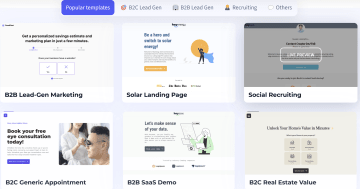
Unlike general-purpose landing page tools, Heyflow is designed around two goals: capturing higher-quality leads, and feeding cleaner conversion signals back to the ad platforms that drive them.
That starts with native server-side tracking. Heyflow is the only platform on this list with built-in Meta Conversions API and TikTok Events API — no Stape, GTM workarounds, or Zapier required. The same applies to Bing Ads, Taboola, and Outbrain. For teams losing signal to iOS privacy changes or ad-blockers, this directly improves ROAS, attribution, and audience match rates through hashed PII via EMQ field mapping. On top of that, advanced conditional logic, step-level A/B testing, calculator widgets, and granular behavioral analytics give growth teams everything they need to capture and qualify leads without touching a line of code.
Key features
Heyflow’s features include:
Native server-side Meta Conversions API, TikTok Events API, Bing/Microsoft Ads, Taboola, and Outbrain.
Client-side conversion tracking for Google Ads and LinkedIn, plus Voluum for affiliate/performance marketing
Built-in A/B testing with granular step-level control, traffic split configuration, and significance indicators
Calculator and ROI widgets to personalize visitor experiences and increase engagement
Phone Network Validation (via Twilio) verifies phone numbers are real and active before submission
Native Email Validation filters out invalid email addresses directly in the funnel before submission
SMS OTP Verification confirms a real human owns the number with a one-time code
Partial Submits captures lead data even when a visitor abandons the funnel mid-way, so no contact is lost
Stripe, Solidgate, Apple Pay, and Google Pay natively integrated for in-funnel transactions, with a dedicated Payment Block builder element
Behavioral analytics tracking drop-off points, completion rates, and conversion by step — with device-type filtering (mobile vs. desktop), a daytime heatmap showing performance by hour, and AI Flow Analysis that surfaces optimization suggestions directly from your funnel data
Field mapping for Event Match Quality (EMQ): hashed PII sent to ad platforms to improve audience match rates
50+ native integrations including Salesforce, HubSpot, Pipedrive, Google Ads, Meta, LinkedIn, and Zapier
Marketing pixel integrations: Google Analytics, Google Tag Manager, Meta Pixel, TikTok Ads, LinkedIn Ads, Matomo
Full custom code support (JavaScript, CSS, HTML) alongside no-code building, plus 2,000+ style variables in Expert Mode for pixel-perfect design control without writing CSS — and a Global Design System that applies your brand settings across every funnel at once
AI Campaigns: create Meta lead gen campaigns — ads, funnels, and one-click publishing — in under 20 minutes
SOC2, GDPR, HIPAA, and ISO 27001 compliant on all plans, including HIPAA, which most competitors gate behind enterprise tiers. Heyflow also offers a Sensitive Tag that automatically deletes PII from its servers, and a native Cookie Consent Banner
Pros and cons
Pros | Cons |
|---|---|
The most comprehensive conversion and lead qualification toolset of any builder on this list — conditional logic, A/B testing, OTP verification, and behavioral analytics in one platform | Pricing starts higher than some general-purpose builders, which may not suit teams with minimal traffic or simple one-page needs. Though, you can save costs because you do not need third-party tools like Zapier |
Purpose-built for performance marketing — ideal for paid social, Google Ads, and native ad campaigns where lead quality is critical | |
Pixel-precise design customization; no two Heyflow funnels need to look alike |
Pricing
Heyflow offers a free trial on all plans. Paid plans are structured as follows (verify current pricing at heyflow.com/pricing):
Starter:
From $45/month — core funnel building features, limited flows
Growth:
Mid-tier plan with expanded flow limits and advanced integrations
Scale:
Higher traffic and flow allowances for growing marketing teams
Enterprise:
Custom pricing — fully tailored, with dedicated support and enterprise-grade compliance
2. Wix: Aesthetic-focused landing page templates
💡 Best for: Small businesses and creators who want to build a branded web presence including landing pages without needing advanced conversion analytics or lead qualification.
Wix is a landing page builder featuring over 900 templates for diverse use cases, including:
Webinar launch landing pages
Real estate landing pages
App landing pages
Product landing pages
Event pages, portfolios, and more
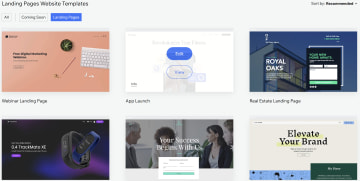
All Wix templates are automatically optimized for mobile viewing and come with sample content, color themes, and pre-set design elements to guide you toward a cohesive, professional result. Users can start from a blank canvas, use a guided layout, or answer a few questions and let Wix's AI assistant — Wix Harmony — generate a complete page from a natural language prompt.
Key features
Wix is a robust landing page builder with comprehensive feature stacks tailored for diverse business needs. The most landing page-relevant features include:
900+ mobile-optimized templates across diverse industries and use cases
Wix Harmony AI: generate full pages, layouts, and copy from natural language prompts
Built-in CRM tools for contact management and lead tracking
Dynamic content that updates automatically while preserving design layout
Analytics to monitor visitor behavior and page performance
E-commerce tools including payment provider integrations for in-page transactions
Pros and cons
Pros | Cons |
|---|---|
Large template library | Limited native A/B testing capabilities compared to dedicated landing page tools |
AI page generation makes it accessible for non-technical users who need a page quickly | Conversion-specific features (like multi-step forms and behavioral analytics) are less developed than in purpose-built lead generation tool |
Pricing
The Wix editor is free and includes a Wix-branded subdomain, 500 MB of storage, and Wix branding on all pages. For custom domains, ad-free pages, and expanded storage, paid plans are required:
Light:
$17/month — 2 GB of storage, 2 collaborators
Core:
$29/month — 50 GB of storage, payment gateways, 5 collaborators, basic marketing and e-commerce features
Business:
$39/month — 100 GB of storage, 10 collaborators, more advanced marketing and e-commerce features
Business Elite:
$159/month — unlimited storage, 100 site collaborators, advanced marketing and e-commerce features
3. Swipe Pages: Fast-loading mobile landing page builder
💡 Best for: Mobile-first campaigns where fast page load times are the primary concern and conversion flows are simple, with no conditional logic required.
Swipe Pages is a no-code, AI-assisted landing page builder that helps users create mobile-friendly pages quickly using a drag-and-drop editor. The platform offers 40+ fully responsive, conversion-optimized templates for use cases including automobiles, courses, comparisons, and product pages.
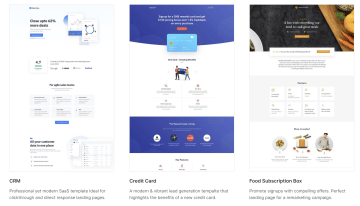
Swipe Pages focuses on page speed. It compresses and resizes code and design assets to ensure smooth experiences even on slow connections or older mobile devices.
Key features
Swipe Pages is equipped with features like:
Unlimited conversions and unlimited landing pages on all paid plans
Sales and marketing funnel builder
Mobile slides that deliver an app-like experience for mobile users
AI assistant to accelerate the landing page building process
Dynamic content adaptation including URL parameter-based personalization
Analytics to track conversions and visitor behavior
Multi-step forms for progressive lead capture
Payment integrations: Stripe, PayPal, and Razorpay
A/B testing for page variant comparison
Pros and cons
Pros | Cons |
|---|---|
Strong page speed optimization | Smaller template library (40+) compared to Wix or Landingi |
Unlimited pages and conversions also on entry-level plans | Less suited for complex lead qualification flows or multi-step funnels with conditional logic |
URL parameter-based dynamic content makes ad-to-page personalization straightforward |
Pricing
Swipe Pages offers a full-featured 14-day free trial. The prices below reflect annual billing — monthly billing rates are higher ($39, $89, and $199 respectively):
Startup:
$29/month (annual) — 1 custom domain, 20,000 visitors/month
Marketer:
$69/month (annual) — 5 custom domains, 50,000 visitors/month
Agency:
$149/month (annual) — unlimited domains, 500,000 visitors/month
4. Unbounce: Landing pages with adaptive content
💡 Best for: Marketing agencies managing multiple clients who want AI-assisted copy, dynamic text replacement, and automated traffic routing without needing server-side tracking or multi-step lead qualification.
Unbounce is a dedicated landing page platform built for marketers, e-commerce businesses, and agencies. It offers 100+ templates across industries and goals — sales pages, consulting pages, „coming soon" pages, and product pages — all customizable through a no-code drag-and-drop editor.

Unbounce's standout feature is Smart Traffic, an AI system that automatically routes visitors to the landing page variant most likely to convert based on their attributes. Combined with dynamic text replacement — which aligns page copy to the keyword a visitor searched.
Key features
Unbounce is equipped with features like:
Smart Traffic AI that automatically routes visitors to the highest-converting page variant
AI copywriting to generate and refine landing page content
A/B testing for running split tests across page variants
Dynamic text replacement that automatically aligns page content with visitor search keywords
Real-time analytics and conversion reporting
Native integrations with Salesforce, HubSpot, and major CRM and email platforms
100+ templates across industries
Pros and cons
Pros | Cons |
|---|---|
Smart Traffic AI removes manual A/B testing guesswork | Higher price point than most competitors on this list, especially for monthly billing |
Dynamic text replacement makes ad-to-page message matching easy without creating separate page variants | Template library (100+) is smaller than Wix or Landingi |
Pricing
Unbounce offers 14-day free trials on all plans. Prices below reflect annual billing — monthly rates are higher. A Starter plan ($22/month, annual) is also available for light usage:
Starter:
$22/month (annual) — entry-level, limited traffic and features
Build:
$74/month (annual) — up to 20,000 visitors, 1 user, 1 root domain
Experiment:
$112/month (annual) — up to 30,000 visitors, 3 users, 2 root domains
Optimize:
$187/month (annual) — up to 50,000 visitors, 5 users, 3 root domains
Concierge:
Custom pricing — 100,000+ visitors, 5+ users, 20+ root domains
5. Landingi: AI-assisted landing page builder for lean teams
💡 Best for: Small teams and freelancers who need to ship a high volume of simple landing pages quickly, and rely on AI-generated copy and SEO optimization to move fast with limited resources.
Landingi is a drag-and-drop, mobile-friendly landing page builder with 400+ templates for businesses in real estate, architecture, business consultancy, delivery, and more. Templates are fully customizable and can be populated with AI-generated copy and images — making it one of the faster tools for teams that need to produce multiple pages quickly.
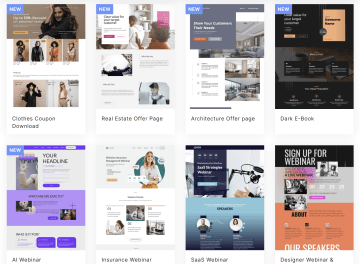
Landingi's AI capabilities extend beyond content generation: the platform includes AI-powered SEO optimization that analyzes and improves on-page elements, and a Figma integration that lets designers import their work directly into the editor.
Key features
The features offered by Landingi include:
AI content generation: copy, images, and SEO optimization in one workflow
A/B testing for comparing page variants and improving conversion rates
Analytics tracking user interactions and conversions at the page and form level
Figma integration: import designs directly into the Landingi editor
Personalized content and dynamic landing page experiences
Form builder with multi-step form support
Integrations with Google Ads, WordPress, Stripe, PayPal, and major CRM and email marketing platforms
400+ templates across industries
Pros and Cons
Pros | Cons |
|---|---|
AI SEO optimization — useful for teams managing organic traffic alongside paid campaigns | The free plan is very limited (100 monthly visits), making it unsuitable for anything beyond testing |
Large template library with strong industry variety | Less specialized for conversion-focused lead generation compared to Heyflow or Unbounce |
Pricing
Landingi offers a free forever plan (limited to 5 landing pages and 100 monthly visits). Free trials are available on all paid plans:
Lite:
$24/month (annual) — 10 landing pages, 5,000 visits/month, 1 custom domain
Professional:
$57/month (annual) — unlimited landing pages and conversions, 50,000 visitors/month, 10 custom domains
Scale / Enterprise:
Higher-tier plans available for unlimited traffic and custom domain needs — pricing on request
6. Google Sites: Free landing page builder for simple use cases
💡 Best for: Solopreneurs and internal teams who need a basic, zero-cost web page for an event announcement, internal resource hub, or simple contact page with no campaigns, no lead generation, and no budget.
Google Sites is a free, browser-based website builder included with any Google account. It lets you create simple pages using a selection of templates and basic design options — without any setup, hosting fees, or technical knowledge required.
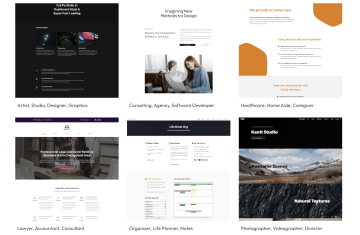
We included Google Sites in this list because it's genuinely free and integrates natively with tools many teams already use: Google Analytics, Google Forms, Google Docs, Sheets, Slides, and Calendar content can all be embedded directly into a Sites page. For teams that need a functional page quickly and have no budget, it's a practical starting point.
Key features
Features offered by Google Sites include:
Completely free with any Google account — no hosting fees
Responsive, mobile-friendly design that adapts automatically to screen size
Google Workspace integration: embed content from Docs, Sheets, Slides, Forms, Calendar, and Maps
Real-time collaboration: multiple users can edit simultaneously with shared access controls
Revision history: track changes and revert to previous versions
Easy publishing on a Google-hosted subdomain (custom domains require Google Workspace)
Pros and cons
Pros | Cons |
|---|---|
Completely free — no trial period, no credit card required | No A/B testing, conversion analytics, or CRM integrations |
Native Google Workspace integration makes it easy to embed existing content | Very limited design flexibility and template options compared to every other tool on this list |
Not suitable for serious marketing campaigns or lead generation at scale |
Pricing
Google Sites is a free landing page builder.
How to choose the right landing page builder for your needs
Picking a landing page builder based on price or popularity alone is rarely the right approach. The tool that works best depends on your specific goals, team capabilities, and the type of campaigns you run. Here are the most important questions to ask before committing:
What is your primary goal — traffic or lead quality? If you're running paid campaigns and care deeply about the quality of leads (not just volume), look for tools with multi-step forms, conditional logic, and lead validation features. If you need a clean, fast page for broad awareness campaigns, a simpler builder may suffice.
Does the tool offer A/B testing? A/B testing is table stakes for any serious landing page program. Check whether testing is available on your plan tier — some tools only unlock it at higher price points.
How mobile-optimized are the pages? With the majority of paid traffic arriving on mobile devices, page speed and mobile responsiveness directly affect your conversion rates and ad quality scores. Test any tool's output on mobile before committing.
How many templates are available, and do they match your use cases? Template quantity matters less than template relevance. A tool with 40 well-designed, conversion-optimized templates may outperform one with 900 generic options.
Does the builder complement your team's technical abilities? There's a meaningful difference between tools designed for marketers (no-code, visual editing) and those that assume developer involvement. Evaluate how quickly your team can build, test, and iterate without external help.
What integrations does it support? Your landing page builder needs to connect with your CRM, email platform, ad tracking pixels, and analytics tools. Check native integration lists — not just Zapier connections — for the platforms you actually use.
Are the analytics sufficient for your optimization needs? At minimum, you need conversion rate tracking and drop-off analysis. For serious CRO, look for step-level behavioral data, heatmaps, or integration with dedicated analytics platforms.
Does the pricing model scale with your traffic? Some tools charge per visitor or per conversion — costs can escalate quickly as campaigns grow. Understand the pricing model before you scale.
If you're a performance marketer focused on lead generation, Heyflow stands out as the most purpose-built option — combining interactive multi-step funnels, advanced conditional logic, built-in A/B testing, and behavioral analytics in a single no-code platform.
Frequently asked questions about landing page builders
What is the best free landing page builder?
The best free landing page builder depends on what you need. Wix offers the most feature-rich free plan, including 900+ templates and an AI page generator — though it includes Wix branding and limits storage. For teams running active campaigns, a paid plan is typically necessary to remove branding, add a custom domain, and access analytics. If lead generation is your primary goal, Heyflow's free trial gives you full access to its conversion toolset before you commit to a paid plan.
What is the difference between a landing page and a website?
A website is a multi-page digital presence covering your full brand — products, about pages, blog, contact, and more. A landing page is a single, focused page designed for one specific action: signing up, requesting a quote, downloading a resource, or making a purchase. Landing pages remove navigation and distractions to maximize the likelihood that a visitor takes that one action. Most landing page builders can also create full websites, but their core value is in building high-converting single-purpose pages.
Do I need a website to use a landing page builder?
No. All six tools in this guide include hosting — your landing page can live on a subdomain provided by the tool (e.g., yourpage.heyflow.site) or on a custom domain you connect. You don't need an existing website. Many teams use landing page builders as standalone campaign destinations that sit entirely separate from their main website.
What is an AI landing page builder?
An AI landing page builder uses artificial intelligence to speed up one or more parts of the page creation process — generating copy, suggesting layouts, or optimizing for conversions. Most tools in 2026 offer some form of AI assistance, but the depth varies. Wix and Landingi focus on content and design generation. Unbounce's Smart Traffic automatically routes visitors to the best-performing variant. Heyflow's AI is built around conversion performance: it generates complete funnels from a prompt — tracking and conditional logic included — and delivers screen-level suggestions to improve completion rates.
Which landing page builders support A/B testing?
Among the tools reviewed here, Heyflow, Unbounce, Swipe Pages, and Landingi all offer A/B testing. Heyflow's A/B testing is particularly granular — you can test individual funnel steps rather than just full page variants, and the platform provides significance indicators to help teams act on results with confidence.
Can I use a landing page builder with WordPress?
Yes, in most cases. Heyflow can be embedded directly into any existing WordPress page using a Web Component, not an iframe. This means faster load times, cleaner conversion tracking, and full responsiveness without the performance penalties that iframe embeds typically introduce. If you're looking for a native WordPress landing page builder, dedicated plugins like Elementor or Beaver Builder are purpose-built for that workflow, but they don't offer the same conversion-focused features as standalone landing page platforms.
How much does it cost to build a landing page?
Costs vary widely depending on your approach. Using a landing page builder yourself, monthly costs range from free (Google Sites, Wix free plan) to $22–$229/month for self-serve tools, depending on the platform and plan. Hiring a freelance landing page designer typically costs $500–$3,000+ per page, depending on complexity. Agency-built landing pages with custom design and copywriting can cost $3,000–$10,000+. For most marketing teams, a mid-tier plan on a dedicated landing page builder ($50–$150/month) offers the best balance of quality, speed, and cost.
Recommended articles

Typeform vs. Jotform: Which Form Builder Is Right for You? (2026)
Typeform or Jotform? Which form builder fits your team? Compare features, pricing, and compliance.
Read more
The 5 Best AI Form Builders in 2026
Looking for the best AI form builder for paid ads? Compare Heyflow, Claude, Lovable, involve.me, and Fillout and find out which one actually drives ROAS.
Read more
How to Build a Lead-Routing Intake Form for Brokerages
Build a lead-routing intake form for real estate brokerages that captures, qualifies, and auto-assigns leads to the right agent by geography, budget, and timeline.
Read more