

Lead Capture Software: 5 Tools + Best Practices







Trusted by 3,000+ marketers






You've successfully driven traffic to your site. Your performance campaigns are hitting their targets, and your content is bringing in the right eyes. But there's a huge missed opportunity in your funnel: that stream of traffic just lands, scrolls, and quietly leaves.
The solution is lead capture software. It’s the essential digital bridge that transforms an anonymous website visitor into a tangible, valuable contact.
In this guide, we review the top lead capture tools to fill your sales pipeline and share the best practices for nailing your lead generation game. First, let’s look at what you get from adding lead capture software to your tech stack.
What are the benefits of lead capture software for growth marketers?
For the growth marketer running always-on paid campaigns, lead capture software is the machine that turns ad spend into revenue. Your core job is to scale efficiently, and these platforms are purpose-built for that.
Since you pay for every click, if a visitor lands on a generic, low-converting form, you're burning budget. Lead capture tools maximize your ad spend efficiency with the help of interactive flows, quizzes, and personalized experiences, which boost conversion rates by a significant margin over a standard form, directly lowering your cost per qualified lead (CPQL) and improving return on ad spend (ROAS).
Modern lead capture tools use conditional logic to build dynamic flows that qualify prospects in real time. This means leads are automatically tagged and routed based on their answers, ensuring your sales team only focuses on high-priority prospects. Because you don't just want any lead; you want a qualified lead.
Finally, lead capture software streamlines your entire workflow and enables business growth. The right software integrates directly with your CRM and marketing stack, enabling instant routing of hot leads to sales and automatically enrolling segmented contacts into personalized nurture campaigns. Plus, native A/B testing allows you to quickly optimize the headline, design, or questions for better results without ever needing to touch code.
5 Lead capture tools for collecting, segmenting, and nurturing leads
What the right lead capture software looks like, you ask? Here are our top five picks, with a detailed feature and pricing breakdown. ⬇️
Heyflow | Tally | Outgrow | LeadCapture.io | Jotform | |
Lead capture methods | ✅ | ⚠️ | ✅ | ⚠️ | ✅ |
Customizable design | ✅ | ✅ | ✅ | ✅ | ✅ |
Lead management | ✅ | ❌ | ⚠️ | ⚠️ | ⚠️ |
Integrations | ✅ | ✅ | ✅ | ✅ | ✅ |
Analytics | ✅ | ⚠️ | ✅ | ✅ | ⚠️ |
Key: ✅ = feature supported by over 80% of the category’s capabilities; ⚠️ = 30–80% supported; ❌ = less than 30% supported
1. Heyflow
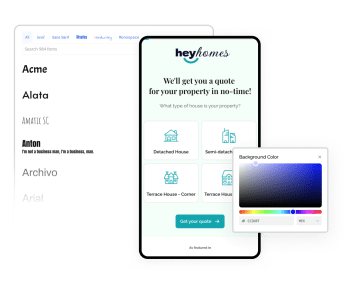
Heyflow is a no-code, performance-focused lead capture platform built specifically for growth marketers. It replaces static web forms with interactive, multi-step lead generation forms—such as quizzes, configurators, and application forms—that qualify leads in real-time.
By utilizing its signature conditional logic, you create personalized conversational paths, which boost engagement and conversion rates by up to 3x compared to traditional forms.
You can launch flows as standalone landing pages, embedded elements, or lead capture pop-ups, all with deep tracking and native A/B testing.
Key features
Category | Feature | Availability | Details |
Lead capture methods | Forms | ✅ | Interactive, multi-step forms (Flows). |
Pop-ups/overlays | ✅ | Full-page, modal, and embed options. | |
Landing pages | ✅ | Standalone, mobile-first pages on custom domains. | |
Chatbots | ❌ | No native chatbot builder. | |
Partial Submits | ✅ | Capture lead data the moment a user starts filling out your funnel, even if they never hit submit. | |
Surveys/quizzes | ✅ | Strongest feature, includes advanced conditional logic. | |
Customizable design | Drag and drop builder | ✅ | Intuitive, visual editor featuring logic map overview. |
Template library | ✅ | Industry-specific, high-converting templates. | |
Customized branding | ✅ | Full control (fonts, CSS, remove branding on higher tiers). | |
Mobile-friendly design | ✅ | 100% responsive and fast-loading mobile forms. | |
Lead management | Lead scoring | ✅ | Possible via formulas and conditional logic blocks. |
Lead quality | ✅ | Validates phone numbers at the carrier level, verifies identities via SMS OTP, and filters out bots and fake submissions before they ever enter your pipeline. | |
Segmentation | ✅ | Automatic segmentation via conditional logic. | |
Data enrichment | ⚠️ | Not a core native feature, but can be achieved via integration with dedicated enrichment tools (e.g., through Zapier or webhooks). | |
Buying signals | ✅ | Possible via specific blocks (e.g., Stripe, Calendly). | |
Automations | ✅ | Webhooks, auto-replies, and deep integrations. | |
Integrations | CRM | ✅ | HubSpot, Salesforce, Pipedrive, Zoho CRM, HighLevel, Monday CRM, LeadByte. |
Marketing | ✅ | ActiveCampaign, Mailchimp, Klaviyo, Custom SMTP, WhatsApp Business | |
Analytics | Dashboard | ✅ | Real-time reporting and funnel drop-off analytics. |
Server-Side Ad Tracking | Meta Pixel, Meta Conversions API (CAPI), Google Ads, LinkedIn Insight Tag, TikTok Ads, TikTok Events API, Microsoft Advertising, Taboola, Outbrain, Voluum, Google Tag Manager | ||
A/B testing | ✅ | Native, built-in split testing for flows (Scale plan only, via the Insights bundle). |
Pros and cons
Pros | Cons |
Highly intuitive, no-code visual builder. | Pricing can be high for additional features. |
Best-in-class multi-step interactive flows. | Fewer domain/flow limits on lower-tier plans. |
Deeply integrated with Ad platforms (Meta CAPI). | |
Exceptional design and customization freedom. | |
ISO 27001, SOC 2 Type II, GDPR, and HIPAA compliance across all plans |
Pricing
$22/month — Starter (50 responses/month, 5 funnels)
$79/month — Growth (250 responses/month, 10 funnels; includes Design & Conversion bundles)
$229/month — Scale (1,000 responses/month, 20 funnels; includes all bundles incl. A/B testing)
$1,100+/month — Enterprise (5,000+ responses/month, unlimited funnels, custom support)
All prices are billed annually (excl. VAT). Additional feature bundles (Design, Conversion, Insights, Coding, Security) are available à la carte.
2. Tally
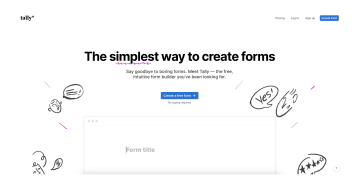
Tally is a no-code online form builder characterized by its document-style editor, which is often compared to tools like Notion. The platform allows users to create forms, surveys, and quizzes.
Key features
Category | Feature | Availability | Details |
Lead capture methods | Forms | ✅ | Unlimited forms and submissions are included in the Free plan. |
Pop-ups/overlays | ❌ | Does not offer native functionality for pop-ups or overlays. Forms are typically embedded or shared via a direct link. | |
Landing pages | ❌ | Not a dedicated landing page builder. The form is hosted on a public page when shared via its URL. | |
Chatbots | ❌ | No integrated chatbot functionality; the focus is on standard and conversational forms. | |
Surveys/quizzes | ✅ | Supports advanced logic features like conditional logic, answer piping, and calculation fields (Free plan). | |
Customizable design | Drag and drop builder | ❌ | Utilizes a block-based, document-style editor rather than a traditional drag-and-drop interface. |
Template library | ✅ | A collection of pre-made templates is available for quick form creation. | |
Customized branding | ✅ | Basic design options are on the Free plan. Tally branding is removable only on the Pro plan. | |
Mobile-friendly design | ✅ | Forms are responsive across different devices. | |
Lead management | Lead scoring | ❌ | No native feature for lead scoring. |
Segmentation | ❌ | No native tools for lead segmentation; managed in integrated external platforms. | |
Data enrichment | ❌ | No native data enrichment functionality. | |
Buying signals | ❌ | No native buying signal tracking. | |
Automations | ✅ | Supports workflow automation through native Webhooks and integration with third-party tools like Zapier and Make (Free plan). | |
Integrations | CRM | ✅ | Connects to various CRMs (e.g., HubSpot, Pipedrive) via automation platforms (Zapier/Make). |
Marketing | ✅ | Integrates with analytics and email marketing services via Webhooks/automation tools (Google Analytics, Meta Pixel on Pro plan). | |
Analytics | Dashboard | ✅ | Provides a dashboard for tracking submissions and visits (Drop-off analytics and extended history are in the Pro plan). |
A/B testing | ❌ | Does not offer a built-in A/B testing feature. |
Pros and cons
Pros | Cons |
Offers unlimited forms and submissions, conditional logic, and calculations without charge. | Form optimization via A/B testing requires the use of external tools. |
The document-style editor allows for a straightforward and rapid form creation process. | Offers a simple design but less advanced visual customization compared to some competitors. |
Facilitates lead data synchronization through direct integrations (Notion, Google Sheets) and connectors like Zapier and Make. | Lacks built-in features for lead scoring, segmentation, and data enrichment. |
As an EU-based company, it adheres to GDPR requirements for data security and privacy. |
Free — Core features including unlimited forms, conditional logic, calculations, and key integrations
$24/month — Pro (custom domains, drop-off analytics, remove Tally branding, partial submissions)
$74/month — Business (everything in Pro, plus data retention controls and email verification)
3. Outgrow
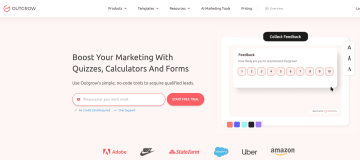
Outgrow's core functionality focuses on quizzes, calculators, assessments, recommendations, polls, and interactive forms, all of which are designed to capture lead information. The platform emphasizes ease of use with a no-code visual builder and a wide selection of templates.
Key features
Category | Feature | Availability | Details |
Lead capture methods | Forms | ✅ | Core content types include customizable forms, polls, surveys, and interactive assessments. |
Pop-ups/overlays | ✅ | Available with multiple embed types. | |
Landing pages | ✅ | Content can be published as a responsive full-page experience, or hosted on a custom domain via CNAME/Domain Masking. | |
Chatbots | ❌ | Content pieces (like a quiz or calculator) can be embedded on a site as a chat messenger style widget, but does not offer a conversational AI chatbot. | |
Surveys/quizzes | ✅ | The platform is built around creating highly engaging interactive content such as outcome quizzes, graded assessments, and surveys. | |
Customizable design | Drag and drop builder | ✅ | Features an intuitive, easy-to-use drag-and-drop editor. |
Template library | ✅ | Offers a library of ready-to-use, optimized templates. | |
Customized branding | ✅ | The look and feel of all content pieces can be customized to match brand colors, fonts, and logos. | |
Mobile-friendly design | ✅ | All interactive content layouts are optimized for different browsers/multiple screen sizes. | |
Lead management | Lead scoring | ✅ | Supports data-driven lead scoring by integrating with CRMs (e.g., HubSpot, Agile CRM) to automatically update contact engagement scores based on interactive content responses. |
Segmentation | ✅ | Enables lead segmentation by capturing detailed responses from a potential lead and using them to segment leads and assign them to different marketing campaigns. | |
Data enrichment | ❌ | No native feature. (Data enrichment is typically handled via integration with external CRMs or third-party tools.) | |
Buying signals | ❌ | No native feature. (Focus is on generating data via interaction, not tracking external intent.) | |
Automations | ✅ | Triggers automated marketing campaigns (including personalized confirmation emails) and internal workflows. Integrates with tools like Zapier. | |
Integrations | CRM | ✅ | Native integration with major CRM platforms like Salesforce and HubSpot. |
Marketing | ✅ | Over 1000 integrations with sales and marketing tools including Klaviyo, GetResponse, Marketo, and more. | |
Analytics | Dashboard | ✅ | Provides an analytics suite with funnel visualization, detailed user analytics, conversion rates at each stage, and section/question-level charts. |
A/B testing | ✅ | Built-in A/B testing functionality that allows users to create test groups, split traffic between multiple content variations, and analyze key metrics like Top Views and Top Leads to determine a winner. |
Pros and cons
Pros | Cons |
Offers a large collection of pre-optimized, proven templates for various use cases. | Paid plans, particularly the high-volume Business tier, can be a cost barrier for smaller organizations. |
Includes native features for customizable lead scoring and audience segmentation. | Full white-labeling (removal of Outgrow branding) is restricted to the mid-to-high-tier paid plans. |
Allows for optimization of interactive content directly within the platform. | The breadth of features can be overwhelming for users focused only on simple form building. |
$14/month — Freelancer Limited (5 content types, 250 leads/month, 5 content pieces)
$25/month — Freelancer Pro (7 content types, 1,000 leads/month, 7 content pieces)
$95/month — Essentials (9 content types incl. chatbot & landing page, unlimited content pieces, 7,500 leads/month)
$600/month — Business (all content types, 50,000 leads/month, custom domain, full branding removal)
4. LeadCapture.io
LeadCapture.io is a dynamic, no-code interactive lead capture platform that enables businesses to turn static content into conversion-driven experiences that collect rich data, beyond just contact info.
Key features
Key lead capture capabilities | |||
Category | Feature | Availability | Details |
Lead capture methods | Forms | ✅ | Builds multi-step lead funnels and interactive forms for detailed data capture. |
Pop-ups/overlays | ✅ | Supports timed, exit-intent, and click-triggered pop-up functionality. | |
Landing pages | ✅ | Landing page builder included on all plans | |
Chatbots | ❌ | Does not offer a conversational AI chatbot. Features a specialized "Chat Style Form" that provides a friendly, conversational user experience without live chat management. | |
Surveys/quizzes | ✅ | Includes tools to build lead quizzes and surveys. | |
Customizable design | Drag and drop builder | ✅ | Utilizes a no-code, self-serve form builder. |
Template library | ✅ | Offers a selection of conversion-optimized starter templates to facilitate rapid campaign deployment. | |
Customized branding | ✅ | Available, particularly via Agency branding and white-label customization features for managing client accounts. | |
Mobile-friendly design | ✅ | Infrastructure is optimized for speed and conversion across all devices. | |
Lead management | Lead scoring | ❌ | Traditional, point-based lead scoring is not specified as a feature on the website. |
Segmentation | ⚠️ | Does not offer dedicated segmentation tools, but supports dynamic lead routing and filtering based on qualification rules and lead buyer requirements. | |
Data enrichment | ✅ | Automatic lead enrichment is performed at the point of capture, including real-time email verification and Google Address Auto Complete integration. | |
Buying signals | ❌ | This is not explicitly listed as a feature. | |
Automations | ✅ | Supports automated workflows, data sync, and instantaneous lead distribution via native integrations, Zapier, and Webhooks. | |
Integrations | CRM | ✅ | Integrates with CRMs, auto-responders, and Lead Management Systems (LMS) through native connections, Zapier, and custom Webhooks. |
Marketing | ✅ | Includes conversion features such as real-time social proof, personalization, and dynamic redirects to improve funnel performance. | |
Analytics | Dashboard | ✅ | Provides a centralized dashboard with form metrics, conversion rates, and step-based drop-off analytics for performance diagnosis. |
A/B testing | ✅ | A/B testing capability is supported, complementing the detailed analytics that highlight friction points for manual or automated optimization. |
Pros and cons
Pros | Cons |
Optimized infrastructure designed to handle high-volume lead traffic with low form load times. | The pricing is generally higher than basic form-building tools. |
Higher-tier plans offer the ability to deploy forms and funnels across an unlimited number of domains. | Monthly lead volume is restricted and tiered across the Starter and Growth plans. |
Dedicated onboarding and setup assistance is provided with all plans. |
$116/month — Starter (up to 5,1,000 leads/month, 5 domains)
$233/month — Growth (up to 10,000 leads/month, 30 domains)
$582/month — Max (volume (50,000 leads/month, unlimited custom domains)
5. Jotform
Jotform is an online form builder and data collection platform that enables users to create customizable forms, surveys, and apps without code.
Key features
Key lead capture capabilities | |||
Category | Feature | Availability | Details |
Lead capture methods | Forms | ✅ | The core offering, with 10,000+ templates for lead generation, contact, and application. |
Pop-ups/overlays | ✅ | Forms can be embedded as pop-ups, lightboxes, or sticky headers on any website. | |
Landing pages | ✅ | Provides an AI Landing Page Generator and allows users to create standalone pages to host forms/surveys. | |
Chatbots | ✅ | Offers AI Chatbots/Agents (Jotform Agents) that turn forms into conversational interfaces for lead qualification. | |
Surveys/quizzes | ✅ | Includes dedicated tools (e.g., AI Quiz Generator) for creating engaging, multi-step surveys and quizzes for lead qualification. | |
Customizable design | Drag and drop builder | ✅ | Highly intuitive, no-code editor for designing forms and workflows. |
Template library | ✅ | Extensive library of over 10,000 form templates available for quick deployment. | |
Customized branding | ✅ | Available on paid plans. Free plan submissions include Jotform branding. | |
Mobile-friendly design | ✅ | All forms are mobile-responsive by default, and a mobile app is available for management. | |
Lead management | Lead scoring | ❌ | (Conditional) Not a native, automated scoring engine, but can be configured using Conditional Logic within the form combined with automation workflows and CRM integrations. |
Segmentation | ✅ | Uses conditional logic and submission data to sort and segment leads for follow-up marketing. | |
Data enrichment | ❌ | Does not natively enrich contact data with external third-party information (requires integration with dedicated enrichment tools). | |
Buying signals | ❌ | No native, dedicated feature for tracking or alerting on buying signals (e.g., intent data). | |
Automations | ✅ | Supports internal workflow automations (e.g., auto-responders, conditional emails) and triggers through 3rd party integrations. | |
Integrations | CRM | ✅ | Strong native integrations with major CRMs (e.g., Salesforce, HubSpot, Zoho, Pipedrive). |
Marketing | ✅ | Connects with all major email marketing (e.g., Mailchimp, Constant Contact) and automation platforms. | |
Analytics | Dashboard | ✅ | While it offers a dashboard, reporting features can be less robust or flexible than dedicated lead generation tools. |
A/B testing | ❌ | Does not have a built-in, native A/B testing feature |
Pros and cons
Pros | Cons |
Can be used for simple forms, detailed surveys, and payment collection. | Missing drop-off analytics per page. |
Easy for non-technical users to create professional, complex forms quickly. | Even paid plans have strict limits on monthly submissions and storage, requiring upgrades for scaling businesses. |
Offers features like 256-bit SSL encryption and optional HIPAA compliance (Gold and Enterprise plans) |
Pricing
Jotform offers a scalable tiered subscription model, heavily favoring annual billing.
Free — Starter (limited submissions and storage)
$34/month — Bronze
$39/month — Silver
$99/month — Gold (includes HIPAA compliance)
Custom pricing — Enterprise
All prices are billed annually.
3 Lead capture best practices for forms that convert
Choosing the right lead capture software is only half the battle. To ensure your monthly subscription is money well spent, there are three lead capture best practices you should follow.
Add interactive elements to engage prospects
Static, long forms feel like filling out tax returns: nobody wants to do it. The best way to keep a prospect in your flow is to make the experience feel less like a chore and more like a conversation.
By breaking down your questions into a multi-step experience, you can significantly reduce friction and keep the user engaged long enough to finish. This is especially true for the kind of high-intent lead generation campaigns our customers run on platforms like Meta, Google, and paid social.
Think of your lead capture process as a friendly chat instead of an interrogation. Keep it lively, one question at a time.

A/B test your lead capture forms
A/B testing is how you move from "I think this will convert" to "I know this converts." It’s a core component of an established, always-on paid digital marketing motion. You might think your headline is perfect, but the data might politely disagree.
A/B testing is not just for the fancy marketing giants; even a small social recruiting agency can (and should) split traffic between two versions of a flow to see which one performs better.

Test your headlines, your CTAs (is it ‘Submit’ or ‘Get Started’?), and even the order of your questions. Don't be afraid to be wrong; that's just data telling you how to make more money.
Use conditional logic for insightful lead capture
The secret weapon of high-converting flows is not asking irrelevant questions. When a prospect selects ‘Real Estate’ as their industry, don't then ask them about Financial Services regulations.
That’s where conditional logic shines. It allows your form to dynamically change based on a user's previous answers.
Conditional logic makes the experience feel personalized, significantly cuts down on form abandonment, and ensures you collect highly specific, insightful data for your sales team. It's smart, targeted, and keeps your flow feeling snappy and professional.
Deciding on the right lead capture software for your needs
There’s no single ‘best’ lead capture tool—only the best one for your use case, team size, and growth goals. Use this quick breakdown to narrow your options:
Choose Heyflow if you’re running performance marketing campaigns and need high-converting, multi-step interactive flows with real-time qualification, deep ad platform integrations, and A/B testing built in.
Choose Tally if you want a fast, free, lightweight form builder for internal use, simple surveys, or early-stage validation with minimal budget.
Choose Outgrow if your strategy centers on quizzes, calculators, and highly interactive content for segmentation and educational lead capture.
Choose LeadCapture.io if your primary focus is high-volume lead distribution and real-time validation—especially if you buy or sell leads and need automated routing to multiple buyers or sales channels.
Choose Jotform if you need an all-purpose form solution for surveys, payments, applications, and broad data collection.
If your goal is to capture more qualified leads from paid traffic, personalize every user journey, and optimize conversion rates at scale, Heyflow stands out as the most performance-focused platform on this list. It’s built specifically for modern growth teams that care about CPQL, ROAS, and real-time lead qualification.
The right lead capture tool is the one that fits your workflow today and grows with you tomorrow. Whether you’re just starting out or scaling a performance marketing engine, there’s a solution on this list built for your needs. Start with a free trial and see how quickly the right tool pays for itself in qualified leads.
Get started freeFAQs about lead capture software
What's the best way to get more leads from my website?
The best way to capture leads is by using interactive, multi-step lead capture forms with conditional logic and real-time integrations. Instead of static forms that feel transactional, interactive experiences adapt to each user's answers, reduce friction, and significantly improve completion rates. To maximize results, use short multi-step flows instead of long forms, add conditional logic to remove irrelevant questions, connect your forms directly to your CRM and marketing tools, and continuously A/B test headlines, CTAs, and question order.
Is lead capture software worth it for a small team?
Yes, small teams benefit most from automation since they can't afford to waste time on manual data entry or fake leads; lead capture software like Heyflow eliminates both while routing qualified prospects directly into your CRM without extra headcount.
How is lead capture software different from a CRM?
Lead capture software and CRMs serve different but complementary roles. Lead capture software is used at the top of the funnel to collect and qualify new leads through forms, pop-ups, quizzes, and interactive flows. A CRM is used at the middle and bottom of the funnel to store, manage, track, and nurture those leads through the sales pipeline. In short: lead capture software creates leads, a CRM manages and converts them. When integrated properly, captured leads flow automatically from your lead capture tool into your CRM with the right tags, segments, and qualification data, creating a seamless revenue pipeline.
Recommended articles

How to Increase Your Meta Ads CVR With the Heyflow AI Funnel Builder Platform
A flat Meta Ads conversion rate is usually a post-click problem. See three ways to fix your funnel and tracking with Heyflow, from full AI automation to manual control.
Read more
How to Create an Advertorial Landing Page That Sells (With Examples)
Learn how to create an advertorial landing page that sells, with examples by vertical, built by Heyflow’s AI and connected to your funnel in a click.
Read more
MCP: The Easiest Way to Create a Sales Funnel With AI
Prompt a sales funnel through MCP and it's hosted the moment it's built, connected in a click. That's what makes it the easiest way to build one with AI.
Read more