

How to Migrate Your Funnel or Form from HubSpot Forms to Heyflow







Trusted by 3,000+ marketers


Your HubSpot form converts fine until you check what it costs you in paid media, no branching logic without a Professional upgrade, no server-side signal, no abandonment data. Migrating to Heyflow isn't a copy-paste job, it's a rebuild that keeps HubSpot as your CRM while replacing the conversion layer sitting in front of it. Here's what that rebuild actually involves.
Key takeaways
HubSpot forms can't be imported directly into Heyflow, but the rebuild takes under two hours with MCP or Heyflow AI.
HubSpot Forms lacks native server-side tracking, phone validation, and screen-level drop-off analytics, all of which matter once a form feeds paid traffic.
HubSpot stays the system of record, Heyflow's native integration maps fields so workflows, lifecycle stages, and lead rotation keep working unchanged.
Heyflow adds server-side tracking for six ad platforms, native phone and SMS validation, and per-screen analytics that HubSpot Forms simply doesn't offer.
What actually happens when you migrate a HubSpot form to Heyflow
HubSpot forms cannot be imported into Heyflow directly. That sounds like friction, but it is the least important fact in this migration, because a static single-page form carries almost no structural information worth importing. It has field labels, field types, and a handful of validation rules. That rebuilds in under two hours.
The more useful framing: static form out, interactive funnel in, same CRM behind it. HubSpot stays in your stack as the system of record. Heyflow has a native HubSpot integration with field mapping, so leads land in the same contact properties, trigger the same workflows, and update the same lifecycle stages they did before. You are not migrating a CRM. You are replacing the conversion layer that sits between the ad click and the CRM record.
And the rebuild is the point, not the cost. A perfect 1:1 import would reproduce the exact asset that is currently converting at 3%. Agencies and customers who replaced static forms with interactive funnels saw at least an 80% conversion-rate increase, for example from 3% to 6%. The two hours of rebuild is what buys that.
Be honest about what HubSpot Forms does well
If you write HubSpot Forms off as primitive, you will be wrong and your RevOps colleague will tell you so. The product in 2026 is considerably more capable than its 2021 reputation.
HubSpot's own documentation confirms the forms tool is available with all products and plans, writes directly to contact, company, and custom object records, and supports multi-step forms with conditional logic to hide or show relevant fields and steps. HubSpot shipped step-level logic upgrades in early 2026, and AND/OR conditions are supported in the updated editor. Form performance analytics now include step completion, conversion pages, and submissions by source.
For an internal contact form, a webinar signup, a support request, or anything where the lead value is low and the traffic is organic, HubSpot Forms is free, native, and entirely adequate. Leave those where they are. The migration argument is narrower and sharper than "HubSpot Forms is bad."
The four gaps that matter when forms feed paid traffic
1. Conditional logic is behind the Professional tier
HubSpot's Knowledge Base states that a Marketing Hub or Content Hub Professional or Enterprise subscription is required to add conditional logic to forms. If you are on free or Starter, the branching that makes a qualification funnel work is a plan upgrade decision, not a build decision. For an agency running paid lead gen on a client's Starter portal, that is a five-figure annual conversation before a single screen gets built.
2. The unit of experimentation is the page, not the form
HubSpot's A/B and adaptive testing are page-level features on Content Hub Professional and Enterprise. To test a single headline on step two of your qualification flow, the documented path is to duplicate the landing page, duplicate the form, and run a page-level test. That is the wrong unit for paid media. You cannot iterate weekly if every test costs you a page clone.
3. Analytics report submissions, not abandonment
HubSpot's documented form metric is conversion rate as total submissions divided by total views, with breakdowns by conversion page and session source. That tells you that you lost 94% of your traffic. It does not tell you that 41% of them left on the salary question, on mobile, from one specific campaign. At €40 CPC, the difference between those two facts is the difference between optimisation and guesswork.
4. There is no server-side signal path and no lead validation layer
HubSpot reports cost per lead when a landing page is connected to an ad campaign in HubSpot Ads. That is reporting, not signal transmission. Reporting tells you what happened. Signal transmission tells the ad algorithm what to optimise toward, and the Forms product has no native Conversions API connector for Meta, TikTok, or any other platform. Similarly, nothing in HubSpot's forms documentation describes phone network validation, SMS OTP, TrustedForm, or Jornaya. Format validation is not network validation. A syntactically valid German mobile number that is not connected to a live network passes HubSpot's check and fails your call centre's dial.
HubSpot also documents that its forms are built with JavaScript, which means resource-blocking browser extensions like Ghostery and Privacy Badger may block them. A blocked form is a 100% loss on a paid click, and in DACH markets that exposure is not marginal.
Should you migrate this specific form?
Your situation | Recommendation |
Form receives paid traffic, lead value above roughly €100 | Migrate. The signal and validation layer alone justifies it. |
Sales complains about junk leads or dead phone numbers | Migrate. Phone network validation and SMS OTP fix this at the source. |
You need qualification branching but sit on free or Starter | Migrate. Cheaper than the Professional upgrade for this use case alone. |
You are on the legacy editor and relied on progressive fields | Migrate. Progressive fields are not supported in the updated form editor, so you face a rebuild regardless. Rebuild where it pays off. |
Internal request form, support intake, event signup | Stay on HubSpot Forms. It is free and it works. |
Organic blog content upgrade, low volume, low lead value | Stay on HubSpot Forms. |
Most teams end up with a split: high-spend campaign funnels move, the corporate site keeps HubSpot Forms. That is a sane outcome, not a half-measure.
Three ways to rebuild the funnel in Heyflow
Route A: MCP-assisted rebuild
The Heyflow MCP Server is a Model Context Protocol connection that lets Claude, ChatGPT, or Cursor build and edit funnels directly inside Heyflow. Point your AI at the existing HubSpot form, have it analyse the fields, logic rules, and property mapping, then let it construct and build the equivalent funnel. The funnel ships live with tracking, lead validation, and compliance already wired in.
The part that matters after launch: through MCP, your AI can query conversion rates, per-screen drop-offs, and benchmark comparisons from Heyflow's analytics. The same interface that built the funnel can later diagnose it. Bring your own AI, Heyflow brings the conversions.
Route B: Heyflow AI from a prompt
Heyflow AI generates a performance-ready funnel from a text prompt with tracking and logic intact, not a generic template. For a migration, the accelerator is Design Import: point it at the URL of your existing HubSpot landing page or feed it a screenshot, and it matches your brand automatically. Brand Hub is a research agent that reads your website and builds the brand context the AI writes from, covering audience, pains, objections, proof points, and visual identity, which is what stops the output reading like generic AI copy. Edit on Prompt handles iteration in natural language afterwards. The models are trained on 150,000+ real funnels and $2B+ in tracked ad spend, and they generate multi-step flows as well as standalone landing pages and advertorials.
Route C: manual build
Full control in the Heyflow funnel builder, with 2,000+ style variables, 1,000+ Google Fonts, mobile-first layouts, and PageSpeed 90+ by default. Slowest of the three, but if you have an exacting brand system this is where pixel-level control lives. Most teams use Route A or B to get to 90%, then finish manually.
Whichever route you take, restructure deliberately. Do not reproduce the old field order. Put the lowest-friction qualifying question on screen one, branch by segment, and save contact details for last. This is the single biggest source of the conversion delta, and a 1:1 rebuild forfeits it.
Keep HubSpot as the system of record
Heyflow's native HubSpot integration with field mapping pushes leads straight into your HubSpot CRM with automatic lead handoff. Your workflows, lifecycle automation, lead rotation, and reporting keep firing exactly as they did. Historical contacts, past submissions, and existing form analytics stay in HubSpot untouched. Nothing is deleted.
Field mapping is where this migration succeeds or fails, so treat it as the serious step:
Export the field list with internal property names, not display labels. HubSpot's community is full of threads where a mapping broke because someone matched on "Full Name" instead of the underlying property. Match on internal names only.
Confirm enumeration values match exactly. A dropdown option stored as solar_rooftop must be written as solar_rooftop, not as "Solar, Rooftop". Mismatched enum values create contacts with empty properties and workflows that never enrol.
Preserve the hidden fields carrying attribution. UTMs plus gclid, fbclid, ttclid, and msclkid must survive the mapping. If the click ID is lost here, your server-side events cannot be matched back to the ad click later.
Map the consent and legal-basis property. This is compliance-critical, not optional metadata.
Submit a real test lead and verify end to end before any traffic touches the funnel. Check the contact record, check the property values, check the workflow enrolled, check the lifecycle stage changed. Heyflow's integration and automation layer also covers Salesforce, Pipedrive, Zoho, HighLevel, ActiveCampaign, Google Sheets, and Airtable, plus Zapier, Make, webhooks, and a public API if your stack needs more than one destination.
Rewire tracking, and be precise about what is server-side
This is where the migration pays for itself, and it is also where most vendors overclaim. The exact position:
Platform | Heyflow tracking |
Meta | Native server-side, Conversions API |
TikTok | Native server-side, Events API |
OpenAI Ads | Native server-side |
Bing / Microsoft Ads | Native server-side |
Taboola | Native server-side |
Outbrain | Native server-side |
Google Ads | Client-side pixel |
Client-side pixel |
Six platforms get native server-side conversion tracking. Google Ads and LinkedIn are client-side pixel tracking, not CAPI. If you need server-side for Google, you still need a server container. Say it plainly, plan accordingly.
Two practical notes. First, server-side and pixel are additive, not alternatives. Keep the Meta Pixel running alongside the Conversions API, because the pixel is what sets the browser identifier that feeds match quality. Second, switching the conversion event source will push Meta campaigns back into learning. That is normal and temporary, but it is also the number one reason a good migration looks like a failure in week one. Migrate at a campaign boundary, or run parallel.
Before you cut over, screenshot your current Event Match Quality score in Events Manager. That becomes your before-and-after proof, and it is the number your media buyer actually cares about.
What the funnel can do that the form never could
The feature delta is the reason the rebuild beats a direct import. A static form collects fields. A funnel qualifies, validates, and reports.
Multi-step logic with a visual logic map. Advanced AND/OR conditions, variables, and real-time calculations for lead scores, savings estimates, and ROI calculators. Showing someone their estimated monthly saving before you ask for their phone number changes completion rates materially.
Native A/B testing with statistical significance calculation. Test a single screen, not a duplicated page. The significance calculation exists specifically to stop you calling tests early.
Per-screen drop-off analytics with device-type filtering, UTM filtering, CVR over time, and industry benchmarking. You can see that your mobile completion collapses on screen four for Meta traffic specifically. You can read where visitors leave and act on it instead of inferring from a blended number.
Lead validation that holds up. Phone network validation via Twilio, natively, plus SMS OTP verification. Heyflow is the only platform with both built in. Add email validation, TrustedForm, and Jornaya/Verisk for US lead compliance.
Partial submits. Data is captured as users type, so an abandoned session still produces a contactable record. A HubSpot form captures nothing before the submit button is pressed. On a six-screen funnel with 10,000 monthly sessions, the abandoned-but-contactable segment is routinely larger than the completed one.
Speed-to-lead without a Zapier hop. Automated response emails via custom SMTP, WhatsApp, and Slack notifications fire directly from Heyflow. Removing the middleware from the most time-sensitive moment in the funnel removes both latency and a silent-failure mode.
Parallel run, then cut over
Do not flip everything at once. Split paid traffic 50/50 between the existing HubSpot form and the new Heyflow funnel for at least two full weeks. Keep one conversion event definition constant across both so Meta's optimisation target does not shift mid-test. Annotate the cutover date in every dashboard you report from.
Parallel running is the only migration method that produces a defensible number for your board. It also gives you a rollback that costs nothing: if the funnel underperforms, you redirect traffic back and you have lost two weeks of split traffic, not a quarter of pipeline.
Your pre-launch checklist, in order: test submission lands in HubSpot with correct property values, workflow enrols, lifecycle stage updates, server-side events register in Events Manager, click IDs are present in the event payload, mobile renders correctly on a real device, phone and email validation behave as configured, and the thank-you state or redirect works.
The first 30 days are where the uplift actually happens
Launch is day one, not the finish line. The published results in this category come from the test cycle, not the rebuild. Book More Showings reported +150% lead conversion and a 57% reduction in cost per lead. Windmill Microlending more than doubled credit applications. Across the platform the average conversion increase is 24%, with the migration-specific benchmark at a minimum 80% lift when a static form is replaced by an interactive funnel.
Week one: read drop-off per screen before changing anything. Filter by device and by UTM. The worst screen is usually obvious within minutes, and it is usually either a sensitive question placed too early or a screen that renders badly on mobile.
Weeks two to four: fix the worst screen, then run one A/B test at a time and wait for significance. If you lack capacity, the Optimize Agent evaluates funnel performance, explains what to change and why, then either edits the funnel itself or starts an A/B test with the change.
Day 14 and day 30: re-check Event Match Quality and compare CPL against your pre-migration baseline. Once conversion rate stabilises, start sending qualified-lead events server-side so the algorithm optimises toward leads that became opportunities rather than leads that filled a form. That is the shift from optimising volume to optimising quality, and it is only possible once the funnel knows which leads were good.
Agencies running this across multiple client portals should templatise the whole sequence once, then use Design Import and Brand Hub to re-skin per client. The rollout economics are the whole argument at 30 accounts.
Frequently asked questions
Can I import my HubSpot form directly into Heyflow?
No. HubSpot forms cannot be imported into Heyflow directly, they are rebuilt as multi-step funnels. In practice this takes under two hours using the Heyflow MCP Server with Claude or ChatGPT, or Heyflow AI with Design Import to match your brand from the existing landing page URL. A direct import would also be the wrong outcome, since it would reproduce the static layout that is currently underperforming.
Do I have to leave HubSpot CRM?
No. HubSpot stays as your system of record. Heyflow's native HubSpot integration with field mapping pushes leads straight into your HubSpot CRM with automatic lead handoff, so existing workflows, lifecycle stages, lead rotation, and reporting continue to work. Historical contacts and past form submissions remain in HubSpot untouched.
Which ad platforms get server-side conversion tracking?
Six platforms get native server-side tracking in Heyflow: Meta Conversions API, TikTok Events API, OpenAI Ads, Bing/Microsoft Ads, Taboola, and Outbrain. Google Ads and LinkedIn are tracked client-side via pixel, not server-side and not CAPI. Keep your Meta Pixel running alongside the Conversions API, since removing it reduces event match quality.
Will my Meta campaigns suffer when I switch the conversion event?
Expect a temporary learning phase reset when the conversion event source changes. Mitigate it by migrating at a campaign boundary or by running the old form and the new funnel in parallel on a 50/50 traffic split for two weeks with one consistent event definition. Judge the result at day 14 and day 30, not day three.
What should I check before sending real traffic to the new funnel?
Submit a real test lead and verify the contact appears in HubSpot with correct property values, the workflow enrols, the lifecycle stage updates, and the server-side event registers in Events Manager with the click ID present. Then check mobile rendering on a real device and confirm phone and email validation behave as configured. Field mapping on internal property names, not display labels, is the step that most often breaks.
Is HubSpot Forms ever still the right choice?
Yes. For internal request forms, support intake, event signups, and low-volume organic content upgrades, HubSpot Forms is free, native to your CRM, and entirely adequate. The migration pays off where forms feed paid campaigns and the lead value is high enough that conversion rate, lead quality, and ad signal materially change your unit economics.
Recommended articles

The 5 Best AI Quiz Funnel Builders for Mortgage Lead Generation
Compare the 5 best AI quiz funnel builders for mortgage lead generation: AI features, lead qualification, tracking, compliance, and pricing.
Read more
Best AI Quiz Funnel Builders for CRM Software
Static demo forms can't qualify leads. Compare the 4 best AI quiz funnel builders for CRM software on AI depth, integrations, and pricing.
Read more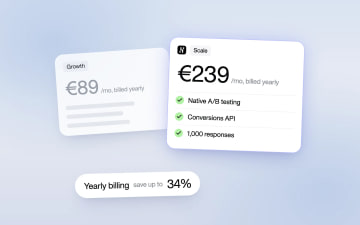
Heyflow Pricing Explained: Plans, Features and Limits
Heyflow plans start at €19 a month billed yearly and are priced by responses. This guide covers what each plan includes, what counts as a response, what happens at the limit, and a break-even method to check whether a higher plan pays for itself.
Read more