

How to Migrate Your Funnel or Form from involve.me to Heyflow







Trusted by 3,000+ marketers


You outgrew involve.me's quiz-and-nurture model the day paid traffic became your main channel, and now you're stuck mapping scoring logic and CRM fields by hand with no export button in sight. There is no direct import between the two platforms, but that is not the obstacle it looks like. The faster path rebuilds your funnel from scratch, with better tracking, in under an hour.
Key takeaways
involve.me relies on five client-side tracking pixels with no native server-side path to Meta or TikTok, capping Event Match Quality.
A/B testing, custom CSS and most tracking integrations sit behind involve.me's top-tier plan, while they ship standard elsewhere.
Exporting data isn't the hard part; your leads already live in your CRM, not the funnel tool.
Heyflow's MCP Server lets AI rebuild an involve.me funnel with native server-side tracking, validation and A/B testing already wired in, usually in under 45 minutes.
The short answer: there is no direct import, and that is not a problem
involve.me funnels cannot be exported and imported into Heyflow. No funnel builder offers a true cross-platform import, because the data models, logic engines and rendering layers are fundamentally different. Anyone promising a one-click transfer between quiz and funnel platforms is describing something that does not exist.
The route that actually works is faster than an import would have been. You connect the Heyflow MCP Server, point Claude, ChatGPT or Cursor at your existing involve.me funnel, and the AI analyzes the structure, writes a build prompt, and constructs the equivalent flow inside Heyflow. The funnel ships live with tracking, lead validation and compliance already wired in. A twelve-screen quiz funnel takes roughly 30 to 45 minutes, not the week of manual rebuilding most people budget for.
The more useful framing: a migration is the only moment you will get where rebuilding the funnel is already on the schedule. Copying your involve.me funnel screen-for-screen transplants its conversion ceiling along with its layout. The point is not to recreate it. The point is to end up with something that converts better.
What involve.me does well, stated plainly
You did not choose involve.me by accident. It is genuinely easy to use, and reviewers consistently rate it as simpler to set up and administer than heavier funnel platforms. Its interactive content depth is real: scored assessments, ROI and pricing calculators, product recommenders, answer routing, hidden fields, AI formula building. If your job is to build a quiz that feels good and routes people to an outcome page, involve.me does that well.
It also closes the loop. involve.me ships a built-in CRM and email automation, which means a team with no CRM and no ESP gets a working nurture journey out of one subscription. That consolidation has real value, and Heyflow does not replicate it in the same form. Heyflow connects to your CRM rather than being one.
The tension shows up when paid traffic becomes your primary acquisition channel. involve.me's center of gravity is the content experience and the follow-up journey. Heyflow's center of gravity is paid-traffic economics: the signal you send back to the ad platform, the leads you do not lose, and how fast sales touches them. Different products solving adjacent problems. If most of your funnel traffic arrives from Meta, TikTok or native ads, the migration case gets strong.
The three triggers that usually start this search
The attribution gap
Meta reports 40 leads. Your CRM shows 62. The difference is consent loss, Safari's cookie lifetime caps, and ad blockers eating client-side events. involve.me documents exactly five tracking integrations: Google Analytics, Meta Pixel, Google Tag Manager, TikTok Pixel and LinkedIn Insight Tag. All five are client-side tags. There is no native server-side path to Meta or TikTok, which means your Event Match Quality caps out structurally and the delivery algorithm optimizes against a partial, biased sample of your real conversions.
There is a second wrinkle. involve.me fires vendor-prefixed events to the Pixel: involve.me_ProjectLoaded, involve.me_ContactFormFilled, involve.me_ProjectCompleted and similar. These are custom events, not standard Meta events, so every conversion needs manual mapping in Events Manager and value parameters for qualified-lead optimization are not wired by default.
The plan gate
You wanted to A/B test and found out you cannot. involve.me's own help documentation shows the availability line for A/B testing as unavailable on Free, Start and Grow, available only on its highest standard tier (listed at $199 per month on monthly billing). Custom CSS sits behind the same gate. Tracking has its own ladder: custom events require a paid plan, Google Tag Manager requires the mid tier, and the TikTok Pixel and LinkedIn Insight Tag require the top standard tier. A TikTok buyer pays top-tier pricing to fire a basic pixel.
The A/B testing mechanic itself matters. involve.me's approach is duplicate-based: you duplicate the funnel and the copy becomes your variation. Two separate project objects you keep in sync by hand, with raw performance data and no documented significance calculation. Two numbers without a significance test is a coin flip with a dashboard.
The design ceiling
involve.me is fast inside its templates and limiting outside them. Layout flexibility and animation options run out, and brand-exact funnels for an enterprise client become hard without the top plan. Heyflow goes the other direction with 2,000+ style variables and 1,000+ Google Fonts, custom CSS from the Growth plan and custom JavaScript from the Scale plan, mobile-first rendering and PageSpeed 90+ by default.
A fourth trigger shows up in regulated verticals: procurement. involve.me holds SOC 2 Type 1, which attests the design of controls at a point in time. Heyflow carries SOC 2 Type II, which attests operating effectiveness over a period, plus ISO 27001, HIPAA with a signed BAA from the Scale plan, and GDPR with EU hosting available. For a US healthcare advertiser, the BAA is a hard gate, not a preference.
Phase 0: audit and baseline before you touch anything
This is the step everyone skips and the one that determines whether you can prove the migration worked. Budget 30 to 60 minutes.
Export your submission data. involve.me supports CSV and XLSX export from its entry paid tier. Pull everything as an archive. Your historical leads live in your CRM, not in the funnel tool, so this is a backup, not a lifeline.
Document the funnel structure. Screenshot every screen including conditional branches and outcome pages. Write down your scoring rules, your answer routing conditions, your hidden fields, and your required versus optional field map. Logic errors are invisible in screenshots and surface as broken routing after launch, so capture logic separately from design.
Document the tracking. Which Pixel IDs are active, which of the five involve.me tracking integrations are enabled, whether "track via parent" is switched on, and which custom conversions in Meta Events Manager map to involve.me's prefixed events. The "track via parent" setting deserves a specific look: if it is enabled and the embedding page has no tracking script, events are simply lost. That failure mode is a common source of "the funnel is live but Events Manager is empty."
Document the integrations. Which CRM, which fields map to which objects, which Zapier or Make scenarios sit in the lead path, and whether you have a Twilio account attached for OTP.
Pull a 30-day baseline. Conversion rate, cost per lead, lead volume, lead-to-qualified rate, and current Event Match Quality. Without this, you have a migration story and no evidence.
Phase 1: rebuild with the Heyflow MCP Server
The Heyflow MCP Server is a Model Context Protocol connection that lets Claude, ChatGPT or Cursor build and edit funnels directly inside Heyflow. Bring your own AI, Heyflow brings the conversions. The distinction from a generic AI page generator is that the output is a live funnel with tracking, lead validation and compliance already configured, not a static mockup you then have to wire up.
Connect MCP to your AI client, then feed it the audit from Phase 0: the screen inventory, the question logic, the scoring rules, the field map and a brand reference. The AI writes the build prompt and constructs the funnel. Through the same connection it can query conversion rates, per-screen drop-offs and benchmark comparisons from Heyflow's analytics, so later optimization requests are grounded in your actual data rather than guesswork.
Complex funnels are the easy case here. Branching logic, scoring and conditional outcomes are structured and machine-describable, which is exactly what MCP handles well. The slow part of a migration has never been building. It has always been QA.
Realistic time estimates: a simple five to eight screen lead funnel in 15 to 25 minutes, a twelve-screen quiz with scoring and multiple outcome paths in 30 to 45 minutes, a complex multi-branch qualification funnel with payments in one to two hours.
Refining with Heyflow AI
MCP is complementary to Heyflow AI, not a replacement for it. Three capabilities matter during a migration. Design Import matches your brand from a screenshot or a URL, so point it at your live involve.me funnel or your brand site and get visual parity in minutes. Edit on Prompt handles natural-language changes to the rebuilt flow. Flow Generation builds net-new screens, and it also generates standalone pages such as landing pages and advertorials, which matters if you ran involve.me landing pages alongside your quizzes.
Heyflow AI is trained on 150,000+ real funnels and $2B+ in tracked ad spend, which is why the output is performance-ready rather than a generic template. Fine-tune the result with the style variable system until it matches your CI exactly.
Translating involve.me concepts into Heyflow
involve.me | Heyflow equivalent | What you gain |
Quiz and funnel pages | Flow screens | 2,000+ style variables, 1,000+ Google Fonts, PageSpeed 90+ |
Scoring rules, AI Formula Builder | Formulas and calculations | Lead scoring and dynamic pricing in the same engine |
Answer routing, conditional logic | Conditional logic | Per-screen drop-off visibility on every branch |
Outcome pages | Conditional logic plus dynamic content | Partial submits capture people who never reach the outcome |
Built-in CRM | 50+ native CRM integrations | HubSpot, Salesforce, Pipedrive, Zoho, HighLevel, ActiveCampaign |
Email automation workflows | Automated response emails with custom SMTP, WhatsApp, Slack, CRM-side automation | Native WhatsApp for sub-minute speed-to-lead |
Payment pages | Native Stripe and Solidgate | Apple Pay and Google Pay as primary mobile checkout |
Analytics dashboard, AI Insights | Drop-off analytics per screen | Device-type filtering, UTM filtering, CVR over time, industry benchmarking |
A/B testing (top tier only, duplicate-based) | Native A/B testing (from the Scale plan) | Statistical significance calculation, one funnel object |
Custom CSS (top tier only) | Custom CSS, JS and HTML (CSS from Growth, JS from Scale) | Included two tiers below the top plan, full developer control |
OTP SMS via Twilio integration | Native SMS OTP plus native phone network validation | No third-party account, no separate per-SMS contract |
Five client-side tracking pixels | Six-platform native server-side tracking plus client-side pixels | Meta CAPI, TikTok Events API, OpenAI Ads, Bing, Taboola, Outbrain |
Be honest with yourself about two rows. involve.me's built-in CRM and its native email sequences do not have a one-to-one equivalent in Heyflow. If your entire nurture journey currently lives inside involve.me, you need a destination for it: HubSpot, ActiveCampaign, Brevo or whatever your sales team already uses. For most teams running paid traffic this is a correction rather than a loss, because leads should sit in the system of record anyway. For a very small team with no CRM at all, it is an extra tool to stand up. Plan for it in week one, not week six.
Phase 2: the tracking upgrade that pays for the migration
This is the part that changes your media economics, and it is the reason the migration is worth doing even if your current funnel converts acceptably.
Heyflow provides native server-side tracking for exactly six platforms: Meta Conversions API, TikTok Events API, OpenAI Ads, Bing/Microsoft Ads, Taboola and Outbrain. Setup is native configuration, not infrastructure, so you do not need a developer or a server-side GTM container.
Be clear about the boundary: Google Ads and LinkedIn tracking in Heyflow is client-side, pixel-based. It is not server-side and it is not CAPI. If Google Ads is your primary channel, the migration still buys you A/B testing, drop-off analytics, validation and design control, but the server-side argument does not apply to that channel.
Three implementation decisions during the cutover:
Map to standard events, not vendor-prefixed ones. Do not carry over involve.me_ProjectCompleted just because it exists. Map to Lead, CompleteRegistration and Purchase, and decide deliberately whether to recreate the old custom conversions for historical continuity or make a clean break. A clean break is usually right if you are also changing the funnel structure.
Verify deduplication. When browser and server events both fire, the platform needs matching identifiers to count one conversion instead of two. Heyflow handles this natively, but verify it in Events Manager test mode before you scale spend.
Turn on partial submits before the first paid click. Partial submits capture data as users type, so an abandoned session still produces a usable record and a trackable event. Every session that runs before you enable it is unrecoverable.
Watch Event Match Quality as your leading indicator. It moves within 72 hours. CPL takes two to three weeks to settle, so EMQ is the early signal that the migration is working. The mechanism is documented by the platforms themselves: Meta states that the Conversions API creates a direct connection between marketing data and Meta systems to improve targeting and decrease cost per action. Better signal means the algorithm optimizes against your real conversions instead of the 70 percent the browser survived, and that effect compounds.
Phase 3: lead quality and speed-to-lead
Budget 30 minutes. This is where the migration starts paying sales back rather than just marketing.
Phone network validation and SMS OTP are both native in Heyflow. That is the practical contrast with involve.me, where OTP SMS verification is a Twilio integration requiring your own Twilio account, Account SID, Auth Token and sender number. For a single funnel that is an afternoon of setup. For an agency rolling out across fifteen clients it is fifteen Twilio configurations, fifteen billing relationships and fifteen sub-processors to document in your GDPR records.
Turn validation on in week one, not week six. It changes your lead-quality metrics, so you want it inside the comparison window rather than after it. Expect raw submit volume to dip slightly and cost-per-qualified-lead to improve. Measure on CPQL, never on raw CPL, or validation will look like a regression.
Add email validation, and for US lead gen add TrustedForm and Jornaya/Verisk for consent documentation. Then re-point the lead path: 50+ native integrations covering HubSpot, Salesforce, Pipedrive, Zoho, HighLevel, ActiveCampaign, Google Sheets, Airtable and Monday.com, plus Zapier for 3,000+ apps, Make, advanced webhooks and a public API. Removing a Zapier hop from the lead path is itself a speed-to-lead improvement, because minutes-to-first-contact drives connect rates. Native WhatsApp and SMTP notifications close that gap further.
Phase 4: cutover without burning campaign budget
Never cut over cold. The protocol that protects live spend:
Run in parallel. Split paid traffic between old and new at the ad-set or campaign level, starting at 10 to 50 percent depending on volume. Keep the involve.me funnel live and serving.
Preserve UTM structure exactly. Same parameters, same naming, same casing. If UTMs change, your before-and-after comparison stops being valid and you lose the ability to prove the lift.
Define success criteria before you start. The new funnel ships fully when it matches or beats baseline on conversion rate and on lead quality, measured over enough volume to be meaningful. Write the rollback trigger down too: if conversion rate drops more than a defined threshold over a defined volume, you revert traffic and diagnose.
Phase the budget shift. A hard cutover can disrupt the learning phase. A gradual shift with stable event naming and consistent UTMs keeps disruption minimal.
Keep involve.me alive read-only for 60 days. One full attribution window plus one billing cycle. Cheap insurance against a field you forgot to map.
If you are migrating a portfolio, start with your second-highest-spend funnel. Material enough to prove the case to a client or a CFO, survivable if something wobbles.
Phase 5: the 30-day optimization sprint
The migration gets you parity. This is where the lift happens.
Week 1, read the data. Open drop-off analytics per screen and filter by device type. Mobile-specific breakage is invisible in blended reporting and is the single most common hidden conversion leak in funnels built from desktop previews. Filter by UTM to see whether a specific campaign is sending traffic that dies on a particular screen. Compare against industry benchmarks to know whether your 42 percent drop on the contact screen is normal or a problem.
Week 2, run your first real A/B test. Heyflow's native A/B testing includes statistical significance calculation, which is the difference between an experiment and a guess. Three tests that reliably produce signal: move your highest-drop-off qualifying question later in the sequence, reduce required fields on the contact screen, and build a mobile-specific layout for the screen with the biggest mobile-versus-desktop drop-off gap. One variable per test. The temptation after a rebuild is to change everything at once, which destroys attributability.
Week 3, tighten lead quality. Review what validation caught. Check your invalid-number rate before and after. Look at lead-to-qualified conversion in the CRM, not just submission volume.
Week 4, verify signal and document. Confirm server-side events are firing clean in Events Manager, check EMQ against your baseline, and screenshot the before-and-after on conversion rate, CPL and match quality. That document is what makes migration number two an easy approval.
For context on expected magnitude: Heyflow customers see a 24% average conversion increase, and the platform's working benchmark is doubling the conversion rate, an 80 percent plus lift, for example from 3 percent to 6 percent. At 20,000 monthly clicks and €10,000 in spend, moving from 3 percent to 6 percent converts 600 leads at €16.67 into 1,200 leads at €8.33, with no additional media budget. Even the conservative 24 percent case takes you to 744 leads and a CPL under €13.50.
What the switch costs, and who should make it
The money question is smaller than the search results make it look. Heyflow's LeadGen plans start at $29 per month (Starter, annual billing) with 50 responses per month, which is enough to explore the builder but not to run ad traffic through. The realistic entry point for a paid-traffic funnel is Growth at $99 per month (annual billing, 250 responses), which includes phone network validation, SMS OTP, payments, formulas, webhooks and custom CSS. Scale at $299 per month (annual billing, 1,000 responses) adds native A/B testing, the Meta and TikTok Conversions APIs and custom JavaScript. Enterprise starts at $1,100 per month. The MCP Server, Heyflow Pages and partial submits are included in every plan, and the 14-day free trial requires no credit card, so you can rebuild the funnel and start the parallel traffic test before you pay anything.
Set that against the plan you would be leaving. involve.me's highest standard tier is listed at $199 per month on monthly billing, and the features that usually trigger this search in the first place, A/B testing, custom CSS and the TikTok Pixel, sit behind exactly that gate.
The honest version of the decision:
Migrate if paid traffic is your primary acquisition channel. Meta, TikTok or native ads feeding an involve.me funnel means client-side-only tracking, and every point of Event Match Quality you cannot recover is budget the algorithm wastes on a partial sample. Add the trigger list: the plan gate blocking A/B tests, a regulated vertical that needs a BAA, or an agency rolling OTP verification across a portfolio of clients.
Stay if the funnel is doing its job without paid spend. An embedded quiz feeding an organic page, a team with no CRM where the built-in one is the entire nurture stack, a content experience nobody complains about: none of the three triggers apply, and a migration would be a solution looking for a problem. involve.me is a good product for that job. The case for moving was never that it is not.
The bottom line
There is no import, and you do not need one. The rebuild is an afternoon, not a week: audit and baseline in under an hour, the funnel itself back up in 30 to 45 minutes through the MCP Server, tracking mapped to standard events, validation on before the first paid click. What you get back is the part involve.me cannot give you, which is a complete signal path from ad platform to CRM, a testing engine that calculates significance instead of comparing two dashboards, and a funnel that was rebuilt on purpose rather than copied. The migration is the one moment where rebuilding is already on the schedule. Use it to end up with something that converts better, not with a pixel copy of what you had. Heyflow is built for exactly that job, with 2,500+ brands in over 60 countries running paid traffic through it.
Try Heyflow for freeFrequently asked questions
Can I export my involve.me funnel and import it into Heyflow?
No. There is no direct export-import path between involve.me and Heyflow, because the two platforms use different data models and logic engines. You can export your submission data from involve.me as CSV or XLSX for archiving, but the funnel itself is rebuilt. Using the Heyflow MCP Server with Claude, ChatGPT or Cursor, a twelve-screen quiz funnel typically takes 30 to 45 minutes to rebuild.
Will I lose my existing leads?
No. Your historical leads live in your CRM, not in the funnel tool. Export your involve.me submissions as a backup archive, then re-point the Heyflow integration to the same CRM objects and fields. Keep the involve.me account alive read-only for 60 days, one attribution window plus one billing cycle, before cancelling.
Does Heyflow support server-side tracking for Google Ads?
No. Heyflow's native server-side tracking covers six platforms: Meta Conversions API, TikTok Events API, OpenAI Ads, Bing/Microsoft Ads, Taboola and Outbrain. Google Ads and LinkedIn tracking in Heyflow is client-side and pixel-based, not server-side and not CAPI. If Google Ads is your main channel, the migration still delivers A/B testing, drop-off analytics, validation and design control.
Will migrating reset my Meta learning phase?
Only if you cut over hard. Run both funnels in parallel with a traffic split, keep UTM parameters identical, and shift budget gradually once the new funnel matches or beats your baseline. Phased migration with stable event naming keeps learning-phase disruption minimal.
Does Heyflow replace involve.me's built-in CRM and email automation?
Not in the same form. Heyflow connects to your CRM rather than being one, with 50+ native integrations including HubSpot, Salesforce, Pipedrive, Zoho, HighLevel and ActiveCampaign, plus automated response emails with custom SMTP, WhatsApp and Slack notifications. If your entire nurture journey currently lives inside involve.me, plan the destination system before you cut over.
Is A/B testing included, or do I need a higher plan?
Native A/B testing with statistical significance calculation is included from Heyflow's Scale plan. Custom CSS and advanced webhooks are included from the Growth plan at $99 per month (annual billing). involve.me's help documentation shows A/B testing as unavailable on its Free, Start and Grow tiers and available only on its highest standard plan, which is listed at $199 per month on monthly billing.
Is Heyflow HIPAA compliant?
Heyflow supports HIPAA compliance with a signed BAA from the Scale plan, with no Enterprise contract required. The wider compliance stack includes SOC 2 Type II, ISO 27001 and GDPR with EU hosting available. involve.me holds SOC 2 Type 1, which attests the design of controls at a point in time rather than their operating effectiveness over a period.
Recommended articles
The 5 Best AI Quiz Funnel Builders for Mortgage Lead Generation
Compare the 5 best AI quiz funnel builders for mortgage lead generation: AI features, lead qualification, tracking, compliance, and pricing.
Read more
Best AI Quiz Funnel Builders for CRM Software
Static demo forms can't qualify leads. Compare the 4 best AI quiz funnel builders for CRM software on AI depth, integrations, and pricing.
Read more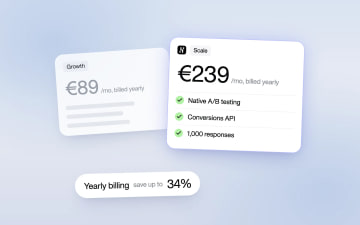
Heyflow Pricing Explained: Plans, Features and Limits
Heyflow plans start at €19 a month billed yearly and are priced by responses. This guide covers what each plan includes, what counts as a response, what happens at the limit, and a break-even method to check whether a higher plan pays for itself.
Read more