
How to Migrate Your Funnel or Form from Jotform to Heyflow







Trusted by 3,000+ marketers


You have a Jotform funnel burning ad spend, and you just discovered there is no export button that carries your conditional logic, tracking setup, or styling to a new platform. Migrating from Jotform to Heyflow is not a file transfer, it is a rebuild, and how you rebuild determines whether your CPL improves or just moves.
Key takeaways
Jotform forms cannot be imported into Heyflow; no file bridge exists, so structure and logic must be rebuilt manually or with AI.
Jotform's Facebook Pixel tracking runs client-side only, and support confirms adblockers can prevent it from capturing data entirely.
Jotform has no native A/B testing and no per-screen drop-off analytics, leaving most conversion leaks undiagnosed.
Heyflow's MCP connection lets AI assistants rebuild a Jotform funnel with server-side tracking, logic, and validation wired in from launch.
Can You Import a Jotform Form Into Heyflow?
No. Jotform forms cannot be imported directly into Heyflow, and no file-based bridge exists between the two platforms. Jotform support has confirmed there is no way to export a form along with its conditions into a file, and Jotform's own transfer feature only works account-to-account inside Jotform, with additional restrictions for HIPAA-enabled accounts and cross-region transfers.
What you can export from Jotform is your submission data, as CSV, Excel, PDF or JSON, plus whatever already lives in your CRM. The form structure, the conditional logic, the styling and the tracking configuration do not travel. You rebuild those.
If you have read a forum answer claiming Jotform offers an import tool that reconstructs forms "along with their associated settings and data" from an uploaded file, that is a user-posted answer contradicting official Jotform support. Do not plan a migration around it.
Here is the part most migration guides would apologize for and shouldn't: a one-click importer would have faithfully cloned a form that was never built to convert paid traffic. Same client-side pixel. Same absence of A/B testing. Same zero visibility into which screen loses people. The rebuild is where the lift comes from, and with the Heyflow MCP connection it takes hours, not weeks.
What transfers and what doesn't
Asset | Transfers? | How |
Historical submissions | Yes | Jotform CSV/Excel/JSON export, or your CRM, which remains the system of record |
Form structure and screens | No | Rebuilt via Heyflow MCP or Heyflow AI |
Conditional logic | No | Audited and rebuilt as AND/OR rules in Heyflow's logic map |
Styling and branding | No | Design Import matches your brand from a screenshot or URL |
CRM and automation connections | Reconnected | 50+ native integrations, Zapier, Make, webhooks, public API |
Embed placements | Replaced | Heyflow embeds as a web component, not an iframe |
Tracking setup | Rebuilt and upgraded | Server-side for six platforms, client-side pixel for Google Ads and LinkedIn |
Custom domain | Repointed | Custom domains with SSL in Heyflow |
Before You Migrate: The Eight-Point Audit
1. Inventory your live funnels by ad spend. Not all Jotform forms deserve migration. Rank them by monthly media spend behind them. The highest-spend funnel moves first, because that is where the signal arrives fastest and the payback is clearest.
2. Record your baseline CVR and CPL per funnel. Jotform's Form Analytics gives you form views and submissions, which is an aggregate conversion rate. Write it down. It is the only "before" number you will have, because Jotform does not expose per-screen drop-off.
3. Map every conditional logic rule. Open each form and transcribe the conditions. This is the single most underestimated task in any migration, and it is also where you will find dead branches that accumulated over two years of edits. Delete them now rather than porting them.
4. List integrations and field mappings. Which CRM fields receive which form fields? Which Zaps fire on submission? Which webhooks exist? Note each one, including the Zaps you built specifically to work around a missing native feature, because several of them will be replaced by a native connection on the other side.
5. Find every embed location. Landing pages, WordPress posts, Webflow sites, email links, QR codes on offline assets. Each needs a replacement or a redirect.
6. Document your current tracking. Which Facebook Pixel widget events are configured? Which custom conversions in Ads Manager are defined on a post-submission URL? Jotform support's documented approach for granular tracking is to create a custom conversion based on the landing URL after submission, which means those definitions break the moment the thank-you URL changes. Plan explicit replacements.
7. List your validation dependencies. If you run phone verification, you are running Jotform's SMS Confirmation widget, which requires your own Twilio account with SID, Auth Token and a Twilio-enabled number. Note the monthly Twilio spend. It is part of your current total cost.
8. Confirm compliance requirements. HIPAA, GDPR, EU data residency, TCPA consent documentation. Decide the plan tier before you build, not after.
The Migration: Three Paths
Path A: Heyflow MCP, the fastest route for most teams
The Heyflow MCP Server is a Model Context Protocol connection that lets Claude, ChatGPT or Cursor build and edit funnels directly inside Heyflow. For a migration, the workflow is straightforward: point your AI assistant at the existing Jotform funnel, have it analyze the screen sequence, field types and logic branches, then have it generate and execute a prompt that builds the equivalent funnel in Heyflow.
The important difference from a generic AI build: the funnel ships live with tracking, lead validation and compliance already wired in. You are not getting a wireframe you then have to instrument. The positioning is literal, bring your own AI, Heyflow brings the conversions.
MCP is also the diagnostic layer after launch. Through the same connection, your AI can query conversion rates, per-screen drop-offs and benchmark comparisons from Heyflow's analytics. The assistant that built the funnel is the one that later tells you which screen is leaking.
Two honest boundaries. First, integrations still need to be added inside the Heyflow app, they are not configured through the MCP connector. Second, MCP does not replace Heyflow AI, the two are complementary. Use whichever is faster for the task in front of you.
Path B: Heyflow AI
If you would rather work inside the platform, Heyflow AI covers the same ground. Flow Generation builds a performance-ready funnel from a text prompt with tracking and logic intact, not a generic template. Edit on Prompt refines an existing flow in natural language. Design Import matches your brand from a screenshot or a URL, which is the fastest way to carry your Jotform form's visual identity across without rebuilding a style sheet by hand.
Heyflow AI is trained on 150,000+ real funnels and $2B+ in tracked ad spend, so the screen architecture it proposes reflects what converts on paid traffic rather than what a generic template library contains. It also generates standalone pages, landing pages and advertorials, which matters if your Jotform form currently sits embedded on a page you also want to improve.
Path C: Manual rebuild
For a single high-stakes funnel where design fidelity is non-negotiable, build it by hand. Heyflow gives you 2,000+ style variables and 1,000+ Google Fonts, mobile-first by default, with PageSpeed 90+ as the baseline rather than something you chase afterwards. This is slower, but it is the right call when the funnel is the brand's primary paid entry point.
Choosing a path
Situation | Recommended path |
One to three funnels, standard lead gen | MCP or Heyflow AI, whichever your team already uses |
Agency migrating 10+ client funnels | MCP, because the process is scriptable and repeatable |
Complex logic with many branches | MCP, the AI reads structure faster than a human transcribes it |
Flagship funnel, pixel-perfect design requirement | Manual build, with Design Import to set the brand foundation |
Rewiring the Stack: Integrations, Embeds, Domains
Most Jotform estates in a paid-media team are held together by Zapier. That is the layer that shrinks most on migration. Heyflow ships 50+ native integrations including HubSpot, Salesforce, Pipedrive, Zoho, HighLevel, ActiveCampaign, Google Sheets, Airtable and Monday.com, plus Zapier for 3,000+ apps, Make, webhooks and a public API for anything long-tail. Work through your audit list and replace every Zap you can with a native connection. You remove a per-task cost and a latency step at the same time. The full integration and automation layer is worth mapping before you build rather than after.
On embedding, Heyflow uses a web component rather than an iframe, in Webflow, WordPress, Wix, Squarespace, Unbounce and Instapage. This is not a cosmetic difference. Iframe boundaries are where styling drifts and where cross-frame tracking breaks, which is the root cause of several of the pixel workarounds documented in Jotform's own support archive. A web component inherits the page context, so your pixel and your CSS both behave.
Custom domains with SSL handle the URL question. Point the new flow at the same subdomain you used for the Jotform embed where possible, or set a 301 from the old Jotform URL so any offline asset, email link or QR code keeps working through the transition.
One specific field-mapping instruction: make sure utm_source, utm_campaign and utm_content land on the CRM lead record, not just in your analytics. That chain is what later lets you feed sales-qualified-lead data back to Meta as the optimization signal. Design it during the migration. Nobody ever retrofits it.
Tracking Migration: The Part That Actually Changes Your CPL
This is the section that justifies the whole project, so be precise about what changes.
Jotform's documented path for Meta conversion tracking is the Facebook Pixel widget, which runs client-side. Jotform's own help documentation carries the caveat: adblockers can block the pixel from capturing and sending data, and tracking may be impossible for users who have them installed. Anything beyond that, including server-side delivery to the Conversions API, happens outside Jotform, typically via a Zapier relay.
That relay is where attribution quietly degrades. A Zapier-mediated CAPI event is delayed by the automation's polling, usually lacks a shared event_id with the browser pixel so deduplication breaks, and carries only the fields the Zap happens to map rather than the full hashed identifier set plus fbc and fbp click IDs. Meta's own guidance is explicit that higher matching quality produces better results, and Event Match Quality is visible per event in Events Manager. A relay suppresses exactly that metric.
What Heyflow sends where
Heyflow sends conversion events server-side to six platforms: Meta Conversions API, TikTok Events API, OpenAI Ads, Bing/Microsoft Ads, Taboola and Outbrain. Google Ads and LinkedIn are supported client-side via pixel, not server-side and not CAPI. Say that out loud to whoever signs off on the migration, because a vendor who blurs the line is a vendor you will discover the truth about later.
The Taboola and Outbrain coverage is worth flagging separately if you run native advertising traffic. Server-side delivery to native platforms is rare, and native traffic is exactly the kind that client-side pixels lose most of.
The cutover sequence
Build the Heyflow funnel and publish it on a test domain. Keep event names identical to the custom conversions you already have defined in Ads Manager, so you are not asking Meta to learn a new event on top of a new landing experience. Fire test events and confirm in Events Manager that they arrive, deduplicate correctly against the browser pixel, and carry the identifier set you expect.
Then split traffic at campaign level, not ad set level, so each campaign keeps a clean learning signal. Run both funnels in parallel until Heyflow's native A/B testing reaches statistical significance rather than until a date on a calendar. Then cut over, redirect the old URL and archive the Jotform form read-only.
One warning for the re-baselining conversation with your leadership. Reported conversions often go up on migration day, sometimes noticeably, because events previously lost to ad blockers and iOS restrictions now reach the platform. That is signal recovery, not a data error, and it means your "before" and "after" CPL are not measured on the same basis. Note it in writing before anyone misreads it.
What Your Funnel Can Do Now That It Couldn't
Parity is a waste of a migration. These are the capabilities that have no Jotform equivalent, or only a workaround.
Native A/B testing with statistical significance
Jotform does not offer native A/B testing. The common workaround is duplicating a form and splitting traffic manually, which gives you no randomisation integrity and no significance calculation. You are reading noise and calling it a result. Heyflow runs per-screen tests with significance calculated for you, which turns the post-migration period into a continuous optimization loop rather than a one-off project.
Drop-off analytics per screen
Jotform's Form Analytics reports form views and submissions. That is one aggregate conversion rate and no diagnosis. Heyflow shows drop-off per screen, filterable by device type so you can separate mobile from desktop behaviour, by UTM so you can see which campaign brings the traffic that abandons, plus CVR over time and industry benchmarking. On a paid lead gen funnel this is usually where the first 20% of lift hides, in one specific screen nobody suspected.
Phone network validation and SMS OTP, both native
Jotform's documented answer for phone verification is Twilio, and support has stated plainly that there is no method besides Twilio to verify a phone number on a Jotform form. Heyflow has both phone network validation (Twilio, native) and SMS OTP verification natively, with no separate vendor account to administer.
The second-order effect matters more than the sales-ops one. A hashed fake phone number matches nothing when it reaches Meta. Validating the number in-funnel, before it is counted as a lead, means the identifiers you send server-side are real and reachable. Lead validation is a tracking feature, not just a lead-quality feature, and almost nobody frames it that way.
Partial submits
Jotform's unit of data is the submission. If someone abandons on screen four, you have nothing. Heyflow captures data as users type, so a visitor who entered an email on screen three and left on screen five is a known, addressable record: a retargeting audience, a callback list and a drop-off diagnosis, all from traffic you already paid for.
Logic, variables and real-time calculations
Advanced conditional logic with AND/OR rules, a visual logic map, variables and real-time calculations let you build lead scoring, ROI calculators and indicative pricing directly in the flow. The practical use in a lead gen funnel is firing the conversion event only on scored, qualified leads, so Meta optimizes toward the leads your sales team actually wants. Combine that with a properly sequenced multi-step structure where qualifying questions come before PII, and you have changed what the funnel does, not just how it looks.
Speed to lead
Automated response emails with custom SMTP, plus WhatsApp and Slack notifications, cut the latency between submission and first contact from Zapier-minutes to seconds. In insurance, solar and real estate that latency drives contact rate, which drives qualified-lead rate, which is the signal you feed back to the ad platform.
The aggregate effect across the Heyflow base is a 24% average conversion increase, with the platform's core benchmark being a doubling of the conversion rate, at minimum an 80% lift, for example from 3% to 6%. On €50,000 of monthly spend at a €2.00 CPC, moving from 3% to 6% takes you from 750 leads at a €66.67 CPL to 1,500 leads at €33.33, with no change in media budget. Start for free and build the first funnel before you commit the estate.
Compliance Continuity, and Who Should Not Migrate
Heyflow is SOC 2 Type II and ISO 27001 certified, GDPR-compliant with EU hosting available, and HIPAA-compliant with a signed BAA from the Scale plan. No Enterprise contract is required for the BAA.
That matters most for the healthcare cohort, because Jotform's HIPAA capability is real but gated. Jotform's own documentation states the HIPAA compliance feature is available only with the Gold plan or Enterprise. The sharper problem for a marketing team is what happens after you enable it: Jotform's upgrade wizard reviews your forms and will only allow certain widgets and integrations. For a paid-media team, the widgets and integrations being stripped out may be precisely your tracking stack. Jotform also blocks transfers to or from HIPAA-enabled accounts, which is why that segment ends up structurally stuck.
For US lead buyers, Heyflow supports TrustedForm and Jornaya/Verisk for TCPA consent documentation, which has no Jotform equivalent.
Which forms should stay on Jotform
Be honest about scope. Jotform is a genuinely strong general-purpose form builder: document collection, internal intake, approval workflows, e-signatures, PDF generation, Tables and Apps. It offers a generous free tier and broad template coverage. If a form has no ad budget behind it and no conversion rate anyone is accountable for, migrating it adds work and produces zero return.
The split is clean. Funnels with paid traffic behind them move. Internal forms stay. An agency migrating a client estate should apply that filter first and will usually find the migration is a third the size it looked.
Your First 30 Days After Cutover
Week 1, verify. Confirm server-side events arrive in Events Manager for every platform you run, check deduplication against the browser pixel, confirm CRM writes with UTMs attached, and submit a test lead through every branch of your conditional logic. Do not skip the branch testing. Migrated logic is where errors hide.
Week 2, diagnose. Open drop-off analytics and filter by device. Mobile and desktop almost always leak at different screens, and if 80% of your Meta and TikTok traffic is mobile, the mobile view is the real view. Identify the single worst screen. Through MCP, you can ask your AI assistant to pull this directly and compare it against industry benchmarks.
Weeks 3 and 4, test. Run your first native A/B test on that screen. Change one thing: question order, field count, copy, or whether the screen exists at all. Run it to statistical significance, roughly two weeks of traffic on most lead gen volumes, then ship the winner and move to the next-worst screen.
Repeat that loop. The migration was the precondition. The loop is the product, and it is the reason the 24% average conversion increase is a floor rather than a ceiling for teams who keep running it. If you are managing this across multiple client accounts, the same loop is what makes lead gen at agency scale repeatable rather than bespoke per client.
Try Heyflow for freeFrequently Asked Questions
Can I import a Jotform form into Heyflow?
No. There is no importer, no file bridge and no API path that reconstructs a Jotform form inside Heyflow. Jotform support confirms there is no way to export a form along with its conditions into a file, so the structure has to be rebuilt. The practical route is Heyflow MCP, where Claude, ChatGPT or Cursor analyzes the existing funnel and builds the Heyflow equivalent for you.
What happens to my existing Jotform submissions?
Nothing. Historical submissions stay in Jotform and can be exported as CSV, Excel, PDF or JSON, or transferred to Google Sheets or Airtable. Your CRM remains the system of record for lead history. Migrating your funnel does not delete anything, so keep the Jotform account read-only for an archive period if you want a safety net.
Will my Meta ad tracking break during the migration?
Not if you sequence it properly. Keep the event names in Heyflow identical to the custom conversions already defined in Ads Manager, verify test events deduplicate correctly in Events Manager before you send real traffic, and split traffic at campaign level rather than ad set level so each campaign keeps a clean learning signal. Expect reported conversion volume to rise after cutover, because server-side events reach Meta that a client-side pixel was losing to ad blockers and iOS restrictions.
Which platforms does Heyflow track server-side?
Six: Meta Conversions API, TikTok Events API, OpenAI Ads, Bing/Microsoft Ads, Taboola and Outbrain. Google Ads and LinkedIn are tracked client-side via pixel, not server-side and not CAPI. If server-side delivery to Google Ads is a hard requirement for your setup, factor that in before you plan the migration.
How long does migrating one funnel take?
Budget half a day for the audit and a few hours for the rebuild if you use MCP or Heyflow AI, then a parallel-run window determined by how long your traffic volume needs to reach statistical significance in the A/B test, typically around two weeks. Agencies migrating multiple client funnels find the per-funnel time drops sharply after the first two, because the MCP prompt pattern is reusable.
Does Heyflow support HIPAA, and on which plan?
Heyflow offers HIPAA compliance with a signed BAA from the Scale plan, with no Enterprise contract required. The full compliance stack is SOC 2 Type II, ISO 27001, HIPAA with a signed BAA from Scale, and GDPR with EU hosting available. Jotform's HIPAA features require a Gold or Enterprise plan, and enabling them restricts which widgets and integrations you can use.
Should I migrate all my Jotform forms?
No. Migrate the funnels with ad spend behind them. Internal intake forms, approval workflows, e-signature processes and document collection are things Jotform does well, and moving them adds work without improving any conversion rate. Get started with your highest-spend funnel first, measure it, then decide what else is worth moving.
Recommended articles
The 5 Best AI Quiz Funnel Builders for Mortgage Lead Generation
Compare the 5 best AI quiz funnel builders for mortgage lead generation: AI features, lead qualification, tracking, compliance, and pricing.
Read more
Best AI Quiz Funnel Builders for CRM Software
Static demo forms can't qualify leads. Compare the 4 best AI quiz funnel builders for CRM software on AI depth, integrations, and pricing.
Read more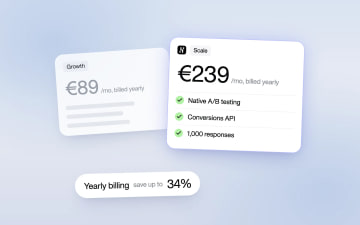
Heyflow Pricing Explained: Plans, Features and Limits
Heyflow plans start at €19 a month billed yearly and are priced by responses. This guide covers what each plan includes, what counts as a response, what happens at the limit, and a break-even method to check whether a higher plan pays for itself.
Read more