

How to Migrate Your Funnel or Form from Leadpages to Heyflow







Trusted by 3,000+ marketers


Your Leadpages page converts fine on its own, but there's no export button, no import path, and no way to carry over the single-page architecture you've outgrown. Migrating to Heyflow isn't a copy-paste job, it's a rebuild into a multi-step funnel with logic, validation, and server-side tracking baked in. Here's how to do it without losing a single lead or a day of ad spend.
Key takeaways
Leadpages pages can't be imported into Heyflow; the migration path is an AI-assisted rebuild using MCP or Heyflow AI with Design Import.
Replicating a single-page form one-to-one just reproduces its conversion rate, the real gain comes from re-sequencing fields and adding qualification logic.
Leadpages tracks conversions via browser pixel, while Heyflow sends events server-side natively to six ad platforms, directly lifting Event Match Quality.
Heyflow lets you embed a funnel into your existing Leadpages page as a web component, turning the migration into a controlled test instead of a risky cutover.
Can you import a Leadpages page into Heyflow?
No. Leadpages pages cannot be imported directly into Heyflow, and there is no export file that carries over. The migration path is an AI-assisted rebuild: either use the Heyflow MCP integration to have Claude, ChatGPT, or Cursor analyze your live Leadpages URL and generate a build prompt, or use Heyflow AI to generate the funnel from a text prompt, with Design Import matching your brand from a screenshot or a URL.
That sounds like a drawback until you look at what an automatic import would actually copy over: a single-page architecture. Leadpages builds landing pages. Heyflow builds the multi-step funnel behind them, with qualification logic, routing, and validation. A one-to-one import would replicate exactly the thing you are migrating away from, and it would replicate its conversion rate with it.
There is also a third path that most people miss. Your existing Leadpages page can stay live and embed a Heyflow funnel as a web component, not an iframe. That turns the migration from a rip-and-replace into a controlled test you can run alongside your current setup.
What Leadpages does well, and where the architecture runs out
Leadpages is a competent landing page and page-level conversion tool. It has no traffic caps on any plan, it ships native A/B testing with statistical significance calculation from its entry paid tier, it assigns test variants server-side so there is no flicker before the variant renders, it offers click and scroll heatmaps and Smart Traffic routing on its mid tier, and it generates a brand kit automatically from your website URL. If your job is to publish a single high-converting page and test headline variants on it, that stack holds up.
The gap opens the moment the page is not the whole job. Leadpages optimizes a page. Paid campaigns in 2026 are won at two other layers: the funnel behind the click, and the signal you send back to the ad platform. A landing page builder structurally cannot touch either.
Capability | Leadpages | Heyflow |
Multi-step funnels | Landing pages only | Yes, screen-by-screen funnel building |
Conditional logic, variables, real-time calculations | No conditional logic | AND/OR rules, logic map, lead scoring, ROI and premium calculators |
A/B testing with statistical significance | Yes, page variants | Yes, funnel variants including screen order and logic paths |
Analytics granularity | Page-level, heatmaps on mid tier | Per-screen drop-off, device-type and UTM filtering, CVR over time, industry benchmarks |
Phone network validation + SMS OTP | Not offered | Both, natively |
Partial submits | Not offered | Data captured as users type, even on abandonment |
Server-side conversion tracking | Browser pixel pasted into head/body fields | Native server-side for Meta Conversions API, TikTok Events API, OpenAI Ads, Bing/Microsoft Ads, Taboola, Outbrain |
HIPAA | Not offered | With a signed BAA from the Scale plan, no Enterprise contract required |
One distinction worth being precise about, because sophisticated readers will check it: Leadpages' server-side variant assignment is server-side rendering. It decides which version of the page to show before paint. It is not server-side conversion tracking, which is sending hashed conversion events server-to-server to the ad platform. Those are different layers and they solve different problems. Heyflow does the second one natively for six platforms.
Before you migrate: the four-point baseline audit
Do this in the week before you build anything. Teams that skip it end up arguing about whether the migration worked instead of proving it.
Record your baseline. Screenshot your current conversion rate, CPL, cost per qualified lead, lead-to-sale rate, time from submit to first contact, and your Event Match Quality score per event in Meta Events Manager. EMQ is the single most useful before-and-after number you have, because it is scored 0 to 10 by Meta itself and it will move when your tracking architecture changes. A Lead event sitting in the low-to-mid range on a pixel-only setup has a structural ceiling that no amount of page redesign fixes.
Export your leads and confirm the system of record. Pull everything out of Leadpages to CSV. Your CRM is the system of record, not the page builder, which means historical lead data is not at risk in this migration. Only the capture layer changes.
Inventory every pixel and every integration. Leadpages requires tracking code to be pasted into head and body fields per page, and the Facebook pixel per page or pop-up. Across a portfolio, drift is inevitable. Agencies routinely find stale pixel IDs, duplicated events, and pages with no tracking at all. This audit alone often explains CPL anomalies you have been blaming on creative.
Map the hidden funnel. Ask sales what they actually ask on the first call. Those questions are your qualification screens. They already exist in your process, they are just happening on the phone, after you have paid full price for the lead.
Three migration routes, and which one is yours
Route 1: The Heyflow MCP route (best if you work with an AI assistant)
The Heyflow MCP Server is a Model Context Protocol connection that lets Claude, ChatGPT, or Cursor build and edit funnels directly inside Heyflow. For a migration, the workflow is: point your assistant at the live Leadpages URL, have it analyze the structure, copy, offer, and form fields, then have it generate and execute the build inside Heyflow. The funnel ships live with tracking, lead validation, and compliance already wired in.
A prompt shape that works: "Analyze this landing page at [URL]. Extract the headline, subheadline, value propositions, social proof, and every form field with its validation rules. Then build a Heyflow funnel that splits those form fields across a multi-step sequence: lowest-friction qualification question first, contact details last, phone number on its own screen with network validation. Keep the brand and copy consistent with the source page."
The part that makes MCP more than a build shortcut: through the same connection, your AI can query conversion rates, per-screen drop-offs, and benchmark comparisons from Heyflow's analytics. The agent that builds the funnel can also read how it performs and propose the next change. Bring your own AI, Heyflow brings the conversions.
Route 2: Heyflow AI from a prompt (best for speed)
Flow Generation builds a performance-ready funnel from a text prompt, not a generic template. Heyflow AI is trained on 150,000+ real funnels and $2B+ in tracked ad spend, so what comes out has tracking and logic intact. Run Design Import against your current Leadpages URL or a screenshot, and the AI matches your brand automatically, which ends the internal debate about button radius before it starts. Then use Edit on Prompt to refine in natural language. The first draft takes minutes. Heyflow AI also generates standalone pages, so if part of your Leadpages portfolio is advertorials or pre-sell pages, those come along too.
Route 3: Gradual, embed before you replace (the recommended default)
Keep the Leadpages page live. Embed the Heyflow funnel into it as a web component, not an iframe, so it inherits the page context and loads clean. You now have the old page and the new funnel architecture running in the same environment, and you can decide on data rather than on nerve.
This is the route that removes almost all migration risk, and it is the one nobody writes about. You are not betting a campaign on a rebuild. You are A/B testing the architecture itself, with the page as the control.
The cutover runbook
Six steps, in this order. Tracking first, URL change last.
1. Do not move the ad URL on day one. Duplicate one ad set, point it at the Heyflow funnel, match the budget, creative, and audience. One campaign, not all of them, and pick a high-volume mid-performing one rather than your best. You want a clean read, not a hero test.
2. Get deduplication right before you spend. Server-side and browser events must share identical event_name and event_id parameters, or Meta counts the same conversion twice and your reporting becomes fiction. Verify in Events Manager Test Events before any budget goes live. This is the single most common migration implementation error.
3. Connect the six server-side platforms. Heyflow sends conversion events server-side natively to Meta Conversions API, TikTok Events API, OpenAI Ads, Bing/Microsoft Ads, Taboola, and Outbrain. Google Ads and LinkedIn tracking at Heyflow is client-side via pixel, not server-side and not CAPI. If your spend is LinkedIn-heavy B2B, know that before you migrate, not after.
4. Check EMQ after 48 hours of live traffic. If your Lead event has not moved meaningfully above the pixel-only baseline, your identifier mapping is wrong, and it is usually a phone field that is unhashed or wrongly formatted. Meta's own published benchmark for Event Match Quality sits around 6 out of 10, with above 8 considered strong.
5. Preserve UTMs across every screen. They need to survive each transition and land in both the CRM record and the server-side event. Broken UTMs mid-funnel are the quietest migration failure there is, because nothing errors, the attribution just goes blank.
6. Fix speed-to-lead at cutover, not later. The typical Leadpages chain is page, email lead notification, Zapier poll, CRM, rep assignment, which commonly runs 10 to 45 minutes. Heyflow fires automated response emails via custom SMTP, WhatsApp messages, and Slack notifications in seconds. In solar, insurance, and real estate, removing that email-to-Zapier chain is often worth more than any design change in the migration.
Then 301-redirect the retired Leadpages URLs instead of deleting them. Old ads, emails, QR codes, and partner links outlive everyone's expectations.
Don't rebuild. Upgrade.
A migration is the only time you get free permission to change the architecture. Replicating the old page one-to-one is the single most reliable way to produce zero lift.
The structural changes that actually move numbers, in order of leverage:
Re-sequence the fields. An eight-field form on one screen asks for everything at the moment of lowest commitment. Split it: a low-friction, high-commitment qualification question first (insurance type, property type, homeowner status), contact details last, phone number on its own screen with network validation. This is impossible on a single-page form and it is the highest-leverage change in the entire migration. Our guide to building multi-step forms covers the sequencing logic in detail.
Add qualification and routing. Conditional logic with AND/OR rules, a visual logic map, variables, and real-time calculations let you score leads as they move and route high-value profiles to an immediate booking screen while lower-intent ones go to nurture. Real-time calculations also give people a reason to finish: an indicative premium range, a savings estimate, an ROI figure.
Turn on partial submits from day one. Data is captured as users type, even if they abandon. You cannot retroactively collect abandonment data, so enable it before launch. One honest caveat: capturing data before an explicit submit has consent implications, particularly under GDPR, so make sure your privacy notice and consent design cover it. A German DPO will ask about this first.
Validate at the point of entry. Phone network validation plus SMS OTP natively, email validation, and TrustedForm and Jornaya/Verisk for US lead compliance. Phone validation does double duty here, and this is the part almost nobody connects: a validated, correctly hashed phone number is an extra identifier in your server-side conversion event, which lifts Event Match Quality, which improves delivery. You clean the list and improve ad performance with the same change.
The warning that saves migrations
Adding qualification screens usually lowers your raw submit rate and raises your qualified-lead rate. If your team only watches CPL, they will panic in week two and revert a funnel that is working.
Run the arithmetic before you launch. Say you are at 500 leads a month at €40 CPL on €20,000 of spend, with 20% qualifying: that is 100 qualified leads at €200 each. Add three qualification screens, volume drops 25% to 375 leads and CPL rises to €53, but qualification climbs to 45%: that is 169 qualified leads at €118 each. CPL went up 33%. Cost per qualified lead fell 41%. Qualified volume rose 69%.
Redefine your success metric as cost per qualified lead before migration day, and get your Head of Marketing to agree to it in writing. This one decision is worth more than any feature in this article.
Reconnecting your CRM and lead flow
Your integrations are re-pointed, not rebuilt. Heyflow has 50+ native integrations including HubSpot, Salesforce, Pipedrive, Zoho, HighLevel, ActiveCampaign, Google Sheets, Airtable, and Monday.com, plus Zapier with 3,000+ apps, Make, webhooks, and a public API. Because Leadpages supports webhooks on every plan, you can run both feeds in parallel during the overlap period and reconcile records before you switch off the old path.
Two things to do while you are in there. Map your fields deliberately rather than copying the old schema, because your funnel now produces qualification data and lead scores that your old form never captured, and those belong in CRM fields your sales team can filter on. And once you have 30 to 60 days of outcome data, start sending downstream events back to Meta, not just Lead but QualifiedLead and ClosedWon. Meta's own guidance for choosing the right stage is that it should happen within 28 days of the lead, be reached by between 1% and 40% of leads, and be uploaded at least daily. That is where the compounding return on a funnel migration actually lives. The integration and automation setup covers the connection layer in full.
Compliance: the migration trigger nobody plans for
Leadpages documents GDPR and CCPA handling and offers a DPA to customers acting as controllers. It does not offer HIPAA. For US healthcare marketing, that is not a feature gap, it is a project stopper, because a compliance officer will ask for the BAA before an evaluation gets any further.
Heyflow's stack is SOC 2 Type II, ISO 27001, HIPAA with a signed BAA from the Scale plan with no Enterprise contract required, and GDPR with EU hosting available. The Scale-plan detail matters operationally: HIPAA is normally gated behind a procurement cycle measured in months, and here it is a plan selection.
One Leadpages documentation detail worth knowing if you are in DACH: GDPR form fields from an integration cannot be added to a Leadpages form directly, so teams build custom GDPR fields inside the integration instead. That workaround is exactly the kind of consent-field improvisation that creates audit exposure in insurance, finance, and healthcare lead gen.
Prove the migration worked
The migration is the setup. The return comes from the loop you run afterwards, and Heyflow's core promise, doubling the conversion rate, at least an 80% increase, is the result of that loop rather than the rebuild.
The sequence: read per-screen drop-off before forming any hypothesis, because the biggest drop is almost never where the team guesses. Filter by device type, since mobile and desktop funnels usually fail in different places and mobile is where your paid traffic is. Then form one hypothesis, run one A/B test, let it reach statistical significance without peeking, and roll out. Leadpages' own testing guidance is sound on this point and worth repeating: ending a test early because one version looks like it is winning after a day is the most common testing mistake there is.
Test sequence before you test copy. In a multi-step funnel, screen order moves numbers far more than headline wording. Then re-baseline at day 30 and day 90 against your week-zero screenshots, and report cost per qualified lead. The analytics and optimization layer gives you drop-off per screen, UTM filtering, CVR over time, and industry benchmarking, so you are comparing against something real rather than against last quarter's gut feeling.
For context on the scale this runs at: 3,000+ customers, 3M+ generated leads, 150,000+ funnels built, $2B+ in tracked ad spend, and a 24% average conversion increase across the base. Start for free and run one funnel against one Leadpages page before you commit to anything larger.
Migrating a portfolio: the agency case
An agency does not migrate one page, it migrates a book of business, and the economics of that are entirely about the marginal cost of client two through fifteen.
Leadpages caps custom domains per plan, with its top tier documented at 10 domains, which means an agency running 15 clients on their own domains has no plan that fits. That constraint alone is a common migration trigger.
The repeatability mechanism is MCP plus Design Import. Your first client migration establishes the funnel pattern for the vertical. For every client after that, you run Design Import against their site URL for brand parity and have your AI assistant reproduce the structural pattern with client-specific copy and logic through the MCP connection. The structural work is done once per vertical, not once per client. Per-client CRM routing is handled through the native integration layer or webhooks, so each client's leads land in their own system without a shared Zapier connection becoming everyone's single point of failure. Our guide on automating and scaling lead generation at an agency covers the operational side of running this across accounts.
Frequently asked questions
Do I have to pause my ad campaigns during the migration?
No, and you should not. Keep the Leadpages page live, duplicate one ad set pointing at the Heyflow funnel with matched budget, creative, and audience, and run both in parallel. You can also embed the Heyflow funnel into the existing Leadpages page as a web component so the cutover happens inside your current page rather than at a new URL. Move the ad URL only after the parallel data supports it.
What happens to my Meta and TikTok conversion tracking?
It gets rebuilt, and it gets better. Heyflow sends conversion events server-side natively to Meta Conversions API, TikTok Events API, OpenAI Ads, Bing/Microsoft Ads, Taboola, and Outbrain, instead of relying on a browser pixel pasted into page fields. Set deduplication correctly first, identical event_name and event_id across browser and server events, and verify in Events Manager Test Events before you spend. Check your Event Match Quality score after 48 hours of live traffic to confirm identifier mapping is right.
Does Heyflow send Google Ads and LinkedIn conversions server-side?
No. Google Ads and LinkedIn tracking at Heyflow is client-side via pixel, not server-side and not CAPI. Native server-side conversion tracking covers exactly six platforms: Meta Conversions API, TikTok Events API, OpenAI Ads, Bing/Microsoft Ads, Taboola, and Outbrain. If your spend is concentrated on LinkedIn, factor that into the decision before you migrate.
Will I lose my existing leads and CRM connections?
No. Export your leads from Leadpages to CSV, and note that your CRM remains the system of record, so historical data is unaffected. CRM connections are re-pointed rather than rebuilt, through 50+ native integrations including HubSpot, Salesforce, Pipedrive, Zoho, HighLevel, and ActiveCampaign, plus Zapier, Make, webhooks, and a public API. Because Leadpages supports webhooks on every plan, you can run both feeds during the overlap and reconcile before switching off.
How long does a Leadpages to Heyflow migration actually take?
The first funnel draft takes minutes with Heyflow AI or the MCP route, since Design Import handles brand parity from your existing URL. Realistic total time for one funnel is roughly a day of focused work, with most of it spent on tracking verification, CRM field mapping, and QA rather than on building. Add a two-week parallel run before you move the ad URL, and plan the real return over the following 90 days of drop-off analysis and A/B testing.
Is HIPAA available without an Enterprise contract?
Yes. Heyflow offers HIPAA with a signed BAA from the Scale plan, with no Enterprise contract required. The full compliance stack is SOC 2 Type II, ISO 27001, HIPAA with a signed BAA from the Scale plan, and GDPR with EU hosting available. Leadpages documents GDPR and CCPA handling but does not offer HIPAA, which for US healthcare advertisers is usually the migration trigger rather than a nice-to-have.
Why not just rebuild the same page one-to-one in Heyflow?
Because that reproduces the conversion rate along with the layout. Visual brand continuity is handled automatically by Design Import, so the thing you deliberately change is the structure: split the single form across screens, put a low-friction qualification question first and contact details last, add conditional routing, enable partial submits, and validate phone numbers at entry. Get started with one funnel and measure it against the page it replaces.
Recommended articles
The 5 Best AI Quiz Funnel Builders for Mortgage Lead Generation
Compare the 5 best AI quiz funnel builders for mortgage lead generation: AI features, lead qualification, tracking, compliance, and pricing.
Read more
Best AI Quiz Funnel Builders for CRM Software
Static demo forms can't qualify leads. Compare the 4 best AI quiz funnel builders for CRM software on AI depth, integrations, and pricing.
Read more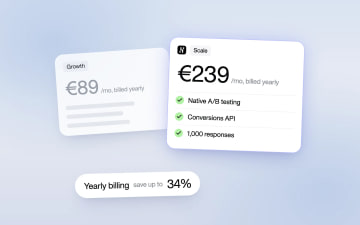
Heyflow Pricing Explained: Plans, Features and Limits
Heyflow plans start at €19 a month billed yearly and are priced by responses. This guide covers what each plan includes, what counts as a response, what happens at the limit, and a break-even method to check whether a higher plan pays for itself.
Read more