
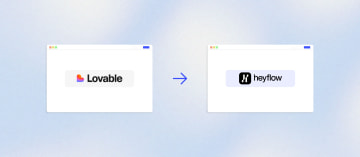
How to Migrate Your Funnel or Form from Lovable to Heyflow







Trusted by 3,000+ marketers


Your Lovable funnel is converting ad spend fine until you try to wire up Meta CAPI or figure out which screen is actually losing people, and realize there is no export button because what you built is a codebase, not a portable funnel. Migrating from Lovable to Heyflow does not mean abandoning your AI workflow, it means pointing it at infrastructure built for paid traffic instead.
Key takeaways
A Lovable funnel is React code with no structured export, so migration means rebuilding via prompt or Heyflow's MCP server, not importing a file.
Lovable's terms exclude health, payment, financial, and identity data from apps built on it, which blocks most regulated qualification funnels outright.
Server-side tracking only helps if leads are validated first, since a fake phone number sent as a conversion trains the algorithm on junk.
Heyflow keeps your AI as the interface through MCP while supplying the signal, validation, and compliance layer Lovable was never built to provide.
Can you export a funnel from Lovable? No, and here is why that is fine
A Lovable-built funnel is code, not a platform funnel. There is no export file and no import path, because what you have is a React application with an attached backend, not a structured flow definition that another tool can read. Lovable is explicit that you own your code and can host it anywhere, which is a genuine strength, but code ownership and funnel portability are different things.
So the migration question is not "where is the export button." It is: how do I get the same page live, with tracking and lead handling already wired, without a developer handoff? Two paths answer that. You describe the page to Heyflow and point it at your site for brand context, and it gets rebuilt in minutes as a Heyflow page. Or you connect your existing AI stack through the Heyflow MCP server and have Claude, ChatGPT, or Cursor rebuild the funnel directly inside Heyflow.
Either way, it lands hosted and connected in a click, to your funnels, your tracking, your domain, your analytics. Not a codebase that still needs somewhere to live and someone to maintain it.
What Lovable does well, and where the mismatch starts
Lovable gets a page into existence faster than almost anything else. Publishing puts your app live on its own URL with hosting and SSL handled as part of the product, not as a separate configuration step. Because the output is code, there is no template ceiling: any layout, any animation, any interaction pattern is reachable. For advertorials and unconventional pre-sell formats that matters.
The platform security posture is also above average for the category. Lovable's documentation lists SOC 2 Type II, ISO 27001:2022, and AIUC-1 certifications, and it ships a privacy-clean first-party analytics layer that sets no cookies and discards the per-visit identifier when the visit ends.
None of that is in dispute. The mismatch is between what Lovable is and what a paid-traffic funnel requires. Lovable is an excellent way to invent a funnel. It is not an acquisition infrastructure. Four gaps show up the moment real budget hits the page:
Signal. Lovable's native measurement path for ads is the Google Analytics connector, which sends page views, events, and conversions to GA4 via gtag.js. That is browser-side by definition. Meta Conversions API or TikTok Events API on a Lovable funnel has to be built: an Edge Function, server-side event construction with hashed identifiers, fbclid and ttclid capture and persistence, event_id deduplication against the browser pixel, retry logic, secrets management. That is a developer workflow sitting in the middle of a media buyer's job.
Diagnostics. Lovable analytics answers how many came and from where. It does not answer which screen loses people, because the layer is page-level rather than step-level and the visit identifier is deliberately discarded. On a six-screen qualification funnel, that is the only question worth asking.
Experimentation. Lovable's testing features are engineering QA: browser testing, frontend tests, and edge function verification. Useful, and unrelated to split-testing a headline against cold traffic. Real experiments require a third-party tool, a variant implemented in code, and a manual significance judgement.
Permitted data. This is the hard stop for regulated verticals, and it is contractual rather than technical. Lovable's terms state that protected health information, payment card data, financial account numbers, government identifiers, and biometric data are not allowed through Lovable, including in the apps you build. Lovable also clarifies that its SOC 2, ISO 27001, GDPR, and AIUC-1 commitments cover the platform, not the apps you build. Marketers routinely read the certifications as permission. They are not. A health insurance comparison funnel, a loan pre-qualification flow, or a KYC-adjacent onboarding step is contractually in the wrong place.
One more detail that DACH teams consistently miss: Lovable's Data Processing Agreement is included on Business and Enterprise plans. A German team collecting B2C leads on the Pro plan does not have the AVV their own compliance framework requires. That is a 30-second check that can block a procurement conversation.
The two ways to move a Lovable funnel into Heyflow
Heyflow is a funnel builder platform for performance marketers. Both migration paths produce the same end state: a hosted funnel on your domain with tracking, lead validation, and compliance already wired in.
Path A: describe the page
You describe the funnel to Heyflow and point it at your website for brand context. Brand Hub researches the brand from its URL and pulls colours, typography, and tone, so the rebuild inherits your design system rather than starting from a blank template. The page is generated in minutes. From there you refine it on prompt, or by hand in the builder.
Use this path when the funnel is straightforward, when you are the only person who needs to touch it, or when you never particularly enjoyed the prompting loop in the first place and just want the page live.
Path B: rebuild it through MCP
The Heyflow MCP server at mcp.heyflow.com is a Model Context Protocol connection that lets Claude, ChatGPT, or Cursor build and edit funnels directly inside Heyflow. It has been live since May 2026 and is included in every plan. You prompt your AI, it builds through Heyflow, and the funnel ships live with tracking, lead validation, and compliance already attached.
This is the right path for anyone who built in Lovable by prompting, because it preserves the working method exactly. You keep prompting from the same client. The output just lands somewhere that can carry paid traffic. MCP can also create, build, and publish Heyflow Pages, including static HTML import, which is the closest thing to a true import that exists for a Lovable artifact: an existing advertorial can be brought over as static HTML and then taken forward natively.
Which path for which asset
What you have in Lovable | Best path into Heyflow |
Advertorial, listicle, or pre-sell page, already built and performing | Static HTML import into Heyflow Pages via MCP, then iterate natively |
Multi-step quiz or qualification funnel | Describe it to Heyflow, or rebuild through MCP if you want to keep prompting |
Several funnels across clients or brands | MCP, so one strategist can operate them conversationally, with Brand Hub locking tokens per brand |
A single simple lead form | Describe it. Five minutes. |
Step by step: rebuilding your Lovable funnel in Heyflow
Inventory first. List every Lovable funnel with its monthly spend, conversion rate, current tracking method, lead destination, and whether it touches regulated data. Sort by spend times risk. If the trigger is performance, migrate the highest-spend non-regulated funnel first. If the trigger is legal, migrate the regulated one first.
Capture the baseline. This step gets skipped almost universally and it is the one that makes the migration provable. For 14 days before you touch anything, record CPL by platform, landing page conversion rate, lead-to-qualified rate from the CRM, average speed-to-lead, and your current Event Match Quality in Meta Events Manager. Without this, the next budget conversation is an opinion.
Rebuild the screens and logic. Either path gets you here. Map screen for screen, then conditional logic, then field types. Resist the urge to replicate every edge case you accumulated over 18 months. Most of those were one-off fixes for problems that no longer exist. Rebuild the 80% that carries the volume.
Wire the fields and validation. This is where the funnel stops being a page and becomes a lead engine: phone network validation, SMS OTP, email validation, address autocomplete, duplicate detection. On a Lovable funnel each of these is custom code your marketing team owns and maintains. Here they are settings.
Connect integrations. Your CRM does not know or care which front end produced the lead, provided the field mapping matches. Re-point the destinations rather than rebuilding them, and do the field mapping before go-live, not after. Heyflow's native integrations and automation layer covers the usual CRM and automation stack directly.
Point the domain. Keep the URL. A Lovable custom domain uses an A record plus a verification TXT record, so plan the DNS cutover and the TTL deliberately, and keep the Lovable deployment published until the new page is verified converting.
Parallel run for 7 to 14 days. Split traffic. Compare CPL, completion rate, qualified-lead rate, and EMQ on identical creative. The single most common way migrations become unmeasurable is a simultaneous creative refresh. Change one variable.
Migration parity: what you keep, what changes, what you gain
Element | Status after migration |
Screens, questions, logic branches | Rebuilt, not re-decided. The offer and question sequence are proven inputs. |
Brand design | Reproduced via Brand Hub and 2,000+ style variables. Pixel-level fidelity is achievable. |
Existing lead history | Stays where it is. It lives in your Supabase instance or wherever your Edge Function wrote it, and you own that. |
CRM and automation destinations | Re-pointed. Field mapping is the only real task. |
Domain and URL | Kept. DNS cutover only. |
Codebase, Edge Functions, custom tracking scripts | Retired. This is the point. |
Server-side conversion APIs | New. Configured, not coded. |
Per-screen drop-off analytics | New. |
Native A/B testing with statistical significance | New. |
Phone validation, SMS OTP, partial submits | New. |
One warning on fidelity: a 1:1 clone reproduces whatever was already losing people. Rebuild what works, then fix the screen that drop-off analytics exposes in week one.
Advertorials, listicles, and pre-sell pages: where this matters most
The highest-value application is not the lead form. It is the formats that sit in front of it, the content that warms cold paid traffic before anyone is asked for an email address. Advertorials, listicles, comparison pages, quiz intros. This is exactly what performance teams have been building in Lovable, and exactly where the architecture creates the most operational drag, because every one of those pages is a separate deployed app with its own tracking, its own domain config, its own lead plumbing, and its own maintenance.
A typical solar setup looks like this: advertorial in one Lovable project, quiz in a second, appointment booking in a third, three separate tracking configurations, three analytics views, no consistent event schema. After migration the advertorial comes across as a Heyflow Page via static HTML import, the quiz becomes a funnel, the appointment step is native, and one tracking configuration covers all three. If you run native advertising on Taboola or Outbrain, this consolidation also unlocks server-side events on those platforms, which the pre-funnel layer almost never gets on a hand-built page.
Wiring up ad signal: what a Lovable page could not do
Heyflow provides native server-side conversion APIs for exactly six platforms: Meta Conversions API, TikTok Events API, OpenAI Ads, Bing/Microsoft Ads, Taboola, and Outbrain. Google Ads and LinkedIn tracking at Heyflow is client-side (pixel), not server-side, not CAPI. State that boundary to your stakeholders before they ask, because it is the honest answer and it stops someone misconfiguring a Google Ads conversion action on day one.
Platform | Heyflow tracking method |
Meta | Server-side (Conversions API) |
TikTok | Server-side (Events API) |
OpenAI Ads | Server-side |
Bing / Microsoft Ads | Server-side |
Taboola | Server-side |
Outbrain | Server-side |
Google Ads | Client-side pixel |
Client-side pixel |
The mechanism matters more than the recovered-conversion statistics that get thrown around in this space. Server-side tracking does not win by recapturing every lost event. It wins by feeding the optimizer clean, deduplicated signal with real identifiers attached, so it stops bidding blind. Practitioner sources report CPL movement within roughly 7 to 14 days as campaigns re-enter and exit the learning phase with better data, though those figures are agency-estimated rather than independently audited, so treat them as directional and measure your own.
Here is the part that most "turn on CAPI" advice gets wrong, and it is the reason to validate before you send. A server-side event containing a fake phone number is worse than no event at all, because it trains the algorithm on a non-buyer with high match confidence. In insurance, solar, and finance, a meaningful share of submitted numbers are typos, junk, or disconnected. Those leads cost full CPL, consume sales capacity, and get sent to Meta as conversions. The correct sequence is validate, then send: phone network validation and SMS OTP fire before the Lead event does, so only reachable humans enter the optimization pool.
Verify every event in each platform's event manager before any budget moves. Then watch EMQ. Meta's benchmark sits around 6 out of 10, with above 8 considered excellent, and moving from the 4 to 5 range into 7 to 9 is where delivery visibly changes. If you are buying primarily on Meta, the funnel builder comparison for Meta ads covers how the signal layer differs across tools in more detail.
Your AI keeps working on the funnel after migration
This is the objection nobody else answers, and it is the one that actually stops people migrating: am I giving up the AI workflow and going back to dragging boxes?
No. Through MCP, the AI that rebuilt the funnel keeps operating it. Beyond building funnels, the Heyflow MCP server can create, build, and publish Heyflow Pages including static HTML import, retrieve analytics and responses, create, start, and stop A/B tests, research a brand from its website, and search the help centre. Practically, that means you can ask Claude which screen is leaking, have it propose a variant, start the test, and stop it when significance is reached, all without opening the builder.
The AI stays the interface. Heyflow becomes the infrastructure.
Set the review cadence on day one, not day ninety. A scheduled weekly agent review that queries drop-off, compares it against last week, and proposes the next test is a ten-minute setup that converts the migration from a one-time project into a compounding programme. Teams that skip it end up with a better funnel that nobody optimises, which is precisely the situation they migrated away from. If you want to see how the generation side works before committing, Heyflow AI covers flow generation and edit-on-prompt, and you can start building flows on any plan with MCP included.
The first 14 days: making the migrated funnel convert better
Migration is week one. The return is in the loop that follows.
Days 1 to 3: turn on partial submits. A user who completed screens one through four of six already gave you an email and a postcode. Partial submits turn that abandoned session into a contactable lead and a legitimate upper-funnel signal. On long qualification funnels this is frequently the largest single volume gain from migration, larger than any copy change, and it comes from a setting rather than a creative test.
Days 3 to 7: read drop-off per screen. This is the diagnostic that was structurally unavailable before. Expect to be wrong about where the loss is. A property valuation funnel we would have bet was leaking at the address field was actually losing people two steps later at the phone screen, which is a different fix entirely: an explicit reason for the request plus OTP, not a shorter address input. Heyflow's analyze and optimize layer surfaces this per step.
Days 7 to 14: run one A/B test to significance. Native A/B testing with statistical significance built in does two jobs. It finds winners, and more importantly it stops fake ones from shipping. Decisions made on 300-visitor samples are the most common source of phantom improvements in paid media, and the value of significance testing is usually measured in losses avoided rather than gains captured.
Throughout: tighten lead quality. Phone network validation, SMS OTP, email validation, address autocomplete, duplicate detection. Then push the qualified-lead signal back to the ad platforms, so the algorithm optimizes toward people who became opportunities rather than people who filled in a form. Combined with partial submits, this is where cost per contactable lead moves, which is the number that actually appears in a sales conversation.
If the funnel is the core of your acquisition motion rather than a side asset, the performance marketer setup walks through how this loop is usually configured.
Lead quality, payments, and compliance you now get by default
Compliance. Heyflow holds SOC 2 and ISO 27001, and HIPAA is available with a signed BAA from the Scale plan, with no Enterprise contract required. For US healthcare lead gen, and for any funnel that collects health, financial, or identity data, this is the structural answer to the data categories Lovable's terms exclude from apps built on the platform. It is a precondition rather than an absolution: regulated data still has to be configured correctly on any platform. But a configurable path exists, which is the difference that matters when legal is the one driving the migration.
Payments. For funnels that monetise directly, coaching, education, insurance with first-premium capture, Heyflow has native Stripe and Solidgate with embedded checkout, plus Apple Pay and Google Pay. On mobile paid traffic, wallet payments are one of the highest-leverage conversion levers available, and the fewer keystrokes required on a phone, the better. Building that well inside a Lovable codebase is non-trivial, and card data is outside Lovable's permitted scope in any case.
For agencies: prototype in Lovable, productionize in Heyflow
The agency version of this problem is not a funnel problem. It is a portfolio problem. A typical shop that leaned into Lovable in 2025 now has 18 to 25 one-off codebases across 18 to 25 clients, no shared component library, no consistent tracking standard, and one person who understands all of it. The trigger for migration is rarely CPL. It is that person taking a holiday.
The rollout sequence that works: migrate the lowest-risk account first, prove it over a 14-day parallel run, then templatise. One Heyflow template set, Brand Hub tokens per client so styling inherits automatically, one tracking configuration applied identically to every account, and MCP-driven edits so one strategist can operate dozens of funnels conversationally. Per-client reporting then comes from per-screen drop-off data rather than a screenshot of GA4.
The important change is not the hours saved, though they are real. It is that the capability stops living in one person's head. If you are standardising a delivery model across accounts, the guide to automating and scaling agency lead generation covers the operational side, and Heyflow for agencies covers white-labelling and client workspaces.
Design parity: keeping the look your AI built
The usual fear is that leaving a code-generated page means accepting a template. Heyflow exposes over 2,000 style variables, so brand fidelity down to spacing, states, and type scale is reachable, and Brand Hub locks those tokens once so every subsequent funnel inherits them instead of being restyled from scratch.
The practical advice is still not to chase a pixel-perfect clone. Reproduce the elements you have evidence for, the headline, the offer framing, the question order that was converting, and leave room to change the step the analytics will flag in week one. Design control is there when you need it. Starting from a proven structure beats starting from a replica of a structure you could not measure.
Try Heyflow for freeFAQ
Can I export my Lovable funnel and import it into Heyflow?
No. A Lovable funnel is code, not a platform funnel, so there is no export file and no import path. You move it either by describing the page to Heyflow with your website as brand context, or by connecting Claude, ChatGPT, or Cursor through the Heyflow MCP server at mcp.heyflow.com and having your AI rebuild it directly inside Heyflow. For an existing advertorial or static page, MCP's static HTML import into Heyflow Pages is the closest route to a true import.
Do I lose my AI workflow if I migrate off Lovable?
No, you keep it and give it a production backend. The Heyflow MCP server lets your AI build and edit funnels, publish Heyflow Pages, retrieve analytics and responses, create, start, and stop A/B tests, research a brand from its website, and search the help centre. MCP has been live since May 2026 and is included in every Heyflow plan.
Does Heyflow support server-side tracking for Meta and TikTok?
Yes. Heyflow has native server-side conversion APIs for six platforms: Meta Conversions API, TikTok Events API, OpenAI Ads, Bing/Microsoft Ads, Taboola, and Outbrain. Google Ads and LinkedIn tracking at Heyflow is client-side pixel, not server-side and not CAPI, so configure those as pixel conversions.
How long does the migration actually take?
The rebuild itself takes minutes to about an hour for a standard four to six screen lead funnel, whether you prompt it or drive it through MCP. The real work is configuration: domain, the six server-side destinations plus the two client-side pixels, validation, routing, and consent. Budget half a day for the first funnel and under two hours for each one after that, once the pattern is set.
Will I lose my existing leads and CRM connections?
No. Historical leads stay in your Supabase instance or wherever your Edge Function wrote them, and Lovable's terms confirm you own that. CRM destinations get re-pointed rather than rebuilt, since the CRM does not care which front end produced the lead as long as the field mapping matches. Do the field mapping before go-live, not after.
Is Heyflow HIPAA compliant for health-related lead funnels?
HIPAA is available at Heyflow with a signed BAA from the Scale plan, with no Enterprise contract required, alongside SOC 2 and ISO 27001. This matters specifically because Lovable's terms do not permit protected health information, payment card data, financial account numbers, government identifiers, or biometric data through apps built on the platform, which rules out most regulated qualification funnels.
Can I keep my existing domain and URL?
Yes. Point DNS at Heyflow and keep the same URL so you do not lose any accumulated signal or inbound links. A Lovable custom domain uses an A record plus a lovable_verify TXT record, so plan the TTL and cutover deliberately, and keep the Lovable deployment published until the Heyflow page is confirmed converting. You can try Heyflow and run the rebuild in parallel before touching DNS at all.
Recommended articles
The 5 Best AI Quiz Funnel Builders for Mortgage Lead Generation
Compare the 5 best AI quiz funnel builders for mortgage lead generation: AI features, lead qualification, tracking, compliance, and pricing.
Read more
Best AI Quiz Funnel Builders for CRM Software
Static demo forms can't qualify leads. Compare the 4 best AI quiz funnel builders for CRM software on AI depth, integrations, and pricing.
Read more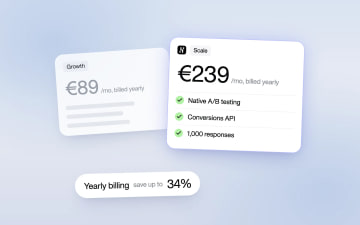
Heyflow Pricing Explained: Plans, Features and Limits
Heyflow plans start at €19 a month billed yearly and are priced by responses. This guide covers what each plan includes, what counts as a response, what happens at the limit, and a break-even method to check whether a higher plan pays for itself.
Read more