

How to Migrate Your Funnel or Form from Perspective to Heyflow







Trusted by 3,000+ marketers


You are staring at a Perspective funnel that converts fine but has hit a ceiling on design and tracking, and the export button is nowhere to be found. There is no direct importer between the two platforms, but that is not actually the blocker it seems. The rebuild path is faster than most teams expect, and it fixes problems the original funnel never solved.
Key takeaways
No funnel-to-funnel importer exists between Perspective and Heyflow, but contact and file data export as CSV, XLSX and ZIP.
The Heyflow MCP Server lets AI analyze a live Perspective funnel and rebuild it with upgrades like partial submits and OTP validation.
Taboola and Outbrain move from GTM snippets to native server-side tracking, while Google Ads and LinkedIn stay client-side on both platforms.
Heyflow turns a one-time migration into a structured upgrade path, pairing AI-assisted rebuilds with native validation, compliance and analytics Perspective lacks.
Can You Export a Perspective Funnel and Import It Into Heyflow?
No. There is no funnel-to-funnel importer between Perspective and Heyflow, and anyone who tells you otherwise is selling you a timeline you will miss. What you can take with you is your data: Perspective's help center documents contact export as CSV or XLSX for conversion and call data, with a separate ZIP for uploaded files, delivered to the email address on your account rather than as a direct download. Automated export via Zapier, Make or webhooks is also available.
The funnel structure itself does not export. That sounds like a problem until you reframe it: the structure was never the asset. The conversion rate was. The practical migration route is to have an AI assistant analyze your live Perspective funnel, generate a build prompt, and have the Heyflow funnel builder construct the equivalent through the Heyflow MCP Server. The rebuild takes an afternoon, not a sprint, and the funnel that lands on the other side has capabilities the original did not.
Two operational warnings before you touch anything. First, export before you downgrade and export before you cancel. Perspective gates contact export from the Grow plan upward or via the Premium Integration Suite, and API access from the Scale plan onward. A team that cancels first and exports second has a real problem. Second, if your funnel collects CV uploads or documents, run the ZIP export separately. A missed ZIP is an unrecoverable loss of candidate files.
What Perspective Does Well (and Where the Gap Opens for Paid Campaigns)
Perspective is a serious, well-built mobile funnel product from a German company, and the comparison only means something if it starts honestly. Perspective ships native Meta Conversions API, Meta Pixel, Google Analytics, Google Tag Manager, TikTok Pixel, HubSpot, ActiveCampaign, Calendly, Zapier, Make and webhooks, plus a lightweight CRM, native checkout, and real-time funnel analytics with step-by-step conversion tracking and drop-off analysis. It also ships an MCP integration that connects Claude to Perspective for building and editing funnels. Anyone claiming Perspective has no CAPI, no analytics or no AI is wrong.
Its genuine strength is speed to a competent mobile funnel from a good template. Its genuine weakness is the other side of the same coin: funnels built on Perspective templates are often recognizable because they look like each other. Customization has a ceiling.
For a team spending real money on paid traffic, four gaps matter more than design sameness:
Capability | Perspective (per its own docs) | Heyflow |
Server-side ad tracking | Native Meta Conversions API. LinkedIn, Taboola, Outbrain and Google Ads routed through GTM snippets | Native server-side for Meta Conversions API, TikTok Events API, OpenAI Ads, Bing/Microsoft Ads, Taboola and Outbrain. Google Ads and LinkedIn are client-side pixel |
A/B testing | Available; the API exposes page-to-page conversion data only | Native A/B testing with statistical significance calculation |
Lead validation | Standard field validation | Phone network validation (Twilio, native) plus SMS OTP verification, email validation, partial submits, TrustedForm, Jornaya/Verisk |
Design control | Strong templates, limited customization depth | 2,000+ style variables, 1,000+ Google Fonts, no template lock-in, PageSpeed 90+ by default |
Compliance | DPA, SCCs, Consent Mode V2 | SOC 2 Type II, ISO 27001, HIPAA with a signed BAA from the Scale plan, GDPR with EU hosting available |
Notice the symmetry in row one. Taboola and Outbrain, which Perspective documents as GTM snippets, are native server-side destinations at Heyflow. If you run native and discovery traffic alongside paid social, which is standard in solar, insurance and finance lead gen, that is a concrete upgrade rather than a marketing abstraction. And note what the table does not claim: Google Ads and LinkedIn are client-side at Heyflow too. The honest difference there is setup effort, not server-side superiority.
Phase 0: Capture Your Baseline Before You Change Anything
Thirty minutes here is the highest-leverage half hour of the entire project. If you do not record where you started, you cannot prove the migration worked, and proving the migration worked is the entire reason you are doing it.
Record, per funnel: overall conversion rate, conversion rate per screen, cost per lead by channel, lead-to-contact rate, lead-to-qualified rate, and the mobile versus desktop split. From Meta Events Manager, record Event Match Quality per event and Additional Conversions Reported. EMQ is a 0 to 10 score for how well the customer information in your events matches to Meta accounts, and ACR estimates how many conversions were measured as a result of your Conversions API setup, broken out per match key. ACR is the metric to watch after migration, because it tells you precisely what sending a validated phone number is worth.
Then inventory the build itself: screen sequence, question types, conditional branches, validation rules, integrations, custom domains and DNS, email and SMS automations, consent configuration, and your conversion event names and pixel IDs. Perspective's analytics supply most of the performance side. If your plan does not include API access, screenshot and archive manually. Agencies below the Scale tier routinely discover this constraint on the day they try to pull historical numbers from an account they already cancelled.
One more item that almost nobody writes down: your UTM schema. Perspective exposes utm_source, utm_medium, utm_campaign, utm_term and utm_content on each contact. Replicate that exact naming convention as hidden fields in Heyflow on day one. If you change taxonomy mid-migration, you destroy your ability to attribute the improvement to the migration.
Phase 1: Choose Your Rebuild Route
Three routes, and the right one depends on funnel count and how much brand precision you need.
Route | Best for | Trade-off |
Heyflow MCP Server | Agencies and teams with multiple funnels, already working in Claude, ChatGPT or Cursor | Output quality tracks prompt quality, budget a review pass |
Heyflow AI (Flow Generation plus Design Import) | Single funnels where brand match is the priority | Less granular control than a guided prompt sequence |
Manual rebuild | Highly custom funnels with unusual logic | Slowest route, maximum control |
For most migrations the MCP route wins, and it wins by a wide margin at portfolio scale. The Heyflow MCP Server is a Model Context Protocol connection that lets Claude, ChatGPT or Cursor build and edit funnels directly inside Heyflow. The funnel ships live with tracking, lead validation and compliance already wired in. Through MCP, your AI can also query conversion rates, per-screen drop-offs and benchmark comparisons from Heyflow's analytics, which means it can suggest fixes grounded in your actual numbers instead of general advice. Bring your own AI. Heyflow brings the conversions.
The three-prompt sequence
Prompt 1, analyze. Give your assistant the live Perspective funnel URL and ask for a structured breakdown: screen sequence, question types and answer options, conditional logic branches, validation rules, field names, and the exact copy on each screen. Ask it to flag any screen where the question load looks heavy for mobile.
Prompt 2, build. Convert that analysis into a Heyflow build instruction. Specify the screen order, the logic branches as AND/OR conditions, the field types, your UTM hidden fields, and your CRM destination. This is where the funnel is reconstructed, not cloned.
Prompt 3, upgrade. This is the prompt most people skip and the one that pays for the migration. Ask it to add partial submits, phone network validation with SMS OTP, a lead-scoring calculation, and an A/B test variant on the first screen. These are capabilities the Perspective version did not have, and adding them during the rebuild costs nothing extra in time.
Then run Design Import to match your brand from a screenshot or URL, and refine with the 2,000+ style variables and 1,000+ Google Fonts. This is the step where you escape template lock-in. If someone can still identify the template your funnel came from, you have not finished. Heyflow AI is trained on 150,000+ real funnels and $2B+ in tracked ad spend, so Flow Generation delivers a performance-ready structure rather than a generic layout, and Edit on Prompt handles structural iteration faster than manual editing.
Phase 2: Rebuild the Tracking Layer (Where Most Migrations Fail)
Design migrations are forgiving. Tracking migrations are not. A botched tracking cutover resets learning, spikes CPL for weeks, and leaves you unable to tell whether the new funnel is better or the measurement just changed.
Work through this in order:
Connect server-side first. Heyflow sends events server-side natively to Meta Conversions API, TikTok Events API, OpenAI Ads, Bing/Microsoft Ads, Taboola and Outbrain. Google Ads and LinkedIn are wired client-side via pixel. Stating that boundary plainly matters, because setting the expectation wrong is how you generate a support ticket in week two. If you were previously maintaining LinkedIn, Taboola and Outbrain as hand-managed GTM snippets, two of those three become native server-side destinations and the third stays client-side but gets wired for you. Fewer moving parts afterwards, not more. The breakdown of funnel builders for Meta ads covers the server-side setup in more detail.
Keep event names identical. Do not rename your conversion events during migration. Meta's optimization is keyed to them. Rename later, if ever.
Set deduplication before you go parallel. If the Perspective funnel and the Heyflow funnel are both live and both firing Meta events, you will double-count. Define your event_id strategy up front, so browser pixel and server-side events for the same conversion carry a shared ID. Fixing this after the numbers look strange costs you the test period.
Re-point CRM destinations natively. Heyflow has 50+ native integrations including HubSpot, Salesforce, Pipedrive, Zoho, HighLevel, ActiveCampaign, Google Sheets, Airtable and Monday.com, plus Zapier with 3,000+ apps, Make, webhooks and a public API. Every Zapier hop you remove is latency removed and one less failure point between the lead and the sales call. The integration and automation setup handles field mapping directly.
Handle compliance explicitly. Configure EU hosting if your DPA or legal team requires it. If you are running US healthcare lead gen, execute the BAA, which is available with a signed agreement from the Scale plan and does not require an enterprise negotiation. Note that a BAA and a DPA are different instruments covering different obligations, and readers routinely conflate them.
Re-check EMQ after 72 hours of live traffic. Moving from client-side-only to server-side with validated identifiers should be visible in Events Manager. Meta reports an average 17.8% lower cost per result for advertisers using Conversions API for web events versus those without, though that figure is platform-reported without published sample size or method. Treat it as directional, not guaranteed, and measure your own ACR instead.
Phase 3: Parallel Run, Then Cut Over on Significance
Do not hard-cut. Keep the Perspective funnel live, publish the Heyflow rebuild on a separate URL, and split paid traffic 50/50 for a defined window. One month of double subscription is cheap insurance against a CPL spike you cannot diagnose.
Call the winner on statistical significance, not on raw conversion rate. A 12% apparent lift on 180 sessions is noise, and acting on it teaches your team the wrong lesson. Heyflow's native A/B testing calculates significance for you, which is the difference between "it looks better" and "it is better." Once the test resolves, cut over, set your redirects, and keep the Perspective funnel recoverable for 30 days. Only then downgrade or cancel, and only after every export has arrived and been verified.
For agencies, sequence by cohort rather than all at once. Start with your two highest-spend client funnels, prove the lift with a significance-tested result, then roll the same analysis prompt and build prompt across the rest as templates. That is how you turn "we switched tools" into "we cut your cost per qualified lead," which is the only version of the story a client cares about. Our guide on scaling lead generation at an agency covers the operational side of multi-client rollouts.
Phase 4: The Optimization That Actually Produces the Lift
Here is the honest framing most migration content avoids: migrating does not double your conversion rate. Optimizing after the migration does. Heyflow customers see a 24% average conversion increase as the broad-base figure, and the core promise of doubling the conversion rate, meaning at least an 80% increase such as 3% to 6%, is what disciplined optimization achieves once the funnel is on a stack that supports it.
Work in this order during the first 30 days.
Read the drop-off chart before changing anything. Per-screen drop-off with device-type filtering almost always reveals that the worst screen is mobile-specific: a long free-text field, an awkward date picker, or too many fields stacked on one screen. Blended data hides this completely. Add UTM filtering and you will often find that one traffic source drops off at a screen the others sail through, which is a targeting problem disguised as a funnel problem. The analytics and optimization layer also gives you CVR over time and industry benchmarking, so a 4% conversion rate stops being an abstract number and starts being above or below your vertical range.
Turn on partial submits immediately. Data is captured as users type, so an abandoned session still produces a contactable record and an identifier you can send server-side. That is two wins from one setting: recovered pipeline, and better match quality on events you previously had no data for.
Add phone network validation plus SMS OTP. Network validation confirms the number is real and reachable. OTP confirms the person actually holds it. Heyflow has both natively, Twilio-backed. In insurance, solar and finance, where the lead gets called within hours, this is the single fastest route to raising your sales-accepted lead rate, and it feeds a validated phone number into every server-side event you send.
Test one thing at a time, sized for significance. Sensible sequence: first-screen question, then field count on the contact screen, then phone-screen placement, then headline and offer.
Fix speed-to-lead before you touch creative. Native WhatsApp notifications, custom SMTP auto-responses and Slack alerts remove the Zapier delay between submission and first contact. In high-intent verticals this routinely beats any copy change you could make.
Use real-time calculations as a conversion mechanic. A solar savings estimate, an insurance premium range or an ROI figure shown mid-funnel raises completion and simultaneously produces a lead score your CRM can route on. Combine with advanced AND/OR conditional logic and the logic map so each segment only sees the screens relevant to them.
What the numbers look like, modelled
An illustrative model, stated assumptions, not a measured Heyflow result. An insurance advertiser spending €30,000 per month on Meta, 24,000 sessions, 3.0% conversion rate, 720 leads, CPL €41.67, with 55% of leads reachable, giving 396 sales-accepted leads at €75.76 each.
Apply three post-migration changes. Partial submits recover roughly 8% more contactable records, taking leads to 778. Phone network validation plus OTP lifts reachability from 55% to 78%, giving 607 accepted leads. Six-platform server-side delivery with richer identifiers improves delivery efficiency, and applying Meta's reported figure conservatively at half strength drops effective CPL to about €37.92, yielding roughly 791 leads at the same spend and around 617 accepted.
Cost per accepted lead moves from €75.76 to roughly €48.62, a 36% reduction at identical spend. Note which lever did the heavy lifting: lead validation, not tracking. That is both the more honest story and the more useful one.
Frequently Asked Questions
Can I import my Perspective funnel into Heyflow directly?
No. There is no funnel-to-funnel importer between the two platforms. The fastest path is the Heyflow MCP Server: connect Claude, ChatGPT or Cursor to Heyflow, have the AI analyze your live Perspective funnel, generate a build prompt, and construct the equivalent in Heyflow. Your lead data exports separately as CSV, XLSX and ZIP.
Will I lose my leads or uploaded files during the migration?
Not if you export before you downgrade or cancel. Perspective delivers contact exports as CSV or XLSX, with uploaded files such as CVs in a separate ZIP, sent to your account email rather than as a direct download. Run both exports, confirm receipt, and only then change your plan. Perspective gates contact export from the Grow plan upward, so check your entitlement before you touch billing.
What happens to my Meta pixel and Conversions API setup?
You rebuild the connection in Heyflow rather than carrying it over. Keep your conversion event names identical so Meta's optimization is not disrupted, and configure event_id deduplication before you run both funnels in parallel. Heyflow sends events server-side natively to Meta Conversions API, TikTok Events API, OpenAI Ads, Bing/Microsoft Ads, Taboola and Outbrain. Google Ads and LinkedIn are client-side pixel, not server-side.
Does Heyflow have server-side tracking for Google Ads and LinkedIn?
No. Google Ads and LinkedIn tracking in Heyflow is client-side via pixel. Native server-side event delivery covers exactly six platforms: Meta Conversions API, TikTok Events API, OpenAI Ads, Bing/Microsoft Ads, Taboola and Outbrain. Perspective routes Google Ads through Google Tag Manager, so for that channel specifically the difference is setup effort rather than tracking method.
How do I migrate 15 client funnels without rebuilding each one from scratch?
Treat your analysis prompt and build prompt as reusable templates and run them per client through the Heyflow MCP Server. Sequence by cohort: migrate your two highest-spend funnels first, prove the lift with a significance-tested A/B result, then roll the same prompt pair across the rest. Heyflow's Agency setup supports workspace separation and white-labelling for multi-client portfolios.
Is Heyflow HIPAA compliant?
Yes, with a signed Business Associate Agreement, available from the Scale plan. No enterprise contract negotiation is required. The full compliance stack is SOC 2 Type II, ISO 27001, HIPAA with a signed BAA from Scale, and GDPR with EU hosting available. Note that a BAA and a DPA cover different obligations and are not interchangeable.
How long does the migration actually take?
Budget half a day for the baseline audit and exports, an afternoon per funnel for the MCP-assisted rebuild and tracking wiring, and a two to four week parallel run before cutover. The parallel run is the part you should not compress, because cutting over before your A/B test reaches statistical significance means you cannot tell whether the new funnel is better or the measurement simply changed.
Recommended articles
The 5 Best AI Quiz Funnel Builders for Mortgage Lead Generation
Compare the 5 best AI quiz funnel builders for mortgage lead generation: AI features, lead qualification, tracking, compliance, and pricing.
Read more
Best AI Quiz Funnel Builders for CRM Software
Static demo forms can't qualify leads. Compare the 4 best AI quiz funnel builders for CRM software on AI depth, integrations, and pricing.
Read more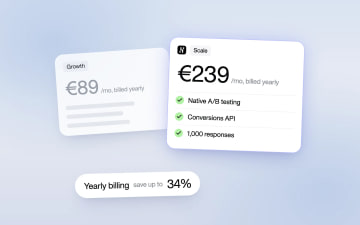
Heyflow Pricing Explained: Plans, Features and Limits
Heyflow plans start at €19 a month billed yearly and are priced by responses. This guide covers what each plan includes, what counts as a response, what happens at the limit, and a break-even method to check whether a higher plan pays for itself.
Read more