
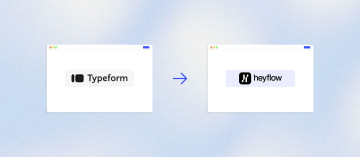
How to Migrate Your Funnel or Form from Typeform to Heyflow







Trusted by 3,000+ marketers


Your Typeform response cap is about to hit mid-month, your ad account still has no server-side tracking, and someone on the team just asked why there's no A/B test button. Migrating a funnel or form from Typeform to Heyflow starts with a one-click import, but the real work, and the real payoff, happens in what you set up right after.
Key takeaways
Heyflow imports a live Typeform URL directly, bringing over blocks and design without a manual rebuild or CSV export.
Typeform has no native A/B testing and charges by monthly response volume, so forms stop collecting once you hit the cap.
Getting Meta or TikTok Conversions API working on Typeform requires Cloudflare workers or a Stape and GTM stack, while Heyflow sends server-side events natively to six ad platforms.
Heyflow adds phone validation, partial submits, and native A/B testing after import, the features that actually move conversion rate rather than just change platforms.
Why performance marketers outgrow Typeform
Typeform is good at what it was built for: surveys, feedback collection, and conversational question flows that feel pleasant to fill out. It is not built for conversion rate optimization on paid traffic, and that gap becomes expensive the moment you point a five-figure monthly ad budget at it.
The tracking layer is where most marketers hit the wall first. Typeform does not offer native server-side conversion APIs. If you want Meta's Conversions API firing from a Typeform submission, the documented path involves Cloudflare workers, custom server-side code, or a chain of Zapier and Make automations. Typeform's own community threads point users toward a combination of the Typeform API, Google Tag Manager, and an external hosting service like Stape to get Meta and TikTok events through. That is a developer-dependent stack that breaks quietly and costs money to maintain.
The second wall is testing. Typeform has no native A/B testing. Its own support community states it plainly: "We do not have (yet) an A/B test feature", and a separate thread confirms you can duplicate a form to create variations but there is no A/B testing option within the builder itself. Duplicating forms and splitting traffic manually gives you two numbers and no statistical significance.
Then there is the pricing model. Typeform charges by monthly responses, with tiers running roughly from 100 responses on Basic up to 10,000 on Business. When the cap is hit, the form stops collecting. One analysis calculated that on the 1,000-response Plus plan, the form closes around day 17 and every visitor after that is a lost lead. For a performance marketer, that means your success metric and your cost ceiling are the same number.
Finally, compliance. Typeform's help center confirms that it offers a BAA only to customers on its custom Enterprise tier. If you run insurance, healthcare adjacent, or any intake flow touching protected health information, HIPAA becomes an Enterprise sales conversation. Heyflow offers HIPAA with a signed BAA from the Scale plan, no Enterprise contract required, alongside SOC 2 Type II, ISO 27001, and GDPR with EU hosting available.
Step 1: Import your Typeform funnel in one click
Heyflow imports a Typeform directly from its URL. You paste the live Typeform link when creating a new funnel, and almost all blocks plus the design come across as a Heyflow funnel within seconds. There is no CSV export, no manual question-by-question rebuild, no weekend spent recreating logic branches.
This is the part most migration guides for other tools cannot offer. Typeform does not publish a structured export format that other platforms can ingest, which is why competing migration articles open with some version of "you will need to manually rebuild your forms." Heyflow reads the live funnel instead.
What comes across: your screens, question content, answer options, and the visual design. What you should review manually after import:
Conditional logic. Check every branch. Heyflow supports AND/OR rule combinations and a visual logic map, which is usually more capable than what you had, so this is the moment to simplify branches you built around Typeform's constraints rather than copy them one for one.
Integrations. Nothing carries over automatically because they were wired to a different platform. See step 5.
Design. The import gives you a faithful starting point, not a ceiling. Heyflow funnels have 2,000+ style variables, 1,000+ Google Fonts, mobile-first rendering, and PageSpeed 90+ by default. If you want the funnel to match your brand exactly, Heyflow AI's Design Import can match it from a screenshot or a URL in one step.
Keep the Typeform live while you do this. Running both in parallel for a few days costs nothing and gives you a clean before/after baseline.
Step 2: Set up tracking that ad platforms can actually use
This is the highest-ROI step in the entire migration, and it is the one most people underestimate.
Pixel-only tracking leaves a meaningful share of conversions unmeasured after iOS and browser privacy changes. Industry guidance on CAPI implementation puts the gap at roughly 20 to 30 percent of conversions, with running pixel and CAPI together recovering that data. When Meta's delivery algorithm optimizes against 400 reported conversions instead of the 500 that actually happened, it bids against a distorted picture of what works. Your CPL rises, and nothing in your funnel changed.
Heyflow sends conversion events server-side, natively, to six platforms: Meta Conversions API, TikTok Events API, OpenAI Ads, Bing/Microsoft Ads, Taboola, and Outbrain. No GTM Server-Side container, no Stape subscription, no Cloudflare worker, no developer. You connect the account and map the event.
Two platforms work differently, and it matters that you plan for it: Google Ads and LinkedIn tracking in Heyflow is client-side pixel tracking, not server-side and not CAPI. If Google Ads is your primary channel, you still get a materially better setup than a Typeform embed because Heyflow renders as a web component on your own domain with custom SSL rather than a third-party iframe, so your pixel fires in first-party context and campaign parameters survive the journey.
Set UTM passthrough at the same time. Heyflow carries UTM parameters through the funnel and into your CRM record, which means your source attribution survives all the way to closed-won instead of ending at the form.
Do this before you switch traffic over. Fire a test submission, confirm the event lands in Meta Events Manager and your TikTok dashboard, check the event match quality score, then flip the ads.
Step 3: Turn on the lead quality features Typeform does not have
Importing the funnel moves your questions. These features are what change your numbers.
Phone network validation. Heyflow checks phone numbers against carrier networks via a native Twilio integration, in real time, as the lead types. Invalid and inactive numbers get caught before they reach your CRM. If you have ever had a sales team complain that a third of their dials go nowhere, this is the fix.
SMS OTP verification. For high-value or compliance-sensitive verticals, Heyflow sends a one-time password to confirm the lead actually controls the number. Heyflow is the only platform offering both network validation and native OTP verification together.
Partial submits. Heyflow captures data as users type, so a lead who enters an email on screen two and abandons on screen four is still a record you can retarget or call. On Typeform, that session is a zero. On a funnel with a 20 percent completion rate, partial submits typically turn a few hundred lost sessions a month into a working remarketing list.
Email validation, TrustedForm, and Jornaya/Verisk. If you sell or buy leads, or operate under TCPA, certification is wired in natively rather than bolted on with a script.
These are the features that separate a multi-step lead funnel from a survey with branching logic. Enable them in your first session, not in month three.
Step 4: Launch your first A/B test on the migrated funnel
Heyflow runs native A/B tests with statistical significance calculated in the platform. You build a variant, split traffic, and get told when the result is real rather than eyeballing two completion percentages.
Before you test anything, open the drop-off analytics and find your worst screen. Heyflow shows abandonment per screen, filtered by device type, filtered by UTM source, plotted as conversion rate over time, and benchmarked against your industry. A screen that converts fine on desktop and collapses on mobile is invisible in an aggregate completion rate, and it is extremely common on funnels that were originally designed as one-question-at-a-time Typeforms.
The three tests worth running first on a freshly migrated funnel:
Question order. Typeform's format encourages front-loading qualification questions. Moving the hardest question later, after the user has invested a few clicks, routinely lifts completion.
Screen count. Combining two low-friction questions onto one screen reduces perceived length. Test it rather than assuming.
First screen framing. The entry screen carries the most drop-off in almost every paid funnel. Test the headline and the first interaction as a pair.
Heyflow's benchmark across its customer base is a 24% average conversion increase, with the core promise being a doubling of conversion rate, meaning at least an 80% lift, for example from 3% to 6%. That lift does not come from the import. It comes from this step.
Step 5: Re-wire your integrations, usually with fewer moving parts
Most Typeform stacks route leads through Zapier because Typeform's native integration list is short. The migration is a chance to delete middleware.
Heyflow has 50+ native integrations including HubSpot, Salesforce, Pipedrive, Zoho, HighLevel, ActiveCampaign, Google Sheets, Airtable, and Monday.com, plus Zapier for the 3,000+ apps beyond that, Make, webhooks, and a public API. Map your existing chain like this:
Typeform setup | Heyflow equivalent |
Typeform → Zapier → CRM | Native CRM integration, direct field mapping |
Typeform → Zapier → Slack alert | Native Slack notification |
Typeform → Zapier → transactional email tool | Automated response emails via custom SMTP |
Typeform → GTM SS → Stape → Meta CAPI | Native Meta Conversions API |
No instant lead contact | Native WhatsApp notification on submit |
iframe embed on your site | Web component embed on your own domain with SSL |
The WhatsApp and custom SMTP piece deserves attention beyond the technical swap. Speed-to-lead collapses when a submission has to travel through a Zapier queue before anyone is notified. Firing a branded confirmation email and a Slack or WhatsApp alert within seconds of submission is a conversion lever, not an operations detail. See the full integration and automation options for the complete mapping.
The embed change matters too. Heyflow embeds as a web component rather than an iframe, in Webflow, WordPress, Wix, Squarespace, Unbounce, or Instapage, which removes the cross-domain tracking problems that make Typeform embeds hard to attribute in the first place.
When you are ready to cut over, swap the embed, then redirect any standalone typeform.com links you published so direct and organic traffic lands on the new funnel.
Step 6: Keep optimizing with Heyflow MCP and Heyflow AI
Post-migration, the funnel is live and tracked. The question is how fast you iterate on it.
Heyflow MCP Server is a Model Context Protocol connection that lets Claude, ChatGPT, or Cursor build and edit funnels directly inside Heyflow, and query the analytics behind them. Your AI can pull conversion rates, per-screen drop-offs, and benchmark comparisons, then propose and execute changes. The funnel it ships is live with tracking, lead validation, and compliance already wired in. The positioning is straightforward: bring your own AI, Heyflow brings the conversions.
Heyflow AI covers the in-platform capabilities: Flow Generation builds a performance-ready funnel from a text prompt with tracking and logic intact, Edit on Prompt changes an existing funnel through natural language, and Design Import matches your brand from a screenshot or URL. It is trained on 150,000+ real funnels and $2B+ in tracked ad spend, which is why its output is a working funnel rather than a generic template. It also generates standalone pages like landing pages and advertorials, not just multi-step flows.
MCP and Heyflow AI are complementary. Use Heyflow AI inside the builder, use MCP when you want your own assistant to read the analytics and make the call. Either way, the iteration loop after migration runs in minutes instead of a weekly design ticket. You can try Heyflow and run the import before committing anything.
Migration checklist
Before you import. Export your historical Typeform responses as CSV, that data stays in Typeform and is not carried across. Audit every place the Typeform is embedded or linked, searching your site and campaigns for typeform.com, embed.typeform.com, form.typeform.com, and any short links you created. Document every active integration and the exact field mapping into your CRM.
During import. Paste the Typeform URL into Heyflow and review the result. Walk every conditional logic path, including the edge cases. Check the funnel on a real mobile device, not just the builder preview.
Before you send paid traffic. Connect server-side tracking for your active channels across Meta, TikTok, OpenAI Ads, Bing, Taboola, and Outbrain, and the client-side pixel for Google Ads and LinkedIn. Fire a test submission and confirm it appears in each platform's event manager. Confirm UTM parameters reach your CRM record. Enable partial submits, phone validation, and email validation. Connect your CRM natively and test with a dummy lead.
After cutover. Run both funnels in parallel for a week if traffic allows, then swap embeds and redirect old links. Set your first A/B test using drop-off analytics to pick the screen. Connect MCP so your AI can read the funnel's performance from day one.
Try Heyflow for freeFrequently asked questions
Can I actually import my Typeform automatically, or is this another "rebuild it manually" situation?
It is a real import. You paste your live Typeform URL into Heyflow when creating a funnel, and almost all blocks plus your design appear as a Heyflow funnel within seconds. You review and adjust rather than rebuild from scratch. Most other platforms cannot do this because Typeform does not publish a structured export format, so they read the live funnel or ask you to retype it.
Will my conditional logic and hidden fields transfer?
Treat logic as something to verify, not something to assume. The import brings your content and design across, and you should walk every branch before going live. Heyflow supports AND/OR rule combinations, a visual logic map, variables, and real-time calculations, so in most cases you can simplify logic you originally built around Typeform's limitations rather than replicate it.
What happens to my existing responses and CRM connections?
Historical responses stay in Typeform. Export them as CSV before you cancel the subscription. Integrations do not carry over automatically because they were authenticated against a different platform, so you re-map them to Heyflow's 50+ native integrations, Zapier, Make, webhooks, or the public API. Many Zapier steps become unnecessary because Heyflow connects to the CRM directly.
How do I get Meta CAPI working after migration without a developer?
You connect the account in Heyflow and map the event. Heyflow sends server-side conversion data natively to Meta Conversions API, TikTok Events API, OpenAI Ads, Bing/Microsoft Ads, Taboola, and Outbrain, with no GTM Server-Side container, Stape hosting, or custom worker required. Google Ads and LinkedIn tracking is client-side pixel tracking, not server-side, so plan those two channels accordingly.
Does Heyflow support HIPAA, and do I need an Enterprise contract for it?
Heyflow offers HIPAA with a signed BAA from the Scale plan, with no Enterprise contract required. The full compliance stack is SOC 2 Type II, ISO 27001, HIPAA with a signed BAA from Scale, and GDPR with EU hosting available. Typeform's help center states its BAA is available on its custom Enterprise tier.
How long does the whole migration take, and can I keep the Typeform live meanwhile?
The import itself takes seconds, and a complete setup with tracking, integrations, and lead validation configured is typically an afternoon of work. Keep the Typeform running in parallel while you test, then swap your embeds and redirect old links once the new funnel is verified. There is no need for campaign downtime. You can get started with Heyflow and run the import before you touch your live campaigns.
Will the funnel actually convert better, or is this just a platform swap?
The import alone gives you the same funnel on better infrastructure. The lift comes from what you add afterwards: server-side conversion signals that let the ad algorithm optimize on complete data, partial submits that recover abandoned sessions, phone and email validation that removes junk from your CRM, and native A/B testing with statistical significance to improve the worst screens. Heyflow's customer average is a 24% conversion increase, with the stated target being a doubling of conversion rate.
Recommended articles
The 5 Best AI Quiz Funnel Builders for Mortgage Lead Generation
Compare the 5 best AI quiz funnel builders for mortgage lead generation: AI features, lead qualification, tracking, compliance, and pricing.
Read more
Best AI Quiz Funnel Builders for CRM Software
Static demo forms can't qualify leads. Compare the 4 best AI quiz funnel builders for CRM software on AI depth, integrations, and pricing.
Read more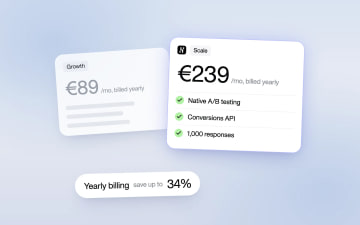
Heyflow Pricing Explained: Plans, Features and Limits
Heyflow plans start at €19 a month billed yearly and are priced by responses. This guide covers what each plan includes, what counts as a response, what happens at the limit, and a break-even method to check whether a higher plan pays for itself.
Read more