
How to Migrate Your Funnel or Form from Unbounce to Heyflow







Trusted by 3,000+ marketers


You open Unbounce looking for an export button and find out it does not exist, which means every "migration" is actually a rebuild. That changes how you should approach it: instead of cloning a single page, you get the chance to turn it into a real multi-step funnel with validation and server-side tracking built in. This article walks through exactly how, without pausing your campaigns.
Key takeaways
Unbounce pages cannot be exported or imported, so migration always means rebuilding, not transferring a file.
Unbounce's multi-step forms, testing, and Meta tracking all operate at the page level, not the step or event level.
You can embed a Heyflow funnel directly into a live Unbounce page as a web component, keeping URLs and ad campaigns untouched while testing the upgrade.
Heyflow rebuilds the page as a funnel with native CAPI tracking, deduplication, and lead validation in under 45 minutes using AI or MCP.
Can you export an Unbounce page? No, and that changes the plan
Unbounce pages cannot be exported or imported into another platform. Unbounce's own documentation states that transferring or importing third-party and external landing pages is outside the scope of its functionality, and that pages download as .unbounce files that can only be re-uploaded inside Unbounce. So there is no file to carry across, no HTML package, no one-click transfer.
That sounds like bad news until you look at what you would actually be transferring. A faithful clone of a single-step Unbounce page gives you the same conversion rate on a different platform. The migration is only worth doing if the page becomes a funnel: multi-step qualification, conditional branching, lead validation, server-side conversion tracking, and per-screen drop-off analytics. Rebuilding is the mechanism that gets you there.
You have three routes, and they are genuinely fast. Rebuild with Heyflow AI from a prompt, a screenshot, or your live Unbounce URL. Build via the Heyflow MCP Server by pointing Claude or ChatGPT at the existing page. Or skip the cutover entirely and embed a Heyflow funnel into your existing Unbounce page as a web component, so URLs and campaigns never move.
What Unbounce does well, and where the page stops
Be clear about this before you switch: Unbounce is a capable landing page builder. The drag-and-drop editor is mature, custom CSS and JavaScript access is there when you need it, and Smart Traffic is a real AI optimization layer that routes each visitor to the variant they are most likely to convert on, which Unbounce positions as a better fit than A/B testing for teams without the traffic to reach significance. Unbounce also stores lead data in Germany within the EU and signs a DPA in English and German, which is a genuine strength for DACH teams.
The gap is not the page. It is the funnel behind it. Three structural limits show up in Unbounce's own documentation:
Multi-step forms are a custom script, not a feature. Unbounce documents adding a multi-step form via a jQuery snippet pasted before the closing body tag, where you change the number of fields per step by editing the script. Everything downstream of a real step concept, per-screen drop-off, per-step testing, partial capture, is impossible to build on a jQuery wrapper because the platform has no notion of a step.
Testing operates at page level. Both A/B testing and Smart Traffic work across whole page variants. If your qualification flow leaks 40% of traffic on the phone number screen, a page-level variant test cannot tell you that. Unbounce also gates Smart Traffic by plan tier.
Native Meta tracking is the browser pixel. Unbounce's documented path is pasting a JavaScript snippet into pages along the conversion funnel, or installing the Meta Pixel app in Smart Builder. Conversions API delivery is achieved through third-party infrastructure, typically a Zapier or webhook chain, which introduces latency, deduplication fragility, and a silent point of failure the media buyer never gets alerted about.
The usual result is a stack: page builder, plus a jQuery form hack, plus Zapier for CAPI, plus a separate validation vendor, plus a spreadsheet. The migration is a consolidation.
Pick your migration path before you build anything
Path | Best when | Typical time | Risk |
Heyflow AI rebuild (prompt, screenshot, or URL) | Standard lead gen page, you want a funnel rather than a clone | ~30 minutes | Low |
Heyflow MCP Server via Claude, ChatGPT, or Cursor | Complex page, custom logic, or your team already works inside an AI assistant | ~45 minutes | Low |
Embed into the live Unbounce page as a web component | High spend on that URL, no appetite for a cutover, you want proof before committing | ~15 minutes | Minimal |
Whichever route you choose, migrate your single highest-spend funnel first. Never the whole account. Prove the lift on one, then roll out.
Phase 0: audit before you touch anything
The most common migration failure is transplanting a bad form faithfully. Half a day of inventory prevents it.
Fields. List every field and ask sales which ones they actually use. Most Unbounce lead gen forms carry two or three fields nobody has looked at in a year. Those are not candidates for migration, they are candidates for deletion.
Tracking baseline. Open Meta Events Manager and screenshot your current Event Match Quality per event and your deduplication status. Meta's documentation explains that an event's EMQ score out of 10 indicates how effectively the server event's customer information matches to a Meta account, and that sending additional customer information parameters may help increase it. This screenshot is your before picture, and it will be the cleanest proof of the signal upgrade later.
Integrations. List every webhook and Zap, then check which are silently erroring. Unbounce surfaces this per lead in an Integration Details panel that flags webhook errors with a warning icon. Teams routinely discover one broken connection that has been dropping leads for weeks.
Traffic composition and baseline CVR. Record 30-day conversion rate split by device and by UTM source. You cannot prove lift without a baseline, and mobile versus desktop drop-off patterns almost always diverge.
Export your leads. Unbounce lets you download leads as CSV by date range, both at page level and at client level from the All Pages screen. Do this before you cancel anything, and confirm retention terms with Unbounce directly rather than relying on third-party claims.
Phase 1: rebuild the page as a funnel
Route A: Heyflow AI
Heyflow AI generates a performance-ready funnel from a text prompt, a screenshot, or your existing Unbounce URL. Design Import matches your brand automatically from that URL or screenshot, so the visual continuity your ad creative depends on survives the move. Flow Generation delivers the funnel with tracking and logic intact rather than a generic template, and Edit on Prompt lets you refine it in natural language instead of hunting through settings. It is trained on 150,000+ real funnels and $2B+ in tracked ad spend, and it generates multi-step flows as well as standalone pages like landing pages and advertorials.
Route B: Heyflow MCP Server
The Heyflow MCP Server is a Model Context Protocol connection that lets Claude, ChatGPT, or Cursor build and edit funnels directly inside Heyflow. Point your assistant at the live Unbounce URL, have it analyze the page, and have it construct the equivalent funnel in your workspace. The funnel ships live with tracking, lead validation, and compliance already wired in. Through MCP your assistant can also query conversion rates, per-screen drop-offs, and benchmark comparisons from Heyflow's analytics, so the same tool that builds the funnel can interrogate its performance afterwards. Bring your own AI. Heyflow brings the conversions. MCP is complementary to Heyflow AI, not a replacement for it.
The restructure that actually matters
Whichever route generated the build, do not stop at parity. Break the single form into a qualification sequence: lowest-friction, most relevant question first, phone and email deferred to the point where the user has earned a reason to give them. Use conditional logic with AND/OR rules so a renter never sees homeowner questions. Replace whatever your Unbounce custom JavaScript was doing with native logic, variables, and real-time calculations. A solar multi-step form that shows a live savings estimate as the user answers behaves nothing like one that opens with a postcode field.
A note on the persistent objection that more steps means fewer conversions: a single long form asks for everything before delivering anything. A multi-step funnel earns commitment progressively, and more importantly it is measurable. You can see the exact screen where people leave, which a single page can never tell you.
Phase 2: the tracking handover
This is the part no migration guide covers, and it is where most of the value sits.
Platform | Unbounce approach | Heyflow approach | Client or server-side at Heyflow |
Meta | Pixel snippet or Smart Builder app, CAPI via third-party chain | Native Meta Conversions API | Server-side |
TikTok | Pixel plus external middleware | Native TikTok Events API | Server-side |
OpenAI Ads | Not natively documented | Native integration | Server-side |
Bing / Microsoft Ads | Script or tag manager | Native integration | Server-side |
Taboola | Pixel | Native integration | Server-side |
Outbrain | Pixel | Native integration | Server-side |
Google Ads | Tag or GTM | Pixel / tag | Client-side |
Insight Tag | Insight Tag | Client-side |
Read that table carefully, because the precision matters. Native server-side conversion tracking at Heyflow covers exactly six platforms: Meta Conversions API, TikTok Events API, OpenAI Ads, Bing/Microsoft Ads, Taboola, and Outbrain. Google Ads and LinkedIn tracking at Heyflow is client-side, pixel-based, not CAPI. Anyone who tells you otherwise is guessing.
Two operational details that separate a clean handover from a broken one. First, deduplication: the browser tag and the server event must carry the same event ID, and event names are case-sensitive, Purchase is not purchase. This is exactly where hand-rolled Unbounce plus Zapier CAPI chains fail silently. Heyflow handles deduplication natively when the pixel runs alongside the server event. Second, if you embed a Heyflow funnel on an existing page, a GTM container installed only on the parent page cannot see events inside the flow, because the web component uses its own Shadow DOM. Connect GTM inside Heyflow as well. The analytics and tracking setup is where this gets configured.
Alongside tracking, wire the validation layer in the same session: phone network validation via Twilio, SMS OTP verification, email validation, and TrustedForm or Jornaya/Verisk where your vertical requires consent certification. Heyflow is the only platform in this category offering phone network validation and SMS OTP natively. This matters more than it sounds. Every unreachable phone number you send to Meta as a conversion is a training example teaching the algorithm to find more people like that. Validating at the point of capture means only verified leads enter the server-side stream.
Then connect your CRM. Heyflow has 50+ native integrations including HubSpot, Salesforce, Pipedrive, Zoho, HighLevel, ActiveCampaign, Google Sheets, Airtable, and Monday.com, plus Zapier with 3,000+ apps, Make, webhooks, and a public API. Set up WhatsApp, custom SMTP, and Slack notifications at the same time, because speed-to-lead is a funnel problem, not a CRM problem.
The gradual path: keep Unbounce live, embed Heyflow inside it
This is the single most useful tactical fact in the whole migration, and nobody writes about it. You do not have to turn Unbounce off.
An existing Unbounce page can stay live and embed a Heyflow funnel as a web component, not an iframe. That distinction is technical and it matters. Because the web component runs in the same JavaScript context as the parent page, attribution cookies including Meta's fbp and fbc and Google's gclid remain accessible, and conversion events still fire server-side to Meta, TikTok, OpenAI Ads, Bing, Taboola, and Outbrain. Iframes break attribution by default, which is why the old community advice to iframe a page elsewhere never worked properly.
For a team running meaningful spend, this converts a migration project into a Tuesday afternoon test. The hero, the social proof, and the SEO stay exactly where they are. The conversion mechanism underneath gets upgraded. URLs never change, campaigns never pause, learning phases never reset. You can restructure the funnel page by page and prove lift before committing to anything.
Phase 3: run in parallel, then cut over
Split paid traffic between the Unbounce page and the Heyflow funnel. Start at 80/20 or 70/30, which mirrors Unbounce's own guidance for testing a new variant against an existing champion. Hold creative, audience, and budget constant. Keep UTM parameters and event names byte-identical during the run, or your comparison is noise rather than data.
Measure three things, not one: conversion rate, CPL, and lead quality as judged by sales. Define what counts as a lead with sales before you start. If sales counts a verified phone number and marketing counts a form submission, the migration will look like a failure even when it succeeds. In insurance and solar specifically, expect raw lead volume to fall while qualified lead volume rises. That is the validation layer working.
Before shifting full spend, run a go-live check: test submission end to end, CRM record created with correct field mapping, CAPI events visible in Events Manager, deduplication confirmed, mobile rendering clean, validation rules firing, autoresponder delivered, partial submits recording, redirects live, UTMs passing through. If something fails, your rollback is trivial because the Unbounce page is still running. Point the traffic back.
The first 30 days: where the conversion lift actually comes from
A migration that only rebuilds delivers roughly the old conversion rate on a new platform. The lift comes from what you do after. Heyflow's documented average is a 24% conversion increase, and the core promise is doubling the conversion rate, at least an 80% increase, for example from 3% to 6%.
Run the arithmetic on your own numbers before you commit. At €30,000 monthly Meta spend and €2.50 CPC, you buy 12,000 clicks. At a 3% conversion rate that is 360 leads at €83.33 CPL. At 6% it is 720 leads at €41.67. Even the conservative case, applying the 24% average, takes you to 446 leads and a €67.26 CPL for the same budget. That is the number to put in front of a CFO, because it does not require believing the best case.
Week 1. Read per-screen drop-off analytics. Filter by device type, because mobile and desktop patterns diverge sharply and mobile is usually the majority of paid social traffic. Filter by UTM to see which source produces completers rather than clicks. Enable partial submits so data is captured as users type, which means an abandoned session still produces a usable, retargetable record instead of disappearing.
Week 2. Launch your first native A/B test on the worst-performing screen, with statistical significance calculated inside the funnel at per-step granularity. This is the thing page-level variant routing structurally cannot do: it crowns a winning page, it cannot tell you which screen inside that page is leaking.
Weeks 3 and 4. Layer in lead scoring via variables, route high scores to a booking screen and low scores to a nurture path, and benchmark your conversion rate against industry data. Then iterate on the next-worst screen. The QBR conversation changes from "here are your leads" to "here is the exact screen costing you 18% of your traffic, and here is the test running on it."
For agencies, this compounds. Build one funnel architecture per vertical, clone it per client, use Design Import to match each client's brand from their URL, and use MCP to query per-client drop-off conversationally. Scaling lead generation across accounts stops being a per-client build problem.
Compliance: check this in week one, not week six
If you work in a regulated vertical, resolve this before you build anything. Heyflow holds SOC 2 Type II and ISO 27001, offers HIPAA compliance with a signed BAA from the Scale plan, and supports GDPR with EU hosting available. The HIPAA detail is worth stating precisely because procurement teams usually assume it requires an Enterprise contract. It does not, and it is not available on all plans either. It starts at Scale with a signed BAA.
For DACH teams, EU hosting plus a signed AVV covers the standard legal review. For US lead gen under TCPA, TrustedForm and Jornaya/Verisk capture is native rather than bolted on.
Decommissioning Unbounce
Export your leads to CSV one final time. Confirm no live campaign still points at an Unbounce URL. Set 301 redirects for any URL carrying organic equity, or keep that page live with an embedded Heyflow funnel if the ranking is worth preserving. Then time the cancellation to your renewal date rather than mid-cycle, and check how your current plan meters traffic and conversions before you scale, because metered models can make a successful test more expensive at exactly the moment you want to scale it.
One last piece of advice on timing: never migrate during peak season. Build during the quiet period, and cut over after.
Try Heyflow for freeFrequently asked questions
Can I export my Unbounce landing page and import it into Heyflow?
No. Unbounce's documentation confirms that pages cannot be transferred or imported to or from external platforms, and published pages download only as .unbounce files usable inside Unbounce. Migration always means rebuilding, which you can do in roughly 30 to 45 minutes using Heyflow AI from your live URL, a screenshot, or a prompt, or via the Heyflow MCP Server with Claude or ChatGPT.
Will my Meta pixel and conversion history break during the migration?
Your historical conversion data stays in Meta Events Manager and your CRM, neither of which is affected by switching page builders. What changes is how new events are sent. Instead of a browser pixel plus a Zapier chain, Heyflow sends events natively via the Meta Conversions API with automatic deduplication, which typically raises Event Match Quality. Screenshot your EMQ before the migration and again 14 days after, that comparison is the only number that matters.
Do I have to move everything at once?
No, and you should not. Migrate your highest-spend funnel first and run it in parallel with the Unbounce page at an 80/20 or 70/30 traffic split until you have a significant result. You can also keep the Unbounce page live permanently and embed the Heyflow funnel into it as a web component, which means URLs never change, campaigns never pause, and attribution cookies stay intact because a web component shares the parent page's JavaScript context rather than isolating it in an iframe.
What happens to the custom JavaScript on my Unbounce page?
Most of it becomes unnecessary. The jQuery multi-step script Unbounce documents as a workaround is replaced by native multi-step screens. Custom validation becomes native phone network validation, SMS OTP, and email validation. Custom calculators become variables and real-time calculations. Anything genuinely bespoke can still be handled, but audit first, because teams routinely find scripts that have been broken for months.
Does Heyflow send conversions server-side to Google Ads?
No. Google Ads and LinkedIn tracking at Heyflow is client-side, pixel and tag based. Native server-side conversion tracking covers exactly six platforms: Meta Conversions API, TikTok Events API, OpenAI Ads, Bing/Microsoft Ads, Taboola, and Outbrain. If an embedded funnel needs to report into Google Tag Manager, connect GTM inside Heyflow as well as on the parent page, because the web component's Shadow DOM means a parent-only container cannot see in-flow events.
Is Heyflow HIPAA compliant, and does that require an Enterprise contract?
Heyflow offers HIPAA compliance with a signed BAA from the Scale plan, no Enterprise contract required. It is not available on all plans. Alongside that, Heyflow holds SOC 2 Type II and ISO 27001 certification, supports GDPR with EU hosting available, and provides TrustedForm and Jornaya/Verisk consent capture natively for US lead generation under TCPA.
Recommended articles
The 5 Best AI Quiz Funnel Builders for Mortgage Lead Generation
Compare the 5 best AI quiz funnel builders for mortgage lead generation: AI features, lead qualification, tracking, compliance, and pricing.
Read more
Best AI Quiz Funnel Builders for CRM Software
Static demo forms can't qualify leads. Compare the 4 best AI quiz funnel builders for CRM software on AI depth, integrations, and pricing.
Read more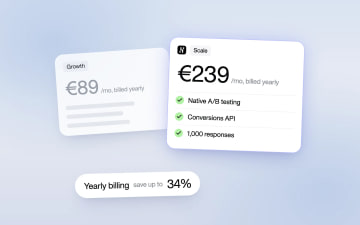
Heyflow Pricing Explained: Plans, Features and Limits
Heyflow plans start at €19 a month billed yearly and are priced by responses. This guide covers what each plan includes, what counts as a response, what happens at the limit, and a break-even method to check whether a higher plan pays for itself.
Read more