

6 Onepage alternatives for high-converting landing pages in 2026






Trusted by 3,000+ marketers






Onepage is great for creating fast, lightweight pages, link-in-bios, and simple funnels. But truly high-converting landing experiences need advanced conversion features like multi-step flows, conditional logic, fast experimentation, native analytics, and deep ad and CRM integrations that marketing teams can run without developer help.
While Onepage can cover many basics, building a scalable funnel often means connecting to third-party tools, scripts, and workarounds. In this guide, we walk through six Onepage alternatives that are engineered for performance-first landing pages, so you can launch, test, and scale campaigns easily.
Why Onepage users may look for alternatives
Many Onepage users opt for this tool for its speed and simplicity, but start to feel the limitations as their funnels, teams, and reporting needs grow. Once you manage multiple sites, higher lead volumes, and more complex tracking or automation, its pricing structure and feature gaps become real reasons to explore alternatives.
Pricing that scales fast as you add projects
Onepage is effective when you just need a free, simple one-pager or a single landing page with a custom domain. However, pricing is tightly linked to how many sites you run, so costs rise as soon as you create multiple projects.
Essential: $19.90 /month for 1 website with core features and a custom domain.
Standard: $39.90 /month for 2 websites, which is still not much if you run lots of campaigns.
Advanced: $69.90$/month for 5 websites, better per-site, but a clear jump in overall spend.
Expert: $179.90 /month for an “unlimited” suite aimed at agencies and established teams.
Limited built-in analytics and testing for CRO teams
For simple one-page sites, the built-in analytics do the basics: you see visits, submissions, and simple funnel drop-offs for your landing page forms. Onepage supports Meta Conversion API natively, which is a solid advantage for Facebook advertisers. However, tracking coverage stops there: Google Ads, TikTok, LinkedIn, and Bing all require GTM or third-party workarounds to function properly.
Where it falls short for CRO teams is experimentation depth and visual insight:
No native A/B testing to compare different versions of a landing page.
No built-in heatmaps, scroll tracking, or detailed screen size/device breakdowns.
You rely on Google Analytics, GTM, or other tools for analysis on your websites.
That’s fine for a basic personal profile or simple one-pager, but becomes a bottleneck when you’re running high-volume testing programs.
Reliance on Zapier/Make for most CRM integrations
Onepage handles simple flows well: you build a single page, capture emails, and trigger an autoresponder from within the platform. For many small setups, that’s enough.
But once you want structured CRM sync — multiple pipelines, tags, lead statuses — you notice how much it depends on middleware:
Most CRM and marketing tools connect via Zapier or Make.
You add extra subscription cost, plus the overhead of building and monitoring all those zaps/flows.
As you multiply one-page sites and campaigns, every new form means another automation to maintain.
Teams that want ‘plug in your CRM and forget it’ often start looking for alternatives with deeper native integrations.
Advanced validation options missing beyond SMS/WhatsApp
Onepage has a native feature for phone verification via SMS and WhatsApp, which is great for filtering obvious fake numbers from landing page forms. That already puts it ahead of many basic single-page builders.
However, in more aggressive lead-gen setups, marketers often need:
Email validation against dedicated APIs.
Lead-level fraud checks and enrichment.
Flexible rules for when to reject or flag a submission.
These advanced layers aren’t built in, so you either stick with simple SMS/WhatsApp checks or start wiring external services and custom code around your one-page sites.
Design flexibility that still requires some technical skills
The builder is good for quickly creating a clean one-pager: sections for all the content, a hero block, benefits, and a form to capture emails, all in a responsive layout. You can connect custom domains and make your landing page look solid across screen sizes without heavy setup.
But the more you push beyond a basic single page, the more you need:
Custom fonts via CSS imports instead of a simple upload button.
Heavier use of custom code for very specific layouts or behaviors.
Fewer ‘just pick a template from the template library and go’ options for complex funnels.
For non-technical marketing teams, that can mean going back to a developer whenever they want to move past a simple one-page site and fine-tune design at scale.
So, with these drawbacks in mind, let’s consider the six Onepage alternatives worth considering.
6 Onepage alternatives to maximize your landing page conversion rates: Comparison overview
We’ve shortlisted these alternatives to Onepage based on how they handle lead gen funnels end to end, including interactive forms, analytics and testing, integrations, pricing, and how real customers rate them in day‑to‑day use.
Here’s a quick overview of how to read the comparison:
✅ Feature is available
❌ Feature is not supported
⚠️ Feature is available with limitations
Heyflow | Unbounce | Leadpages | Instapage | Carrd | Landingi | |
Server-side ad tracking (CAPI) | ✅ | ❌ | ❌ | ❌ | ❌ | ❌ |
Landing page blocks | ✅ | ⚠️ | ⚠️ | ⚠️ | ⚠️ | ✅ |
Built-in analytics & A/B testing | ✅ | ⚠️ | ⚠️ | ⚠️ | ❌ | ✅ |
Advanced logic and personalization | ✅ | ⚠️ | ❌ | ❌ | ⚠️ | ❌ |
Built-in lead validations | ✅ | ❌ | ❌ | ❌ | ❌ | ⚠️ |
Built-in payments | ✅ | ⚠️ | ⚠️ | ❌ | ⚠️ | ✅ |
Custom code (CSS, JS, HTML, etc) | ✅ | ✅ | ⚠️ | ✅ | ⚠️ | ✅ |
Custom branding and design | ✅ | ⚠️ | ✅ | ⚠️ | ⚠️ | ⚠️ |
Direct integrations | ✅ | ⚠️ | ✅ | ✅ | ❌ | ⚠️ |
Data security | ✅ | ⚠️ | ⚠️ | ⚠️ | ❌ | ⚠️ |
Pricing (starting from) | $22/month (billed annually) | $29/month | $49/month | $99/month | Free; then $9/year | Free; then $29/month |
#1. Heyflow

Heyflow is a no-code builder for high-converting landing pages, interactive forms, and multi-step lead funnels that’s built specifically for paid traffic and lead generation. It focuses on helping marketers maximize engagement, design 100% on brand, analyze and optimize performance with built-in analytics and A/B testing, and keep data security and privacy at an enterprise-ready, GDPR-compliant level.
Conditional logic, scoring, and real-time validation help teams qualify and filter out low-quality leads before they ever reach the CRM. Built-in analytics and native A/B testing show exactly where users drop off, while integrations and response handlers connect your flows to 50+ tools so you can automate follow-up and reporting without extra tracking hacks. Native integrations include HubSpot, Salesforce, Pipedrive, Zoho CRM, HighLevel, ActiveCampaign, Google Sheets, Airtable, Monday.com, LeadByte, Calendly, Slack, Meta CAPI, TikTok Events API, Google Ads, LinkedIn, Bing Ads, Stripe, Solidgate, and many more.
Best for ad agencies that want fast, higher-quality leads
Choose Heyflow when:
You want to roll out and duplicate proven funnels quickly across multiple clients or campaigns without waiting on dev or CMS changes.
You need multi-step flows, conditional logic, and real-time validation to qualify leads before they hit your clients’ pipelines.
You want clean CRM handoffs and rely on integrations plus optional custom code to match each client’s stack.
You operate in data-sensitive industries, including legal, insurance, and finance services, and need built-in analytics, security, and privacy controls that keep both you and your clients covered.
Key features
Category | Availability | Features |
Speed-to-Lead | ✅ | Native WhatsApp messaging, custom SMTP branded emails, and automatic email responses — no Zapier required. |
Landing page blocks | ✅ | Build interactive landing pages that are conversion-optimized and on-brand experiences that load fast and work seamlessly on mobile. |
Built-in analytics & A/B testing | ✅ | Built-in A/B testing combined with integrations like Google Analytics 4, Matomo, and Hotjar. Also features AI Insights — AI-powered suggestions per screen to boost conversion rates. |
Advanced logic and personalization | ✅ | Use conditional logic and real-time validation to personalize funnels, ask smarter questions, and qualify leads automatically. |
Built-in lead validation | ✅ | Use phone, email, and address validation (including SMS OTP and network checks) to block fake details, cut invalid leads, and keep your CRM clean from the start. |
Built-in payments | ✅ | Add Stripe or Solidgate checkout blocks directly into your flows. |
Custom code | ✅ | Add advanced styling or functionality when needed with custom CSS, JavaScript, and API/webhook support. |
Custom branding and design | ✅ | Build mobile-ready, interactive funnels with drag-and-drop blocks or templates, no coding needed. Customize branding to match your exact look and feel. |
Direct integrations | ✅ | HubSpot, Salesforce, Pipedrive, Google Sheets, Calendly, and Slack. |
Data security | ✅ | Collect sensitive data with confidence — GDPR, SOC2, and HIPAA compliance keep customer information protected. |
Strengths and limitations
Pros | Cons |
Native server-side tracking (Meta CAPI, TikTok Events API, Google Ads, LinkedIn, Bing) | No free plan. |
Pages load fast with 90+ PageSpeed scores and web component embedding | A/B testing is only available on the Scale plan. |
Built for high-converting landing page funnels, with 40+ blocks in a drag-and-drop editor plus logic, calculators, bookings, payments, and signatures. | Team collaboration tools are Enterprise-only. |
Strong brand control: 1000+ fonts, 2000+ style variables, and support for CSS plus custom code when needed. Heyflow is the only platform in this list where marketers can achieve pixel-perfect brand replication — including spacing, shadows, and corner radius — entirely through the UI, without writing CSS. | |
SOC 2 Type II, ISO 27001, HIPAA (available on all plans — not locked behind Enterprise), GDPR with EU hosting, plus Sensitive Tag for auto-deleting PII and TrustedForm/Jornaya for TCPA compliance | |
Partial Submits captures lead data even when users abandon — recovering revenue other platforms lose." | |
Built-in funnel analytics and drop-off reporting, with Google Analytics support for campaign tracking. |
Pricing
Heyflow offers four pricing tiers (billed annually).
Plan | Price | Features |
Starter | $22/month | 50 responses/month, 5 funnels, core bundle, native CRM integrations, advanced conditional logic, analytics, and tracking. |
Growth | $79/month | 250 responses/month, 10 funnels , core + design + conversion bundle, remove Heyflow branding, all design settings & CSS, custom fonts, payment collection. |
Scale | $229/month | 1,000 responses/month, 20 funnels, all bundles, native A/B testing, custom JS & HTML, advanced tracking, WhatsApp replies. |
Enterprise | Starts at $1,100/month | 5,000+ responses/month, unlimited funnels, advanced tech support, funnel services import, and custom enterprise security. |
User reviews
Users praise Heyflow for being easy to use and visually strong. A user in marketing and advertising calls it the “greatest lead generation system that doesn't look like a classical funnel” and notes, “It’s very easy to use.”
Another user, Neil A. highlights the clean interface and smooth integrations with CRM and analytics tools.
Why choose Heyflow?
Lead quality (SMS OTP)
Brand control (custom CSS/JS/HTML)
Conversion tooling (A/B testing, analytics)
Ad-first integrations (Meta CAPI, GA4, LinkedIn)
Enterprise-grade security (SOC 2, ISO 27001, HIPAA)
#2. Unbounce

Unbounce is built for performance marketers running PPC and paid social campaigns who need dedicated, high-converting lead magnets. Its drag-and-drop builder lets you design custom, on-brand pages without coding, helping teams capture leads and optimize conversion performance across campaigns.
With A/B testing, Smart Traffic, and seamless data collection integrations, Unbounce enables marketers to optimize conversions, reduce cost-per-click, and scale B2B lead generation through focused, conversion-driven ad workflows.
Best for in-house growth teams and performance agencies
Choose Unbounce when:
Your team is constantly A/B testing copy, design, and offers, and needs built-in testing plus Smart Traffic to accelerate learnings.
You manage multiple campaigns or clients and want reusable templates, centralized reporting, and easy domain management rather than scattered one-off pages.
You depend on clean CRM and email handoffs into tools like Salesforce, HubSpot, and Mailchimp.
You’re comfortable paying a bit more for a mature CRO stack because incremental gains in conversion rate directly move revenue or client results.
Key features
Category | Availability | Features |
Landing page blocks | ⚠️ | Provides a flexible free-form canvas for basic layouts, which may suit experienced marketers and creators, but lacks pre-built “smart” modules. This forces users to rely on custom code (JavaScript/CSS) or manual composition for standard elements like accordions, date pickers, and step indicators. |
Built-in analytics & A/B testing | ⚠️ | Unbounce offers standard conversion reporting and “one-click” client-side pixel management (GA4, GTM), giving teams easy access to campaign data. However, it completely lacks built-in behavioral visuals (heatmaps, drop-offs) and server-side APIs (Meta CAPI), requiring external tools like Hotjar and Zapier. If you’re investing money into performance ads, this creates gaps in how you analyze real visitors and optimize for better results. |
Advanced logic and personalization | ⚠️ | While it offers text personalization via URL parameters (DTR), it lacks native logic for forms (calculations, branching). Anything beyond basic data capture requires JavaScript workarounds. For example, if your company needs dynamic qualification steps before routing a lead, that logic has to be custom-built rather than configured natively. |
Built-in lead validations | ❌ | Lacks native, real-time lead verification (OTP, network checks), relies entirely on basic regex patterns (format only), or requires users to build their own validation pipelines using Webhooks and third-party tools like Twilio or LeadByte. |
Built-in payments | ⚠️ | While it includes a native Stripe App for Smart Builder, nearly all other payment methods (PayPal, Shopify) require manual HTML embedding. If your goal is to collect money directly from a landing experience — whether you’re selling digital products, services, or a small portfolio of offers — setup becomes more technical than expected. |
Custom code (CSS, JS, HTML, etc.) | ✅ | Offers tools for injecting custom HTML, CSS, and JavaScript both globally and per-page. Its Webhook and Public API capabilities are excellent for extracting data, though it lacks an inbound "Events API" for tracking custom user behaviors server-side. |
Custom branding and design | ⚠️ | Offers strong typography and layout controls (especially in Classic Builder) but lacks a true "Global Design System" across pages. Smart Builder attempts to fix this with shared styles, but the inability to import external themes or configure SMTP for branded email responses limits its utility as a complete brand platform. |
Direct integrations | ⚠️ | Relies heavily on Zapier and Webhooks for most modern tools. While it has strong "legacy" native integrations for major CRMs like Salesforce, HubSpot, and ActiveCampaign, popular newer tools like Monday.com, Airtable, and HighLevel all require middleware (Zapier) or custom Webhooks. |
Data security | ⚠️ | Unbounce meets standard SaaS security baselines (SOC 2, GDPR DPA, PCI-DSS) and offers a decent native Cookie Banner. However, it falls short for highly regulated industries, lacking HIPAA support, ISO 27001 certification, and "strict EU-only" data residency guarantees. Integrations for third-party compliance tools like TrustedForm and Openli are entirely manual. For highly regulated industries, this limited compliance range may not suit strict operational requirements. |
Strengths and limitations
Pros | Cons |
Easy, fast drag-and-drop builder for custom, conversion-focused landing pages. | Some friction with CRM integrations and reliance on external tools for deeper behavior insights. |
Integrations with major marketing tools like Salesforce, HubSpot, Mailchimp, Google/Meta ads. | Editor/UI still misses small quality-of-life features like alignment, selection, template limits, and pop-up template variety. |
Pages load quickly and are reliable, with features like A/B testing and dynamic text replacement. | Occasional bugs and coding quirks when working with forms or custom JavaScript. |
Pricing
Plan | Price | Features |
Starter | $29/month | Drag-and-drop builder, 5 pages, up to 500 traffic volume, limited to 1 user. |
Build | $99/month | Unlimited landing pages, drag-and-drop builder, up to 20k visitors, 1 user, 1 domain, popups & sticky bars, 100+ templates, basic AI copywriting, integrations. |
Experiment | $149/month | Unlimited A/B tests, unlimited pages, up to 30k visitors, 3 users, 2 domains, Dynamic Text Replacement, variant controls, conversion insights. |
User reviews
Users describe Unbounce as quick to build and easy for marketers to run without developer help. Michael D., says the drag-and-drop builder lets you “create beautiful, conversion-optimized pages without any coding knowledge.”
That said, the biggest criticisms cluster around pricing and support. Another reviewer in Marketing and Advertising sums up the support experience, “Great product until you need support.”
#3. Leadpages
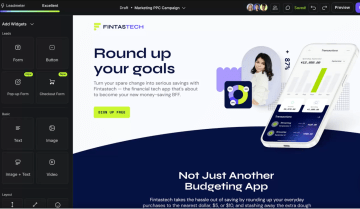
Leadpages offers an approachable landing page builder that includes pop-ups, alert bars, and website integrations. It’s great for small business owners looking to create landing pages without heavy technical skills. While it includes A/B testing and professionally designed templates, it lacks advanced logic or interactive multi-step flows.
Best for small businesses and solo creators
For its ease of use and pre-built templates, Leadpages is a great tool for small businesses looking to create landing pages and sales pages quickly and easily.
Leadpages is a good solution for:
Small businesses or solopreneurs seeking a dedicated landing page builder with built-in A/B testing.
B2B marketers who want fast, conversion-focused templates.
Agencies helping to generate leads for local businesses.
Key features
Category | Availability | Features |
Landing page blocks | ⚠️ | It lacks native interactive widgets like accordions or progress bars, requiring manual custom code workarounds for basic modern UI elements. |
Built-in analytics & A/B testing | ⚠️ | Leadpages' native testing suite is a 'split-url' engine. It effectively handles the technical delivery of different page versions to different users without code. However, it provides zero behavioral context (no heatmaps, no session replays, no funnel drop-off points). To achieve an enterprise-grade CRO (Conversion Rate Optimization) stack, the native A/B tool must be supplemented with Microsoft Clarity or Hotjar via the Global Scripts menu. |
Advanced logic and personalization | ❌ | Advanced Conditional Redirects (multi-path logic) and Conditional Field Logic (show/hide) are not supported within the native Form Widget; forms are limited to a single, static destination URL. Additionally, the platform provides no native interface for Calculations (mathematical formulas) or Logic Visualization (flowchart mapping). The primary exception is the support for Variables via URL Parameter Mapping, which allows for the pre-population of form fields and the passing of data into hidden fields for lead tracking. For any requirement involving branching logic or real-time data processing, Leadpages requires the integration of third-party scripts or embedded HTML widgets. |
Built-in lead validations | ❌ | Lead validation is only possible via workarounds. |
Built-in payments | ⚠️ | Leadpages is a single-gateway platform by design, focusing on a deep integration with Stripe for its native checkout functionality. |
Custom code (CSS, JS, HTML, etc.) | ⚠️ | Allows you to inject custom CSS/JS, drop in custom HTML widgets, and manage site-wide scripts through a native global manager. While it allows you to push lead and visit data to your backend via a "Workflows" engine or Zapier-based webhooks, it does not provide a native, full-fledged Public REST API or a Flow Events API for on-demand querying or real-time event streaming. |
Custom branding and design | ✅ | Offers a multi-layered customization toolkit that includes a library of 100+ Section Templates (block presets) and Global Style Kits, buttons, and countdowns. Advanced design requirements are met through Custom CSS injection and the ability to upload external fonts, bypassing standard UI limitations. It also provides Device-Specific Display toggles at the section and widget levels, allowing for the creation of optimized layouts for mobile and desktop without duplicating pages. |
Direct integrations | ✅ | Has a native integration set (notably HubSpot, Make, some email tools) and leans heavily on Zapier/Make and webhooks to reach Google Sheets, Salesforce, Airtable, Slack, and WhatsApp. But it doesn’t offer first-party connectors for HighLevel, LeadByte, Monday.com, Personio, Recruitee, or softgarden. |
Data security | ⚠️ | While Leadpages hosts its platform on SOC2 and ISO 27001 certified infrastructure (Google Cloud Platform and AWS), the Leadpages application itself does not maintain independent SOC2 Type II or ISO 27001 certifications. |
Strengths and limitations
Pros | Cons |
Customizable templates. | No multi-step logic. |
Intuitive drag and drop editor. | Limited personalization. |
Integrates with popular marketing tools. | Steep learning curve for complete beginners. |
Pricing
Plan | Price | Features |
Standard | $49/month | 5 Landing pages, standard integrations, unlimited traffic and leads. |
Pro | $99/month | Unlimited landing pages, unlimited A/B testing, sales and payments |
Custom | Custom | Customize your plan with client sub-accounts, discounted add-ons, and more |
User reviews
Leadpages is considered great for B2B lead generation. It offers a 14-day free trial and clear templates that help businesses grow without high costs. Yet, it’s important to be aware of your subscription. This review reports, “Some users feel that the company's communication is lacking, especially concerning billing changes and renewal notifications.” A great way to remain cautious of that is to set a reminder on your calendar for renewal dates.
#4. Instapage
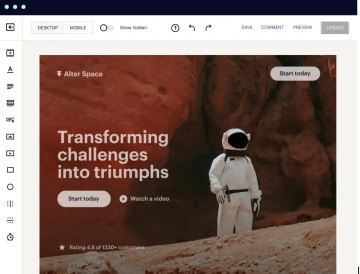
With Instagpage, you get a drag-and-drop builder, 500+ conversion-focused templates, AI-assisted copy for headlines and CTAs, and control over how each page behaves on every screen size. Its standout features are Instablocks® and Global Blocks, which let you reuse and update sections across hundreds of pages at once. Plus built-in collaboration that lets marketers, designers, and stakeholders comment and approve in one place.
Best for digital advertisers and marketing teams
Instapage is a good fit when landing pages are the core of your acquisition workflow, and you need to keep them tightly aligned with your ads. Choose it if you:
Run many paid campaigns and need a funnel builder for Meta and other channels.
Target multiple countries or segments, and want to reuse sections with Instablocks® and Global Blocks instead of rebuilding from scratch.
Work in a team where marketers, designers, and approvers all need to collaborate directly on page layouts and copy.
Care about structured CRO and want built-in A/B testing, AI experiments, and analytics rather than bolting on separate tools.
Key features
Category | Availability | Features |
Landing page blocks | ⚠️ | Supports basic building blocks, like text and image, video, HTML code, and accordion widgets, with customizable containers through Fluid Grid Blocks. |
Built-in analytics & A/B testing | ⚠️ | Instapage has native heatmaps and A/B testing, but lacks integrations with third-party tools like TikTok Pixel, Hotjar, Clarity, and Matomo for deeper cross-platform analysis. |
Advanced logic & personalization | ❌ | Lacks native conditional logic, calculation variables, and logic visualization features, but supports Dynamic Text Replacement for personalized content using URL parameters and conditional redirects via custom code. |
Built-in lead validation | ❌ | Doesn’t include SMS OTP verification, phone network validation, or third-party validation integrations such as LeadByte. It does support basic email and phone format validation, plus optional business email validation through custom JavaScript. |
Built-in payments | ❌ | Lacks native built-in payment blocks or in-builder payment processing, but supports third-party payment integrations via Zapier or external apps for Stripe, PayPal, Checkout Page, Shopify, and Square. |
Custom code (CSS, JS, HTML, etc.) | ✅ | Full support for custom CSS, JavaScript, HTML blocks, and head/body/footer code injection, plus advanced webhooks with field mapping and authorization tokens, but lacks a public API and Flow Events API. |
Custom branding and design | ⚠️ | Supports Google fonts, custom font uploads, Global Blocks for consistent brand assets, Instablocks presets, rich text editor with formatting, responsive device visibility, and built-in email follow-ups. It lacks an open design system, theme import capabilities, and custom SMTP configuration for email replies. |
Direct integrations | ✅ | Supports 120+ integrations, including Google Sheets, HubSpot, Pipedrive, Zapier, Salesforce, Slack, ActiveCampaign, Zoho CRM, WhatsApp, and advanced webhooks. |
Data security | ⚠️ | SOC2 Type I & II certified with GDPR compliance, editable cookie consent banners, and Data Protection Agreement available. Lacks HIPAA and ISO 27001 certifications, EU-exclusive servers (uses global infrastructure), and specialized integrations like Trustedform, Jornaya Verisk, Openli, or Matomo. |
Strengths and limitations
Pros | Cons |
Built-in A/B testing, analytics, reporting, and heatmaps. | Mobile layouts often need manual fixing after customizations. |
Large library of pre-built blocks and templates. | Advanced design options and HTML block preview are limited. |
Good integrations with tools like Google Sheets, Mailchimp, and ad platforms. | Lacks some handy features like swiper components, global code snippets, and flexible section hiding. |
URL parameters and some features are restricted on lower tiers. |
Pricing
Plan | Price | Unique monthly visitors | Features |
Create | $99/month | 15,000 | Build on-brand, pixel-perfect, responsive pages without a developer. Includes drag-and-drop builder, reusable page blocks and forms, real-time visual collaboration, triggered popups and sticky bars, AI content, contacts and email, and collections. |
Optimize | $199/month | 30,000 | Everything in Create, plus server-side A/B testing, hypothesis setting, experimentation history, customizable traffic splitting, scheduling, multi-step forms, and dynamic text replacement to optimize for higher conversions. |
Convert | Custom | Custom | Everything in Optimize, plus an enterprise-ready platform, ad-to-page personalization, global blocks and forms, root domain publishing, heatmaps, direct lead bypass, and access to a CSM and professional services to scale landing page production. |
User reviews
Instapage receives positive feedback from long-time users, like Kate G., who says the drag-and-drop editor is “incredibly intuitive” and lets them get polished pages live quickly without a developer.
However, several reviewers say the editor UX can be frustrating. It sometimes feels slow or buggy, and simple changes or mobile adjustments take more work than they should.
#5. Carrd
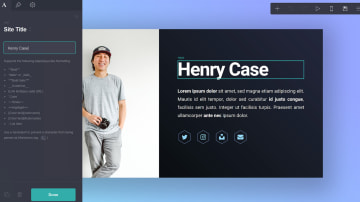
Carrd is a lightweight, no-code builder for simple one-page sites to present your idea or business and send visitors to your main newsletter, store, or blog. You start from a minimal template, drop in all the information (text, images, buttons, forms), and publish a clean, responsive single page in minutes, without touching code.
Its appeal is the mix of free options and very low-cost Pro plans that let you embed widgets (like Stripe, PayPal, or Gumroad to sell products), plug in Google Analytics, and even inject custom code.
Best for creators, freelancers, and small businesses
Carrd is ideal when you mainly need a place to put your words, images, and links in one neat box, with a simple header and footer, rather than a full multi-page website.
Choose Carrd when:
You want to start on free options and only upgrade later for custom domains, forms, or embeds once your idea or business gains traction.
You’re happy managing email capture, blogging, or sales elsewhere, and just need Carrd to present all the information clearly and direct visitors to the right place.
Key features
Category | Availability | Features |
Landing page blocks | ⚠️ | Supports core layout and media blocks (container/columns, text + image, video, and HTML embeds), and can fake list/logo sections. It lacks native UX widgets like accordions, progress bars, steps, date pickers, loaders, and checklists. |
Built-in analytics & A/B testing | ❌ | Carrd lacks a native analytics dashboard and any built‑in A/B testing, instead expecting you to wire in external analytics/ads pixels via generic head embeds and custom endpoints. However, you can connect GA4, pixels, and tracking scripts and pass URL/UTM parameters. |
Advanced logic & personalization | ⚠️ | Offers variables system for lightweight personalization using URL parameters, client date/time, and form values, but it lacks native conditional logic, branching, calculations, and any visual logic editor. |
Built-in lead validation | ❌ | Carrd’s native lead capture forms provide only basic, field‑level validation (including phone format) and do not include OTP, enrichment, or integrated lead validation providers. All advanced phone and email validation must be handled via external scripts or backends rather than built‑in features. |
Built-in payments | ⚠️ | Carrd offers a native Stripe integration via payment-enabled forms and a Stripe Checkout widget, but all other payment providers (PayPal, Solidgate, etc.) depend on third‑party widgets or custom embeds. |
Custom code (CSS, JS, HTML, etc.) | ⚠️ | Carrd offers page-level custom code via its Embed element, letting you inject HTML, CSS, and JavaScript into the head or body for advanced customization. However, it has no native webhook management, public API, or event/flow API. |
Custom branding and design | ⚠️ | Gives you control over fonts (including Google and custom via CSS), reusable Element Styles, and a strong template ecosystem, which covers most basic branding needs. However, it lacks a formal global design system, theme import/export, per‑block presets, device‑level visibility, and SMTP configuration. |
Direct integrations | ❌ | Carrd’s direct integrations are limited to a short list of email marketing tools on signup forms plus email delivery, with everything else (Sheets, CRMs, automation, WhatsApp, etc.) pushed off to third‑party automation platforms and embedded widgets. |
Data security | ❌ | Carrd can host generic tracking scripts and third‑party cookie/consent widgets via code embeds, but it does not advertise SOC2, HIPAA, ISO 27001, EU‑only hosting, DPAs, or built‑in consent/tagging frameworks. |
Strengths and limitations
Pros | Cons |
Easy to use, even without coding experience. | Limited to single-page websites only. |
Clean, attractive templates for portfolios and landing pages. | Limited templates in the free plan. |
Mobile-friendly and supports custom domains. | No subpages or multi-page site structure. |
Pricing
Plan | Price | Key features (includes sites + domains) |
Free | $0 | Publish a basic one-page site using Carrd’s subdomain (no custom domains). Good for quick link pages or simple landing pages. |
Pro Lite | $9/year | Build up to 3 sites. Use Premium URLs. Removes Carrd branding, supports high-quality images, large images/videos, and no element limit. |
Pro Standard | $19/year | Build up to 10 sites. Connect custom domain URLs. Includes no branding, high-quality images, large images/videos, and no element limit. |
Pro Plus | $49/year | Build up to 25 sites. Connect custom domain URLs. Includes no branding, high-quality images, large images/videos, and no element limit. |
User reviews
Users praise Carrd for being simple, affordable, and fast to launch. Vijay S., says Carrd is “super awesome in its free plan” and highlights how the Pro version unlocks “some really good templates.”
However, the most common limitation is the single-page structure. Aesha J. points out that “you can only create single-page websites,” and Girish C. mentions that “the ability to add subpages could’ve been useful.”
#6. Landingi
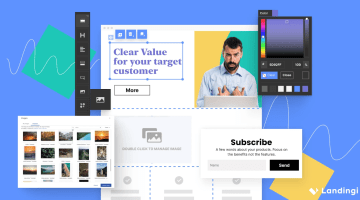
Landingi is a dedicated landing page platform built for marketers who want campaign-specific pages. You can build standalone landing pages, pop-ups, and simple funnels for each offer, then duplicate and tweak them quickly for new ad sets or audiences. The editor lets you control layouts and CTAs, run A/B tests on different versions, and track visits and conversions so you know which variants perform.
Best for paid campaigns
Landingi is ideal for:
Performance marketers and growth teams running multi-channel campaigns who need fast, testable landing pages for each offer, audience, or keyword set.
Digital agencies and freelancers managing client pages and funnels, with reusable sections, templates, and collaboration features to keep everything organized.
Affiliate and eCommerce marketers who rely on high-converting pages, pop-ups, and lead magnets that plug cleanly into their existing email and CRM stack.
Key features
Category | Availability | Features |
Landing page blocks | ✅ | Landingi landing page editor is a drag-and-drop website builder. Pick your template, customize specifics, and launch without needing any coding know-how. |
Built-in analytics & A/B testing | ✅ | Supports native A/B testing engine and basic analytics (visits, leads, conversion rates). However, for advanced visualization like heatmaps, device breakdowns, and drop-off charts, it relies on seamless, official integrations (Hotjar, GA4, Clarity) rather than building them into its own dashboard. |
Advanced logic and personalization | ❌ | Lacks native "complex" logic features like calculations, visual logic mapping, or multi-condition branching within the form itself. |
Built-in lead validations | ⚠️ | It doesn’t natively perform real-time network verification (SMS OTP, Phone Network Lookup, or Active Email Ping). However, native forms support basic field validation (e.g., "Is this an email?", "Is this a number?") and domain blocking. |
Built-in payments | ✅ | Offers a dedicated "Payment" widget section in its editor with native drag-and-drop buttons for PayPal, Stripe, and PayU. |
Custom code (CSS, JS, HTML, etc.) | ✅ | Lets you inject Custom CSS, JavaScript, and HTML at both the page and global account levels. It also provides a native Webhook integration for sending data to external endpoints. |
Custom branding and design | ⚠️ | Offers full support for Google Fonts, custom font uploads, and a Smart Section feature that acts as a global design system. It allows fine-grained control over device visibility (showing blocks only on mobile or desktop). However, it lacks a true "theme import" feature (you can't upload a WordPress theme zip) and its "Block Presets" are limited to section templates rather than atomic element styles. |
Direct integrations | ⚠️ | Native integrations for major CRM and marketing platforms like Salesforce, HubSpot, and ActiveCampaign. However, for project management tools (Monday.com, Airtable), HR systems (Personio, Recruitee), and Google Sheets, it relies on Zapier or Webhooks rather than a direct, built-in connector. |
Data security | ⚠️ | Landingi is not a specialized high-security platform. It lacks native HIPAA compliance (signing a BAA) and its own SOC 2 report (it relies on AWS's). Integrations for compliance (TrustedForm, Jornaya) are possible via custom code but not native "one-click" widgets. However, it is good for general business use (GDPR, DPA, ISO-certified hosting via AWS), |
Strengths and limitations
Pros | Cons |
WordPress integration and quick publishing to existing sites. | Learning curve for some tools and editor controls feels steep at first. |
Built-in A/B testing and tracking help optimize conversion rates. | Free plan is very limited and can push teams to upgrade quickly. |
Easy to set up and build landing pages without coding. | Some users mention rising costs over time and wanting easier global tracking code management. |
Pricing
Plan | Price | Features |
Free | $0/month | 5 landing pages, 100 conversions, 100 visits/month, 1 custom domain. |
Lite | $29/month | 10 landing pages, unlimited conversions, 5,000 visits/month, 1 custom domain, 400+ templates, AI assistant, basic analytics. |
Professional | $69/month | Unlimited landing pages, unlimited conversions, 50,000 visits/month, 10 custom domains, A/B testing, funnels, pop-ups. |
Enterprise | $1,399/month | Unlimited pages and visits, 100 custom domains, EventTracker, SSO, audit logs, team workspaces, dedicated account manager. |
User reviews
Paul M. says Landingi “stands out for its user-friendly interface and quick integration with WordPress,” which makes it easy to roll out and manage landing pages without heavy dev work. However, Filip K. shares, “They recently changed pricing models. If you have a viral campaign and hit your unique visitor limit, you get bumped to a higher tier, which can be a nasty surprise for smaller businesses.”
Choose the best Onepage alternative for your marketing goals
The right Onepage alternative depends on how complex your funnels are, how much UX control you need, and where optimization sits in your growth strategy.
Use this as a quick guide:
Heyflow: For performance marketers and agencies running high-intent paid traffic who need multi-step flows, built-in validation, analytics, and custom code options without sacrificing mobile UX.
Unbounce: For in-house growth teams and performance agencies that prioritize mature CRO features, dynamic text replacement, and ad-to-page control across many campaigns.
Leadpages: For solo creators and small businesses that want fast, template-led pages, simple ways to sell, and pragmatic A/B testing, without diving deep into complex funnel logic.
Instapage: For digital advertisers and marketing teams for whom ad-aligned landing pages are the priority.
Carrd: For creators and micro-businesses that just need a simple, budget-friendly one-pager to present all the information, capture basic leads, or validate an idea.
Landingi: For paid media teams and agencies that manage lots of campaign-specific landing pages, reuse sections across clients, and want straightforward testing and integrations in a familiar page-builder-style interface.
If you want to turn your paid traffic into qualified, sales-ready leads with interactive journeys, strong validation, analytics, and deep integrations in one stack Heyflow is the best “funnel-first” upgrade from Onepage.
Try Heyflow for freeFAQs
Can I migrate my existing Onepage design to another builder?
You can’t “one-click” export a Onepage project into another tool, but you can usually recreate the layout and content fairly quickly. Most alternatives in this guide offer drag-and-drop editors and section-based layouts, so you can copy over your text, images, and structure, then rebuild any forms and integrations manually.
Why is lead validation important in a landing page builder?
Lead validation helps you filter out fake, low-intent, or duplicate submissions before they hit your CRM or sales team. That means a higher share of qualified leads from the same ad spend, especially important in high-CPL industries where every form fill counts.
Do these alternatives support GDPR compliance for EU traffic?
Heyflow is the only tool in this list with SOC 2 Type II, ISO 27001, and HIPAA compliance combined with GDPR, (optional) EU data hosting, and DPAs.
Is there a free alternative to Onepage?
Carrd is the closest free alternative, offering a no-cost plan to publish a basic one-page site. Landingi also has a free tier, but it's capped at 5 landing pages, 100 conversions, and 100 visits per month — limits that most active campaigns will hit quickly. Neither free option covers multi-step flows, advanced analytics, or CRM integrations, so if those are part of your setup, a paid plan will be necessary regardless of which tool you choose.
Which Onepage alternative has the best A/B testing?
Heyflow. It combines native A/B testing with built-in funnel analytics and drop-off reporting, so you're not just running tests — you can see exactly where users abandon and why. It also pairs with Google Analytics 4, Matomo, and Hotjar for deeper behavioral analysis.
Does Heyflow work with Meta CAPI?
Yes, native Meta CAPI is one of Heyflow's differentiating strengths. Heyflow is the only tool in this comparison with native Meta Conversion API support. It also includes native integrations for TikTok Events API, Google Ads, LinkedIn, and Bing Ads, meaning you get server-side ad tracking across major platforms without GTM workarounds or third-party m
Recommended articles

How to Increase Your Meta Ads CVR With the Heyflow AI Funnel Builder Platform
A flat Meta Ads conversion rate is usually a post-click problem. See three ways to fix your funnel and tracking with Heyflow, from full AI automation to manual control.
Read more
How to Create an Advertorial Landing Page That Sells (With Examples)
Learn how to create an advertorial landing page that sells, with examples by vertical, built by Heyflow’s AI and connected to your funnel in a click.
Read more
MCP: The Easiest Way to Create a Sales Funnel With AI
Prompt a sales funnel through MCP and it's hosted the moment it's built, connected in a click. That's what makes it the easiest way to build one with AI.
Read more