

7 QuickPages Alternatives for Landing Pages That Convert







Trusted by 3,000+ marketers






QuickPages is a free-forever landing page generator with a quick signup process that helps growth marketers go from idea to published page without touching a single line of code. For solo creators or small teams who just need somewhere to send traffic, that’s a pretty attractive package.
But once landing pages become the backbone of your paid campaigns, free and simple isn’t always enough.
You need modern templates, reliable integrations, testing options, and a product you can validate through real customer feedback.
That’s why we’ve sourced the best QuickPages.co alternatives based on:
Core features for building, testing, and optimizing high-converting landing pages
Strengths and limitations that actually matter to growth marketers running live campaigns
Real user reviews from platforms like G2, Capterra, and other trusted sources
So, if you like the idea of a no-code landing page builder but need a stack that reliably drives high-quality leads, lower CPAs, and clearer attribution, this guide will help you find a solution that works for your team.
Why growth marketers switch to a QuickPages alternative
Once you move past simple opt-in pages and start treating landing pages as a performance channel, QuickPages begins to feel more like a starter tool than a long-term solution.
Here’s why most growth marketers start looking elsewhere.
1. You can’t validate the product with real user reviews
When you are sending paid traffic to a tool, you want proof that other teams have stress-tested it. With QuickPages, that proof is almost impossible to find.
QuickPages is not listed on major review sites like G2 or Capterra, so you don’t get the usual signals around reliability, support quality, or how it behaves at higher traffic volumes.
Software review website Crozdesk does list QuickPages in the “Easy Website Builders” category, with an internal score of around 58/100 based on press buzz and usage trends. But there is little to no actual user review volume behind that score. It is more of a listing than a real feedback channel.
Because of that gap, we created our own account and tested the platform firsthand to understand what it can and cannot do. Most growth marketers do not have time for that level of investigation, so they naturally gravitate toward alternatives with roadmaps, public reviews, and signals that the product is actively used and trusted by teams like theirs.
2. Limited templates for modern landing page campaigns
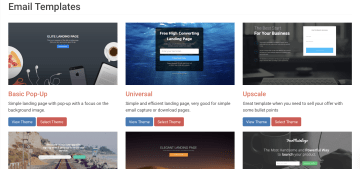
Because QuickPages only has a handful of basic layouts, your options for personalization are limited. You can edit copy and images, but the experience looks almost identical whether the visitor is from enterprise SaaS, local services, or ecommerce. Over time, that hurts engagement.
Most modern landing page platforms offer template libraries across various industries, funnel stages, and formats. For example, tools like Heyflow offer templates
for B2B and B2C lead generation and recruiting, plus guidance on B2B landing page best practices so you’re not reinventing the wheel for every campaign.
Growth marketers want to personalize landing pages by traffic source, campaign, and segment, then use analytics to see which variants scale. With such a thin template library, every new test becomes a manual redesign instead of a quick personalization pass, and you miss the chance to rapidly spin up new lead magnet ideas or offers for different segments.
3. Outdated UX and limited integrations

For a tool that sits at the heart of your landing pages, QuickPages does not feel like a modern marketing platform.
The editor UI looks and behaves like an older website builder with clunky panels, basic controls, and very little guidance for users who want to work quickly. Simple changes to sections or forms take more clicks than they should. Even the help articles and blog content have not been updated since 2016, which makes most teams question how actively the product is being developed.
QuickPages offers very few native connections, most notably with GetResponse and Mailchimp. If your marketing efforts rely on a CRM like HubSpot, Salesforce, or any other sales and analytics tools, you are pushed toward CSV exports instead of direct syncs.
At scale, it becomes a risk with slower response times, inconsistent records, and more chances to lose customers in the handoff. Growth marketers typically prefer integrations, where landing pages, CRM, and analytics work together.
7 QuickPages alternatives for lead generation: Comparison overview
We cover specifics in each tool, but here’s the overview:
Heyflow | ClickFunnels | Leadpages | Unbounce | Landingi | Instapage | Swipe Pages | |
Server-side ad tracking | ✅ | ⚠️, Meta CAPI only | ❌ | ❌ | ❌ | ❌ | ❌ |
Built-in analytics & A/B testing | ✅ | ✅ | ⚠️ | ⚠️ | ✅ | ⚠️ | ⚠️ |
Advanced logic & personalization | ✅ | ✅ | ❌ | ⚠️ | ❌ | ❌ | ⚠️ |
Built-in lead validation | ✅ | ❌ | ❌ | ❌ | ❌ | ❌ | ❌ |
Built-in payments | ✅ | ✅ | ⚠️ | ⚠️ | ✅ | ❌ | ❌ |
Custom code | ✅ | ✅ | ⚠️ | ✅ | ✅ | ✅ | ⚠️ |
Custom branding and design | ✅ | ✅ | ⚠️ | ⚠️ | ✅ | ⚠️ | ⚠️ |
Direct integrations | ✅ | ⚠️ | ⚠️ | ⚠️ | ⚠️ | ✅ | ⚠️ |
Data security | ✅ | ⚠️ | ⚠️ | ⚠️ | ⚠️ | ⚠️ | ❌ |
Pricing | Quarterly plans start from $45/month | From $97/month | From $49/month | From $12.99/month | Free; Paid plans from $29/month | From $99/month | From $39/month |
Key: ✅ = feature supported by over 80% of the category’s capabilities; ⚠️ = 30–80% supported; ❌ = less than 30% supported
#1. Heyflow
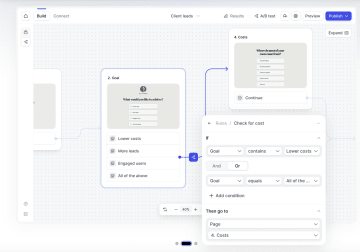
Heyflow is a no-code platform for building interactive landing pages, multi-step forms, and lead funnels that feel smooth on mobile and 100% on-brand. You can start from ready-made templates or build from scratch, then customize fonts, colors, spacing, layouts, and animations– while using multi-step forms to keep each step short and focused.
Heyflow helps you break the customer journey into short steps with logic jumps, conditional questions, and real-time validation, so prospects see only what’s relevant to them. Behind the scenes, native integrations and webhooks sync submissions into your CRM, email tools, and analytics stack, while built-in reporting shows how visitors move through each step of your flow and where you can optimize for better conversions.
Want to see it in action? Watch this video 👇
Best for growth teams who treat landing pages like a performance channel
If your marketing efforts depend on generating high-quality leads, keeping CPAs under control, and personalizing journeys, Heyflow’s a great fit.
Typical use cases include:
Growth and performance marketers running Meta, Google, TikTok, or LinkedIn campaigns who need high-conversion, mobile-friendly landing pages
Service businesses that rely on multi-step qualification flows (for example, solar, home improvement, financial services, insurance)
Ecommerce brands using quiz-style funnels to recommend products and capture zero-party data
B2B teams collecting demo requests, trial signups, and partner inquiries with richer qualification
Agencies building branded, interactive funnels for clients across various industries without maintaining separate codebases
Key features
key feature | Availability | Features |
Server-side ad tracking |
| Meta CAPI, TikTok, Google Ads, LinkedIn, and Bing server-side tracking. |
Partial Submits | ✅ | Captures lead data progressively as users move through each step of a multi-step flow. So even if someone abandons halfway through a qualification funnel, you still have their name, email, or phone number — enough to trigger a retargeting sequence, a sales follow-up, or a suppression list update. |
Speed-to-Lead | ✅ | WhatsApp + Custom SMTPl; validated leads can be routed to your teams instantly, streamlining the entire lead distribution process. |
Built-in analytics & A/B testing | ✅ | Built-in A/B testing combined with integrations like Google Analytics 4, Matomo, and Hotjar. |
Advanced logic & personalization | ✅ | Use conditional logic and real-time validation to personalize funnels, ask smarter questions, and qualify leads automatically. |
Built-in lead validation | ✅ | Use phone, email, and address validation (including SMS OTP and network checks) to block fake details, cut invalid leads, and keep your CRM clean from the start. |
Built-in payments | ✅ | Add Stripe or Solidgate checkout blocks directly into your flows. |
Custom code | ✅ | Add advanced styling or functionality when needed with custom CSS, JavaScript, and API/webhook support. |
Custom branding and design | ✅ | Build mobile-ready, interactive funnels with drag-and-drop blocks or templates, no coding needed. Customize branding to match your exact look and feel. |
Direct integrations | ✅ | CRMs (HubSpot, Salesforce, Pipedrive, Zoho CRM, HighLevel, ActiveCampaign), Ad platforms (Meta CAPI, TikTok Events API, Google Ads, LinkedIn, Bing, Taboola, Outbrain), Analytics (GA4, Hotjar, Clarity, Matomo), Productivity (Google Sheets, Airtable, Monday.com, Slack, Calendly), HR (Personio, Recruitee, softgarden). |
Data security | ✅ | SOC 2 Type II, ISO 27001, HIPAA compliant (BAA available on all applicable plans), GDPR with EU data hosting, Sensitive Tag for PII auto-deletion. |
Strengths and limitations
Pros | Cons |
Conversion-Driven by Design: 40+ drag-and-drop blocks, advanced logic, calculators, payments, bookings, and signatures. | Collaboration features exclusively available on Enterprise plan. |
Full Brand Control: 1000+ fonts, 2000+ style variables, custom CSS/JS/HTML. | A/B testing exclusively available in Scale plan. |
Enterprise-Grade Security: SOC 2, ISO 27001, HIPAA compliance, TrustedForm & Jornaya. | No free plan. |
Built-In Analytics: Funnel analytics, A/B testing, drop-off insights. | |
Deep Integrations: GA4, Meta CAPI, Google Ads, LinkedIn, Salesforce, HubSpot. |
Pricing
Heyflow’s pricing is billed quarterly, with the following plan tiers.
Plan | Price | Features |
Starter | $45/month | 50 responses/month, 5 funnels, core bundle, native CRM integrations, advanced conditional logic, analytics, and tracking. |
Growth | $119/month | 250 responses/month, 10 funnels , core + design + conversion bundle, remove Heyflow branding, all design settings & CSS, custom fonts, payment collection. |
Scale | $289/month | 1,000 responses/month, 20 funnels, all bundles, native A/B testing, custom JS & HTML, advanced tracking, WhatsApp replies. |
Enterprise | Starts at $1,100/month | 5,000+ responses/month, unlimited funnels, advanced tech support, funnel services import, and custom enterprise security. |
User reviews
Users praise Heyflow for being easy to use and visually strong. A user in marketing and advertising calls it the “greatest lead generation system that doesn't look like a classical funnel” and notes, “It’s very easy to use.” Another user, Neil A. highlights the clean interface and smooth integrations with CRM and analytics tools.
Why choose Heyflow?
Lead quality (SMS OTP)
Brand control (custom CSS/JS/HTML)
Conversion tooling (A/B testing, analytics)
Ad-first integrations (Meta CAPI, GA4, LinkedIn)
Enterprise-grade security (SOC 2, ISO 27001, HIPAA)
#2. ClickFunnels
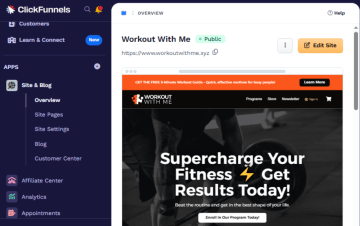
ClickFunnels lets you create complete funnels, from first click to purchase, with a drag-and-drop editor and prebuilt templates for webinars, product launches, and lead magnets. It includes built-in order forms, one-click upsells/downsells, basic email and SMS automation, a simple CRM, membership areas for courses, and an affiliate center.
Best for coaches, course creators, consultants, and ecommerce brands
ClickFunnels works best for digital businesses that sell products or services through structured funnels. It’s a strong fit if you:
Run webinars, application funnels, or launches for coaching and online courses
Sell digital products or bundled offers and want upsells, downsells, and order bumps on the same flow
Want one platform to handle landing pages, checkout, and basic email/SMS follow-up without integrating multiple tools.
Key features
Key feature | Availability | Features |
Built-in analytics & A/B testing | ✅ | Includes predictive analytics, which uses machine learning to forecast your future earnings based on current traffic trends. It also features "Smart Split Testing" (A/B testing), which tests different funnel paths or email sequences to see which journey yields a higher "Customer Lifetime Value." |
Advanced logic & personalization | ✅ | Uses a visual workflow canvas to create conditional split paths and personalized journeys with variables, but it is highly limited for calculations, which usually require 3rd-party widgets or custom code. |
Built-in lead validation | ❌ | It focuses on Lead Generation (capturing the info) rather than Lead Validation (verifying the info is "real"). You will almost always need a middleware tool like Zapier or Make.com to bridge ClickFunnels with a validation service like LeadByte. |
Built-in payments | ✅ | Uses a native Checkout Element and Payments AI hub to manage Stripe, PayPal, and more, while offering advanced features like automated failed-payment retries. |
Custom code | ✅ | Includes a Developer Portal where you can manage "Platform Applications," generate API access tokens, and view detailed documentation for building your own software integrations. It also supports Custom Attributes, allowing you to assign unique data tags to any element for specific targeting with your custom CSS or JS. |
Custom branding and design | ✅ | Customized layouts, colors, fonts, and elements in its drag‑and‑drop editor. |
Direct integrations | ⚠️ | Has a strong Webhooks API and native connections for a few major CRMs, but it relies on Zapier/Make for the vast majority of other integrations, like Google Sheets, Monday, WhatsApp, etc. |
Data security | ⚠️ | Lacks enterprise-grade certifications like SOC2, HIPAA, or ISO 27001. However, it handles GDPR/CCPA compliance through built-in cookie banners and DPAs. |
Strengths and limitations
Pros | Cons |
Large library of ready-made funnel and landing page templates with training and tutorials. | High monthly price for small or new businesses. |
Built-in email lists and autoresponders for basic follow-up. | Limited code access and design freedom for developers. |
Native payments, order forms, upsells, and simple storefronts. | Users complain about billing, refund policies, and plan changes. |
Pricing
Plan | Price | Features |
Launch | $97/month | Unlimited funnels (limited time), 1 workspace, 2 team members, 10K contacts, 50K emails/month, 3 courses, 5 custom domains, standard support, AI tools up to 1M words. |
Scale | $197/month | Unlimited funnels, 5 workspaces, 5 team members, 75K contacts, 300K emails/month, 6 courses, unlimited domains, priority and live chat support, AI tools up to 2M words, custom code editor, webhooks/API. |
Optimize | $297/month | Unlimited funnels, 10 workspaces, 10 team members, 150K contacts, 750K emails/month, 10 courses, unlimited domains, priority and live chat support, AI tools up to 5M words, custom code editor, webhooks/API. |
User reviews
Generally, ClickFunnels has great feedback for its all-in-one funnel stack. But, at the same time, reviewers also point out real drawbacks.
One user in Media Production says “definitely has a learning curve,” and finds it frustrating that they can’t edit the page code directly. Another user, Christian M., a co-founder, adds that by trying to be “all things to all people,” the suite leaves some parts of the product “very basic,” and he feels unhappy with how pricing and early adopter plans were handled.
#3. Leadpages
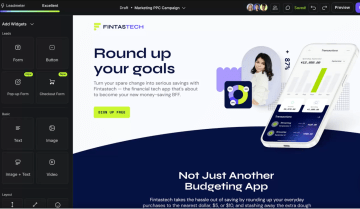
With Leadpages, you can create mobile-responsive landing pages, pop-ups, and alert bars using a large library of conversion-oriented templates for webinars, lead magnets, events, and sign-ups. It includes built-in conversion guidance via its Leadmeter, A/B testing, and real-time analytics so you can adjust headlines, layouts, and CTAs based on performance.
Best for solo creators and small teams focused on lead gen
Leadpages is a good fit if you:
Run lead magnets, webinars, or simple launches and need ready-made, high-converting templates
Want unlimited pages, traffic, and leads without worrying about hitting usage caps
Prefer built-in guidance (Leadmeter) and simple A/B tests over deep custom analytics setups
Don’t have in-house developers and just need a reliable way to get pages live fast
Use popular email tools and CRMs, and want leads to sync via native integrations or Zapier
Key features
Key feature | Availability | Features |
Built-in analytics & A/B testing | ⚠️ | It doesn’t provide any behavioral context (no heatmaps, no session replays, no funnel drop-off points). To achieve an enterprise-grade CRO (Conversion Rate Optimization) stack, the native A/B tool must be supplemented with Microsoft Clarity or Hotjar via the Global Scripts menu. However, it handles the technical delivery of different page versions to different users without code. |
Advanced logic & personalization | ❌ | Advanced Conditional Redirects (multi-path logic) and Conditional Field Logic (show/hide) are not supported within the native Form Widget. Forms are limited to a single, static destination URL. Additionally, the platform provides no native interface for Calculations (mathematical formulas) or Logic Visualization (flowchart mapping). |
Built-in lead validation | ❌ | Led validation only possible via workarounds |
Built-in payments | ⚠️ | Leadpages is a single-gateway platform by design, focusing on a deep integration with Stripe for its native checkout functionality. |
Custom code | ⚠️ | It doesn’t provide a native, full-fledged Public REST API or a Flow Events API for on-demand querying or real-time event streaming. But you can inject custom CSS/JS, drop in custom HTML widgets, and manage site-wide scripts through a native global manager. You can also push lead and visit data to your backend via a "Workflows" engine or Zapier-based webhooks. |
Custom branding and design | ⚠️ | Lets you set global custom fonts/colors, tune section-level designs, use many fonts or upload custom ones, and send emails via your own SMTP, but it lacks a fully open/global design system, automated theme import, and fine-grained block device visibility. |
Direct integrations | ⚠️ | Has a native integration set (notably HubSpot, Make, some email tools) and leans heavily on Zapier/Make and webhooks to reach Google Sheets, Salesforce, Airtable, Slack, and WhatsApp. But it doesn’t offer first-party connectors for HighLevel, LeadByte, Monday.com, Personio, Recruitee, or softgarden. |
Data security | ⚠️ | While Leadpages hosts its platform on SOC2 and ISO 27001 certified infrastructure (Google Cloud Platform and AWS), the Leadpages application itself does not maintain independent SOC2 Type II or ISO 27001 certifications. |
Strengths and limitations
Pros | Cons |
Attractive, conversion-focused templates with Leadmeter guidance. | Multiple users report surprise charges, billing issues, and hard-to-get refunds. |
Integrations for funnels, tripwires, and wider marketing stacks. | Pricing feels expensive for small or low-revenue businesses. |
Easy drag-and-drop builder for quickly creating landing pages and funnels. | Editor can be buggy or slow, with some missing UX features and limited templates. |
Pricing
Plan | Price | Features |
Standard | $49/month | Includes 5 landing pages, unlimited traffic and leads, 1 custom domain, and standard integrations. |
Pro | $99/month | Includes everything in Standard, plus unlimited landing pages, unlimited A/B testing, 3 custom domains, sales and payments, and blog monetization. |
Custom | Custom pricing | Add client sub-accounts, discounted add-on packages, more custom domains, and advanced integrations. Contact Sales for custom pricing. |
User reviews
Users highlight Leadpages’ ease of use and templates, but some users share frustrations about billing and support. Jen K., a COO, says, “Leadpages drag and drop editor is so intuitive you can make landing pages in a few minutes. They also have the MOST amazing customer service!”
In contrast, a user in Food & Beverages writes, “They billed me over $1000 3x and refused to refund me for services I never used.”
#4. Unbounce
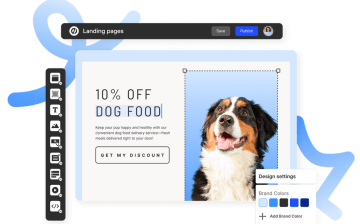
Unbounce is a dedicated landing page and CRO platform. You get a drag-and-drop builder with 100+ templates, separate desktop and mobile layouts, and built-in A/B testing. Plus, AI features like Smart Traffic (which routes visitors to the best-performing variant), Smart Copy for generating and tweaking page copy, and Dynamic Text Replacement to match on-page messaging to ad keywords or segments.
Best for performance marketers and PPC teams
Unbounce is a good fit if you:
Run Google, Meta, or other paid campaigns and want dedicated landing pages for tight ad-to-page message match
Need built-in A/B testing, Smart Traffic, and Dynamic Text Replacement to continuously improve conversion rates
Want to use pop-ups and sticky bars across your site with precise triggers and targeting rules
Key features
Key feature | Availability | Features |
Built-in analytics & A/B testing | ⚠️ | It completely lacks built-in behavioral visuals (heatmaps, drop-offs) and server-side APIs (Meta CAPI), necessitating external tools like Hotjar and Zapier. |
Advanced logic & personalization | ⚠️ | While it offers powerful text personalization via URL parameters (DTR), it completely lacks native logic for forms (calculations, branching), forcing users to rely on "hacky" JavaScript workarounds for anything beyond basic data capture. |
Built-in lead validation | ❌ | Lacks native, real-time lead verification (OTP, network checks), relies entirely on basic regex patterns (format only) or requiring users to build their own validation pipelines using Webhooks and third-party tools like Twilio or LeadByte. |
Built-in payments | ⚠️ | While it offers a native Stripe App for Smart Builder, nearly all other payment methods (PayPal, Shopify) require manual HTML code embedding |
Custom code | ✅ | Offers tools for injecting custom HTML, CSS, and JavaScript both globally and per-page. Its Webhook and Public API capabilities are excellent for extracting data, though it lacks an inbound "Events API" for tracking custom user behaviors server-side. |
Custom branding and design | ⚠️ | Lacks a true "Global Design System" across pages. Smart Builder attempts to fix this with shared styles, but the inability to import external themes or configure SMTP for branded email responses limits its utility as a complete brand platform. |
Direct integrations | ⚠️ | Relies heavily on Zapier and Webhooks for most modern tools. While it has strong "legacy" native integrations for major CRMs like Salesforce, HubSpot, and ActiveCampaign, popular newer tools like Monday.com, Airtable, and HighLevel all require middleware (Zapier) or custom Webhooks. |
Data security | ⚠️ | It falls short for highly regulated industries, lacking HIPAA support, ISO 27001 certification, and "strict EU-only" data residency guarantees. |
Strengths and limitations
Pros | Cons |
Easy, fast drag-and-drop builder for custom, conversion-focused landing pages. | Some friction with CRM integrations and reliance on external tools for deeper behavior insights. |
Integrations with major marketing tools like Salesforce, HubSpot, Mailchimp, Google/Meta ads. | Editor/UI still misses small quality-of-life features like alignment, selection, template limits, and pop-up template variety. |
Pages load quickly and are reliable, with features like A/B testing and dynamic text replacement. | Occasional bugs and coding quirks when working with forms or custom JavaScript. |
Pricing
Plan | Price | Features |
Starter | $19 USD/month
| Drag-and-drop builder, 5 pages, Traffic volume: up to 500, users: 1, root domains: 1, lead gen forms, free hosting, phone, email, and live chat customer support |
Build | $64 USD/month
| Custom scripts and pixels, Unlimited pages, Traffic volume: up to 20k, Users: 1, Root domains: 1, Popups and sticky bars, AI copywriting, Custom code, All Starter plan features |
Experiment | $96 USD/month
| Unlimited A/B testing, Unlimited pages, Traffic volume: up to 30k, Users: 3, Root domains: 2, Unlimited variants, Manual traffic allocation, Confidence intervals, All Build plan features |
Optimize | $161 USD/month
| AI traffic optimization, Unlimited pages, Traffic volume: up to 50k, Users: 5, Root domains: 3, Page, popup, & sticky bar scheduling, Advanced triggers, Industry benchmarking, All Experiment plan features |
User reviews
Users consistently praise Unbounce for being fast, flexible, and marketer-friendly. Michael D., a Director of Marketing, says the drag-and-drop builder lets you “create beautiful, conversion-optimized pages without any coding knowledge.” Dennis S., co-founder of an IT firm writes that Unbounce was “a core part of our marketing strategy,” until their subscription “was increased by 415% in under a year” with new usage caps and penalties.
#5. Landingi
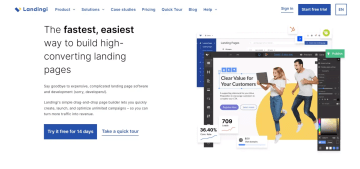
Landingi is a dedicated landing page platform built for marketers who want campaign-specific pages. You can build standalone landing pages, pop-ups, and simple funnels for each offer, then duplicate and tweak them quickly for new ad sets or audiences. The editor lets you control layouts and CTAs, run A/B tests on different versions, and track visits and conversions so you know which variants perform.
Best for paid campaigns
Landingi is ideal for:
Performance marketers and growth teams running multi-channel campaigns who need fast, testable landing pages for each offer, audience, or keyword set
Digital agencies and freelancers managing client pages and funnels, with reusable sections, templates, and collaboration features to keep everything organized
Affiliate and ecommerce marketers who rely on high-converting pages, pop-ups, and lead magnets that plug cleanly into their existing email and CRM stack
Key features
Key feature | Availability | Features |
Built-in analytics & A/B testing | ✅ | Supports native A/B testing engine and basic analytics (visits, leads, conversion rates). However, for advanced visualization like heatmaps, device breakdowns, and drop-off charts, it relies on seamless, official integrations (Hotjar, GA4, Clarity) rather than building them into its own dashboard. |
Advanced logic and personalization | ❌ | Lacks native "complex" logic features like calculations, visual logic mapping, or multi-condition branching within the form itself. |
Built-in lead validations | ❌ | It doesn’t natively perform real-time network verification (SMS OTP, Phone Network Lookup, or Active Email Ping). However, native forms support basic field validation (e.g., "Is this an email?", "Is this a number?") and domain blocking. |
Built-in payments | ✅ | Offers a dedicated "Payment" widget section in its editor with native drag-and-drop buttons for PayPal, Stripe, and PayU. |
Custom code (CSS, JS, HTML, etc.) | ✅ | Let's you inject Custom CSS, JavaScript, and HTML at both the page and global account levels. It also provides a native Webhook integration for sending data to external endpoints. |
Custom branding and design | ✅ | Offers full support for Google Fonts, custom font uploads, and a Smart Section feature that acts as a global design system. It allows fine-grained control over device visibility (showing blocks only on mobile or desktop). However, it lacks a true "theme import" feature (you can't upload a WordPress theme zip) and its "Block Presets" are limited to section templates rather than atomic element styles. |
Direct integrations | ⚠️ | Native integrations for major CRM and marketing platforms like Salesforce, HubSpot, and ActiveCampaign. However, for project management tools (Monday.com, Airtable), HR systems (Personio, Recruitee), and Google Sheets, it relies on Zapier or Webhooks rather than a direct, built-in connector. |
Data security | ⚠️ | Landingi is not a specialized high-security platform. It lacks native HIPAA compliance (signing a BAA) and its own SOC 2 report (it relies on AWS's). Integrations for compliance (TrustedForm, Jornaya) are possible via custom code but not native "one-click" widgets. However, it is good for general business use (GDPR, DPA, ISO-certified hosting via AWS), |
Strengths and limitations
Pros | Cons |
WordPress integration and quick publishing to existing sites. | Learning curve for some tools and editor controls feels steep at first. |
Built-in A/B testing and tracking help optimize conversion rates. | Free plan is very limited and can push teams to upgrade quickly. |
Easy to set up and build landing pages without coding. | Some users mention rising costs over time and wanting easier global tracking code management. |
Pricing
Plan | Price | Features |
Free | $0/month | 5 landing pages, 100 conversions, 100 visits/month, 1 custom domain. |
Lite | $29/month | 10 landing pages, unlimited conversions, 5,000 visits/month, 1 custom domain, 400+ templates, AI assistant, basic analytics. |
Professional | $69/month | Unlimited landing pages, unlimited conversions, 50,000 visits/month, 10 custom domains, A/B testing, funnels, pop-ups. |
Enterprise | $1,399/month | Unlimited pages and visits, 100 custom domains, EventTracker, SSO, audit logs, team workspaces, dedicated account manager. |
User reviews
Paul M. says Landingi “stands out for its user-friendly interface and quick integration with WordPress,” which makes it easy to roll out and manage landing pages without heavy dev work. However, Filip K. shares, “The mobile view often requires significant manual rebuilding, as doesn't auto-respond as smoothly as grid-based builders.” He also adds that “They recently changed pricing models. If you have a viral campaign and hit your unique visitor limit, you get bumped to a higher tier, which can be a nasty surprise for smaller businesses.”
#6. Instapage
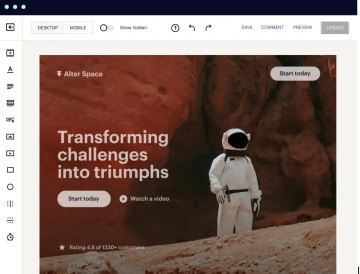
Instapage is a dedicated landing page platform built specifically for post-click experiences and paid advertising. It supports dynamic text replacement and ad-to-page mapping (AdMap), so each ad can point to a tightly matched page experience. AI features help generate headlines and copy, while personalization options let you tailor content based on keywords, UTMs, or audience segments. Forms, pop-ups, and lead capture connect to major CRMs and marketing tools via native integrations and Zapier.
Best for high-spend paid media teams
Use Instapage if you:
Run Google, Meta, or LinkedIn ad spend and need tightly matched, campaign-specific landing pages
Care about post-click ROI and want built-in A/B testing, heatmaps, and detailed analytics to squeeze out extra conversion lift
Need lots of page variants for different geos, personas, or offers, with centralized control via reusable blocks and brand-safe templates
Key features
Key feature | Availability | Features |
Built-in analytics & A/B testing | ⚠️ | Lacks advanced third-party integrations like TikTok Pixel, Hotjar, Microsoft Clarity, Matomo, and detailed dashboard analytics for drop-offs per screen and device breakdowns. But features native A/B testing and heatmaps with direct support for major tracking pixels, but |
Advanced logic & personalization | ❌ | Lacks native conditional logic, variables for calculations, and logic visualization features. However, it supports Dynamic Text Replacement for personalized content using URL parameters and conditional redirects via custom code, but |
Built-in lead validation | ❌ | Only offers basic format validation for email and phone number fields, plus optional business email validation via custom JavaScript code, but lacks advanced features like SMS OTP verification, phone network validation, or third-party validation integrations such as LeadByte. |
Built-in payments | ❌ | Lacks native built-in payment blocks or processing within the form builder itself. But offers third-party payment integrations via Zapier or external apps for Stripe, PayPal, Checkout Page, Shopify, and Square, |
Custom code | ✅ | Full support for custom CSS, JavaScript, HTML blocks, and head/body/footer code injection, plus advanced webhooks with field mapping and authorization tokens, but lacks a public API and Flow Events API. |
Custom branding and design | ⚠️ | Lacks an open design system, theme import capabilities, and custom SMTP configuration for email replies. But supports Google fonts, custom font uploads, Global Blocks for consistent brand assets, Instablocks presets, rich text editor with formatting, responsive device visibility, and built-in email follow-ups. |
Direct integrations | ✅ | While Instapage advertises 120+ integrations (including Zapier connections), Heyflow's 50+ are native, marketing-specific integrations — direct CRM, ad platform, and analytics connections without middleware. |
Data security | ⚠️ | Lacks HIPAA and ISO 27001 certifications, EU-exclusive servers (uses global infrastructure), and specialized integrations like Trustedform, Jornaya Verisk, Openli, or Matomo. |
Strengths and limitations
Pros | Cons |
Good library of blocks/templates and mobile previews for polished designs. | Mobile editing is fiddly as customizations often break the mobile layout. |
Built-in A/B testing, analytics, and heatmaps to improve conversions. | Some UX elements feel unintuitive (e.g., hyperlinking, finding basic controls). |
Easy, intuitive drag-and-drop builder for fast landing page creation. | Advanced features (like URL parameters) are locked behind higher-tier pricing. |
Pricing
Plan | Price | Features |
Create | $99/month | Includes Instapage’s drag-and-drop builder, reusable page blocks and forms, real-time visual collaboration, triggered pop-ups and sticky bars, AI content, contacts and email, and Collections. |
Optimize | $199/month | Includes everything in Create, plus server-side A/B testing, hypothesis setting, experimentation history, customizable traffic splitting, scheduling, multi-step forms, and dynamic text replacement. |
Convert | Custom pricing | Includes everything in Optimize, plus an enterprise-ready platform, ad-to-page personalization, global blocks and forms, root domain publishing, heatmaps, direct lead bypass, and access to a CSM with professional services. |
User reviews
Users generally like Instapage for how quickly they can launch professional landing pages. However, some users mention that the editor “can be somewhat slow and prone to bugs” and that there is “no real mobile-first approach,” so customizations often require extra work on mobile.
#7. Swipe Pages
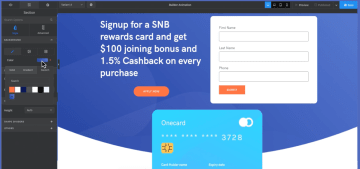
Swipe Pages helps create fast-loading landing pages (including AMP), pop-ups, and simple funnels for paid and organic campaigns. It offers a drag-and-drop editor, 40+ conversion-focused templates, and modules like multistep forms, pricing tables, accordions, and countdowns. Pages are optimized for desktop, tablet, and mobile with built-in CDN and image compression aimed at sub-two-second load times to protect conversion rates on mobile traffic.
Best for mobile-heavy paid campaigns on a budget
Use Swipe Pages if you:
Run Google or Meta ads where most traffic is on mobile and page speed directly affects CPC and CPA
Need a budget-friendly alternative to Unbounce/Instapage that still gives you A/B testing, AMP, and decent templates
Manage multiple campaigns or clients and want to clone, tweak, and ship landing pages quickly without a developer
Key features
Key feature | Availability | Features |
Built-in analytics & A/B testing | ⚠️ | Doesn’t provide a native funnel analytics suite with per‑screen drop‑offs, heatmaps, or a deep, device‑level analytics dashboard. It lacks first‑class, documented integrations for most of the specific tracking tools you listed (Matomo, Clarity, Voluum, Bing Ads Conversion API, etc.). It focuses instead on solid—but fairly standard—built‑in A/B testing plus generic tracking via GA4, Meta Pixel, and script/Tag‑Manager injection. |
Advanced logic & personalization | ⚠️ | Doesn’t provide visual logic flows, formula‑style calculations, or a rule‑builder interface for multi‑condition branching between pages; there is no documentation of “advanced” or multi‑step conditional logic, variables, or calculation fields in forms or funnels. Instead, Swipe Pages focuses on lighter‑weight personalization via Dynamic Text Replacement based on URL/query parameters (e.g., swapping headlines, buttons, and form labels per visitor) |
Built-in lead validation | ❌ | Doesn’t include any native lead‑validation features like phone network lookups, SMS OTP verification, or built‑in third‑party checks (LeadByte, phone/email hygiene), and there is no documentation of real‑time validation rules on phone or email fields beyond standard required‑field checks. |
Built-in payments | ❌ | Doesn’t offer a broad ecosystem of payment integrations or alternative gateways like Solidgate, nor does it document a generic “payment block” that works with many processors; the ecommerce flow is tightly coupled to its own Order Form module and a very small set of gateways. Instead, Swipe Pages provides a built‑in Order Form block that connects natively to Stripe and PayPal only. |
Custom code | ⚠️ | Doesn’t support any public API, Flow Events API, or an “advanced webhooks” rules engine; webhooks exist mainly as outbound notifications for submissions/orders, not as a full bidirectional developer platform. Instead, Swipe Pages is strong on page‑level custom code (Custom CSS and JS via Global Settings, Custom Head/Tracking scripts, and an HTML module for arbitrary embeds) |
Custom branding and design | ⚠️ | Doesn’t support importing a full external theme, an open/global design system you can export or share across projects, or SMTP‑level branded reply handling; it also doesn’t advertise a “1,000+ Google fonts” library, a formal “open design system,” or rich‑text‑specific block templates in the way you describe. However, Swipe Pages is strong on in‑builder branding controls (upload custom fonts, global typography, color swatches, global blocks, block‑level device visibility, HTML‑based rich text) |
Direct integrations | ⚠️ | Doesn’t provide a large catalog of native, one‑click CRM and ops integrations (e.g., HubSpot, Salesforce, Pipedrive, Monday, Personio, Recruitee, softgarden, LeadByte, HighLevel) directly inside Swipe Pages. Limited native integrations (Mailchimp, ActiveCampaign, Stripe); most CRM and analytics connections require Zapier. |
Data security | ❌ | Swipe Pages sits in a lightweight, SMB‑oriented space with a built‑in GDPR cookie banner and a standard privacy‑policy/DPA posture |
Strengths and limitations
Pros | Cons |
Helpful templates that get you from concept to live page in minutes. | Tutorials and onboarding content aren’t detailed enough, so beginners may struggle a bit at first. |
Great for agencies with multi-project setups, global scripts/sections, funnels, A/B tests, and smooth client handoff. | Multiple users call out limited templates/ready-made blocks compared to competitors. |
Pricing
Plan | Price | Features |
Startup | $39/month | Unlimited AMP landing pages and funnels, unlimited conversions, hosting with SSL & CDN, analytics and conversion tracking, multi-step forms, lead notifications, lead magnet delivery, Unsplash images, Stripe checkouts, and access to Zapier/direct integrations. Includes up to 5 team members and 5 client subaccounts. |
Marketer | $89/month | Designed for growing marketing teams that need more domains, more client projects, server-side A/B testing, dynamic text replacement, global blocks/scripts/webhooks, saved templates, AI assistant, and deeper optimization. |
Agency | $199/month | Includes everything in Marketer with unlimited custom domains, unlimited client subaccounts and team members, advanced collaboration, full version history, and all optimization and ecommerce features (including Stripe checkouts) to manage many clients and campaigns at scale. |
User reviews
Users are pretty enthusiastic about Swipe Pages for fast, client-ready landing pages. Mitchell H. describes it as “intuitive, clean, and designed for speed — both in workflow and in final page performance,” saying pages “load almost instantly.”
However, reviewers point to limitations, too. Several reviewers mention a “significant lack” of ready-made blocks or “limited template” options compared to bigger players, and note that the initial setup and tutorials “are not detail[ed].”
Build forms and landing pages that convert with a QuickPages alternative
The right QuickPages alternative depends on how you drive traffic, what you sell, and how seriously you treat optimization. Use this as a quick pairing guide:
Heyflow: For performance marketers who live in Meta/Google/LinkedIn Ads and need multi-step flows, lead validation, and clean CRM routing without sacrificing UX
ClickFunnels: For coaches, course creators, and info-product sellers who want funnels, upsells, and basic email follow-up handled in one opinionated stack
Leadpages: For solo creators and small businesses that want fast, template-led landing pages with built-in guidance and A/B testing, without touching code
Landingi: For paid media teams and agencies that need lots of campaign-specific pages, reusable sections, and straightforward testing across clients
Instapage: For high-spend PPC teams that treat post-click optimization as a revenue lever and want premium personalization, experimentation, and collaboration
Unbounce: For growth teams that want mature CRO features, dynamic text replacement, and strong ad-to-page control without rebuilding their whole stack
Swipe Pages: For budget-conscious advertisers who care most about lightning-fast, mobile-first landing pages and simple funnels that work for paid traffic
If your goal is to capture more qualified leads from paid traffic, personalize every user journey, and optimize conversion rates at scale, Heyflow is specifically built for modern growth teams that care about CPQL, ROAS, and real-time lead qualification.
Try Heyflow for freeFAQs
Is there a better free landing page builder than QuickPages for running Facebook ads?
For Facebook ads specifically, a free plan won't get you far regardless of the tool. What matters for Meta campaigns is Meta CAPI (Conversions API) support, which sends server-side conversion data back to Meta to improve optimization and attribution — QuickPages has none of this. Landingi is the only tool in this comparison with a free tier, but its free plan caps you at 100 visits/month, which is unusable for paid traffic. If budget is the constraint, Swipe Pages ($39/month) or Unbounce's Starter plan ($19/month) are the lowest-cost options that still give you proper pixel and tracking support.
Can I A/B test landing pages with QuickPages?
No. QuickPages has no built-in A/B testing. Among the alternatives, Heyflow, ClickFunnels, and Landingi include A/B testing on mid-tier plans. Unbounce and Leadpages include it but with limitations — Leadpages locks unlimited testing behind the $99/month Pro plan. Instapage's A/B testing is on their $199/month Optimize tier. If A/B testing is a primary requirement, confirm which plan tier it's available on before committing, as most tools gate it.
What landing page builder has the best Meta CAPI tracking?
Heyflow is the only tool in this comparison with native Meta CAPI (server-side Conversions API) support built in. Every other tool — ClickFunnels, Leadpages, Unbounce, Landingi, Instapage, and Swipe Pages — relies on client-side Meta Pixel only, or requires you to route events through Zapier or custom code to get server-side tracking working. This matters because browser-based pixels are increasingly affected by ad blockers and iOS privacy changes, meaning client-side-only tracking underreports conversions and degrades campaign optimization.
Do I need to know how to code to switch from QuickPages?
No. All seven tools in this comparison offer drag-and-drop editors that don't require coding. The main difference is ceiling, not floor — most tools let non-technical users build and publish pages, but vary in how far you can push customization without touching code. Heyflow, Landingi, and Leadpages are generally considered the most beginner-accessible. If you later need custom behavior, Heyflow, Unbounce, and ClickFunnels all support custom CSS, JavaScript, and HTML for developers who want it.
Recommended articles

How to Increase Your Meta Ads CVR With the Heyflow AI Funnel Builder Platform
A flat Meta Ads conversion rate is usually a post-click problem. See three ways to fix your funnel and tracking with Heyflow, from full AI automation to manual control.
Read more
How to Create an Advertorial Landing Page That Sells (With Examples)
Learn how to create an advertorial landing page that sells, with examples by vertical, built by Heyflow’s AI and connected to your funnel in a click.
Read more
MCP: The Easiest Way to Create a Sales Funnel With AI
Prompt a sales funnel through MCP and it's hosted the moment it's built, connected in a click. That's what makes it the easiest way to build one with AI.
Read more