
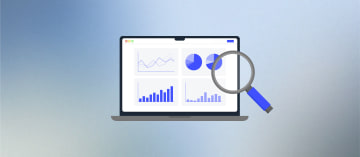
How to Track Funnel Performance Across Ad Channels







Trusted by 3,000+ marketers






You have Meta reporting one conversion number, Google reporting another, and your CRM showing a third. Most teams assume this is an attribution problem and stop there. The deeper issue is the post-click layer: no visibility into which screen each channel's traffic abandons, and why. This guide on tracking funnel performance across multiple ad channels covers the three-layer framework that closes that gap.
Key takeaways
Pixel-only tracking loses 15 to 30% of conversion data, keeping ad sets in permanent learning mode without you realizing it.
Per-screen drop-off data segmented by UTM source reveals channel-specific friction that aggregate conversion rates completely hide.
Heyflow captures per-screen analytics filtered by traffic source, with native server-side conversion sync to Meta, TikTok, Bing, Taboola, and Outbrain, and client-side tracking for Google Ads and LinkedIn.
Partial submit capture recovers lead data and ad algorithm signals from users who abandon mid-funnel, reducing effective CPL without changing bids.
The Post-Click Blind Spot Most Multi-Channel Campaigns Miss
Most performance marketers track the wrong layer. They compare Meta's reported conversions against Google's, notice the numbers don't match, and conclude they have an attribution problem. The real problem is deeper: they have no visibility into what happens between the click and the conversion. Which screen does LinkedIn traffic abandon? Does TikTok traffic drop off at the phone number field at twice the rate of Google Search traffic? Without per-screen funnel analytics segmented by traffic source, you're optimizing ad creative and bids while flying blind on the actual conversion experience.
Multi-channel funnel tracking works across three distinct layers. The pre-click layer covers ad platform metrics: impressions, clicks, CPL, and ROAS reported inside Meta, Google, TikTok, and LinkedIn. The post-click layer covers what happens inside your funnel, screen by screen, segmented by the traffic source that sent each visitor. The post-submit layer covers lead quality signals, CRM data, and the conversion events you send back to ad platform algorithms to improve their targeting. Most teams have the first layer and the third layer partially configured. Almost nobody has the second layer, and that's where the most actionable optimization data lives.
Structure Your Metrics by Funnel Stage and Channel
Before you can compare channel performance, you need a consistent metric framework across all three funnel stages. Using different KPIs for different channels makes cross-channel comparison meaningless.
Top of Funnel (Awareness): Cost Per Impression (CPM), Click-Through Rate (CTR), and Cost Per Click (CPC). These measure how efficiently each channel drives traffic into your funnel. TikTok and Meta typically win here on volume and cost; Google Search and LinkedIn tend to win on intent quality.
Middle of Funnel (Consideration): Per-screen completion rates, per-screen drop-off rates, and time spent per screen. This is the layer most teams skip entirely. It's also where you discover that Meta traffic abandons at the income qualification step while Google traffic sails through, or that LinkedIn traffic drops off at a length-of-funnel point that suggests the audience needs a shorter, higher-trust experience.
Bottom of Funnel (Conversion): Cost Per Acquisition (CPA), Cost Per Qualified Lead (CPQL), Return on Ad Spend (ROAS), and Customer Acquisition Cost (CAC). These are the numbers that drive budget decisions, but they're meaningless without the middle-funnel context that explains why they look the way they do.
Why Ad Platform Data Alone Gives You a False Picture
Every ad platform attributes conversions to itself. Meta counts a conversion if someone clicked your ad within the last 7 days, even if they also clicked a Google Search ad yesterday. Google counts the same conversion under last-click. Both dashboards show 100 conversions. Your CRM shows 85 leads. You're looking at three different numbers for the same reality, and none of them tell you which funnel screen caused the 15 who didn't convert to leave.
The signal loss problem compounds this. Pixel-only tracking loses 15 to 30% of conversion data to ad blockers, browser privacy restrictions, and iOS App Tracking Transparency. Businesses can recover 20 to 40% of that lost conversion data by implementing the Conversions API (CAPI) alongside their browser pixels. That recovery isn't just a measurement improvement. It's a direct input into Meta's and TikTok's optimization algorithms, which need clean conversion signals to exit their learning phases and improve delivery. Meta's algorithm requires at least 50 conversions per ad set per week to exit the learning phase. If you're losing 20% of conversions to pixel failures, you may be keeping ad sets in permanent learning mode without realizing it.
The fix is server-side tracking: sending conversion events directly from your server to the ad platform's API, bypassing the browser entirely. For a deeper look at how native Meta CAPI integration works inside a funnel builder, the comparison of funnel builders for Meta ads covers the key differences in implementation approach and data quality.
Standardize Your UTM Architecture First
Server-side tracking solves signal loss. UTM parameters solve attribution fragmentation. Without consistent UTM taxonomy enforced across every ad link on every platform, your analytics platform will inflate "direct/none" traffic and make cross-channel comparison impossible.
The mandatory fields are: utm_source (the platform: google, facebook, tiktok, linkedin, bing), utm_medium (the channel type: cpc, paid-social, display), and utm_campaign (the specific campaign name). Use lowercase only. Use hyphens, not underscores or spaces, in campaign names. Enforce this as a non-negotiable standard across every team member and every agency partner touching your ad accounts. One inconsistency, such as "Facebook" instead of "facebook" as a source value, creates a separate traffic segment in your analytics and breaks your cross-channel comparisons.
For funnels embedded on existing websites, ensure the embed wrapper passes UTM parameters from the parent page into the funnel frame. Without explicit parameter passing, embedded funnels lose source attribution entirely and report all traffic as direct.
How Heyflow Closes the Post-Click Tracking Gap
Heyflow is built specifically for the post-click layer that generic form builders and landing page tools ignore. It captures per-screen analytics, passes UTM parameters through to your CRM, and sends server-side conversion events to ad platforms natively, without requiring a developer to build a custom server-side GTM container or maintain a Zapier chain.
The analytics and optimization features let you filter your funnel's drop-off data by UTM source, UTM medium, device type, and time range. This means you can isolate exactly how Meta traffic moves through your funnel versus Google Search traffic, screen by screen. If Meta traffic shows a 40% drop-off at screen 3 (phone number entry) while Google traffic shows 18%, you have a specific, actionable insight: Meta audiences are more resistant to giving a phone number early in the funnel. The fix is a funnel variant for Meta traffic that moves phone collection to a later screen, after more trust has been established.
Setting up hidden fields for UTM capture: Inside the Heyflow builder, add a hidden input field for each parameter you want to carry through: utm_source, utm_medium, utm_campaign, gclid, and fbclid. Set each field's visibility to None so users don't see them. Match the variable name exactly to the parameter name. Heyflow reads these automatically from the URL and maps them to your CRM fields on submission, so every lead record arrives with its full attribution data attached.
Enabling server-side conversion tracking: In Heyflow's Connect tab, you can activate native server-side integrations for Meta (Pixel plus CAPI simultaneously, with automatic deduplication), Google Ads (client-side) , LinkedIn (client-side), TikTok, Bing, Taboola, and Outbrain. Heyflow handles the deduplication logic between browser and server events automatically, preventing double-counting without requiring you to implement event_id matching manually. To maximize Meta's Event Match Quality score, map user inputs like email, phone number, and first name to the corresponding fields in the CAPI connection panel. Improving EMQ from 8.6 to 9.3 has been shown to reduce CPA by 18% and lift ROAS by 22%. Poor EMQ scores can increase customer acquisition costs by 40 to 60%.
For performance marketers running campaigns across multiple platforms, Heyflow's performance marketing solution covers the full tracking stack from UTM capture to server-side conversion sync.
Track Lead Quality, Not Just Lead Volume, Across Channels
Conversion volume by channel tells you where traffic converts. It doesn't tell you whether those conversions are worth anything. A channel that sends 200 leads per month at a low CPL may be generating contacts with invalid phone numbers, low intent, or demographic profiles that never close. A channel sending 80 leads at a higher CPL may generate contacts that close at 3x the rate.
Phone network validation (HLR lookup) and SMS OTP verification inside your funnel give you a quality signal at the point of capture. When you segment validation pass rates by UTM source, you get a channel-quality metric that CPL alone can't provide. If LinkedIn traffic shows a 91% phone validation pass rate and a certain display network shows 54%, that's a lead quality gap that justifies a CPL premium for LinkedIn, even if the raw CPL looks worse in the platform dashboard.
Connecting this data to your CRM via Heyflow's native integrations means your sales team sees not just the lead, but its source channel, validation status, and which funnel screens it completed before submitting. This is the data that makes cross-channel budget decisions defensible, not just directionally correct.
A/B Test Funnel Variants by Traffic Source
Sending TikTok traffic and Google Search traffic to the same funnel and expecting identical performance is a common mistake. TikTok users are typically earlier in the consideration journey, arriving from an interruption-based ad format, and they need more trust-building steps before they'll share qualifying information. Google Search users have expressed explicit intent through their search query and often convert better with shorter, more direct funnels that respect their time.
The correct approach is to run channel-specific funnel variants and measure which version performs best for each traffic source. A TikTok variant might lead with a social proof screen and delay qualification questions until screen 3. A Google variant might skip the social proof and go directly to the qualification questions. When you run these as A/B tests with statistical significance tracking, you get data that informs both funnel design and channel strategy simultaneously.
For a detailed breakdown of what to test and how to structure experiments, the guide on funnel builders with built-in A/B testing covers traffic split configuration, significance thresholds, and how to avoid the most common testing mistakes in multi-channel setups.
Recover Lost Leads and Ad Signals with Partial Submit Capture
When a user abandons your funnel at step 3 of 5, two things are lost: the lead data they already provided (name, email, initial qualification answers) and the conversion signal that would have trained your ad platform's algorithm. Partial submit capture recovers both.
Heyflow captures lead data as users progress through the funnel, before they reach the final submission screen. This means a user who provides their name and email on screen 1 and then drops off at screen 3 still generates a usable lead record. That record arrives in your CRM with its UTM attribution intact, so you know which channel sent the partial lead and at which screen they abandoned.
The diagnostic value of this data is significant. If Meta traffic consistently submits name and email but abandons at the income qualification question, that's a targeting signal: your Meta creative is attracting an audience that isn't ready to self-identify as a qualified prospect. The fix might be a creative change, a targeting adjustment, or a funnel variant that delays the qualifying question. Without partial submit data, you'd see only that Meta's completion rate is low, with no indication of why.
You can also send partial submit events back to Meta CAPI and TikTok Events API as micro-conversion signals. This gives the algorithm more training data, which is especially valuable for campaigns that don't generate enough final conversions to exit the learning phase quickly. The article on capturing partial leads from visitors who abandon forms shows the concrete economics: a 15% partial lead recovery rate can reduce effective CPL by approximately 18% without changing bids or audiences.
Connect Funnel Data to a Central Attribution View
Heyflow's per-screen analytics handle the post-click layer. To complete the picture, you need to connect funnel data to your broader attribution stack.
Google Analytics 4: Connect GA4 in Heyflow's integrations panel and map key screen completions as custom GA4 events. This lets you use GA4's Conversion Paths report to see multi-touch sequences like Paid Social (discovery) followed by Organic Search followed by Paid Search followed by funnel conversion. GA4's data-driven attribution model distributes credit across these touchpoints based on actual path analysis rather than arbitrary rules.
CRM integration: Map your hidden UTM fields to matching contact properties in HubSpot, Salesforce, or your CRM of choice. When a lead closes, your CRM can feed that closed-won event back to Meta and Google as an offline conversion, training the algorithm to optimize for revenue, not just lead volume. This feedback loop is the difference between an algorithm that finds cheap leads and one that finds profitable customers.
Dedicated attribution platforms: For teams running significant spend across five or more channels, a dedicated multi-touch attribution tool adds a layer of cross-channel modeling that neither GA4 nor platform dashboards provide. E-commerce and D2C teams typically use Triple Whale or Northbeam for their Shopify integrations and creative analytics. B2B teams with long sales cycles benefit from tools like Ruler Analytics, which bridges ad clicks to CRM pipeline data. Enterprise teams running offline media alongside digital use Rockerbox or Funnel.io to unify all spend in one view.
The integration and automation capabilities in Heyflow connect funnel submissions to these downstream systems without requiring middleware or manual data exports.
Choose an Attribution Model That Matches Your Funnel Complexity
Last-click attribution awards 100% of conversion credit to the final touchpoint before conversion. For most multi-channel campaigns, this systematically undervalues awareness channels like TikTok and display, which initiate journeys that Google Search or direct traffic later closes. Budget decisions based on last-click data consistently over-invest in bottom-funnel channels and starve the top-funnel channels that fill the pipeline.
For teams with fewer than 1,000 conversions per month, linear or position-based multi-touch models distribute credit more fairly across touchpoints without requiring the data volume that algorithmic models need to be accurate. Linear attribution splits credit equally across all touchpoints. Position-based (also called U-shaped) gives 40% to first touch, 40% to last touch, and distributes the remaining 20% across middle touchpoints, which is a reasonable approximation for most lead gen funnels.
For teams above 1,000 conversions per month, data-driven attribution uses machine learning to analyze historical conversion paths and assign credit based on actual contribution, not assumed position. GA4's data-driven model is accessible without additional cost and is a significant improvement over rule-based models for teams with sufficient conversion volume.
Whichever model you choose, apply it consistently across all channels. Mixing last-click for Meta and data-driven for Google produces comparison data that's worse than useless, because it introduces model bias on top of platform bias.
Frequently Asked Questions
Why do Meta, Google, and my CRM all report different conversion numbers for the same campaign?
Each platform uses different attribution windows and models. Meta counts conversions within a 7-day click or 1-day view window. Google Ads defaults to a 30-day click window. Your CRM records only the leads that were actually created in the system, which may exclude duplicates or spam that ad platforms counted as conversions. The solution is to establish one independent source of truth, typically GA4 or a dedicated attribution tool, and use platform dashboards for directional signals rather than absolute numbers.
How do I see which funnel screen is causing the most drop-off for each ad channel?
You need per-screen analytics with UTM filtering. In Heyflow, navigate to the Results tab, open the Analytics dashboard, and filter by utm_source or utm_medium to isolate a specific channel's traffic. The screen-by-screen breakdown shows completion and drop-off rates for that filtered segment. This lets you compare, for example, how Meta traffic moves through screen 3 versus how Google Search traffic does, and identify channel-specific friction points that aggregate drop-off data would hide.
Is server-side tracking (CAPI) really necessary, or is a pixel enough in 2026?
Pixel-only setups lose 15 to 30% of conversion data to ad blockers, browser privacy restrictions, and iOS ATT. That data loss directly degrades ad platform optimization because the algorithm receives fewer conversion signals to learn from. Implementing CAPI alongside your pixel recovers a significant portion of that lost data and improves Meta's Event Match Quality score, which directly affects CPL and ROAS. For any campaign spending more than a few thousand dollars per month, the performance improvement from CAPI implementation pays back quickly.
What UTM naming conventions should I use to make cross-channel comparison accurate?
Use lowercase consistently across all platforms. For utm_source, use the platform name without spaces: google, facebook, tiktok, linkedin, bing. For utm_medium, use the channel type: cpc for search and display, paid-social for social platforms. For utm_campaign, use a consistent naming structure that includes the campaign objective and date. The most important rule is enforcement: one team member using "Facebook" instead of "facebook" as a source value creates a separate traffic segment in GA4 and breaks your cross-channel reports.
How do I use partial submit data to improve my multi-channel tracking?
Partial submits capture the data users provide before abandoning your funnel, along with the UTM attribution for that session. This gives you two things: usable lead records for follow-up, and diagnostic data showing at which screen each channel's traffic fails. If you segment partial submits by utm_source and map them to the screen where abandonment occurred, you can identify channel-specific friction points and test funnel variants that address them. You can also send partial submit events to Meta CAPI and TikTok Events API as micro-conversions, giving the algorithm more training data for campaigns that don't generate enough final conversions to exit the learning phase.
How do I justify budget for top-funnel channels like TikTok when last-click attribution shows low ROI?
Last-click attribution systematically undercounts top-funnel channel contributions because it awards all credit to the final touchpoint, which is usually a branded search or direct visit. To make the case for TikTok or display spend, use a multi-touch attribution model in GA4 or a dedicated attribution tool, and look at assisted conversions: how many final conversions had a TikTok touchpoint earlier in the path. You can also run an incrementality test by pausing TikTok spend for a defined period and measuring whether total conversion volume drops, which isolates TikTok's actual causal contribution from correlation.
Recommended articles
The 6 Best Lovable Alternatives for High-ROAS Funnels (2026)
Lovable is great for building apps, but not for funnels. Compare 6 Lovable alternatives, including Heyflow, built for high-ROAS forms and sign-ups.
Read more
Conversion Rate Optimization Tools: The 8 Best Platforms 2026
Most CRO lists compare tools built for different jobs. See which of 8 conversion rate optimization tools fits a paid-traffic funnel. Compare now.
Read more
The 7 Best Lead Qualification Tools in 2026
Your ad spend keeps climbing, but your sales team keeps complaining about the same thing: too many leads who were never going to buy. Marketing hits its volume targets while reps burn hours qualifying contacts who should have been filtered out before they ever reached a CRM record. Closing that gap matters if you want ROAS and pipeline velocity moving in the same direction. So which of these seven tools actually closes that gap for your team?
Read more