
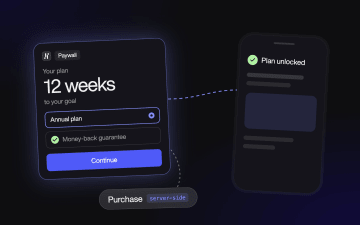
How to plan and build a web-to-app funnel







Trusted by 3,000+ marketers


A web-to-app funnel sells your app's subscription on the web. The buyer pays there, then opens the app with the purchase already active. Most of the work isn't the quiz but the handoffs around it: ad to funnel, funnel to checkout, checkout to app account, and the purchase back to Meta or TikTok as a conversion. That's where first funnels break. This guide follows one funnel from the planning decisions to a screen-by-screen build in Heyflow, then covers checkout, the app handoff, tracking and the fixes for what usually breaks first.
Key takeaways
Build the funnel around the handoffs. A quiz that converts well is wasted if buyers can't find their subscription in the app or the purchase never reaches Meta.
Choose the offer for a web buyer. Free trials on the web attract cards that fail at renewal, so a small paid trial, a money-back guarantee or one annual plan usually works better.
Decide how the app will recognize the buyer before you design a single screen: an account created from the funnel, a redemption link, or sign-in with the same email.
Send each conversion from the system that knows about it. Heyflow sends Lead and InitiateCheckout server-side, your backend sends the purchase, and both go as standard events.
If you run a health or wellness app, check Events Manager for Meta's optimization restrictions before you plan a Purchase-optimized campaign.
Before you build: five decisions that shape the funnel
Settle these before you open the builder. Each one changes what the screens have to do, and changing them later usually means rebuilding.
1. Does your app benefit from a web funnel?
Web funnels pay off when people need to understand the app before they pay: weight loss, fitness, language learning, personal finance, mental wellness, productivity. A quiz shows them a plan built from their own answers before the paywall. An app that explains itself in a screenshot probably doesn't need one.
2. Which shape fits your traffic?
For broad Meta traffic, a quiz that ends in a personalized plan and a paywall is the standard. An app that is easy to explain can get by with one landing page selling one offer. Cold native traffic from Taboola or Outbrain often needs an advertorial before the quiz. And if you'd rather keep the store checkout, a web sign-up that leads to the install still works, but you lose the web purchase as an ad signal.
3. What will you sell on the web?
Keep the web paywall simple: one annual plan, a clearly stated renewal price and a reason to buy now. Free trials are the riskiest choice on the web because nothing is charged up front, so many teams switch to a small paid trial (for example 7 days for $1) or a money-back guarantee. Web payment fees are far lower than the 15 to 30% App Store and Google Play commission, and some teams pass part of that saving on as a web-only price.
4. How will the app recognize the buyer?
This decides your checkout setup, so choose now. The three options are account first, a redemption link, or sign-in with the same email, and they are covered in the checkout section below.
5. What counts as success?
Agree on the metric before launch. Revenue per buyer and LTV to CAC tell you more than the first week's conversion rate, because web funnels often convert fewer visitors at first and keep more of them. Give retention data three to six months, and define “customer” once: trial starter, first payer or payer after refunds.
Building the funnel in Heyflow, screen by screen
The example is a weight-loss app, the most common web-to-app case. Swap the questions and the same structure works for a language app (level, goal, minutes per day) or a budgeting app (income band, savings goal, debts).
Screen | What it has to do | How to build it in Heyflow |
|---|---|---|
Hook | Repeat the ad's promise and ask one easy question, such as “What's your main goal?”, with three to five large answer cards | URL parameters carry campaign and creative into the flow, and a variable swaps the headline per ad, so one funnel serves several angles |
Profile questions | Current weight, goal weight, height and age, one per screen, in units the buyer knows | Formula fields calculate BMI and the gap to the goal while they type |
Habits and history | Activity, eating habits, sleep, time per day, past attempts. Drop any question whose answer doesn't change something later | Conditional logic sends different answers to different follow-up screens |
Proof | Reviews or a short result story after question three or four, where drop-off starts. Only claims you can document | Image and text blocks |
Email capture | Ask for the email before the results: “Where should we send your plan?” | Email validation with typo correction catches “gmial.com”, and this screen fires the Lead event |
Loader | A few seconds that “build the plan” while the formulas run | Loader block with a Lottie animation |
Results | The buyer's own numbers, such as the weight gap and weeks to goal, plus the benefit that matches their goal | Variables, conditional visibility and formula-based navigation that can route a BMI range to a different program |
Paywall | The plan they just built, one annual offer, the renewal price, the guarantee and the payment methods | A sticky bar keeps the call to action in reach on mobile, and the button fires InitiateCheckout and passes email and plan to checkout |
Confirmation | One button to install or open the app, and the same link by email | Button with your deep link, plus an email sent through your email tool's integration or a webhook |
You don't have to start from a blank flow. Heyflow's web2app solution includes a weight-loss quiz template, five weight-loss app funnels show the pattern in live campaigns, and Heyflow AI can draft a first version from a prompt. Turn on partial submits so you keep the answers of people who leave before the paywall and can retarget them by goal.
When the quiz needs a page in front of it
People arriving from native ads or broad audiences often haven't decided they have a problem worth a quiz. An advertorial or presell page tells that story first: what goes wrong, why earlier attempts failed and what the app does differently. You can build it with Heyflow Pages in the same account as the quiz, and conversions from Taboola and Outbrain go out server-side the same way Meta's do.
Connecting checkout and the app
The quiz ends at the paywall. From there, three systems have to agree on who paid: the checkout, your backend and the app.
Choosing a checkout
Most web-to-app offers renew. You need a checkout that creates subscriptions, handles sales tax and retries failed cards. Heyflow's Stripe and Solidgate checkout blocks take one-time payments inside the funnel, which fits an upfront fee or a one-off add-on. For the subscription, the paywall button sends the buyer to your billing provider with email and plan in the URL.
Checkout | Sales tax | How the app finds out | Good fit if |
|---|---|---|---|
Stripe Checkout with Stripe Billing | You, with the Stripe Tax add-on (Stripe) | Your backend listens to Stripe webhooks and activates the account | You already run your own backend and entitlements |
Paddle | Paddle, as merchant of record | Paddle webhooks to your backend | You sell in many countries and don't want to register for tax in each |
RevenueCat Web Billing | You, through RevenueCat's Stripe connection | The web purchase is attached to the RevenueCat customer, which grants the entitlement in the app | Your app already uses RevenueCat for in-app purchases |
Plan for failed payments, which are a bigger issue on the web than in the stores. Turn on automatic retries, offer Apple Pay and Google Pay where your checkout supports them, show prices in the buyer's currency, and send everyone who reached the paywall without paying a reminder with the checkout link.
Getting the buyer into the app
Pick one of three patterns and build the confirmation screen around it:
Account first. The funnel collects the email, a webhook from Heyflow creates the account in your backend, and the checkout attaches the subscription to that account's stable user ID. Don't put an email address or phone number in a URL as the ID.
Redemption link. The checkout creates an anonymous customer and emails a one-time link that claims the purchase in the app. These links can be short-lived (RevenueCat's expire after 60 minutes), so the confirmation screen and email should push the install right away.
Sign in with the same email. The app asks for the email used on the web and finds the subscription on login. It's the easiest to build and the most exposed to typos, which is why email validation on the capture screen matters.
Whichever you pick, the open-app button should use a deep link from your MMP, such as an AppsFlyer OneLink, an Adjust link or a Branch link. Deferred deep linking keeps the destination through the store install, so the buyer lands on the sign-in or plan screen rather than the generic onboarding.
Tracking: which system sends which event
Each conversion should come from the system that knows it happened, as a standard event sent from the server. Heyflow knows about leads and checkout starts, and your billing system knows about purchases, renewals and refunds. Quiz starts help you diagnose drop-off but are no use for bidding.
Event | Fires when | Sent by |
|---|---|---|
Lead | The email is submitted | Heyflow, server-side to the Meta Conversions API and TikTok Events API |
InitiateCheckout | The paywall button is clicked | Heyflow, server-side |
Purchase or Subscribe, with value and currency | The first payment succeeds | Your backend or billing integration, server-side |
Trial converted, renewal, refund | Billing events after day 0 | Your backend, for reporting and value-based bidding |
In Heyflow you connect the Meta Conversions API and the TikTok Events API per flow with the pixel ID and access token. You map hashed email and phone for better Event Match Quality, choose which button fires which event, and pass value and currency. Server-side events also go to Microsoft Ads, Taboola, Outbrain and OpenAI Ads, while Google Ads and LinkedIn run client-side.
Two setups lose the most signal. One is the browser pixel on its own, because ad blockers, Safari's tracking prevention and the Instagram and TikTok in-app browsers all drop events. The other is sending the purchase as a custom event. Meta doesn't use custom events for attribution or optimization, which RevenueCat points out about its own Meta integration, so you still need a standard purchase event from your backend. If the Pixel and the server send the same event, give both the same event ID so Meta counts it once.
You need an MMP once you want to connect the ad click to the install and to what buyers do in the app. If the web purchase is the only conversion you report on, you can launch without one.
Health and wellness apps on Meta
Since January 2025 Meta has restricted some health and wellness advertisers, weight-loss and fitness apps among them, from optimizing for lower-funnel events like Purchase (Haus). Before you plan a Purchase-optimized campaign, check Events Manager for a restriction notice on your dataset. Restricted accounts optimize on an earlier event instead and track purchases in their own data.
Keep health terms out of everything you send, including page paths, URL parameters, event names and audience names. Meta reads a path like /weight-loss-plan/ next to a purchase as health information (Jetfuel). If your app handles protected health information, Heyflow's Scale plan includes HIPAA coverage with a signed BAA.
Measuring and improving the funnel
Track these per campaign. When one drops, it points to a specific part of the funnel:
Metric | Calculation | A low number usually means |
|---|---|---|
Click-to-session rate | Funnel sessions ÷ landing page clicks | Slow page, broken link or in-app browser issues |
First-screen retention | Sessions past screen 1 ÷ sessions | The hook doesn't match the ad |
Email capture rate | Leads ÷ sessions | Too many questions before the value, or a weak results promise |
Checkout conversion rate | Purchases ÷ checkout views | Offer, price or payment methods |
Redemption rate | Web buyers who open the app ÷ web buyers | The account or deep link handoff |
Trial-to-paid rate | Paid conversions ÷ trials with a known outcome | The offer attracts the wrong buyers |
ROAS at day 7 and day 30 | Revenue in the window ÷ spend | Compare cohorts of the same age only |
Lots of purchases with a low redemption rate is a handoff problem, not an acquisition problem.
Test one change at a time on the screens that lose the most people, which for most web-to-app funnels means the hook and the paywall. Heyflow runs native A/B tests with a traffic split and a built-in significance check. Drop-off per screen, filtered by device and UTM, shows whether a leak sits in the funnel itself or in one ad set that sends the wrong people. The Optimize Agent reviews a live funnel, names the screen to fix with the data behind it, and can launch the change as a test. Run variants over full weeks. Pick the winner on revenue per visitor, not on quiz completions.
A good first round of tests:
The hook screen: a headline matched to the ad, and the first question.
How many questions come before email capture.
The paywall offer: a paid trial against a money-back guarantee, or two ways of framing the annual price.
The results screen: how specific the plan looks.
A presell page in front of the quiz for cold audiences.
Keep the funnel and the app telling the same story. If the ad promises one thing and the first app screen shows another, web buyers cancel. Build one funnel per angle, and make sure the first app screen picks up where the funnel left off.
Troubleshooting a web-to-app funnel
Most first funnels break between systems, not inside the quiz. Check these before you redesign screens.
Symptom | Likely cause | Fix |
|---|---|---|
Ads Manager shows far fewer purchases than the billing system | Purchase sent from the browser only, or as a custom event | Send a standard purchase event from the backend, deduplicated with the Pixel |
Purchase optimization unavailable in Ads Manager | Health and wellness restriction on the dataset | Optimize on an earlier event and keep health terms out of URLs and event names |
Many web buyers never open the app | Redemption link expired, or the deep link breaks in the in-app browser | Put the open-app button on the confirmation screen and in the email, and test the link from Instagram and TikTok |
Support tickets about “lost” subscriptions | Typo in the email used for the account | Email validation with typo correction on the capture screen |
High drop-off on the first screen | The hook doesn't match the ad, or the page loads slowly | Mirror the ad's headline and check load time on a phone |
Good trial starts, poor trial-to-paid | The offer attracts bargain hunters, or the app doesn't continue the funnel's promise | Test a guarantee instead of a trial, and align the first app screen with the plan |
Web-to-app funnel FAQ
What is a web-to-app funnel?
A web-to-app funnel is a paid acquisition flow that starts on a web page or quiz and ends in a mobile app. The buyer usually pays on the web, then installs the app and opens it with the subscription unlocked. Some funnels only collect the sign-up on the web and leave payment to the app.
Does Apple allow web-to-app funnels?
Yes. Selling a subscription on your own website and letting the buyer use it in the app has always been allowed. Since the 2025 ruling in Epic v. Apple, apps in the US can also link from the app to a web checkout.
Do web-to-app funnels save money?
Not automatically. Web payment fees are much lower than the 15 to 30% store commission, but you need your own checkout and tax handling, and web funnels often convert fewer visitors at first. The gain usually comes from better renewal rates and new audiences, not from the fee alone.
Do I need developers to build a web-to-app funnel?
Not for the funnel. A no-code funnel builder covers everything from the first question to the checkout handoff. You need a developer once, to create accounts from the webhook, send the purchase event from your backend and set up deep links in the app.
Which apps get the most out of a web-to-app funnel?
Apps with a higher price point or an onboarding that needs explaining: health and fitness, weight loss, telehealth, language learning, finance and productivity.
Should I send Meta the lead or the purchase?
Both, from the server, and optimize on the purchase where your account allows it. Optimizing on quiz completions teaches Meta to find people who finish quizzes, not people who subscribe. Health and wellness accounts that can't optimize on Purchase optimize on an earlier event and measure purchases in their own data.
Can Heyflow take subscription payments inside the funnel?
Heyflow's Stripe and Solidgate checkout blocks take one-time payments. For recurring subscriptions, the funnel passes the buyer to your subscription checkout, such as Stripe Checkout or Paddle, with email and plan attached.
Recommended articles

Best multi step form builders for 2026: a CRO scorecard roundup
Every multi-step form builder can paginate. This roundup scores Heyflow, Tally, Typeform, Jotform and WordPress and Shopify plugins on what separates them for paid traffic: testing, validation, ad signal, step analytics and routing.
Read more
Lead Validation: Process, Techniques & Best Practices
Discover how Heyflow’s new Address Block and validation tools help you collect accurate lead data, reduce errors, and optimize your sales funnel efficiency. Say goodbye to bad data and hello to better conversions!
Read more
What is a conversion rate and how to calculate it to maximize your leads
Discover what a conversion rate in marketing is, how to calculate it, and why it’s essential for a successful campaign. Boost your strategy today!
Read more