
5 Best Webflow alternatives for conversion-focused marketing funnels







Trusted by 3,000+ marketers






The best Webflow alternatives for conversion-focused funnels are Heyflow, Unbounce, ClickFunnels, Wix, and Typeform — each excelling in different areas from multi-step logic to AI-powered traffic optimization.
While Webflow can support all this, it often depends on custom code, integrations, and additional setup. In this article, we share five Webflow alternatives that are designed for funnel performance first, so you can build, test, and scale with less setup friction.
Why look for a Webflow alternative for your funnel?
If your goal is to launch, test, and optimize conversion-focused funnels quickly, you may find yourself relying on custom code, multiple integrations, and extra setup just to get the basics right.
Built-in logic vs. custom code workarounds
Webflow gives you layout control, a polished visual editor, and design tools. But you don’t get native, built-in features for marketing logic, like progress indicators, conditional branching, or multi-step funnel components inside a true drag and drop editor built for funnels.
To create that behavior, teams usually:
Rebuild it manually with generic blocks
Add custom code or write code snippets
Connect external tools for logic and routing
On top of that, Webflow’s own visual Logic feature has been sunsetted. Branching, routing, and calculations are no longer handled in Webflow’s UI. What could be a simple no-code configuration in a funnel-first builder turns into a technical workaround.
The developer bottleneck for rapid A/B testing
Webflow Optimize handles on-page A/B testing well — layout variants, copy changes, and visual experiments are genuinely straightforward without developer involvement. But its scope stops at the page. Ad pixel management, server-side tracking, and conversion API connections all require custom code or external tooling. Multi-step form logic and conditional branching aren't native to Webflow's funnel experience, and there's no built-in lead validation to filter bad submissions before they reach your CRM. For teams whose testing program extends beyond visual tweaks into funnel performance, ad attribution, and lead quality, purpose-built funnel tools cover ground that Webflow Optimize simply wasn't designed for.
For example:
Adding or changing pixels for TikTok, LinkedIn, or other ad platforms
Setting up conversion tags via Google Tag Manager
Adjusting how events fire on submit or on a specific step
None of these are simple “Paste ID” fields for every provider. For a marketing team running continuous experiments, waiting on developer resources disrupts momentum. What should be agile testing becomes ticket-based iteration.
Mobile-first interaction vs. simple responsive design
Webflow handles responsive design well. You can hide/show elements per device and fine‑tune layouts for different breakpoints. For a regular marketing site, that’s usually enough.
Funnels, however, need:
Multi‑step flows that feel natural on a phone
Clear progress (how many steps left)
Easy input patterns like date pickers or steppers
Because Webflow doesn’t offer these as native funnel components, you end up piecing them together with generic blocks or scripts. Every change to the flow then risks breaking the experience on some devices, which is painful when most of your traffic is mobile.
Tracking and attribution hurdles for performance marketers
Out of the box, Webflow can connect to analytics tools and supports Meta Pixel and Google Tag Manager. That covers the basics.
For performance marketing, the bar is higher. You often need:
Multiple ad pixels (Meta, TikTok, LinkedIn, etc.)
Custom conversion events for each step
Reliable UTM capture on every form
In Webflow, this usually means:
Manually configuring conversion tags
Embedding scripts manually or relying on GTM
Writing custom JavaScript so forms store URL parameters in hidden fields
For non-technical teams, debugging tracking inside a complex website-building platform increases the learning curve significantly.
This is why many marketers compare Webflow alternatives and look for platforms that combine no-code, built-in tracking logic, and AI tools for optimization — without relying on a fragile stack of integrations.
5 Webflow alternatives for better lead-gen funnels: Comparison overview
We’ve shortlisted these five Webflow competitors based on how well they handle lead‑gen funnels end to end — from interactive forms and mobile performance to tracking, integrations, pricing, and how real teams rate them in practice.
Feature | Heyflow | Unbounce | ClickFunnels | Wix | Typeform |
Server-side ad tracking (CAPI) | ✅ | ❌ | ❌ | ❌ | ❌ |
Landing page blocks | ✅ | ⚠️ | ✅ | ⚠️ | ⚠️ |
Built-in analytics & A/B testing | ✅ | ✅ | ✅ | ⚠️ | ❌ |
Advanced logic and personalization | ✅ | ⚠️ | ✅ | ✅ | ✅ |
Built-in lead validations | ✅ | ❌ | ❌ | ❌ | ❌ |
Built-in payments | ✅ | ⚠️ | ✅ | ⚠️ | ⚠️ |
Built-in follow-ups | ✅ | ❌ | ✅ | ✅ | ✅ |
Custom code (CSS, JS, HTML, etc) | ✅ | ✅ | ✅ | ✅ | ⚠️ |
Custom branding and design | ✅ | ⚠️ | ✅ | ⚠️ | ⚠️ |
Direct integrations | ✅ | ⚠️ | ⚠️ | ⚠️ | ⚠️ |
Data security | ✅ | ⚠️ | ⚠️ | ⚠️ | ⚠️ |
Pricing (starting from) | $22/month | $29/month | $97/month | $17/month | $266/month |
Here’s a quick overview of how to read the comparison:
✅ Feature is available
❌ Feature is not supported
⚠️ Feature is available with limitations
#1. Heyflow

Heyflow is a no-code lead generation platform for building interactive funnels, multi-step forms, and landing pages that feel tailored to each visitor. You can use conditional logic and dynamic content to send people down different paths, plug in calculator blocks to show custom prices or ROI, and choose from 20+ building blocks with custom fonts and tens of thousands of icons to keep everything fully on brand.
Where Heyflow pulls ahead for paid traffic is server-side tracking. Native Conversion API integrations for Meta, TikTok, Google Ads, LinkedIn, Bing, Taboola, and Outbrain send event data directly from the server — no GTM containers, no middleware, no pixel dependency. That means higher match rates, more complete conversion signals, and better ROAS reporting even as browser-side tracking becomes less reliable.
Heyflow also handles secure file uploads, built-in lead scoring, and detailed analytics with A/B testing so you can see where users drop off and what actually improves conversions. If you need more than a standard form, you can add custom code blocks (JavaScript/HTML), connect flows to your ad platforms and CRM, and hook into APIs so Heyflow fits cleanly into your existing stack.
Want to see it in action? Watch this video 👇
Best for growth marketers and lead‑gen teams
Use Heyflow if you’re:
A performance or growth marketer running always‑on paid campaigns, and you need high‑converting, mobile‑first funnels with clear tracking and built‑in A/B testing.
A lead‑gen or sales ops team that wants to qualify, score, and route leads in multi‑step flows before they ever hit your CRM.
An agency managing funnels for multiple clients and needing clear workspaces, reusable templates, easy deployments, and a tool that can scale with your books and business.
A marketing or product team that cares about data security and privacy, and wants a platform where sensitive lead data is handled safely by default.
A team that wants no‑code speed most of the time, but still needs custom code options and API/webhook integrations so developers can extend flows when required.
Key features
Category | Availability | Features |
Landing page blocks | ✅ | Build anything from forms to interactive landing pages with 40+ drag-and-drop blocks like Google Maps, Calendly, video, or loader blocks, all mobile-ready. |
Built-in analytics & A/B testing | ✅ | Built-in A/B testing combined with integrations, like Google Analytics 4, Matomo, and Hotjar. |
Advanced logic and personalization | ✅ | Enables conditions and navigation rules, uses variables to personalize content, and can calculate scores and custom results per user. |
Built-in lead validations | ✅ | Includes instant phone network checks and optional SMS OTP to block fake leads before they enter your system. Email validation catches invalid addresses at the point of entry, while built-in typo correction nudges users to fix common mistakes (like "gmial.com") before submitting. Sensitive Tag lets you flag and restrict how specific fields are handled downstream, adding an extra layer of control for teams collecting personal or regulated data. |
Built-in payments | ✅ | Offers ecommerce features like built-in payments, signatures, and bookings with Stripe or Solidgate blocks. |
Built-in follow-ups | ✅ | Let's you send custom follow-up emails via your own SMTP and personalized WhatsApp messages using funnel inputs, acting as built-in follow-up messaging. |
Custom code (CSS, JS, HTML, etc.) | ✅ | Add advanced styling or functionality when needed with custom CSS, JavaScript, and API/webhook support. |
Custom branding and design | ✅ | Heyflow is the only platform where marketers can replicate exact brand guidelines entirely through the UI — 2000+ style variables, no CSS required. Every competitor either offers basic theming or requires developer involvement for pixel-perfect branding. |
Direct integrations | ✅ | 50+ native integrations focused on marketing, ad-tech, and CRM.. Native integrations include HubSpot, Salesforce, Pipedrive, Zoho CRM, HighLevel, ActiveCampaign, Google Sheets, Airtable, Monday.com, Slack, Stripe, Solidgate, Calendly, LeadByte, Personio, Recruitee, softgarden, GA4, Hotjar, Microsoft Clarity, Matomo, Voluum. |
Data security | ✅ | Collect sensitive data with confidence — GDPR, SOC2, and HIPAA compliance keep customer information protected. |
Strengths and limitations
Pros | Cons |
Conversion-driven design with 40+ drag and drop blocks, advanced logic, calculators, payments, bookings, and signatures. | Collaboration features only available in Enterprise plan. |
Full brand control with 1000+ fonts, 2000 plus style variables, and custom CSS, JS, and HTML. | A/B testing only available in Scale plan. |
Enterprise-grade security with SOC 2, ISO 27001, HIPAA, TrustedForm, and Jornaya. | No free plan. |
Built-In Analytics: Funnel analytics, A/B testing, drop-off insights. | |
Deep Integrations: GA4, Meta CAPI, Google Ads, LinkedIn, Salesforce, HubSpot. | |
Built-in lead qualification with API based phone validation and SMS OTP. | |
Built in follow-ups with custom WhatsApp and email messages. | |
Tracking integrations with direct connections to Taboola, Outbrain, Meta, TikTok, and more. |
Pricing
Heyflow offers four pricing tiers (billed annually).
Plan | Price | Features |
Starter | $22/month | 50 responses/month, 5 funnels, core bundle, native CRM integrations, advanced conditional logic, analytics, and tracking. |
Growth | $79/month | 250 responses/month, 10 funnels , core + design + conversion bundle, remove Heyflow branding, all design settings & CSS, custom fonts, payment collection. |
Scale | $229/month | 1,000 responses/month, 20 funnels, all bundles, native A/B testing, custom JS & HTML, advanced tracking, WhatsApp replies. |
Enterprise | Starts at $1,100/month | 5,000+ responses/month, unlimited funnels, advanced tech support, funnel services import, and custom enterprise security. |
User reviews
Users appreciate how Heyflow helps them drive more conversions from paid traffic, without the complexity of juggling multiple tools.
“The main thing we wanted to get out of Heyflow was better conversion rates for our clients. With cost per lead rising all the time, the key for us was achieving a lower CPL and higher conversion rates. Heyflow solved both challenges very quickly.”
— Sam Obrart, Founder, Atomic Marketing
Why choose Heyflow?
Lead quality (SMS OTP)
Brand control (custom CSS/JS/HTML)
Conversion tooling (A/B testing, analytics)
Ad-first integrations (Meta CAPI, GA4, LinkedIn)
Enterprise-grade security (SOC 2, ISO 27001, HIPAA)
Captures lead data even when visitors abandon the form — recover revenue from every interaction.
#2. Unbounce

Unbounce is built for performance marketers running PPC and paid social campaigns who need dedicated, high‑converting lead magnets and landing pages for each offer. Its drag‑and‑drop builder makes it easy to design custom, on‑brand pages without coding, while A/B testing, Smart Traffic, and integrations for data collection help teams optimize conversions and scale B2B lead generation across campaigns.
Best for growth teams running paid ads
Run high-intent paid campaigns and want to test landing page variations to systematically boost conversion rates — without relying on the broader infrastructure of the best Webflow builds.
Need a drag-and-drop editor with Smart Traffic, and integration capabilities
Want campaign-level content management, clean data capture, and high design freedom without writing custom code — while avoiding the complexity that often comes with assembling a custom stack across multiple tools.
Use focused seo settings for landing pages rather than building an organic content engine aimed at long-term seo rankings.
Key features
Category | Availability | Features |
Landing page blocks | ⚠️ | Provides visual design tools and a flexible canvas for building a professional site. It includes basic layouts, but lacks pre-built "smart" modules, forcing users to rely on custom code (JavaScript/CSS) or manual composition for standard elements like accordions, date pickers, and step indicators. |
Built-in analytics & A/B testing | ✅ | Unbounce supports A/B testing and core functionalities for standard conversion reporting and "one-click" client-side pixel management (GA4, GTM), but completely lacks built-in behavioral visuals (heatmaps, drop-offs) and server-side APIs (Meta CAPI), necessitating external tools like Hotjar and Zapier. |
Advanced logic and personalization | ⚠️ | While it offers powerful text personalization via URL parameters (DTR), it completely lacks native logic for forms (calculations, branching). Anything beyond basic capture usually becomes custom solutions through “hacky” scripts. |
Built-in lead validations | ❌ | Lacks native, real-time lead verification (OTP, network checks), relies entirely on basic regex patterns (format only), or requires users to build their own validation pipelines using Webhooks and third-party tools like Twilio or LeadByte. |
Built-in payments | ⚠️ | While it offers a native Stripe App for Smart Builder, nearly all other payment methods (PayPal, Shopify) require manual HTML code embedding |
Built-in follow-ups | ❌ | It has zero native capability to send emails or SMS messages to the lead, forcing 100% reliance on external integrations like Mailchimp or Twilio. |
Custom code (CSS, JS, HTML, etc.) | ✅ | Offers tools for injecting custom HTML, CSS, and JavaScript both globally and per-page. Its Webhook and Public API capabilities are excellent for extracting data, though it lacks an inbound "Events API" for tracking custom user behaviors server-side. |
Custom branding and design | ⚠️ | Offers typography and layout controls (especially in Classic Builder) but lacks a true "Global Design System" across pages. Smart Builder helps with shared styles, but branding consistency still requires careful manual setup. If you’re used to a WordPress site workflow with themes and repeatable styling patterns, Unbounce can feel more “page-by-page.” |
Direct integrations | ⚠️ | Unbounce supports major CRMs, but many modern tools require Zapier or webhooks. Without a robust app marketplace (or an app marketplace that covers newer tools deeply), you’ll lean on middleware for everyday workflows. Compared to a platform with a massive plugin ecosystem, it can feel limited. |
Data security | ⚠️ | Unbounce meets standard SaaS security baselines (SOC 2, GDPR DPA, PCI-DSS) and offers a decent native Cookie Banner. However, it falls short for highly regulated industries, lacking HIPAA support, ISO 27001 certification, and "strict EU-only" data residency guarantees. Integrations for third-party compliance tools like TrustedForm and Openli are entirely manual. |
Strengths and limitations
Pros | Cons |
Quick, drag-and-drop page builder that gets landing pages live fast. | Pricey, and costs can jump fast once you hit new limits or caps. |
Conversion tools baked in (A/B testing, Smart Traffic, dynamic text replacement). | Analytics are fairly light if you need deeper behavior and drop-off insights. |
Great for launching PPC pages that match ad messaging without a long build cycle. | The editor can be glitchy at times, and templates can feel restrictive. |
Pricing
Plan | Price | Features |
Starter | $29/month | Drag-and-drop builder, 5 pages, up to 500 traffic volume, limited to 1 user. |
Build | $99/month | Unlimited landing pages, drag-and-drop builder, up to 20k visitors, 1 user, 1 domain, popups & sticky bars, 100+ templates, basic AI copywriting, integrations. |
Experiment | $149/month | Unlimited A/B tests, unlimited pages, up to 30k visitors, 3 users, 2 domains, Dynamic Text Replacement, variant controls, conversion insights. |
Optimize | $249/month | AI traffic optimization, unlimited pages, up to 50k visitors, 5 users, 3 domains, advanced targeting, scheduling, audience insights. |
User reviews
Users appreciate how easy Unbounce makes it to build and launch high-converting landing pages. However, not everyone is happy with the pricing changes. Dennis S., Co-Founder, noted, “Our subscription increased by more than 400% in under a year with no new features to justify it. It’s unfortunate to see a great product become so focused on profit over value.”
#3. ClickFunnels
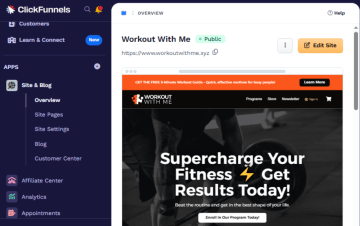
ClickFunnels is a funnel builder that offers classic flows like squeeze pages, order bumps, upsells, and downsells, all chained together with a few clicks. You get step‑based funnels, ready‑made templates, and baked‑in order forms, which makes it easy to create a simple “buy this now” journey, but harder to design more bespoke, logic‑heavy lead generation experiences.
Best for course creators and offer‑led funnels
Use ClickFunnels if you’re:
Selling courses, coaching, or info products, and want templated funnels for webinars, challenges, and launches.
Running offers‑led campaigns (tripwires, bundles, upsells) where the priority is maximizing average order value, not fine‑tuning every pixel.
A solo founder or small team that prefers one tool handling pages, payments, and basic email follow‑ups over a more flexible but complex stack.
Key features
Category | Availability | Features |
Landing page blocks | ✅ | Supports drag‑and‑drop editor to build landing pages, product pages, and full websites by stacking customizable sections and rows. It provides a “Lego-like” experience where you can move elements like videos, forms, and checkout blocks anywhere on the screen without needing to write code. |
Built-in analytics & A/B testing | ✅ | Includes predictive analytics, which uses machine learning to forecast your future earnings based on current traffic trends. It also features "Smart Split Testing" (A/B testing), which tests different funnel paths or email sequences to see which journey yields a higher "Customer Lifetime Value." |
Advanced logic and personalization | ✅ | Uses a visual workflow canvas to create conditional split paths and personalized journeys with variables, but it is highly limited for calculations, which usually require 3rd-party widgets or custom code. |
Built-in lead validations | ❌ | It focuses on Lead Generation (capturing the info) rather than Lead Validation (verifying the info is "real"). You will need a middleware tool like Zapier or Make.com to bridge ClickFunnels with a validation service like LeadByte. |
Built-in payments | ✅ | Uses a native Checkout Element and Payments AI hub to manage Stripe, PayPal, and more, while offering advanced features like automated failed-payment retries. |
Built-in follow-ups | ✅ | Provides a powerful native workflow engine to automate email sequences and manage leads through a built-in CRM, though it requires 3rd-party integrations (like Twilio) for SMS. |
Custom code (CSS, JS, HTML, etc.) | ✅ | Supports a Custom JS/HTML element that lets you paste your own HTML/JavaScript or embed third‑party widgets on funnel pages. |
Custom branding and design | ✅ | Includes a Developer Portal where you can manage "Platform Applications," generate API access tokens, and view detailed documentation for building your own software integrations. It also supports custom attributes, allowing you to assign unique data tags to any element for specific targeting with your custom CSS or JS. |
Direct integrations | ⚠️ | Has a strong Webhooks API and native connections for a few major CRMs, it relies on Zapier/Make for the vast majority of other integrations, like Google Sheets, Monday, WhatsApp, etc. |
Data security | ⚠️ | Handles GDPR/CCPA compliance through built-in cookie banners and DPAs, but it lacks enterprise-grade certifications like SOC2, HIPAA, or ISO 27001. |
Strengths and limitations
Pros | Cons |
Big selection of funnel and landing-page templates, plus plenty of educational resources to help you launch quickly. | Pricing can feel steep for early-stage teams or smaller budgets. |
Built-in email list management and simple automations for follow-up sequences. | Limited flexibility for developers who want code control or highly custom designs. |
Native checkout tools, including payments, order forms, upsells, and basic selling features. | Several users complain about billing, refund policies, and plan changes. |
Pricing
Plan | Price | Features |
Launch | $97/month | Unlimited funnels (limited time), 1 workspace, 2 team members, 10K contacts, 50K emails/month, 3 courses, 5 custom domains, standard support, AI tools up to 1M words. |
Scale | $197/month | Unlimited funnels, 5 workspaces, 5 team members, 75K contacts, 300K emails/month, 6 courses, unlimited domains, priority and live chat support, AI tools up to 2M words, custom code editor, webhooks/API. |
Optimize | $297/month | Unlimited funnels, 10 workspaces, 10 team members, 150K contacts, 750K emails/month, 10 courses, unlimited domains, priority and live chat support, AI tools up to 5M words, custom code editor, webhooks/API. |
User reviews
Users praise the ease of use and comprehensive training provided by ClickFunnels. However, some users share that the platform has a learning curve with so many features. Another user, Osvaldo C., says, “Price can be high, especially if you are just starting out or have a small business.”
#4. Wix
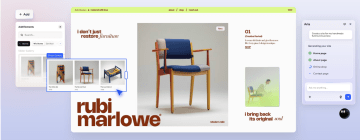
Wix is a website builder that gives small businesses and solo creators an easy way to get online fast with drag‑and‑drop pages, landing page templates, built‑in forms, and basic funnels for capturing leads, booking calls, or selling simple offers. It’s designed as an all‑in‑one hub where you can manage your site, accept payments through Wix Payments or other gateways, run email and chat, and plug in extra apps from the Wix App Market as your marketing scales.
Best for small businesses that want a simple funnel
Choose Wix if you:
Run a local or service business and want one place for your website, lead capture forms, bookings, and simple sales pages.
Need a beginner‑friendly editor with lots of templates, so non‑technical team members can create landing pages and lead magnets quickly.
Care more about having built‑in extras (email, chat, basic automations, payments, apps) than about highly customized, conversion‑optimized funnels.
Key features
Category | Availability | Features |
Landing page blocks | ⚠️ | Supports core layout, HTML, and key UI inputs like accordions, date pickers, and progress bars. Lacks dedicated blocks for steps, loaders, logo bars, and checklists, so some landing-page patterns still require manual composition or custom code. |
Built-in analytics & A/B testing | ⚠️ | Robust built-in analytics and native integrations for mainstream ad/analytics platforms. Lacks first-class support for tools like Matomo, Hotjar, Voluum, and LinkedIn Pixel, so advanced or niche tracking stacks still depend on GTM or custom code. |
Advanced logic and personalization | ✅ | Provides advanced logic and personalization via Velo plus new visual Automation Builder and Wix Functions, covering multi-condition redirects, variables, calculations, and clearly visualized logic flows for non‑developers. |
Built-in lead validation | ❌ | Lacks built-in lead validation for phone and email. Instead, it relies on custom Velo integrations and third-party apps for SMS OTP and phone/email verification, which adds complexity and development overhead. |
Built-in payments | ⚠️ | Offers built-in payment options via Wix Payments and 80+ gateways, including Stripe and PayPal, but lacks Solidgate and a clearly defined generic “Payment block.” |
Built-in follow-ups | ✅ | Wix offers built-in follow-ups via Wix Automations, including automatic follow-up funnels, immediate messages, and team notifications. |
Custom code | ✅ | Supports custom code with first‑class support for custom CSS/JS, head and HTML injections, public APIs, events, and webhooks, while “Flow Events” needs to be assembled from generic tracking and event APIs rather than a single named endpoint. |
Custom branding and design | ⚠️ | It supports typography and theme tools with a reusable design system in Wix Studio. But theme import, openness of the design system, granular block presets/visibility, and SMTP-level control are only partially addressed. |
Direct integrations | ⚠️ | Provides direct integrations for major CRM and marketing tools (HubSpot, ActiveCampaign, monday.com, Zoho) plus WhatsApp and webhooks. But many platforms either rely on Zapier-style middle layers or are missing entirely. |
Data security | ⚠️ | Delivers enterprise‑grade security, certifications, and GDPR/CCPA tooling with customizable cookie consent. But doesn't natively support Matomo, TrustedForm/Journaya, Openli, or EU‑only hosting, and lacks a dedicated 'sensitive lead' tag concept. |
Strengths and limitations
Pros | Cons |
Beginner-friendly drag-and-drop editor. | Pricing can feel high, especially once you add premium features, domains, or apps. |
Large template library with strong design flexibility and customization options. | Advanced functionality may require third-party apps or workarounds. |
Helpful onboarding and learning resources for non-technical users. | Interface and feature depth can feel overwhelming for new users. |
Pricing
Plan | Price | Features |
Light | $17/month | Free domain for 1 year, 2 GB storage, multi-cloud hosting, light marketing suite, 2 site collaborators. |
Core | $29/month | Free domain for 1 year, 50 GB storage, multi-cloud hosting, basic marketing suite, accept payments, basic eCommerce, scheduling and services, 5 site collaborators. |
Business | $39/month | Free domain for 1 year, 100 GB storage, multi-cloud hosting, standard marketing suite, accept payments, standard eCommerce, scheduling and services, 10 site collaborators. |
Business Elite | $159/month | Free domain for 1 year, unlimited storage, multi-cloud hosting, advanced marketing suite, accept payments, advanced eCommerce, scheduling and services, advanced developer platform, 100 site collaborators. |
User reviews
Many small business owners credit Wix with making website creation accessible without technical skills. As Micha S., puts it, “you guys made me able to work from home and send my craft worldwide.” At the same time, pricing and performance come up as recurring concerns. Vinay V., notes, “The main thing I dislike is that it sometimes lags in between while performing tasks like customizing your website.”
#5. Typeform
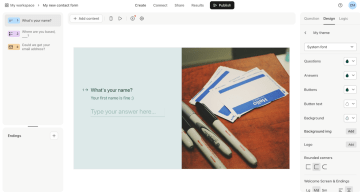
Typeform is a form and survey tool built around conversations rather than long, static questionnaires. Its signature one-question-at-a-time format keeps respondents focused and reduces abandonment — a real advantage for surveys and quizzes where attention drops fast. For multi-step funnel builders, though, the single-field-per-screen approach can feel restrictive: you can't group related fields (like name and email) on the same step without losing the conversational flow. Typeform has introduced a multi-question layout option, but it's a partial fix — it sacrifices the core UX that makes Typeform distinctive in the first place. With branding controls, built-in analytics, and mobile-optimized layouts, it works well for quizzes, surveys, and lead-gen forms where engagement matters more than dense data collection.
Best for brand and UX teams that want conversational forms
Use Typeform if you’re:
Collecting feedback, NPS, or research insights, and want a friendly, low‑friction experience.
Running quiz‑style lead magnets where branching questions and smooth UX matter more than complex funnel steps.
A marketing or CX team that wants to embed forms into existing pages, sync answers to your CRM, and keep setup simple for non‑technical users.
Key features
Category | Availability | Features |
Landing page blocks | ⚠️ | Is primarily a data collection tool (forms), not a landing page builder. While it offers some visual customization (“Welcome Screens,” “Layouts”), it lacks most structural layout blocks found in dedicated landing page builders (like Containers, Accordions, or Logo Bars). |
Built-in analytics & A/B testing | ❌ | Natively supports Google and Meta ecosystems but lacks native integrations for most other ad platforms and heatmapping tools, requiring Google Tag Manager (GTM) as a bridge for almost all non-Google/Meta tracking. It also completely lacks native A/B testing and advanced time-based analytics graphs. |
Advanced logic and personalization | ✅ | Provides a dedicated "Workflows" tab with a visual Logic Map, allowing for complex branching, mathematical calculations (pricing/scoring), and the ability to recall user answers (variables) throughout the form. |
Built-in lead validations | ❌ | No native real-time validation for phone numbers or emails beyond basic format checking (e.g., ensuring an "@" symbol exists). |
Built-in payments | ⚠️ | Has a native "Payment" block, but it is exclusively locked to Stripe. |
Built-in follow-ups | ✅ | Has a native feature called "Follow-ups" that allows you to send automated emails to respondents or yourself upon form completion. |
Custom code (CSS, JS, HTML, etc.) | ⚠️ | Has a Public API and Webhooks system for backend integrations but is extremely restrictive on frontend customization. It does not allow custom CSS, JavaScript, or HTML code blocks within the form itself, severely limiting design flexibility. |
Custom branding and design | ⚠️ | Has good basic design tools (Google Fonts, Brand Kits) but fails on granular UI control. It lacks a true "block-level" design system—you cannot style individual blocks differently, create "presets," or hide specific blocks on mobile devices natively. |
Direct integrations | ⚠️ | Direct support for major CRMs (Salesforce, HubSpot, Zoho, Pipedrive) and productivity tools (Slack, Monday.com, Google Sheets). However, it lacks native integrations for niche HR platforms (Personio, Recruitee) and other marketing suites (HighLevel), forcing users to rely on Zapier or Make for those connections. |
Data security | ⚠️ | Is highly secure and compliant, meeting major global standards (SOC2, ISO 27001, HIPAA, GDPR). It offers robust legal frameworks (DPA, BAA) but lacks some niche third-party tracking integrations like Jornaya. HIPAA: Enterprise and Growth Custom plans only. |
Strengths and limitations
Pros | Cons |
Intuitive, user-friendly interface. | Free plan is very limited. |
Conditional logic and branching support personalized question paths. | Limited layout and text formatting options in some areas (e.g., long answers can feel like dense paragraphs). |
Some advanced features (branding removal, payments, file uploads, and higher limits) are locked to higher-tier plans. |
Pricing
Plan | Price | Key Features |
Basic | $28/month | 100 responses/mo, 1 user, unlimited typeforms, unlimited questions |
Plus | $56/month | 1,000 responses/mo, 3 users, remove Typeform branding, custom subdomain |
Business | $91/month | 10,000 responses/mo, 5 users, drop-off rates, conversion tracking, priority support and live chat |
Enterprise | Custom | Tailored response limits and seats, custom domains and branding, SSO, HIPAA and GDPR compliance, select preferred data center, VIP support |
User reviews
Users consistently praise Typeform for creating conversational forms that are easy to build. However, multiple reviewers point out that useful features are locked behind higher tiers, which can make costs climb quickly. One user, Samantha B., Co-Founder, says, “Some of the services in the paid subscriptions are too high compared to the type of service offered.”
Choose the right alternative for your lead gen goal
The right Webflow alternative depends on how you acquire leads, how complex your funnels are, and whether Webflow is your main site or just one piece of your stack.
Use this quick guide to match each tool to your lead‑gen goal:
Heyflow is ideal if you run performance marketing or in‑house growth and need multi‑step, conversion‑focused funnels with logic, lead validation, A/B testing, and clean CRM handoffs at the center of your strategy.
Unbounce works best if you’re a growth team running PPC and paid social and want fast, dedicated landing pages for each campaign, with built‑in testing and optimization but simpler form logic.
ClickFunnels is a strong fit if your business is built around offers like courses, coaching, and info products.
Wix makes sense if you’re a small or local business that needs an all‑in‑one website, basic funnels, and built‑in extras like email, chat, bookings, and payments.
Typeform is a good choice if your priority is conversational forms, quizzes, and surveys that feel great on brand.
If your priority is converting paid traffic into qualified leads at scale — with complex multi‑step flows, advanced logic, validation, and tracking that plug into the rest of your stack — Heyflow is the best alternative to Webflow in this list.
Discover how Heyflow’s interactive form-build features can help you engage visitors and capture more leads.
Explore Heyflow’s form builderFAQs
Does Heyflow support server-side Meta CAPI tracking?
Yes. Heyflow has a native Meta Conversion API integration that sends event data directly from the server, bypassing browser limitations and ad blockers. This gives you more complete conversion signals, higher event match rates, and more reliable ROAS reporting compared to pixel-only tracking — without needing GTM, middleware, or a developer to set it up.
Can I use Heyflow alongside my Webflow site?
Yes. Heyflow flows can be embedded into any Webflow page or linked to from it, so you keep Webflow handling your site design and structure while Heyflow manages the interactive funnel, form logic, and lead capture. It's a common setup for teams that want Webflow's design control combined with Heyflow's conversion and tracking capabilities.
Which funnel builder has built-in A/B testing and lead validation?
Heyflow covers both natively. A/B testing is built into the platform alongside funnel analytics and drop-off reporting, so you can run experiments and act on results in the same tool. Lead validation includes phone network checks, SMS OTP, email validation, and typo correction — all running before a submission reaches your CRM. Most funnel builders offer one or the other; few combine both in a single stack.
Is Heyflow HIPAA compliant?
Yes. Heyflow holds SOC 2 Type II, ISO 27001, and HIPAA certifications, making it one of the few funnel builders in this category that meets the compliance requirements for regulated industries like healthcare, insurance, and finance. Data protection agreements and optional EU data hosting are also available for teams with stricter residency requirements.
Recommended articles

How to Increase Your Meta Ads CVR With the Heyflow AI Funnel Builder Platform
A flat Meta Ads conversion rate is usually a post-click problem. See three ways to fix your funnel and tracking with Heyflow, from full AI automation to manual control.
Read more
How to Create an Advertorial Landing Page That Sells (With Examples)
Learn how to create an advertorial landing page that sells, with examples by vertical, built by Heyflow’s AI and connected to your funnel in a click.
Read more
MCP: The Easiest Way to Create a Sales Funnel With AI
Prompt a sales funnel through MCP and it's hosted the moment it's built, connected in a click. That's what makes it the easiest way to build one with AI.
Read more