
Webflow vs. Heyflow:
Funnels that turn paid clicks into customers
Webflow lets you build beautiful websites. Heyflow helps you convert paid traffic into customers with mobile-first funnels, built-in optimization, and precise tracking.




Why marketing teams move from Webflow to Heyflow
Webflow is a powerful website builder, but if you're running paid campaigns, you need purpose-built tools for conversion. With mobile-first funnels that feel native to your brand, server-side tracking for precise analytics, and built-in A/B testing to optimize every click, Heyflow helps you capture, qualify, and convert more traffic from your paid campaigns.






Funnels Designed for Conversion
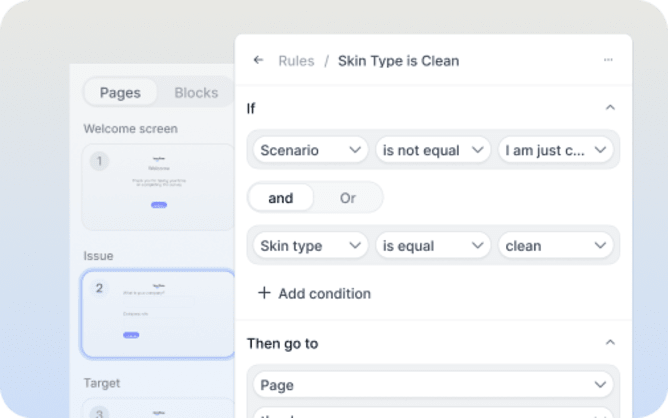
Webflow forms are single-step HTML forms. Heyflow builds multi-step funnels that guide visitors through short, engaging steps, proven to boost completion rates by up to 40%. Your mobile traffic deserves an experience built for thumbs, not desktop browsers.
Try for free
Built for Paid Media Tracking
Heyflow connects natively with Meta CAPI, TikTok, Google Ads, LinkedIn, Bing, Taboola, and Outbrain to capture every conversion server-side, even without cookies. Webflow has no server-side tracking at all. Accurate attribution means smarter optimization and lower CPAs.
Try for free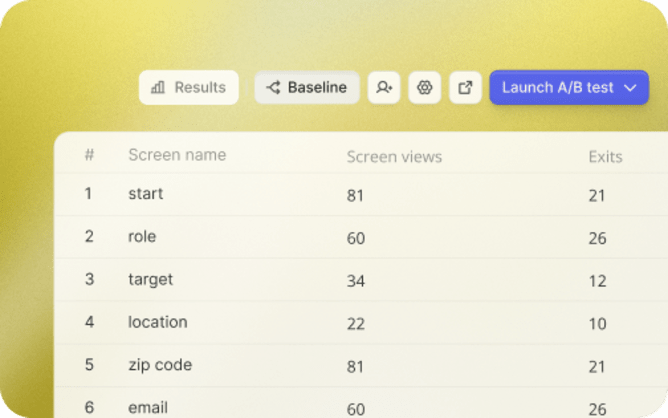
Conversion Optimization Made Simple
Run A/B tests, monitor drop-offs, and get AI-powered insights on how to improve conversions. Know which variant, question, or layout performs best and continuously optimize your funnel performance.
Try for freeHow Heyflow stacks up against Webflow
The difference is simple: Webflow builds websites. Heyflow converts traffic.
Funnels outperform landing pages because they create interactive, guided experiences that build trust, reduce friction, and turn visitors into customers.



Purpose-built for conversion
Heyflow:
Designed for paid media funnels, lead gen, quizzes, product discovery, and more.
Webflow:
Website builder with basic single-step form functionality.

Multi-step forms
Heyflow:
Native multi-step funnels with conditional branching and progress indicators.
Webflow:
Single-step forms only; multi-step requires custom code or third-party tools.

Conversion-focused building blocks
Heyflow:
40+ purpose-built blocks: calendars, payments, signature capture, video backgrounds, calculators, date pickers, and more.
Webflow:
Generic website components; no native date picker, signature block, or quiz builder.

Server-side ad tracking
Heyflow:
Native Meta CAPI, TikTok Events API, Google Ads, LinkedIn, and Bing, all server-side.
Webflow:
No server-side tracking; requires third-party tools like PixelFlow or server-side GTM.

Ad platform integrations
Heyflow:
Native pixels for Meta, TikTok, LinkedIn, Google Ads, Taboola, Outbrain, and Voluum, all code-free.
Webflow:
Meta Pixel and GA4 native; TikTok, LinkedIn, Taboola, Outbrain require custom code.

Behavioral analytics
Heyflow:
Native Hotjar, Microsoft Clarity, and Matomo integrations.
Webflow:
Microsoft Clarity native; Hotjar and Matomo require custom code.
UTM parameter capture
Heyflow:
Automatic UTM and click ID capture into hidden fields.
Webflow:
Requires custom JavaScript.

A/B testing and analytics
Heyflow:
Built-in A/B testing with statistical significance and field-level drop-off tracking.
Webflow:
Webflow Optimize available as $299/mo add-on; no field-level drop-off analytics.

Lead quality & validation
Heyflow:
HLR phone network validation (carrier-level), SMS OTP, email SMTP validation, address autocomplete.
Webflow:
Basic format validation only; no phone validation, no SMS OTP, no address lookup.

TCPA lead compliance
Heyflow:
Native TrustedForm and Jornaya/Verisk integrations.
Webflow:
No TrustedForm or Jornaya support.
Conditional logic & personalization
Heyflow:
Visual Logic Map for complex branching with AND/OR rules, scoring, and dynamic content.
Webflow:
Basic show/hide only; no branching, scoring, or visual logic editor.

Native autoresponders
Heyflow:
Built-in email and WhatsApp autoresponders with custom SMTP.
Webflow:
Admin notifications only; no reply to submitter; no custom SMTP.

CRM integrations
Heyflow:
Native HubSpot, Salesforce, Pipedrive, Zoho, HighLevel, ActiveCampaign, and Klaviyo.
Webflow:
HubSpot native; Salesforce, Pipedrive, ActiveCampaign, HighLevel, Klaviyo require Zapier.

Design control
Heyflow:
2,000+ style variables for pixel-perfect branding, no CSS required.
Webflow:
Extensive design capabilities; CSS knowledge helpful for precision.

Cookie consent banner
Heyflow:
Native editable cookie consent banner plus Openli integration.
Webflow:
Requires third-party CMP (Cookiebot, Finsweet).

Sensitive data handling
Heyflow:
Sensitive Tag auto-deletes specific fields after processing.
Webflow:
Manual deletion only.

Enterprise compliance
Heyflow:
SOC 2 Type II, ISO 27001 certified, HIPAA compliant with BAA, EU servers.
Webflow:
SOC 2 Type II, ISO 27001 certified; US servers only; no HIPAA/BAA.

Customer success
Heyflow:
Dedicated local support and optimization guidance.
Webflow:
Self-service help and community; enterprise support on higher tiers.
Nadim Kuttab
Founder & CEO
Switching from Webflow to Heyflow gave us a 30% lift in conversion rates from paid campaigns. Funnels simply perform better than forms, and the support team helped us optimize every step.


Frequently asked questions
Is Heyflow just another form builder?
No. Heyflow is a funnel platform built for performance marketers. While traditional tools collect responses, Heyflow helps you convert paid traffic with multi-step experiences, built-in tracking, A/B testing, and AI-powered optimization. Whether you're capturing leads, guiding shoppers through product quizzes, or driving purchases.
Is Heyflow free?
Heyflow offers a free 14-day trial so you can test all features, no credit card required. For ongoing use, paid plans scale based on response volume and feature needs.
View pricingIs Heyflow compliant and secure?
Yes. Heyflow is GDPR compliant, SOC 2 certified, HIPAA compliant, and ISO 27001 certified. All data is encrypted and stored on EU servers, processed according to the highest industry standards.
Do I need technical skills?
No developers needed. Everything is drag-and-drop with live preview and advanced logic built in. If you want to extend functionality, custom JS, CSS, and HTML are available for endless flexibility.
Can I connect it to my ad accounts?
Yes. Heyflow integrates natively with Meta, Google, TikTok, LinkedIn, Taboola, Outbrain, and more. Server-side integrations like Meta CAPI ensure accurate tracking even with ad blockers and iOS privacy restrictions.

Start converting more from every paid click.
Join marketing teams using Heyflow to turn paid media into measurable ROI.